These are instructions on how to manually backup your iPhone using iTunes.
Step One Launch iTunes from your dock.
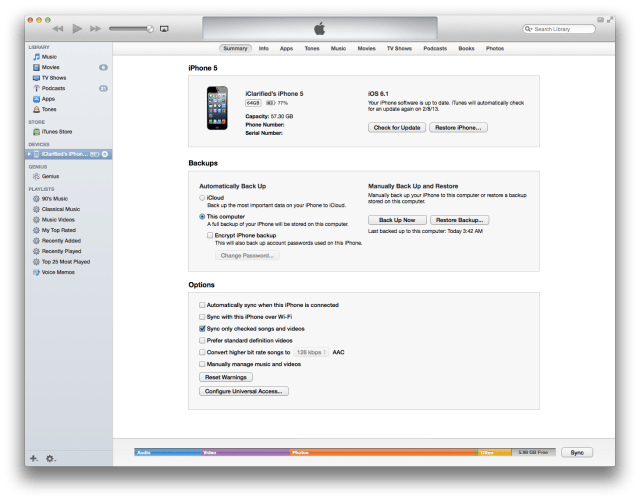
Step Two Connect your iPhone to the computer via the USB cable and select it from the iTunes sidebar or at the top right of the screen if you're using the new layout.
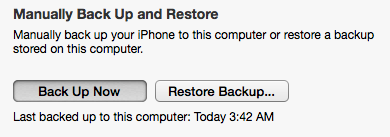
Step Three Make sure you are on the Summary tab and click the large Back Up Now button.
Step Four Notice the progress bar will tell you the status of your backup.
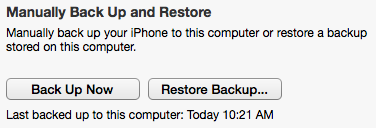
Step Five Once complete the date and time of your last backup will be updated.
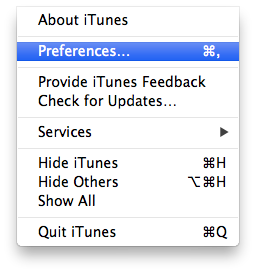
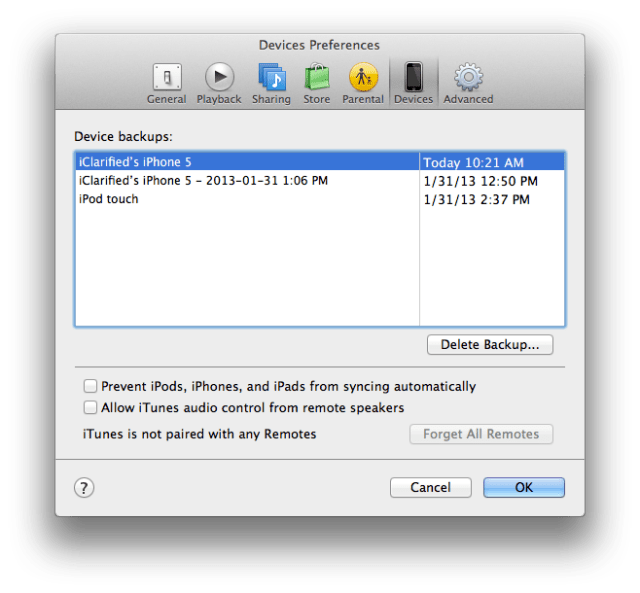
Step Six To see all the device backups on your system select Preferences from the iTunes menu.
Step Seven You can find the list of backups in the Device tab.
Get the iClarified Daily Newsletter
Apple news, rumors, tutorials, price drop alerts, in your inbox every evening, free.
Unsubscribe at any time.
Success!
You have been subscribed.
Add Comment
Would you like to be notified when someone replies or adds a new comment?
Yes (All Threads)
Yes (This Thread Only)
No
Notifications
Would you like to be notified when we post a new Apple news article or tutorial?
Hi. Very useful post, which probably saved hours of stress etc due to possible lost data, as there is no indication/warning that an iPhone should be backed up prior to an upgrade to iOS 7.0, when selecting the iOS 7.0 install option, especially via WAN.
How in Gods name can I backup my iphone 4s to my itunes on my pc without having to trust my iphone???, My iphone screen is broken with no help of fixing. I already change the LCD and see light inside but none in the front in order to click TRUST!!! I am so aggravated! My neck is kiling me from searching for days online. HELP PLEASE???







![iOS 26 Adoption Reaches 86% on Recent iPhones, 79% Overall [Chart]](/images/news/101140/101140/101140-160.jpg "iOS 26 Adoption Reaches 86% on Recent iPhones, 79% Overall [Chart]")





![Apple Watch Series 11 is Back on Sale for Just $299 [Deal]](/images/news/101081/101081/101081-160.jpg "Apple Watch Series 11 is Back on Sale for Just $299 [Deal]")
![AirPods Max 2 Drop to New All-Time Low of $499 [Deal]](/images/news/101063/101063/101063-160.jpg "AirPods Max 2 Drop to New All-Time Low of $499 [Deal]")
![AirPods Max 2 Hit All-Time Low Price of $509 ($40 Off) [Deal]](/images/news/101039/101039/101039-160.jpg "AirPods Max 2 Hit All-Time Low Price of $509 ($40 Off) [Deal]")
![New 13-Inch M5 MacBook Air Hits All-Time Low Price of $899.99 [Deal]](/images/news/100969/100969/100969-160.jpg "New 13-Inch M5 MacBook Air Hits All-Time Low Price of $899.99 [Deal]")
![AirPods Pro 3 Drop to $199 Ahead of Memorial Day [Deal]](/images/news/100935/100935/100935-160.jpg "AirPods Pro 3 Drop to $199 Ahead of Memorial Day [Deal]")
