Como hacer Jailbreak a tu iPhone usando Absinthe 2.0 (Windows) [5.1.1]
LIKE
TWEET
SHARE
PIN
SHARE
POST
MAIL
MORE
Posted May 28, 2012 at 1:54am by iClarified
Estas son las instrucciones de como realizar un jailbreak untethered de tu iPhone en iOS 5.1.1 usando Absinthe 2.0 para Windows.
Advertencia***: Antes de continuar, asegúrate de realizar un respaldo (backup) a tu dispositivo en iTunes ya que es posible que pierdas tu biblioteca de fotos durante el proceso.
Paso Uno Descarga la última versión de Absinthe desde aquí.
Paso Dos Extraer el archivo descargado.
Paso Tres Hacer doble clic en el archivo absinthe-win-2.0.exe del folder que se acaba de extraer.
Esto creará un nuevo folder llamado: absinthe-win-2.0.
Abre el nuevo folder creado y ejecuta absinthe.exe.
Paso Cuatro Cuando recibas la indicación, conecta tu iPhone al ordenador mediante el puerto USB. Ten en cuenta eliminar cualquier contraseña o configuración VPN que hayas configurado anteriormente.
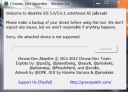
Paso Cinco Haz clic en el botón Jailbreak para comenzar.
Paso Seis La aplicación te llevará entre varias etapas o pasos, incluyendo: Iniciando jailbreak, enviando información inicial del jailbreak , enviando información final del jailbreak, esperando por el reinicio, y por último, esperando que se complete el proceso.
Paso Siete Te informará que el jailbreak está 'Terminado'.
Paso Ocho En unos momentos notarás que Cydia aparecerá en tu Springboard!
***Si tienes algún inconveniente o problema, por favor, reintenta el procedimiento en un dispositivo restaurado limpiamente al iOS 5.1.1 (Recuerda realizar un respaldo (backup) antes de restaurar)***
Add Comment
Would you like to be notified when someone replies or adds a new comment?
Yes (All Threads)
Yes (This Thread Only)
No
Notifications
Would you like to be notified when we post a new Apple news article or tutorial?
I have an iPhone 4 factory unlocked (can work with any sim card or phone company that I want).
I think it originally came with iOS 4.3.3 and I already updated the iOS and jailbreak many times.
Nowadays I have it with iOS 5.0.1 already jailbroken..
I'd really like to update to iOS 5.1.1 and jailbreak it.
My question:
If this iOS update and unthetered jailbreak to 5.1.1 still possible at the moment?
or I will end up with a "blocked" iphone, because of the erros in the process, with no other choice that updating to iOS 6.0.1 (current official) with no jailbreak at all.
Hope it understands what I'm asking..
Please, someone answer.. Thanks!
I have a 4S with 5.1.1, but the latest IOS available is 6.0.1. I did not update the IOS version, and followed the steps mentioned. I get an error "Unable to connect to lockdownd. aborting." But the Cydia icon appears on the iphone. did it install correctly? To remove Cydia, I tried to restore from backup, but it still had the Cydia installed.
Anything Im doing wrong? I dont want to restore to 6.0.1
Thanks
I am not able to understand where u r exactly getting this error, I assume u have installed the jailbroken ios 5.1.1 then what happend did u iphone is in working state or not...? please elaborate the issue properly...
all download links are here on iclarified just pick the jailbreak for you (Absynthe) which is the best and go to turorial for your device look for absynthe jailbreak, click on it and it will run you through how to do it with a link to absynthe aswell, one will be for ios and one will be for windows remeber to pick the right one
so im trying to unlock my 4s and ive down loaded and extracted them but when im supposed to plug my phone in it doesnt even see thats its there how do i fix this. my desktop knows my phone is plugged in but absinthe does not wtf
Hi Folks,
My visually impaired friend from Venezuela bought an old iPhone 3GS believing that it is not locked and tried to upgrade to 5.1.1 (without asking me, and yes, I am in Europe, so can only do remote support). She upgraded to 5.1.1 in iTunes and of course the SIM is not recognized.
Yesterday I guided her installing the latest version of Absinthe on her PC. The app starts, and when she plugged the USB cable it recognized the iPhone and its hardware version, but the "Jailbreak" button stays disabled. What should she do?
Although I am an iPhone dev, I never before considered jailbreaking any device, so please do not give me a hard time :)
I really will appreciate your help, because for my friend the iPhone (and the VoiceOver) opened a new world of possibilities. Thanks again!

![Como hacer Jailbreak a tu iPhone usando Absinthe 2.0 (Windows) [5.1.1]](/images/tutorials/22184/81053/81053-64.png "Como hacer Jailbreak a tu iPhone usando Absinthe 2.0 (Windows) [5.1.1]")











![Como hacer Jailbreak a tu iPhone usando Absinthe 2.0 (Windows) [5.1.1]](/images/tutorials/22184/81063/81063.png "Como hacer Jailbreak a tu iPhone usando Absinthe 2.0 (Windows) [5.1.1]")
![Como hacer Jailbreak a tu iPhone usando Absinthe 2.0 (Windows) [5.1.1]](/images/tutorials/22184/81064/81064-500.png "Como hacer Jailbreak a tu iPhone usando Absinthe 2.0 (Windows) [5.1.1]")
![Como hacer Jailbreak a tu iPhone usando Absinthe 2.0 (Windows) [5.1.1]](/images/tutorials/22184/81066/81066-500.png "Como hacer Jailbreak a tu iPhone usando Absinthe 2.0 (Windows) [5.1.1]")
![Como hacer Jailbreak a tu iPhone usando Absinthe 2.0 (Windows) [5.1.1]](/images/tutorials/22184/81068/81068-500.png "Como hacer Jailbreak a tu iPhone usando Absinthe 2.0 (Windows) [5.1.1]")
![Como hacer Jailbreak a tu iPhone usando Absinthe 2.0 (Windows) [5.1.1]](/images/tutorials/22184/81077/81077-500.png "Como hacer Jailbreak a tu iPhone usando Absinthe 2.0 (Windows) [5.1.1]")
![Como hacer Jailbreak a tu iPhone usando Absinthe 2.0 (Windows) [5.1.1]](/images/tutorials/22184/81069/81069-500.png "Como hacer Jailbreak a tu iPhone usando Absinthe 2.0 (Windows) [5.1.1]")
![Como hacer Jailbreak a tu iPhone usando Absinthe 2.0 (Windows) [5.1.1]](/images/tutorials/22184/81070/81070-500.png "Como hacer Jailbreak a tu iPhone usando Absinthe 2.0 (Windows) [5.1.1]")
![Como hacer Jailbreak a tu iPhone usando Absinthe 2.0 (Windows) [5.1.1]](/images/tutorials/22184/81072/81072-500.png "Como hacer Jailbreak a tu iPhone usando Absinthe 2.0 (Windows) [5.1.1]")
![Como hacer Jailbreak a tu iPhone usando Absinthe 2.0 (Windows) [5.1.1]](/images/tutorials/22184/81073/81073-500.png "Como hacer Jailbreak a tu iPhone usando Absinthe 2.0 (Windows) [5.1.1]")
![Como hacer Jailbreak a tu iPhone usando Absinthe 2.0 (Windows) [5.1.1]](/images/tutorials/22184/81074/81074-500.png "Como hacer Jailbreak a tu iPhone usando Absinthe 2.0 (Windows) [5.1.1]")
![Como hacer Jailbreak a tu iPhone usando Absinthe 2.0 (Windows) [5.1.1]](/images/tutorials/22184/81079/81079-500.png "Como hacer Jailbreak a tu iPhone usando Absinthe 2.0 (Windows) [5.1.1]")
![Como hacer Jailbreak a tu iPhone usando Absinthe 2.0 (Windows) [5.1.1]](/images/tutorials/22184/81078/81078-500.png "Como hacer Jailbreak a tu iPhone usando Absinthe 2.0 (Windows) [5.1.1]")




![Apple Shares Official Teaser for 'Presumed Innocent' Starring Jake Gyllenhaal [Video]](/images/news/93490/93490/93490-160.jpg "Apple Shares Official Teaser for 'Presumed Innocent' Starring Jake Gyllenhaal [Video]")
![Apple Shares New Star Wars 'Find Your Friends' Ad for iPhone 15 [Video]](/images/news/93487/93487/93487-160.jpg "Apple Shares New Star Wars 'Find Your Friends' Ad for iPhone 15 [Video]")
![Leaked iPhone 16 Molds Allegedly Reveal Change to MagSafe Ring [Images]](/images/news/93485/93485/93485-160.jpg "Leaked iPhone 16 Molds Allegedly Reveal Change to MagSafe Ring [Images]")





![Apple AirPods 3 On Sale for $139.99 [Deal]](/images/news/91189/91189/91189-160.jpg "Apple AirPods 3 On Sale for $139.99 [Deal]")
![AirPods Pro 2 With USB-C On Sale for $179! [Lowest Price Ever]](/images/news/93454/93454/93454-160.jpg "AirPods Pro 2 With USB-C On Sale for $179! [Lowest Price Ever]")
![Apple Watch Series 9 Back On Sale for 25% Off! [Deal]](/images/news/93421/93421/93421-160.jpg "Apple Watch Series 9 Back On Sale for 25% Off! [Deal]")
![New M3 13-inch MacBook Air On Sale for $110 Off! [Lowest Price Ever]](/images/news/93420/93420/93420-160.jpg "New M3 13-inch MacBook Air On Sale for $110 Off! [Lowest Price Ever]")