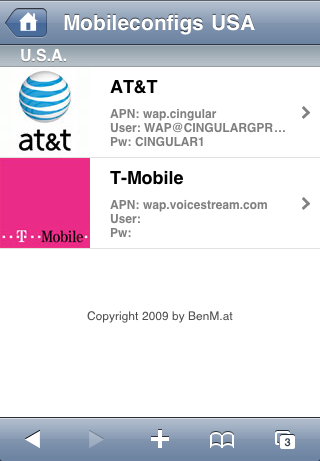
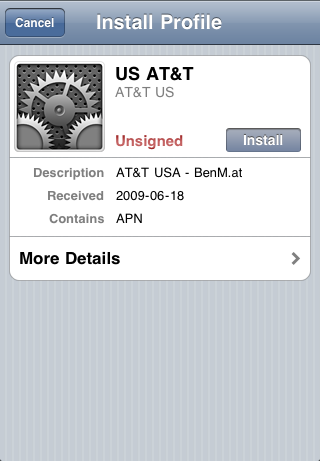
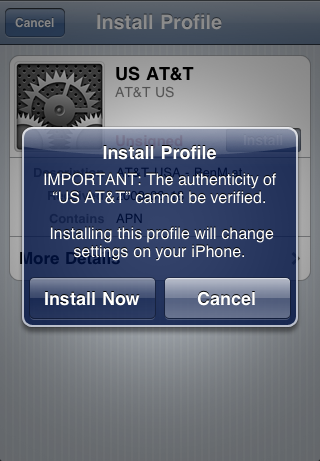
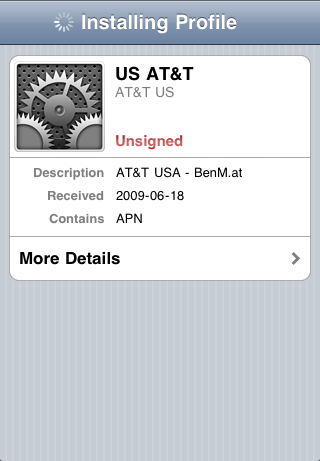
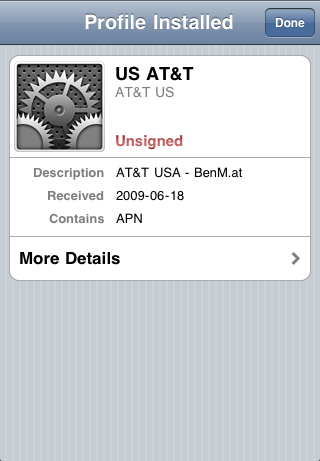
The AT&T (Beta) doesn't work on my iPhone 3G which I manually sync every couple of weeks via iTunes 9.1 (79) via my MacBook Pro running Mac OS X "Snow Leopard" 10.6.3
ERROR MESSAGE (below):
Invalid Profile
Profile format not recognized
OK
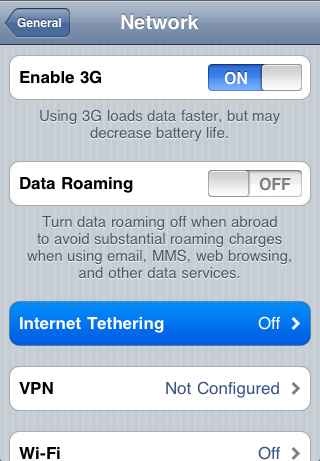
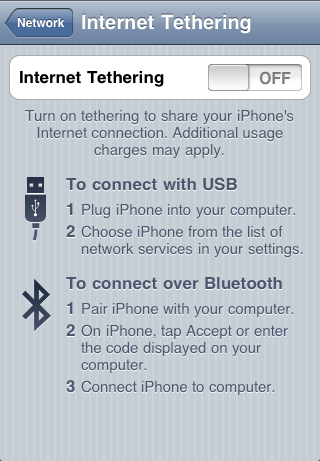
Please let us know when this works again since my BIGGEST disappointment with the iPhone is no tethering... so I keep my "vintage" Palm Treo 700p on my wife's Sprint account fo r$10 a month for unlimited tethering via USBmodem (Mac) and PDAnet (WinXP Pro)... works GREAT and NO GOOD REASON AT&T CAN'T PROVIDE THIS other than their network couldn't handle the load.
does not work on my iphone 3GS Singapore. And an app with apple logo "helpcenter" appear on my springboard, try to delete it but can't. can anyone help?
I used this method earlier today, and i have the ATT Unlimited Data Plan. I also have a app that shows how many minutes ive used etc. well Until after i installed this app it said pay per internet use right about my data plan, and it acknowledged 0.3mb from where i did a speedtest with my laptop. So im kinda etchy on this, also i heard that ATT is supposedly releasing a update sept 25 for mms, so i have no idea. All i know is the Internet Pay Per Use wasnt there until after i did that and did a speedtest. Im not trying to piss anyone off or anything i just dont want someone to have a crazy bill.
I have followed the instructions and it works great on my two friend's non-jailbroken 3GS iPhones. However, I only get "Local Access" when trying to tether on my Windows Vista machine. Has anybody jailbroken their iPhone a otten the tethering to work or know why I may be having trouble? I followed the jailbreak tutorial on this site.
I tried it. It actually installed it but it wont connect to the internet . It tell you to contact Tmobile to turn on that option so I was like ok forget that. For that set up its easy only takes few minutes.
Working (almost) fine in Chile with Movistar, but only through cable. Couldn't make it work ussing bluetooth (with a PC). Only issue, when i tried to turn tethering off, it wont. Tried also turning on/off the flight mode, nothing happened. Only solution was powering off/on the iphone. Any one experiencing this problem also?.
Cheers, such a great community you have here mates, proud to be an iphone owner!
eduran
(others chilean's iphone owners/developers/hacker/etc let get in (capacitive) touch!)
I got att as well and i got a 3g, my question is. Have u used it? And is there any extra charges for that if you've used it? Let me know as i have successfuly dowloaded it and cant wait to use it obtw im in the U.S as well ;-)
I downloaded successfuly I'm in the U.S and I use ATT. and have unlimited data (internet) usage and I'm on an iPhone 3G with the 3.0 running on it..now If I use it with my laptop would I get charged like a million dollars a minute of usage? does anybody know? Haven't used it. but would like to try, but don't wanna be stuck with a trillion dollar bill....please help!!! lol :-)




![Apple Releases macOS 27.2 Golden Gate Beta to Developers [Download]](/images/news/102249/102249/102249-160.jpg "Apple Releases macOS 27.2 Golden Gate Beta to Developers [Download]")
![Apple Seeds First Betas of watchOS 27.2, tvOS 27.2, and visionOS 27.2 to Developers [Download]](/images/news/102252/102252/102252-160.jpg "Apple Seeds First Betas of watchOS 27.2, tvOS 27.2, and visionOS 27.2 to Developers [Download]")
![Apple Releases iOS 27.2 Beta and iPadOS 27.2 Beta to Developers [Download]](/images/news/102248/102248/102248-160.jpg "Apple Releases iOS 27.2 Beta and iPadOS 27.2 Beta to Developers [Download]")










![Apple Studio Display XDR Hits All-Time Low of $2,969.99 ($329 Off) [Deal]](/images/news/101976/101976/101976-160.jpg "Apple Studio Display XDR Hits All-Time Low of $2,969.99 ($329 Off) [Deal]")
