
![How To Find Your IP Address on iPhone [Video]](/images/tutorials/496/266260/266260-64.png "How To Find Your IP Address on iPhone [Video]")
Here's how to find your iPhone's IP address, the address it uses on your Wi-Fi network, and how to copy it. You'll also see where your router's address and your IPv6 address are, and how to find the public address that websites see.
We tested the steps on an iPhone 18 Pro Max running iOS 27.
Check Your iPhone's Local IP Address in Wi-Fi Settings
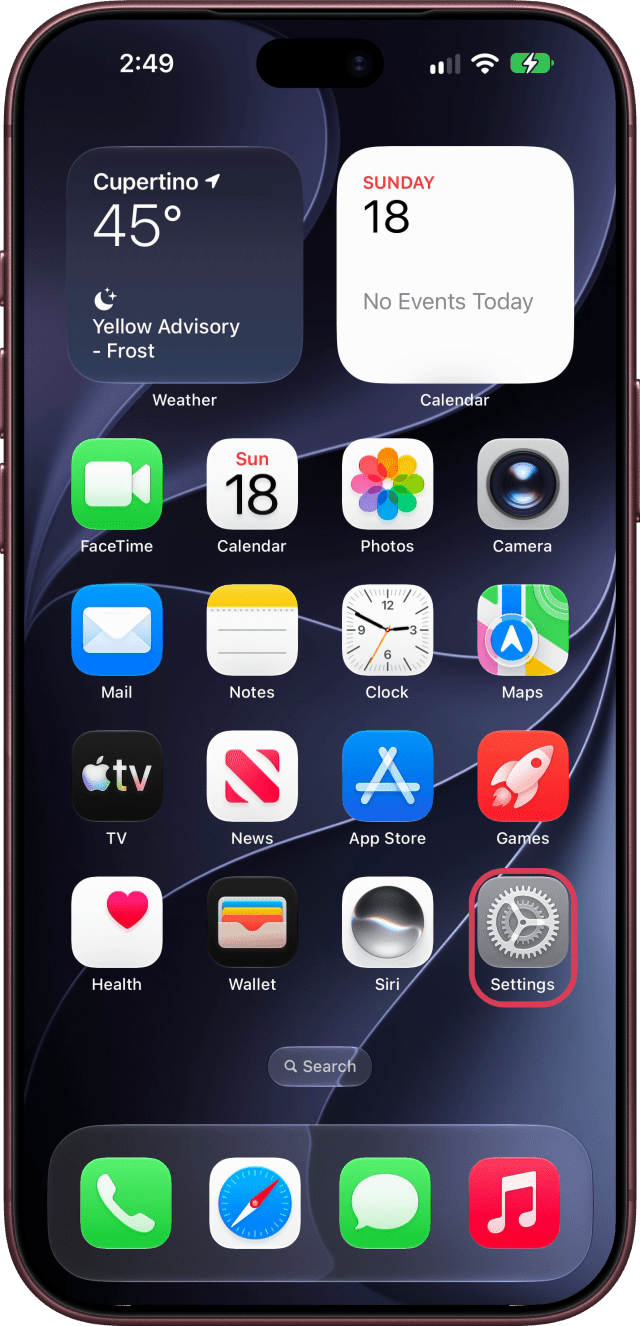
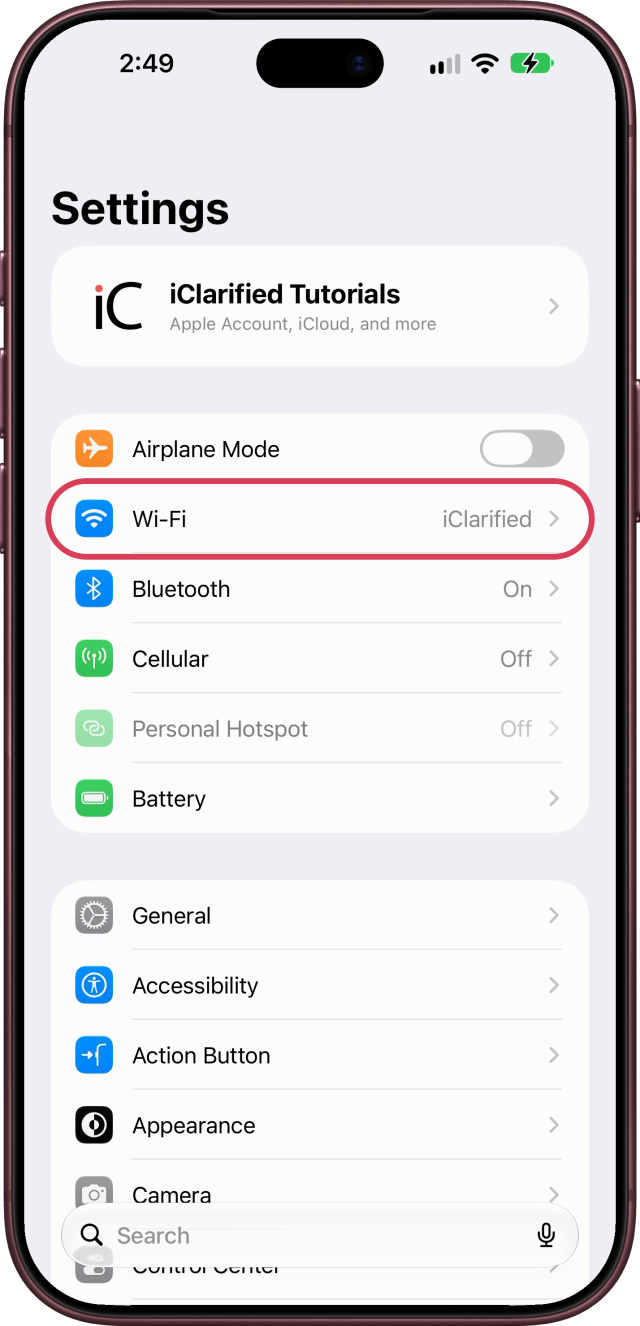
Step One: Open Settings and Tap Wi-Fi
Open Settings and tap Wi-Fi.
Step Two: Tap the Info Button
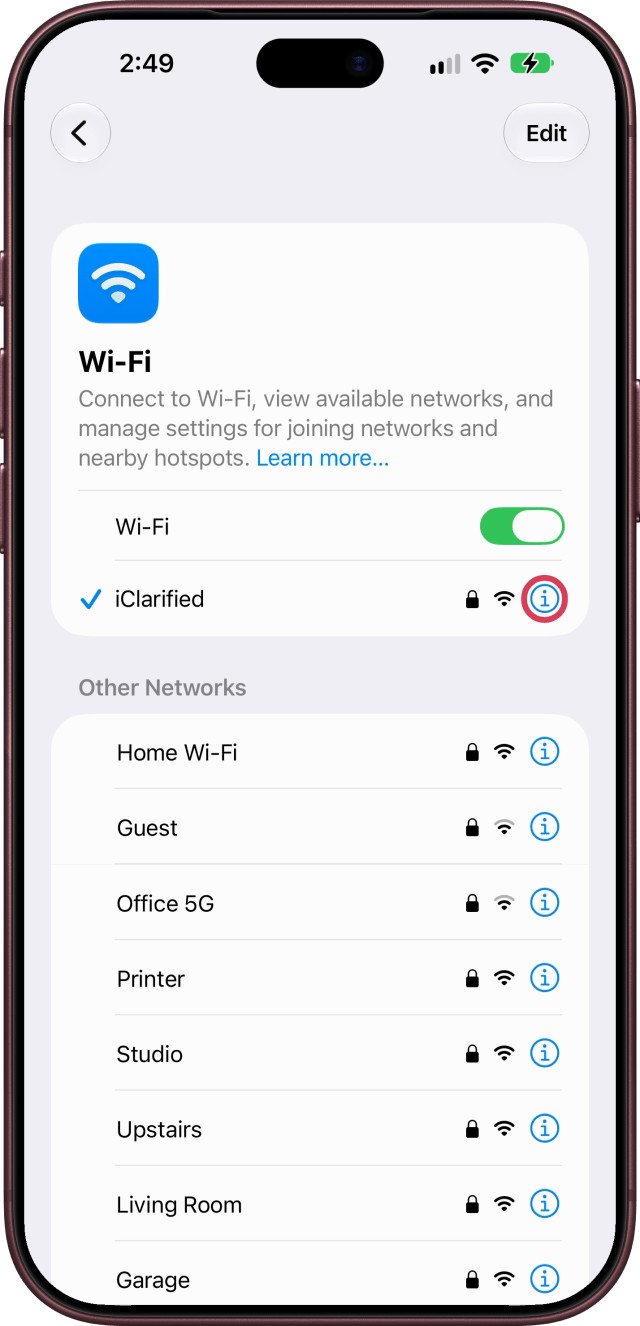
Next to the network you're connected to, tap the info button (i).
Step Three: Find and Copy Your IP Address
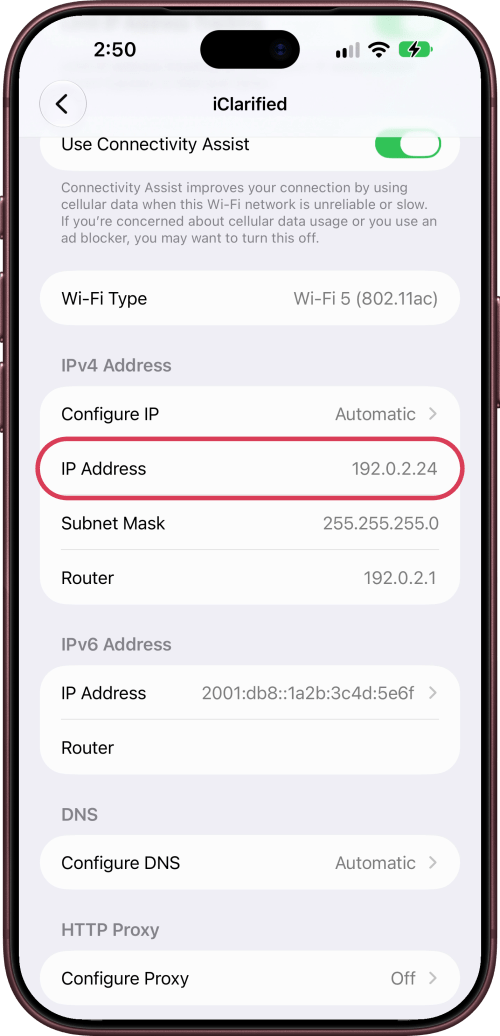
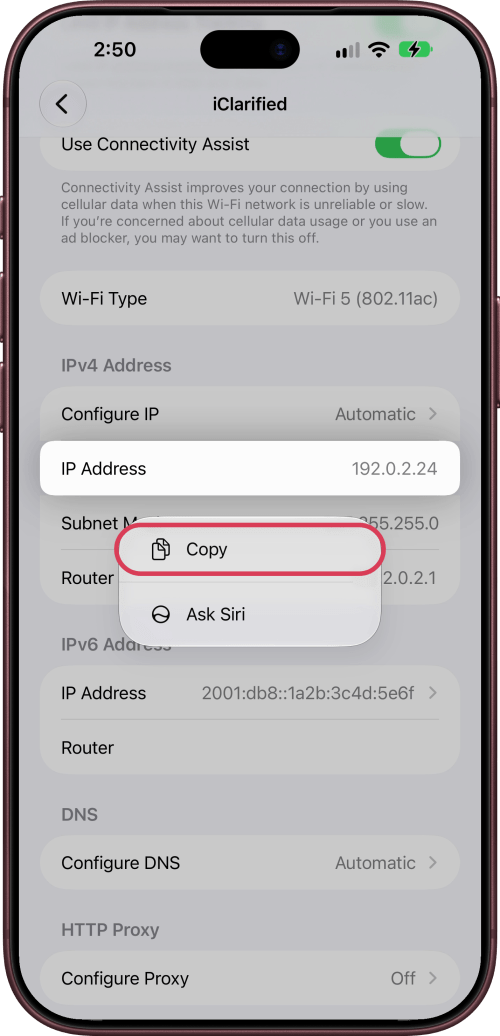
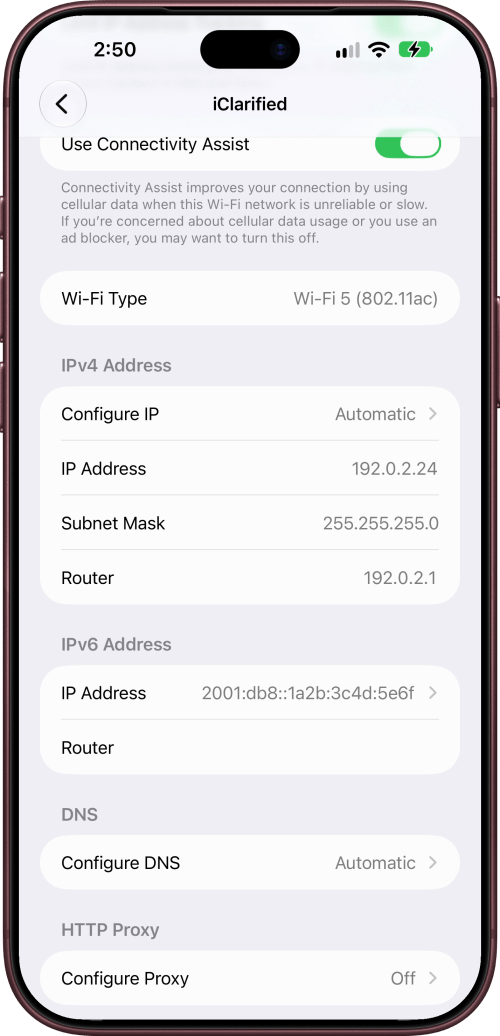
Scroll down to IPv4 Address. Your iPhone's IP address is next to IP Address.
To copy it, touch and hold IP Address, then tap Copy.
Your Router and IPv6 Addresses
Below IP Address are Subnet Mask and Router, which is your router's address on the network. Your iPhone's IPv6 address is next to IP Address under IPv6 Address.
Your Public IP Address
On most home networks, the address in Wi-Fi settings is private to that network: your router assigns it, and Configure IP reads Automatic. Websites see your network's public address instead. To find it, search for what is my IP in Safari.
Limit IP Address Tracking
On the same page, Limit IP Address Tracking hides your IP address from known trackers in Mail and Safari.



![Apple Shares New Touchscreen MacBook Pro Ad [Video]](/images/news/103164/103164/103164-160.jpg "Apple Shares New Touchscreen MacBook Pro Ad [Video]")
![Apple Introduces MacBook Pro With PROLED XDR Touchscreen [Video]](/images/news/103158/103158/103158-160.jpg "Apple Introduces MacBook Pro With PROLED XDR Touchscreen [Video]")

![How To Turn Off iPhone [Video]](/images/tutorials/94999/94999/94999-160.jpg "How To Turn Off iPhone [Video]")
![How To Back Up Your iPhone to an External Drive on Mac [Video]](/images/tutorials/72786/72786/72786-160.jpg "How To Back Up Your iPhone to an External Drive on Mac [Video]")

![How To Find Your IP Address on iPhone [Video]](/images/tutorials/496/496/496-160.jpg "How To Find Your IP Address on iPhone [Video]")


![Beats Headphones, Earbuds, and Pill Speaker Are Up to 41% Off [Deal]](/images/news/103026/103026/103026-160.jpg "Beats Headphones, Earbuds, and Pill Speaker Are Up to 41% Off [Deal]")

![New Fire TV Stick 4K Drops to $29.99 (50% Off) [Deal]](/images/news/102984/102984/102984-160.jpg "New Fire TV Stick 4K Drops to $29.99 (50% Off) [Deal]")
![Apple's iPhone 18 Pro and Pro Max Cases Are Up to 37% Off [Deal]](/images/news/102978/102978/102978-160.jpg "Apple's iPhone 18 Pro and Pro Max Cases Are Up to 37% Off [Deal]")
