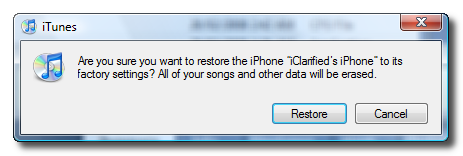
Step One Restore your iPhone to 1.1.4 using iTunes. Do this by plugging your iPhone into the computer and pressing the Restore button in iTunes.
Step Two Download the modified version of ZiPhone ZiPhone (ZiPhone-1.1.4_by_JBLP.zip download no longer available) (mirror (ZiPhone-1.1.4_by_JBLP.zip mirror no longer available)). Thanks to JBLP for modding this! Please note this isn't an official release so like everything else it is at your own risk!
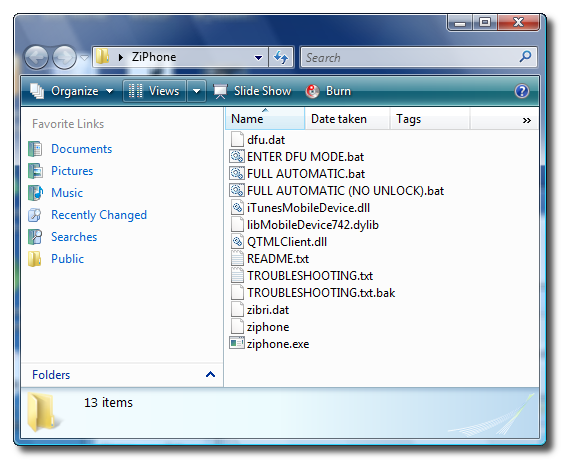
Step Three Double click the downloaded zip file to extract a folder called ZiPhone onto your desktop.
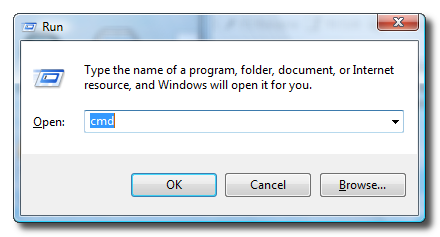
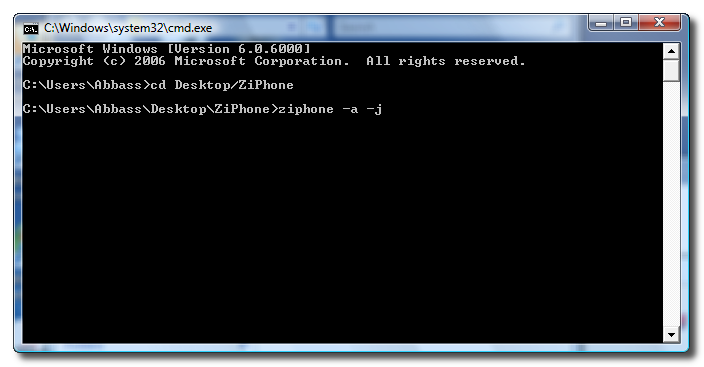
Step Four Press the Windows key + R to open a Run window. Enter cmd into the entryfield and click the Ok button.
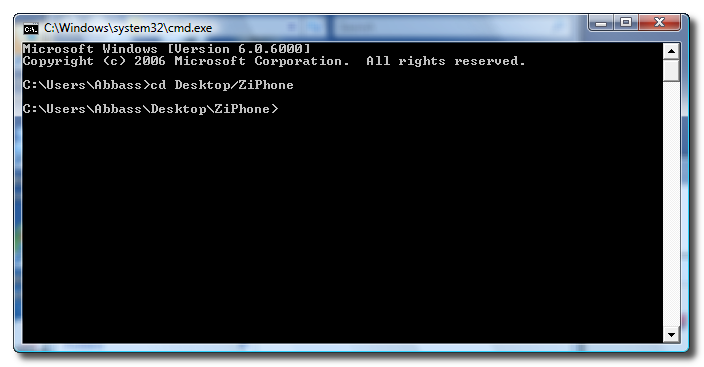
Step Five Navigate to the ZiPhone directory by typing this into Command Prompt: cd Desktop/ZiPhone.
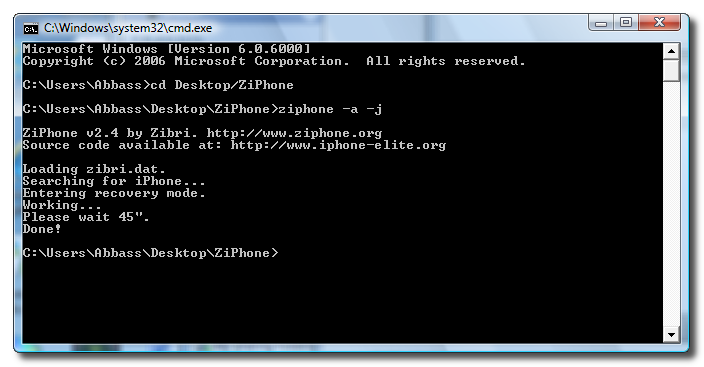
Step Six Now to activate and jailbreak your iPhone type this into the window: ./ziphone -a -j.
Step Seven ZiPhone will put your iPhone into recovery mode and then tell you to wait 45s for the jailbreak and activate.
Step Eight Once the jailbreak and activate is complete you must install BSD Subsystem on your iPhone. To do this follow these steps: How to Install BSD Subsystem on Your iPhone
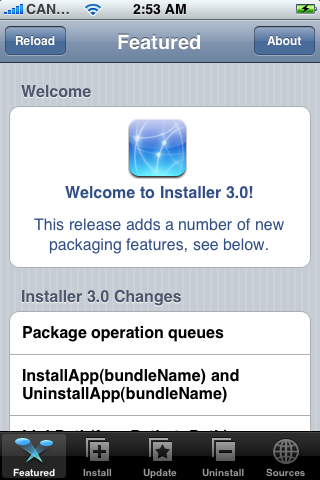
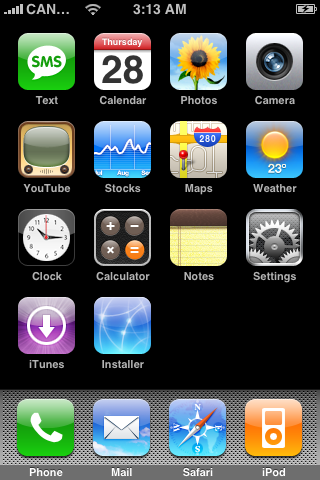
Step Ten Press to launch Installer from your SpringBoard.
Step Eleven Press to select the Install tab at the bottom of the screen.
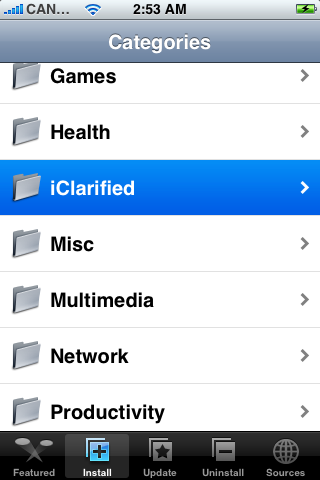
Step Twelve Press to select iClarified from the list of Categories.
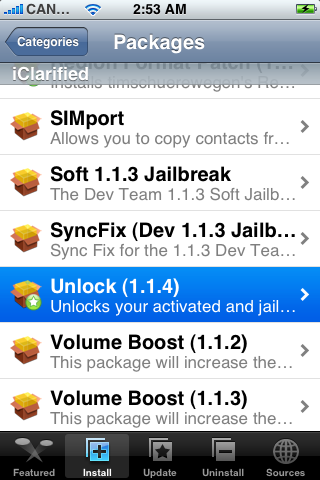
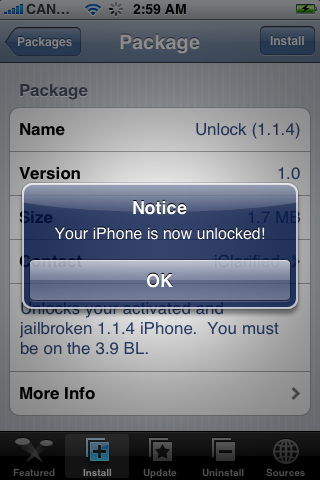
Step Thirteen Press to select Unlock (1.1.4) from the list of Packages.
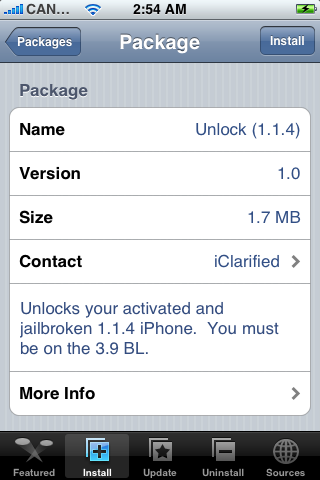
Step Fourteen Press the Install button at the top right of the screen.
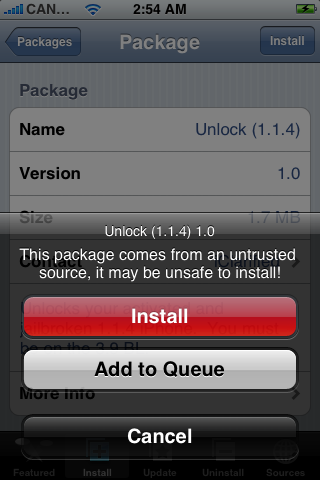
Step Fifteen Press the large red Install button that appears.
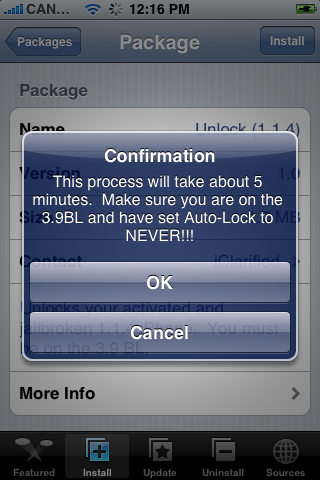
Step Sixteen You will now get a Confirmation telling you that the process will take 5 minutes and to make sure you are on the 3.9BL. If you are press the large OK button to continue.
Step Seventeen After about 3-5 minutes you will get another notice saying that Your iPhone is now unlocked!
Congratulations!!!!
Thanks***: A big thanks to crackn, avi, dtube, enkrypt3d, parsi, jblp, and zibri!!!
Get the iClarified Daily Newsletter
Apple news, rumors, tutorials, price drop alerts, in your inbox every evening, free.
Unsubscribe at any time.
Success!
You have been subscribed.
Add Comment
Would you like to be notified when someone replies or adds a new comment?
Yes (All Threads)
Yes (This Thread Only)
No
Notifications
Would you like to be notified when we post a new Apple news article or tutorial?
Stil have the same problem over and over again: Error main script execution failed.
I have enough space on root 136MB and i installed BossTools to doe that so BSD subsystem works.
Can anyone tell me what to do or how to get back on 1.1.3
tnx
i have an OTB 1.1.2 iphone and i have activated and jailbroken it but i cant get it unlocked. i used ziphone the first time i unlocked it but now when i try to use it it just gets stck on the black screen with the apple logo. can someone please tell me what i need to do?
@Papoose: hey, 16GB iPhone can be delivered with 1.1.3 OR 1.1.4. Make sure you know what you have in your hands and then follow the correct tutorial please
@Shawny - @Alexandre Landim - QJohan: Either you do not have BSB Subsystem correctly installed or you do not have enough space on root. Use BossTools to move Fonts, Ringtones and APPS to the /Media Drive. Tutorial here at iClarified. Then try again!
I tried this on my new 16GB iPhone, and it did not work. Will you update the "Unlock (1.1.4)"-package to work with the 16GB iPhone too?
thanks in advance
Thanks for this mate! Very easy to follow, whole process of restoring (upgrading) to unlock was about 30 mins. Keep up the great work!! I have seen some performance issues resolved. And better reception as well. Upgrade and use this, it's seriously painless!
Main improvement i saw on 1.1.4 was singal is very good.
Calls made or received on the other end is clear and louder. I did a test call between 8gb 1.1.3 to 16GB 1.1.4
I also feel a little faster in apps working (Speed)....












![Apple Studio Display XDR Hits All-Time Low of $2,969.99 ($329 Off) [Deal]](/images/news/101976/101976/101976-160.jpg "Apple Studio Display XDR Hits All-Time Low of $2,969.99 ($329 Off) [Deal]")
![Apple AirPods Pro 3 Drop to $199 ($50 Off) [Deal]](/images/news/101966/101966/101966-160.jpg "Apple AirPods Pro 3 Drop to $199 ($50 Off) [Deal]")
