These are instructions on how to downgrade to the 3.9-fakeblank Bootloader and unlock 1.1.4 using iPlus 2.0b
iPlus 2.0b Features 1-Unlock and if required automatically downgrade the bootloader to 3.9FakeBlank 2-Jailbreak 3-Activate 4-Install AFC2 5-Add the following packages: Installer, Community Services, BSD subsystem, OpenSSH, VT-100
Plus: BSD Fix, VT100 Fix, Summerboard themes directory fix, Relocates Fonts and Ringtones (More than 120MB free)
Before attempting this make sure you have restored your iPhone to 1.1.4 using iTunes and have your iPhone connected to the computer via USB. You can follow this procedure with any SIM card in your iPhone.
Step One Download iPlus 2.0b from iPlus (iPlus2.0b.zip download no longer available)
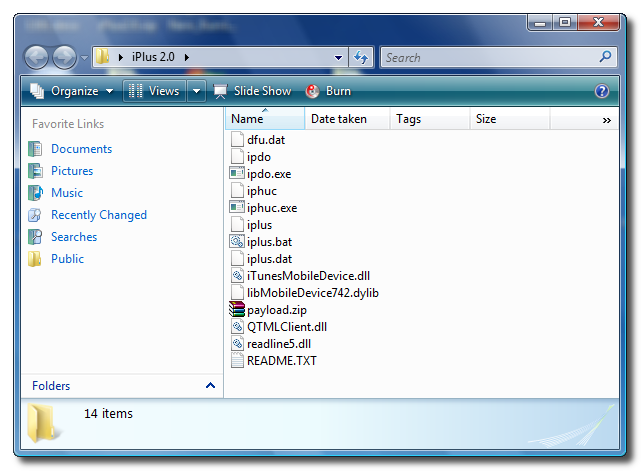
Step Two From the file we just downloaded extract the iPlus2.0 folder to your Desktop.
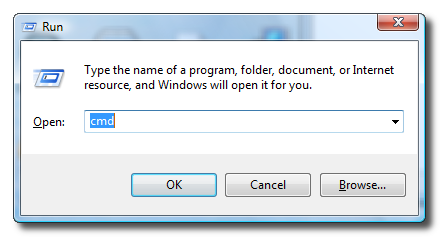
Step Three Press the Windows Key + R on your keyboard to bring up the Run window. Input cmd into the entryfield and then click the Ok button.
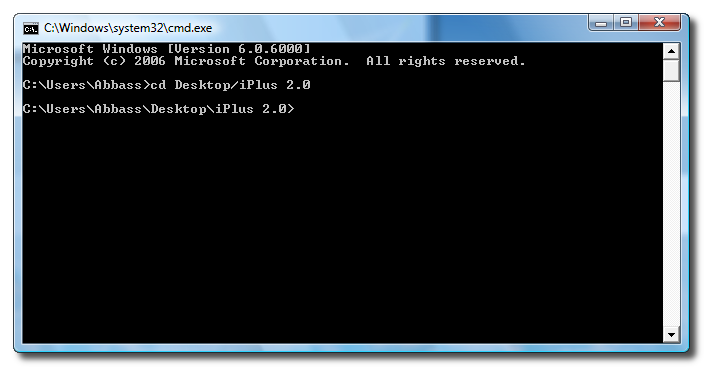
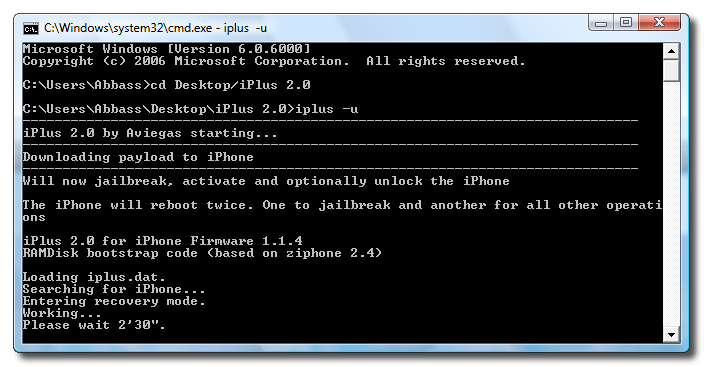
Step Four The Command Prompt window will open. Enter the following command then press Enter cd Desktop/iPlus2.0 (remove the space between iPlus and 2.0)
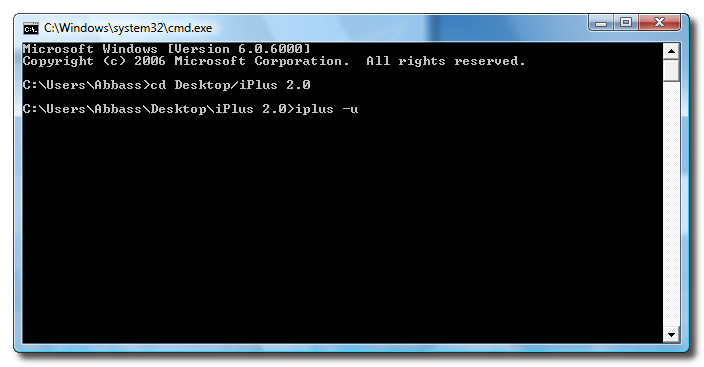
Step Five Enter the following command into the Command Prompt to unlock and downgrade your bootloader. iplus -u
NOTE**: This command will automatically activate, jailbreak, and unlock. If necessary and able it will also change your bootloader to the 3.9-fakeblank Bootloader. If you don't want to unlock just drop the -u and iPlus will only activate and jailbreak!
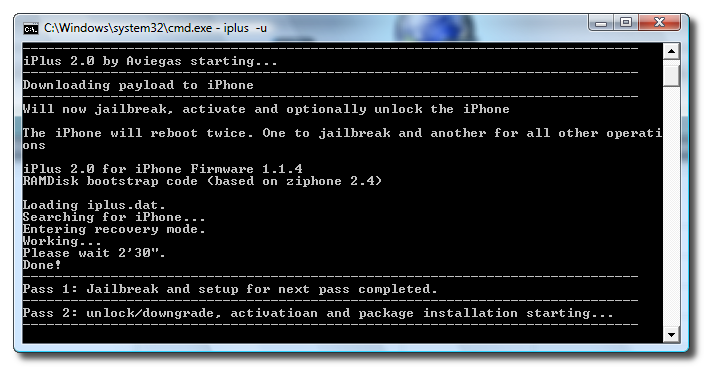
Step Six The program will then put your iPhone into recovery mode. Once it is successfully in recovery mode you will be asked to wait 2 minutes and 30 seconds.
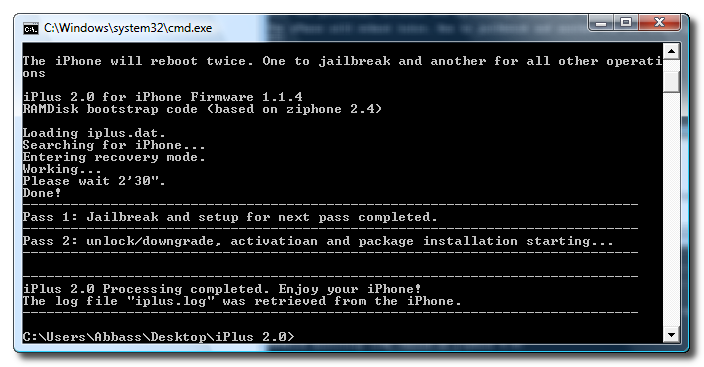
Step Seven Once rebooted it will tell you that Jailbreak and setup for next pass completed. Now it will proceed to unlock, downgrade and activate.
Step Eight Once your iPhone comes out of its final reboot it will be activated, jailbroken, unlocked and bootloader downgraded !!!
THANKS***: A big thanks go to aviegas for creating iPlus !!!
Get the iClarified Daily Newsletter
Apple news, rumors, tutorials, price drop alerts, in your inbox every evening, free.
Unsubscribe at any time.
Success!
You have been subscribed.
Add Comment
Would you like to be notified when someone replies or adds a new comment?
Yes (All Threads)
Yes (This Thread Only)
No
Notifications
Would you like to be notified when we post a new Apple news article or tutorial?
many thanks!!!
i've been online for the past 5 hours trying to get my phone working & stumbled upon this page. Got it working in 15 mins!! unbelievable!!
First allow me to say thank you for the great information, now I can start getting more use of this phone. I have a question. There is an application Name: Term-vt100. Source is BigBosss Apps and Things. Is this a save application to update? If so what is the purpose of it and how does it works.
Thanks again.
hey i m trying to use this one, but after passing first step successfully it has already been 30 minutes in pass 2 - unlock /downgrading -...is it normal?
Hello everyone :-)
Tried iPlus and everything is working fine except one thing: WiFi.
It keeps droping down and turns to edge. I cant use wifi at all and each time i'm trying to go to installer there is no way to use wifi.
Does anyone else have the same problem and is there any fix for that?
Thanks in advance.
My iphone was 1.1.2 OTB and unlocked it months ago with Ziphone.
A couple of days ago i put firm 1.1.4 and unlocked it with iLiberty+ and had the same problem.Today i used iPlus but problem persists.
Excellent work folks. After hours of pouring over the web, this solution helped for my TMobile 8Gb, 1.1.4 phone. The only thing to add after following your instructions is the following config under the Edge settings: wap.voicestream.com
When that is set, all internet apps successfully loaded through Edge. And a WiFi connection worked. Thank you!
I get a message at the end of the process on my iphone screen.
it says "no payload found to process rm"
but it still continues to say "the iphone will now reboot" and "iplus 2.0 - pass 2 completed" but it doesn't reboot.
if i reboot manually, it is not jailbroken even!
I dont know what to do!!! i now have a 1.1.4 phone but its not jailbroken or unlocked.
All I have to say is IT WORKS PERFECTLY!!! the whole process is completely automated, and fast. I cant thank the developer enough. I remember spending a week trying to jailbreak the phone in the 1.1.2 days, and finally submitted to apple's will. No more apple, its my phone and I can do whatever I want with it.
Kudos to the developer again, and for you folks out there wondering if this works, dont think twice. It is the best solution I have encountered so far, and believe me I did my homework.
Firmware 1.1.4, itunes version is irrelevant.



![Apple Shares Two New Apple Watch Stories on Heart Alerts and Fitness [Video]](/images/news/103146/103146/103146-160.jpg "Apple Shares Two New Apple Watch Stories on Heart Alerts and Fitness [Video]")
![OLED Touchscreen MacBook Pro Could Start at $2,899 [Report]](/images/news/103143/103143/103143-160.jpg "OLED Touchscreen MacBook Pro Could Start at $2,899 [Report]")


![How To Turn Off iPhone [Video]](/images/tutorials/94999/94999/94999-160.jpg "How To Turn Off iPhone [Video]")
![How To Back Up Your iPhone to an External Drive on Mac [Video]](/images/tutorials/72786/72786/72786-160.jpg "How To Back Up Your iPhone to an External Drive on Mac [Video]")

![How To Find Your IP Address on iPhone [Video]](/images/tutorials/496/496/496-160.jpg "How To Find Your IP Address on iPhone [Video]")


![Beats Headphones, Earbuds, and Pill Speaker Are Up to 41% Off [Deal]](/images/news/103026/103026/103026-160.jpg "Beats Headphones, Earbuds, and Pill Speaker Are Up to 41% Off [Deal]")

![New Fire TV Stick 4K Drops to $29.99 (50% Off) [Deal]](/images/news/102984/102984/102984-160.jpg "New Fire TV Stick 4K Drops to $29.99 (50% Off) [Deal]")
![Apple's iPhone 18 Pro and Pro Max Cases Are Up to 37% Off [Deal]](/images/news/102978/102978/102978-160.jpg "Apple's iPhone 18 Pro and Pro Max Cases Are Up to 37% Off [Deal]")
