Theses are instructions on how to create a ringtone directly on your iPhone using a song from your iPhone's Music Library.
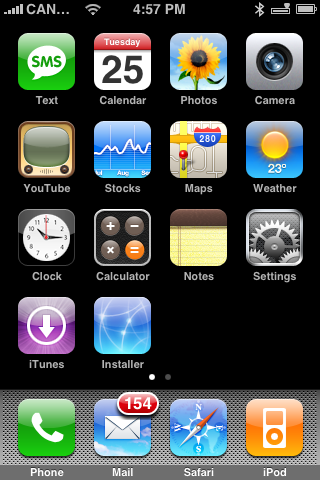
Step One Press to launch Installer from your SpringBoard.
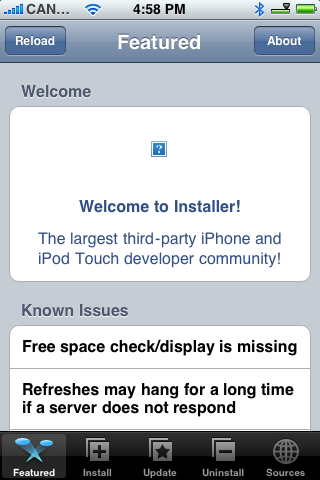
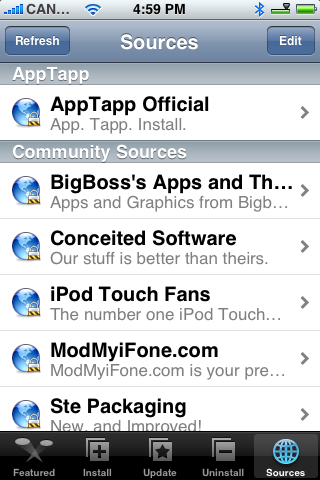
Step Two Press to select the Sources tab at the bottom of the screen.
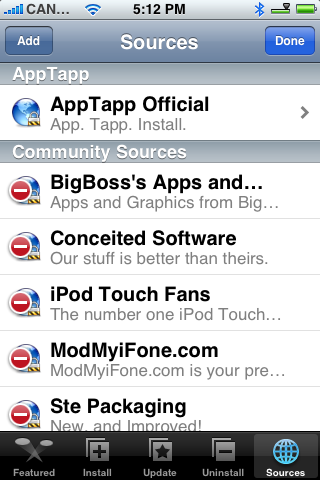
Step Three Press the Edit button at the top right.
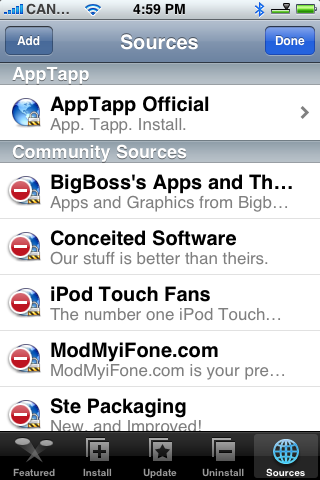
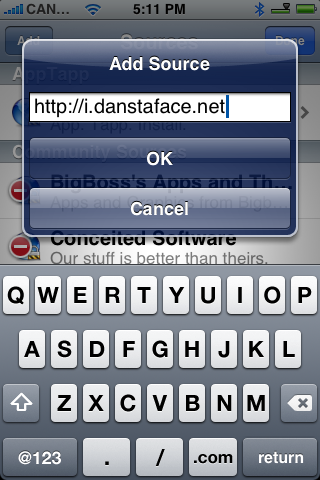
Step Four Press the Add button at the top left.
Step Five Input http://i.danstaface.net into the entryfield and press the large OK button.
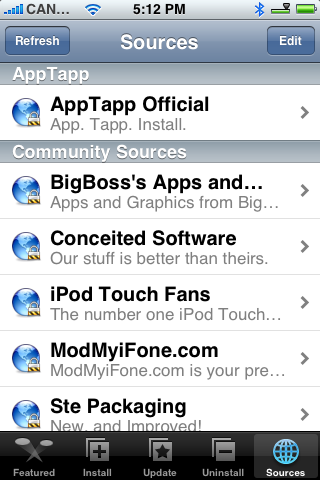
Step Six Press the Done button at the top right.
Step Seven Press to select the Install tab at the bottom of the screen.
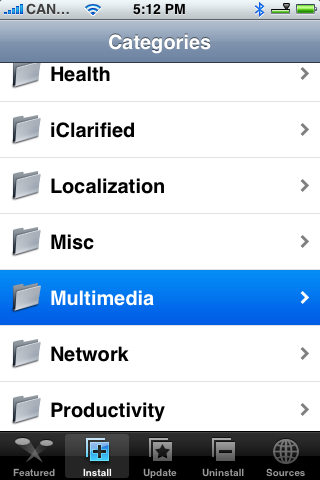
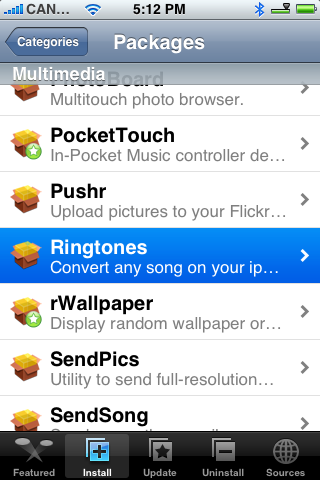
Step Eight Press to select Multimedia from the list of Categories.
Step Nine Press to select Ringtones from the list of Packages.
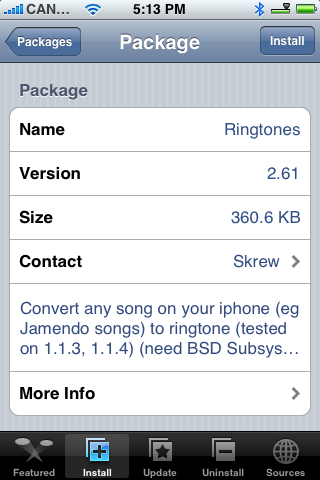
Step Ten Press the Install button at the top right of the screen.
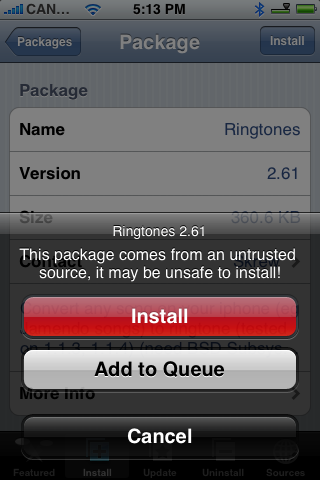
Step Eleven Press the large red Install button that appears.
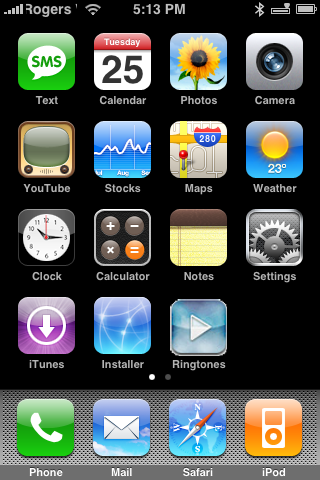
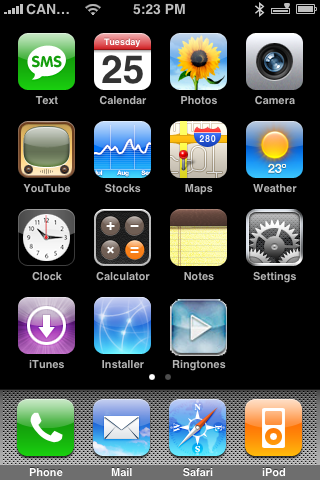
Step Twelve Once installation finishes you will be taken to the Categories list. Press the Home button. Notice the new Ringtones icon on your SpringBoard. Press it to the launch the application.
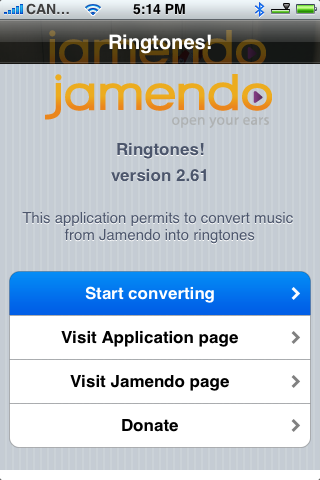
Step Thirteen Press to the image to continue into the program.
Step Fourteen Press the Start converting button to begin using the application.
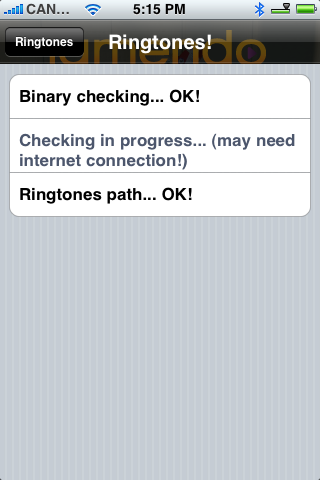
Step Fifteen The program will then do some self checks and search through your Music Library. This make take some time!
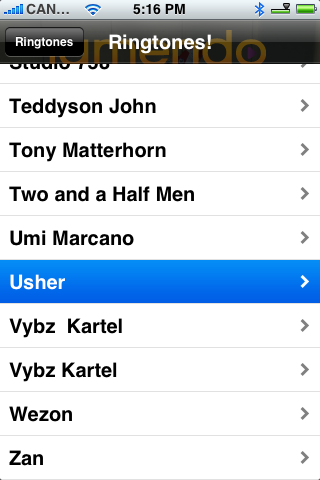
Step Sixteen Eventually you will be displayed your Music Library. Select an Artist that you would like to create a ringtone from.
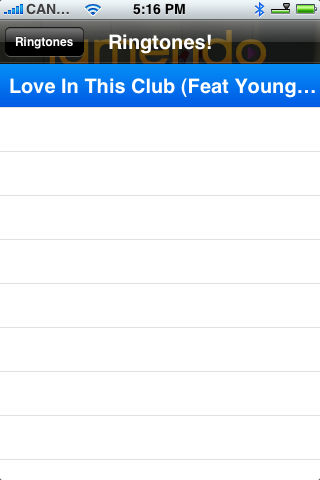
Step Seventeen Select the song you would like to use as your ringtone.
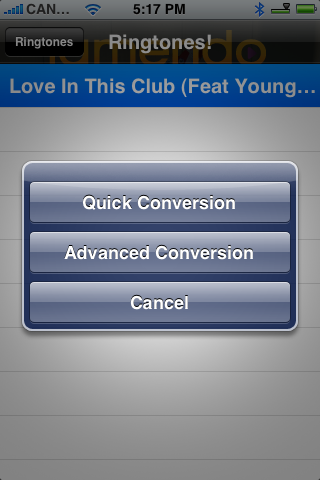
Step Eighteen You will be given the option for Quick Conversion or Advanced Conversion. I would suggest using Advanced Conversion.
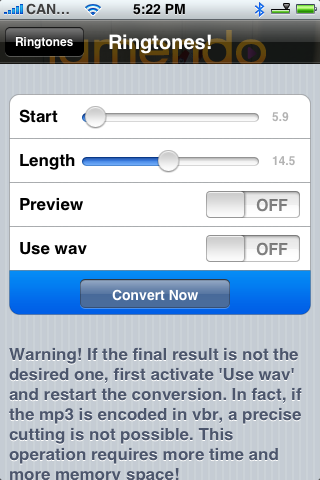
Step Nineteen Use the start and length sliders to adjust the start position and length of your Ringtone. Once satisfied press the Convert Now button.
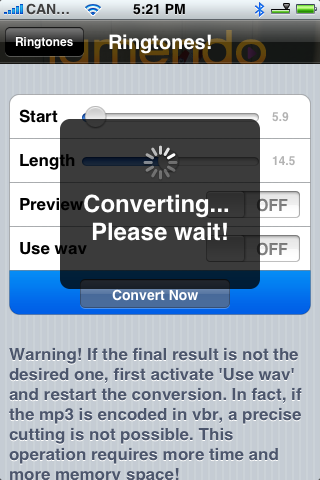
Step Twenty The application will then convert your song into a ringtone.
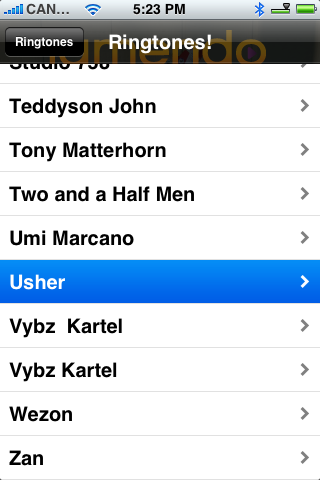
Step Twenty One You will then be returned to your Music Library. Press the Ringtones button at the top left.
Step Twenty Two You can now see and delete the ringtones you have created thus far.
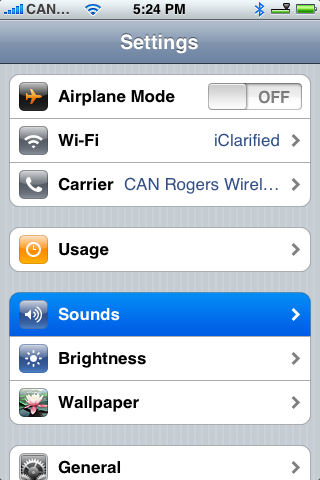
Step Twenty Three To set a ringtone please press the Home button to return to your SpringBoard then press Settings.
Step Twenty Three Press to select Sounds from the Settings Menu.
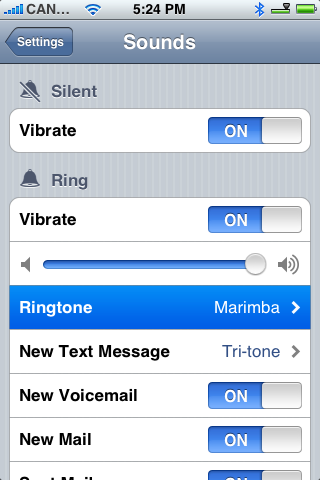
Step Twenty Four Press to select Ringtone from the Sounds Menu.
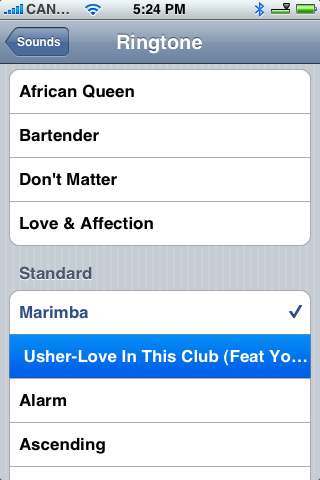
Step Twenty Five You will then find your newly created Ringtone in the Standard List.
THANKS***: Thanks to skrew for creating this wonder little app. You get more information and donate here.
Get the iClarified Daily Newsletter
Apple news, rumors, tutorials, price drop alerts, in your inbox every evening, free.
Unsubscribe at any time.
Success!
You have been subscribed.
Add Comment
Would you like to be notified when someone replies or adds a new comment?
Yes (All Threads)
Yes (This Thread Only)
No
Notifications
Would you like to be notified when we post a new Apple news article or tutorial?
I tried the previous version and worked just fine. I updated the app last week it and it won't work. My iphone goes mute and after a couple of days it went ibrick and had to restore it, jailbreak, etc. I think the app has bugs and needs to be revised. I uninstalled and will wait for a better version I hope they fixed it.
Good in theory, bad in execution. Each song I converted was so loud and distorted at anything other than minimum volume. Keep trying, but for now I'll pass and make my ringtones with iTunes.
To delete the ringtone, use VT100 terminal, password is alpine. Navigate to the the Ringtones folder...
cd /Library/Ringtones/
Then delete the file or files...(NB. there seems to be a space padded before and after the filename so use the quotations marks to enclose the filename...
rm " filename .m4r"
That should do it.
Cheers,
Donald
I have converted 2 non-DRM mp3 for testing, the songs with English name is fine but the other one with Chinese name just resulted as no sound.
Then I decided to delete both of them but there is no delete button. The ringtones goes into my Standard menu so I have to access the iPhone Root FileSystem to get them delete.
After successfully delete the English one, however, the Chinese one just doesn't exist in the ringtones folder. It stays on my standard ringtone menu that I find no way to delete! Sucks!
I have had to remove this application from my iPhone. When I finally was able to convert one of my songs on file to a ring tone, it could not be used as a ring tone, it just did not play when the phone rang. for me this application has been totally unusable.
this app has problems i have tried and you get errors some just click some silent that's with WAv enabled shame also tried to convert the tracks on my phone bought off iTunes its still hit and miss but some work some don't
One of the apps I was waiting for. No more editing, moving files, converting etc. Excellent!
Would be nice to add a fade in/fade out option in a future release.





![Mac mini With M6 and M5 Pro Review Roundup [Video]](/images/news/102318/102318/102318-160.jpg "Mac mini With M6 and M5 Pro Review Roundup [Video]")
![Apple Releases macOS 27.2 Golden Gate Beta 2 to Developers [Download]](/images/news/102327/102327/102327-160.jpg "Apple Releases macOS 27.2 Golden Gate Beta 2 to Developers [Download]")
![Apple Seeds Second Betas of watchOS 27.2, tvOS 27.2, and visionOS 27.2 to Developers [Download]](/images/news/102324/102324/102324-160.jpg "Apple Seeds Second Betas of watchOS 27.2, tvOS 27.2, and visionOS 27.2 to Developers [Download]")
![Apple Releases iOS 27.2 Beta 2 and iPadOS 27.2 Beta 2 to Developers [Download]](/images/news/102321/102321/102321-160.jpg "Apple Releases iOS 27.2 Beta 2 and iPadOS 27.2 Beta 2 to Developers [Download]")









![Apple Studio Display XDR Hits All-Time Low of $2,969.99 ($329 Off) [Deal]](/images/news/101976/101976/101976-160.jpg "Apple Studio Display XDR Hits All-Time Low of $2,969.99 ($329 Off) [Deal]")
