Google has updated MotoMaker with a migration tool making it easier for iPhone users to move their iCloud data to the Moto X.
We added the ability to migrate your iPhone contacts and calendar to the Moto X (from Motomaker.com). There is a long way to go, but its a start... Hope folks who are transitioning from an iOS device find it useful.
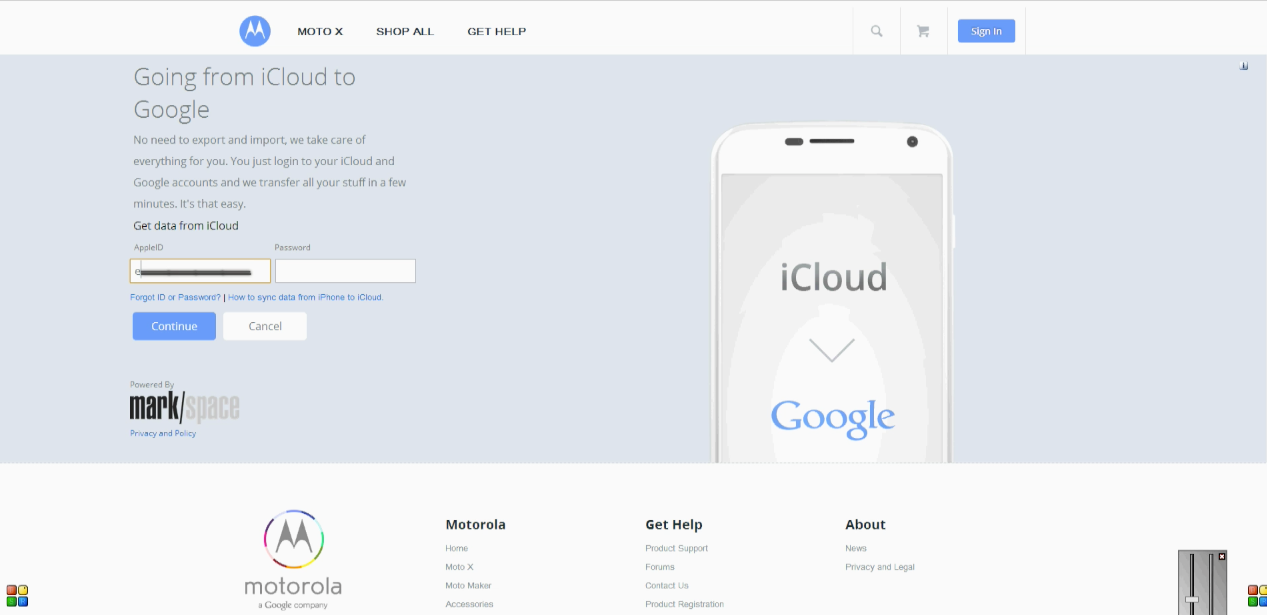
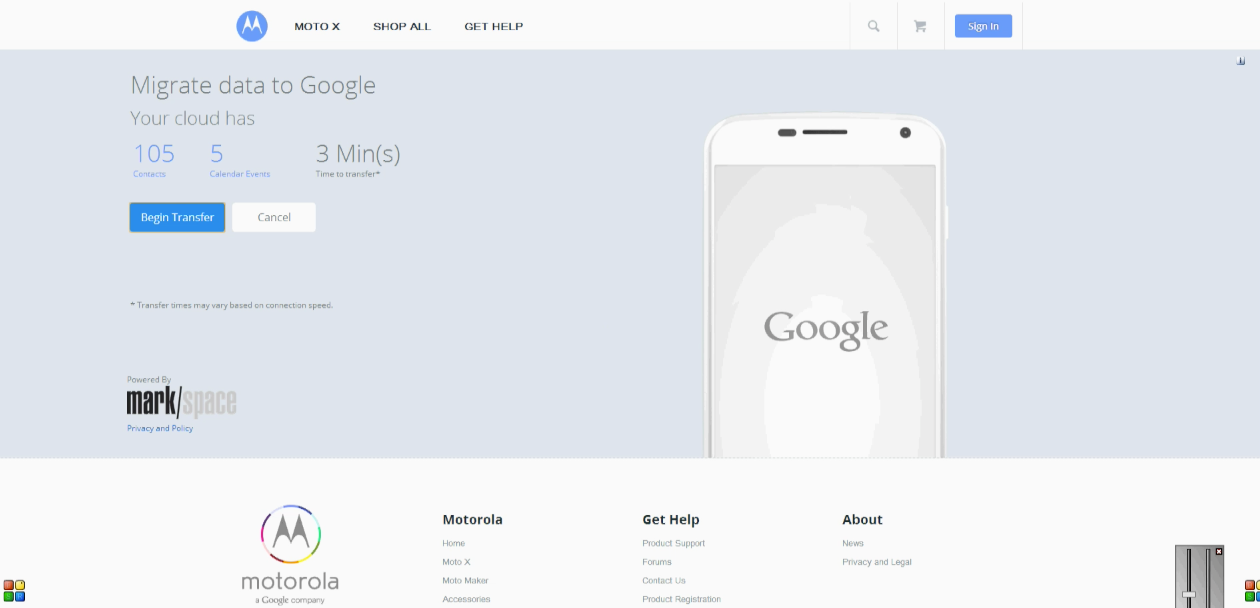
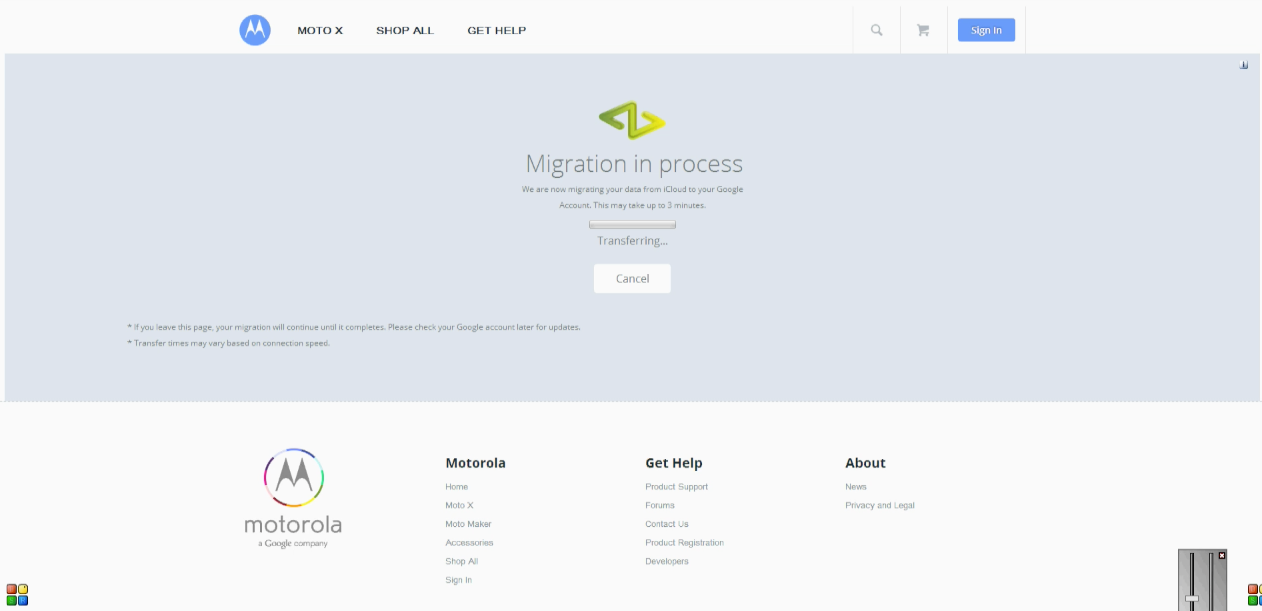
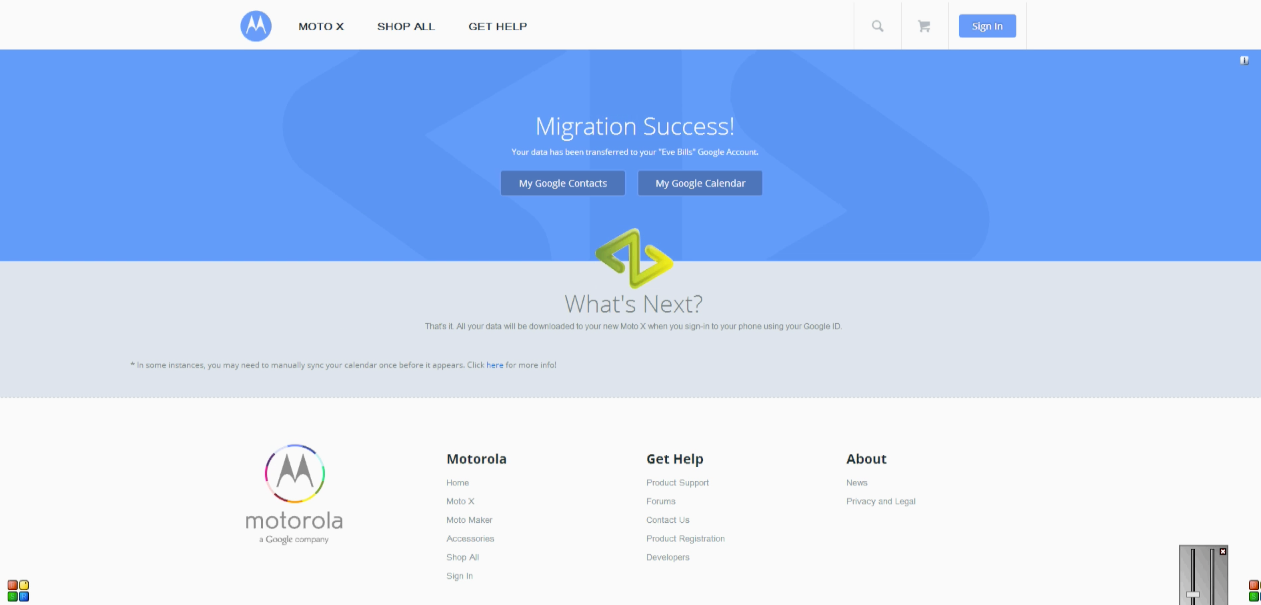
The Process: 1. After buying your Moto X on MotoMaker, you will see a confirmation page inviting you to use Migrate. 2. Select I have an iPhone 3. Enter your iCloud credentials (AppleID & iCloud Password), hit Continue 4. Hit Begin Transfer 5. Log into your Google account 6. Migration will begin. 7. Migration Success!
More information can be found below...
Add Comment
Would you like to be notified when someone replies or adds a new comment?
Yes (All Threads)
Yes (This Thread Only)
No
Notifications
Would you like to be notified when we post a new Apple news article or tutorial?
Yes
No
Comments (5)
Comments are closed for this article.
0
Noman - October 17, 2013 at 4:59pm
I guess it enough if they get users permission via login details.
0
gamerscul9870 - October 17, 2013 at 4:13pm
Did google get apples permission?
0
Tim - October 17, 2013 at 9:45pm
Why do they need apples permission? They only need user permission.
0
TheRealNoGoodNick - October 18, 2013 at 1:21am
Icloud was created by apple, when did they work with googay for is?





![Apple Releases macOS Tahoe 26.3 RC to Developers [Download]](/images/news/99842/99842/99842-160.jpg "Apple Releases macOS Tahoe 26.3 RC to Developers [Download]")
![Apple Seeds watchOS 26.3 RC, tvOS 26.3 RC, and visionOS 26.3 RC to Developers [Download]](/images/news/99840/99840/99840-160.jpg "Apple Seeds watchOS 26.3 RC, tvOS 26.3 RC, and visionOS 26.3 RC to Developers [Download]")
![Apple Releases iOS 26.3 RC and iPadOS 26.3 RC to Developers [Download]](/images/news/99839/99839/99839-160.jpg "Apple Releases iOS 26.3 RC and iPadOS 26.3 RC to Developers [Download]")





![iPad Air (M3) Drops to Lowest Price of the Year at $489.99 [Deal]](/images/news/99843/99843/99843-160.jpg "iPad Air (M3) Drops to Lowest Price of the Year at $489.99 [Deal]")
![Beats Powerbeats Pro 2 Drop to $199.95 [Deal]](/images/news/99815/99815/99815-160.jpg "Beats Powerbeats Pro 2 Drop to $199.95 [Deal]")
![Apple Watch Series 11 Drops Back to All-Time Low of $299 [Deal]](/images/news/99283/99283/99283-160.jpg "Apple Watch Series 11 Drops Back to All-Time Low of $299 [Deal]")
![Apple AirPods 4 With Active Noise Cancellation Drop to $119 [Deal]](/images/news/99794/99794/99794-160.jpg "Apple AirPods 4 With Active Noise Cancellation Drop to $119 [Deal]")
![AirPods Pro 3 Return to All-Time Low Price of $199 [Deal]](/images/news/99752/99752/99752-160.jpg "AirPods Pro 3 Return to All-Time Low Price of $199 [Deal]")
