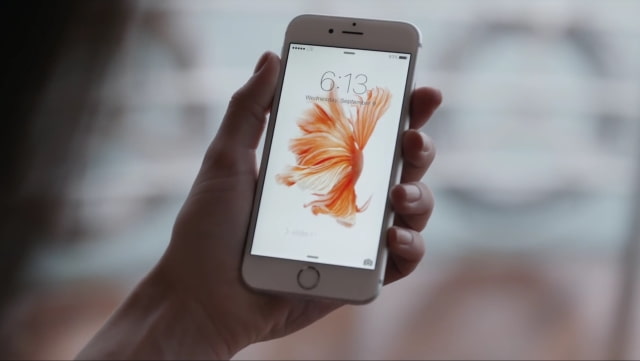
Apple has confirmed that there is an issue with the iPhone 6s and iPhone 6s Plus that could prevent the battery percentage from updating.
The issue affects those who have changed the time on their device manually or change time zones when traveling.
If you change the time on your iPhone 6s or iPhone 6s Plus manually or change time zones when traveling, you might notice that the battery percentage doesn't update.
The company suggests following the steps as a way to address the issue: ● Restart your iPhone. ● Go to Settings > General > Date & Time and make sure that Set Automatically is turned on.
Apple says it's investigating the cause and a solution. Let us know in the comments if you've noticed a problem with your battery percentage indicator.
You can follow iClarified on X, Facebook, or RSS for updates.
Apple news, rumors, tutorials, price drop alerts, in your inbox every evening, free.
Unsubscribe at any time.
Success!
You have been subscribed.
Add Comment
Would you like to be notified when someone replies or adds a new comment?
Yes (All Threads)
Yes (This Thread Only)
No
Notifications
Would you like to be notified when we post a new Apple news article or tutorial?
Yes
No
Comments (12)
Comments are closed for this article.
0
6s - January 19, 2016 at 6:25am
Shows me 4 percent for 15 mins and then boom 25 percent in like 2 mins. What is this Apple?
0
lolwut - January 18, 2016 at 11:05am
Just chill guys.... Bugs tend to happen in new firmware updates but specially in beta's by the least Apple informed us about it. Just be patient they would eventually squash that bug in the next update asap. Tough luck for non Apples though.
0
Maha - January 18, 2016 at 2:35am
Ya it's happened couples of times with my iPhone 6s n I thought wats wrong with my new iPhone coz I hardly use it, n it's not a link with Timezone, it's a default n Apple should sort out this, give us a new iPhone which has not this issue, after all we have paid a high amount!
0
AntMech - January 17, 2016 at 9:26pm
I have a different problem. None of my live wallpapers move after I set them as wallpaper! Anyone has the same problem?I use iOS 9.3 beta and probably that's the reason
0
annomyous - January 17, 2016 at 7:59pm
I was also having a problem with my battery percentage on my iPhone 5, but now it doesn't work at all. You are letting me down apple.
0
lepaka - January 17, 2016 at 7:22pm
that happened to me, i use always the time zone in manual mode, and in christmas time i travelled, changed the SIM card to a local one, changed the time and the battery was running out like crazy, when I was back did back my SIM card and the battery was really strange, running out fast, the percentage was sometimes block ... I did a complete restore, complete run-out battery, and improved significantly, maybe even for better. now i am able to run the iPhone 6s through 40 hours with about 9 hours of use. I continue using the manual time zone. It seams , changing time zone, makes the battery behaviour as a mad man.
0
Pr0toc0L - January 17, 2016 at 3:18pm
I've changed time zones as I travel. I haven't noticed it yet. 6s plus on 9.1
0
Amatmulisha - January 17, 2016 at 8:17am
Having a similar issue on my iphone 6.charging stop on 98%.but after reboot it's actually already full to 100%.not frequently but sometimes.
0
Hijg lander - January 17, 2016 at 8:02am
Had the same thing happen to me. Only I just left the 6s on the charger for a really long time 12 hours past the full charge moment. The device kept the battery percentage at 100% even when it was off the charger for hours. A reboot fixed it.
0
Saree - January 17, 2016 at 3:27am
What is the relation between timezone and battery percentage update.?! Something fishy.!!
0
IPhone6 Quits at 20% - January 17, 2016 at 2:06am
My iPhone 6 can go from 60 to 20 percent in less than 20 minutes while taking photos- and then around 20% it will shut down. Started about 3-4 months ago but is becoming more frequent.
0
Aaron Z - January 17, 2016 at 2:59pm
Using low battery mode "fixed" this for me. Not really a fox though. Mine has died in the 40s multiple times.





![Apple Trained Its Own AI Model for China With Alibaba's Support [Report]](/images/news/101781/101781/101781-160.jpg "Apple Trained Its Own AI Model for China With Alibaba's Support [Report]")




![Apple Watch Series 11 Titanium Cellular Drops to $639 ($160 Off) [Deal]](/images/news/101736/101736/101736-160.jpg "Apple Watch Series 11 Titanium Cellular Drops to $639 ($160 Off) [Deal]")


