These are instructions on how to burn a slideshow or video to DVD so that it starts playing immediately without a menu. This is useful for presentations or demonstration booths where you need to the video to loop.
For this tutorial we will be burning an iPhoto slideshow we created in an earlier tutorial; however, you can use any video clip of your choice.
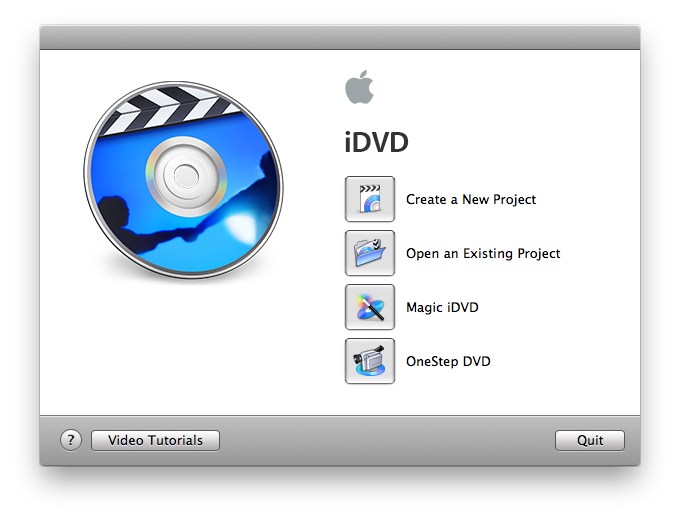
Step One Launch iDVD by selecting its icon in the dock.
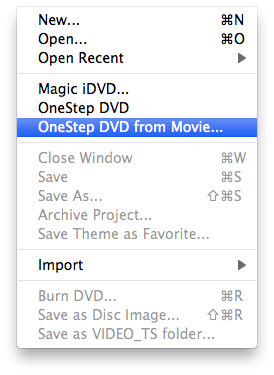
Step Two Click to select OneStep DVD from Movie... from the File menu.
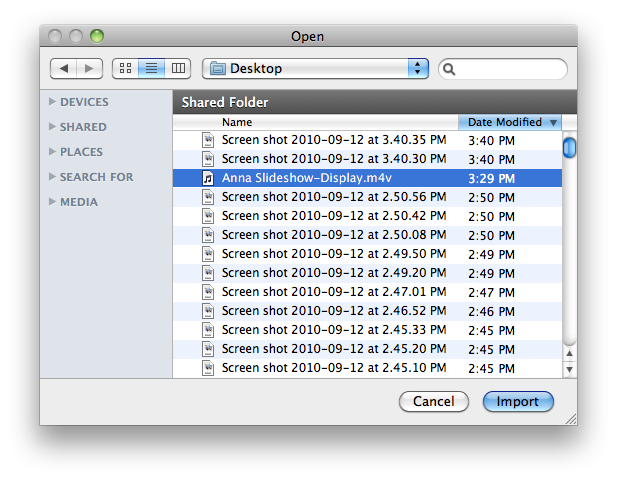
Step Three Select the video you would like to use and click the Import button.
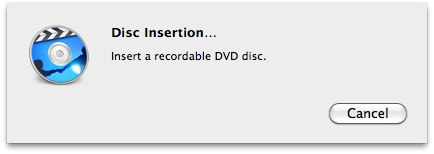
Step Four You will now be asked to insert a recordable DVD. Please do so.
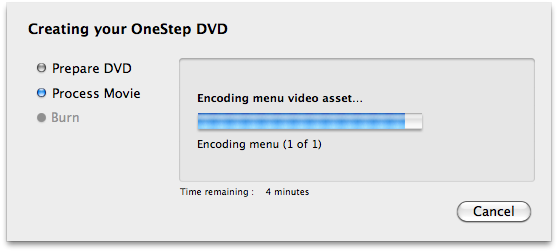
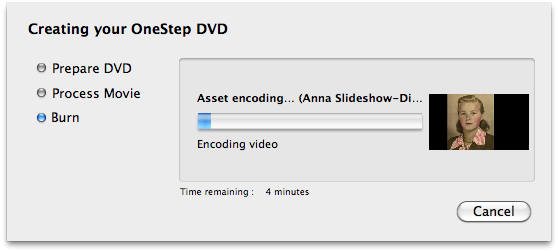
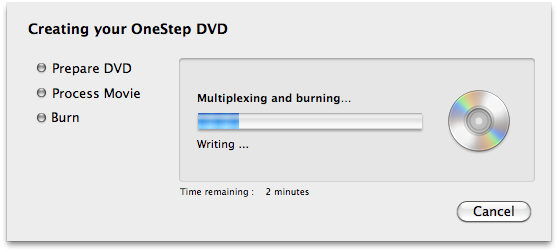
Step Five iDVD will now prepare the DVD, process the movie, and burn it.
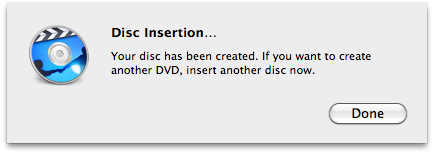
You will be informed when your DVD has finished burning successfully.
Get the iClarified Daily Newsletter
Apple news, rumors, tutorials, price drop alerts, in your inbox every evening, free.
Unsubscribe at any time.
Success!
You have been subscribed.
Add Comment
Would you like to be notified when someone replies or adds a new comment?
Yes (All Threads)
Yes (This Thread Only)
No
Notifications
Would you like to be notified when we post a new Apple news article or tutorial?
Unable to import selected video clip to disc. A small window popped up with
"You inserted a blank DVD. Choose an action from the popup menu or click ignore." Then below is 'Action ' with the choices Open Finder, Open iDVD, Open iTunes, Open other Application, Run Script. Just below that is a check box with 'Make this the default application, then below that is "Eject , Ignore and OK"' Now I don't know what to do. The instructions don't take account of this.










![Apple Watch Series 11 is Back on Sale for Just $299 [Deal]](/images/news/101081/101081/101081-160.jpg "Apple Watch Series 11 is Back on Sale for Just $299 [Deal]")
![AirPods Max 2 Drop to New All-Time Low of $499 [Deal]](/images/news/101063/101063/101063-160.jpg "AirPods Max 2 Drop to New All-Time Low of $499 [Deal]")
![AirPods Max 2 Hit All-Time Low Price of $509 ($40 Off) [Deal]](/images/news/101039/101039/101039-160.jpg "AirPods Max 2 Hit All-Time Low Price of $509 ($40 Off) [Deal]")
![New 13-Inch M5 MacBook Air Hits All-Time Low Price of $899.99 [Deal]](/images/news/100969/100969/100969-160.jpg "New 13-Inch M5 MacBook Air Hits All-Time Low Price of $899.99 [Deal]")
![AirPods Pro 3 Drop to $199 Ahead of Memorial Day [Deal]](/images/news/100935/100935/100935-160.jpg "AirPods Pro 3 Drop to $199 Ahead of Memorial Day [Deal]")
