Icon Project offers a way to create SBSettings-like shortcuts on your iPhone home screen without jailbreaking, reports iphonaddict.
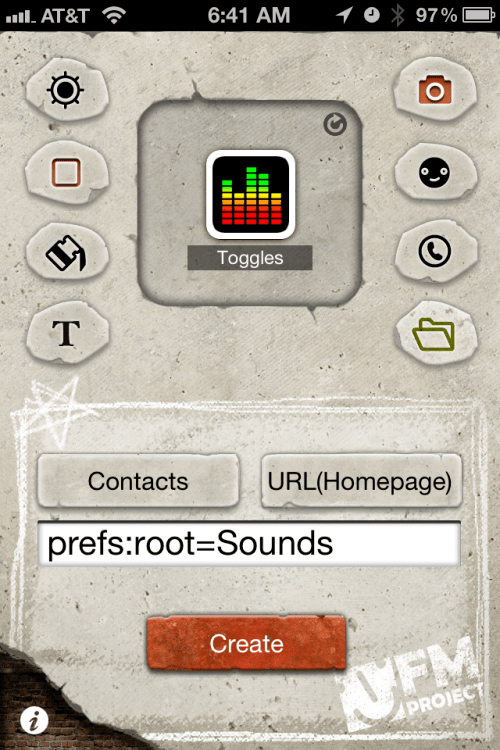
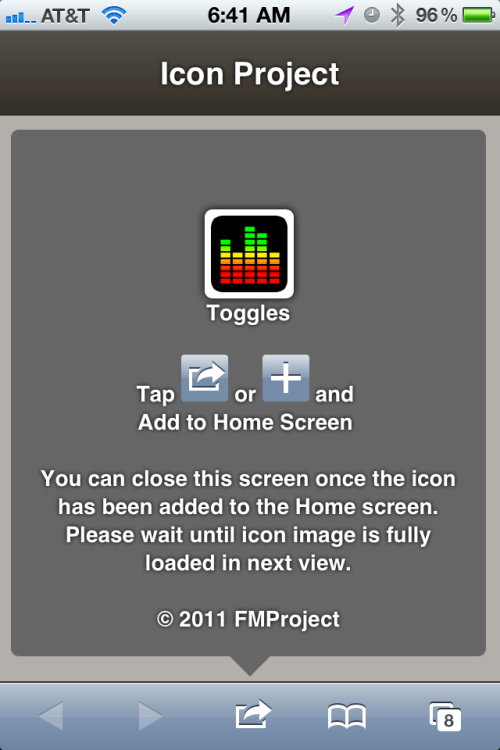
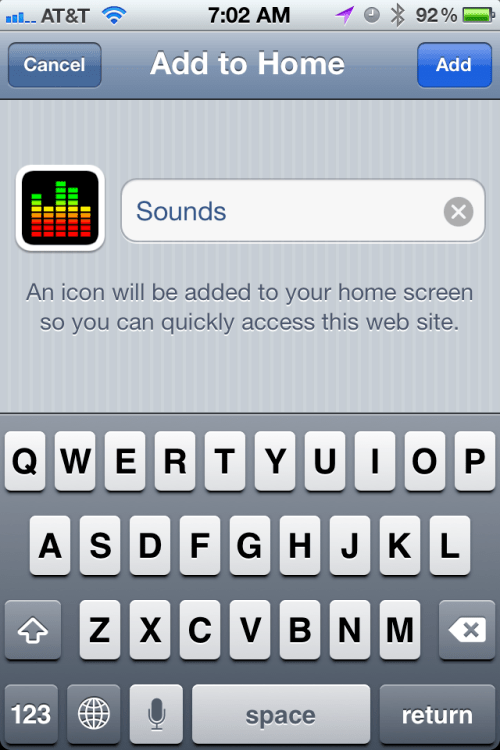
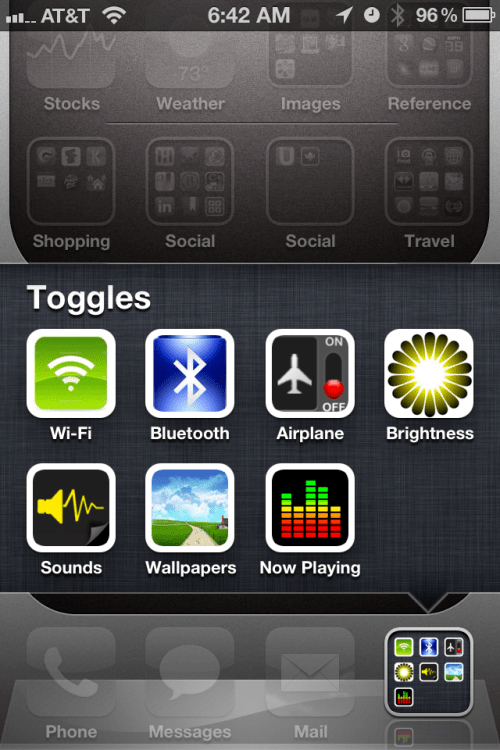
The app which is available in the App Store lets you easily create icons that point to specific areas in the Settings menu. While not technically 'toggles', these shortcuts will speed up the time it takes to change your settings.
Here's a list of possible shortcuts: About -> prefs:root=General&path=About Accessibility -> prefs:root=General&path=ACCESSIBILITY Airplane Mode On -> prefs:root=AIRPLANE_MODE Auto-Lock -> prefs:root=General&path=AUTOLOCK Brightness -> prefs:root=Brightness Bluetooth -> prefs:root=General&path=Bluetooth Date & Time -> prefs:root=General&path=DATE_AND_TIME FaceTime -> prefs:root=FACETIME General -> prefs:root=General Keyboard -> prefs:root=General&path=Keyboard iCloud -> prefs:root=CASTLE iCloud Storage & Backup -> prefs:root=CASTLE&path=STORAGE_AND_BACKUP International -> prefs:root=General&path=INTERNATIONAL Location Services -> prefs:root=LOCATION_SERVICES Music -> prefs:root=MUSIC Music Equalizer -> prefs:root=MUSIC&path=EQ Music Volume Limit -> prefs:root=MUSIC&path=VolumeLimit Network -> prefs:root=General&path=Network Nike + iPod -> prefs:root=NIKE_PLUS_IPOD Notes -> prefs:root=NOTES Notification -> prefs:root=NOTIFICATIONS_ID Phone -> prefs:root=Phone Photos -> prefs:root=Photos Profile -> prefs:root=General&path=ManagedConfigurationList Reset -> prefs:root=General&path=Reset Safari -> prefs:root=Safari Siri -> prefs:root=General&path=Assistant Sounds -> prefs:root=Sounds Software Update -> prefs:root=General&path=SOFTWARE_UPDATE_LINK Store -> prefs:root=STORE Twitter -> prefs:root=TWITTER Usage -> prefs:root=General&path=USAGE VPN -> prefs:root=General&path=Network/VPN Wallpaper -> prefs:root=Wallpaper Wi-Fi -> prefs:root=WIFI
Other App Features ■ Creating icon from your addressbook. ■ Sending a custom icon by mail. (Icon Project users can directly import your icon into their Home screen.) ■ Creating icon with photos in your album. ■ Using built-in icons, photo frames and badges. ■ Selecting background colors or drawing (multi-line) text on icons. (You can select font type, text color, text size and even text alignment.) ■ Creating icon with link types such as call, SMS/MMS, mail, facetime, skype or any types of URL that you want to use. ■ Creating multi function icon. (Person Info page, Call + SMS/MMS in one icon) ■ Loading recently created icon files.
You can purchase Icon Project (Home Screen Icon) from the App Store for $0.99.
Apple news, rumors, tutorials, price drop alerts, in your inbox every evening, free.
Unsubscribe at any time.
Success!
You have been subscribed.
Add Comment
Would you like to be notified when someone replies or adds a new comment?
Yes (All Threads)
Yes (This Thread Only)
No
Notifications
Would you like to be notified when we post a new Apple news article or tutorial?
Yes
No
Comments (33)
Comments are closed for this article.
0
bert - July 12, 2013 at 8:54am
this doesnt work anymore , you get the msg bad url every time.
has someone found a way to get it working again ?
0
lepaka - July 12, 2013 at 10:24am
works only to do shortcuts of your contacts to the desktop. the other shortcuts Apple has blocked them long ago :(
0
Tino - November 15, 2011 at 5:14pm
This must be the coolest app and info ever!!!
0
Adzi - April 26, 2013 at 7:37am
No longer works after ios5.0. Do not download as it only works pre 5.1
0
I2be - November 15, 2011 at 2:52pm
FYI, javascipt prefs is only allow in ios5 onwards.
0
Pplucky - November 14, 2011 at 11:33am
Is it just me or I cannot get this to work (always get message 'Please enter a valid URL'? iPhone 4, 4.3.3
0
WndyCtyGuy - November 14, 2011 at 1:33pm
I am getting the URL error message too. I'm also on a iPhone 4.
0
Pplucky - November 15, 2011 at 8:27am
Apparently I read on other sites this only works with iOS5... Crap!
0
Shai - November 14, 2011 at 9:08am
Anyone know where to get the icons in the screenshot? They're not in the app
0
Dave - November 14, 2011 at 2:13am
Is there any way that you can access the Personal HotSpot menu as with an iPad I am always turning this on and off when using it on the run.
0
Faraday - November 14, 2011 at 3:09pm
prefs:root=PERSONAL_HOTSPOT
0
Dave - November 14, 2011 at 9:47pm
I have tried using prefs:root=PERSONAL_HOTSPOT in safari and all it goes to is the settings page. It doesn't open the personal hotspot page to enable easy selection of the on/off toggle.
0
Faraday - November 14, 2011 at 9:57pm
Oops!!!
I lasted the one that didn't work!
Try this prefs:root=INTERNET_TETHERING
Make sure you copy/paste, caps are important!
Cheers
F.
0
Dave - November 14, 2011 at 10:02pm
Cheers F, that worked perfectly!
0
Faraday - November 14, 2011 at 10:09pm
Date,
No problem mate, I just wish that these were built in, or that the images used in the demo we built in! Lol
I've been doing this for a while, it's nice to have a cheap app which has a few good design features though!
I wonder when apple will address this and allow people to have shortcuts in the notifications drop down?!?!?!?
Cheers
F.
0
lepaka - November 13, 2011 at 9:27pm
it is almost perfect, missing one very important for the battery saving life, the shortcut to Mail, Contacts, Calendar , i try out but did not find it :( it would give a fast chance to turn on/off Push. If someone finds it, please distribute
Thanks
0
Faraday - November 14, 2011 at 3:10pm
prefs:root=Notifications
0
Vijay Sharma - November 14, 2011 at 10:20pm
Mail - prefs:root=NOTIFICATIONS_ID&path=Mail
Calendar - prefs:root=NOTIFICATIONS_ID&path=Calendar
Just gotta know right codes ;-)
Cheers
F.
0
lepaka - November 15, 2011 at 10:44am
Sorry but it is not correct, tha solutions zou propose are for the Settings-Notifications menus. That is not so much important for me and for the battery life- saving. Important is the menu Settings-Mail, Contacts, Calender . In this menu we can directly set the Push on/off. For example during the night makes no sense to have the push on and actuallz is pain in the ass travel through the Settings menus to change the status.
Thanks anyway for the try-out.
If someone else have new ideas, please feel free to share them :)
0
Faraday - November 15, 2011 at 11:00am
These do work, I just tried both of them on my iPad and iPhone!
prefs:root=NOTIFICATIONS_ID&path=Mail
prefs:root=NOTIFICATIONS_ID&path=Calendar
Just gotta know right codes ;-)
Cheers F.
0
Don Thomas - November 13, 2011 at 8:04pm
Only seems to work on iOS 5. SBS here I come.
0
Snake008 - November 13, 2011 at 10:38pm
Yer doesn't seem to work on my 4 on 4.3.1 which has been jailbroken? Anyone have it working?
0
Nt02 - November 13, 2011 at 7:41pm
Or have Siri open it for you:
1) Create a new contact in Siri e.g. Bluetooth
2) In the URL field enter prefs:root=General&path=Bluetooth
3) Save
4) Now tell siri to lookup Bluetooth and BAM! one touch to get to the settings without paying $0.99
0
Jadou - November 13, 2011 at 10:49pm
actually thought of giving what u said a try and it failed... apparently Siri can't open URLs from contacts. or I'm just asking her the wrong way
0
flatlined - November 13, 2011 at 7:24pm
I wish they would port a full unjailbreak version of SBSettings to apple / the app store. Maybe they should have a pay version of SBSettings in the App Store and keep the cydia one free.
0
Nobo1 - November 13, 2011 at 6:12pm
Looks interesting.
0
Tom - November 13, 2011 at 5:35pm
looool omg dev team cracks me up... The reason I say that is cause musclegeek was talking about this on twitter the other day.... Don't be surprised if this is from them... Like I said JB is done man...
0
Tom Hanks - November 13, 2011 at 8:42pm
JB is done ? LOL ok.
0
Tom - November 13, 2011 at 8:56pm
Hey hanks when I said done I meant it's over. One more JB if any and that will be the last.
0
Andrew - November 13, 2011 at 5:26pm
When they have a kill all or reboot function this would totally stop me from using SBS but with so many apps down below ...
0
Michelle - November 14, 2011 at 12:14am
You can have Siri respring the the springboard by saying "restart".
0
Mikael Andersson - November 14, 2011 at 8:02pm
Can you please explain how I setup Siri to read restart ?




![Apple Hires Meta's Scott Tucker as Global Litigation Chief [Report]](/images/news/102873/102873/102873-160.jpg "Apple Hires Meta's Scott Tucker as Global Litigation Chief [Report]")


![How To Install Homebrew on Mac [Video]](/images/tutorials/83695/83695/83695-160.jpg "How To Install Homebrew on Mac [Video]")
![How To Back Up Your iPhone to an External Drive on Mac [Video]](/images/tutorials/72786/72786/72786-160.jpg "How To Back Up Your iPhone to an External Drive on Mac [Video]")


![Apple HomeView and New Apple TV 4K Get First Pre-Order Discount on Amazon [Deal]](/images/news/102867/102867/102867-160.jpg "Apple HomeView and New Apple TV 4K Get First Pre-Order Discount on Amazon [Deal]")
![14-Inch MacBook Pro With M5 Max Drops to $3,299 ($800 Off) [Deal]](/images/news/102828/102828/102828-160.jpg "14-Inch MacBook Pro With M5 Max Drops to $3,299 ($800 Off) [Deal]")