This tutorial will show you how to stop your iPhone from crashing when making a call or SMS while using a SIM from an unsupported country. For most countries it is easier to just install iWorld from Installer rather then follow this tutorial. However, not all countries have been included in iWorld and iWorld can cause problems with your iPhone.
The iPhone currently only supports SIM cards from the United States, Canada, France, United Kingdom, Italy, Germany, Japan or China.
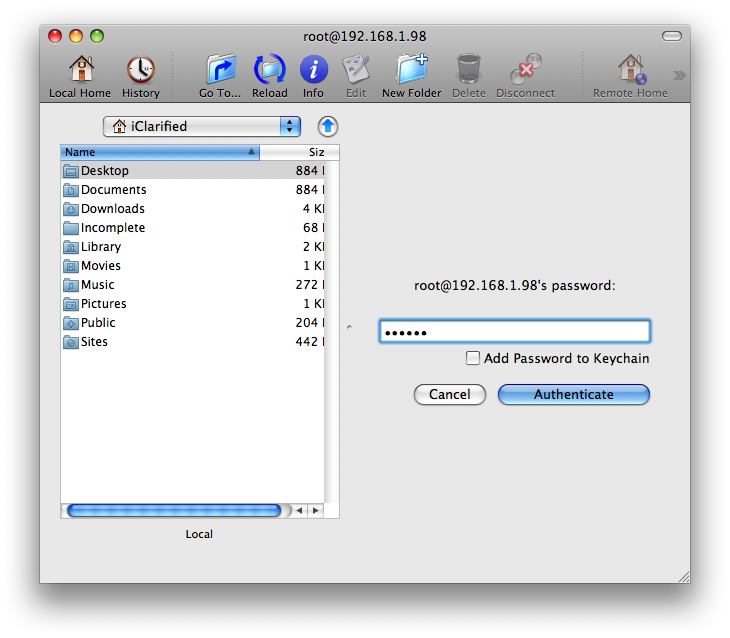
Step Three If prompted enter your password and click the Authenicate button. Usually your password will be either alpine or dottie.
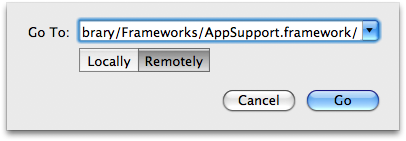
Step Four Click the Go To button.
Step Five Enter /System/Library/Frameworks/AppSupport.framework/ into the Go To: field. Make sure Remotely is selected then click the Go button.
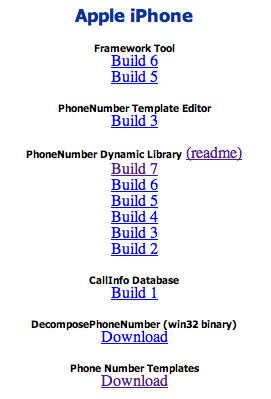
Step Six Download the latest PhoneNumber Dynamic Library zip file from: download link unavailable A big thank you goes out to timschuerewegen for creating this.
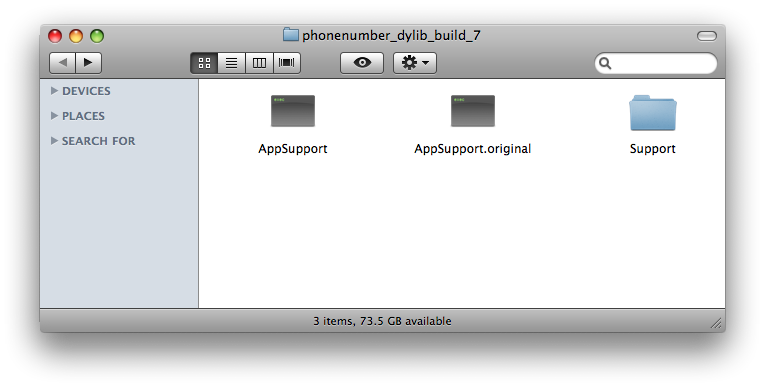
Step Eight Extract the downloaded phonenumber_dylib_build_7.zip by double clicking on it. You will find a folder called phonenumber_dylib_build_7 which contains two files and a support folder. These two files are AppSupport and AppSupport.original.
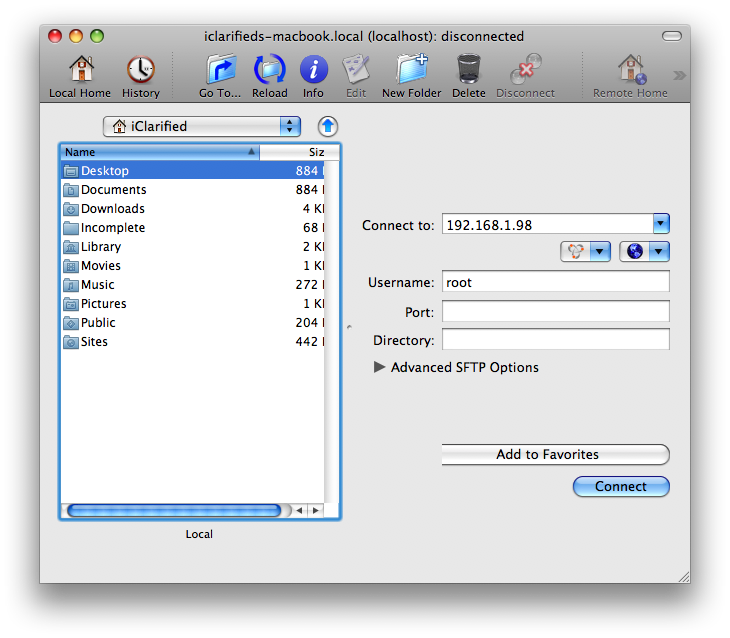
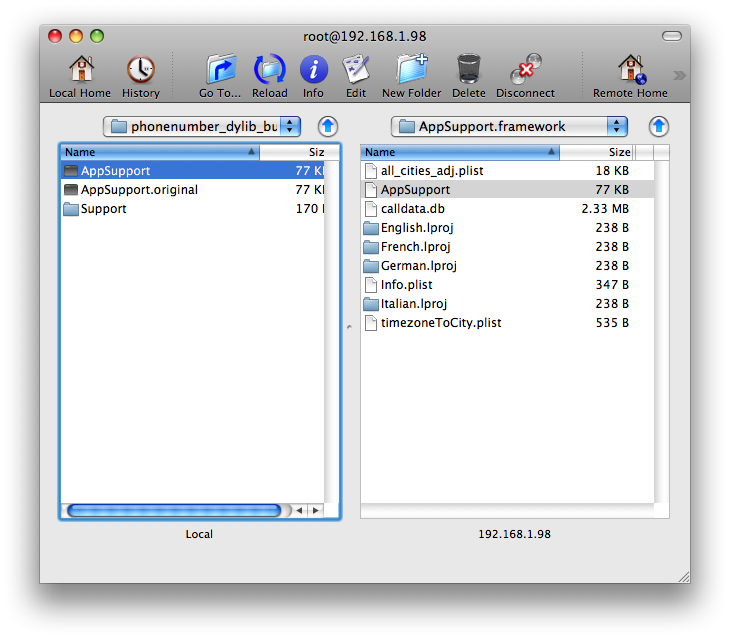
Step Nine Navigated to the extracted phonenumber_dylib_build_7 directory using Fugu's left pane.
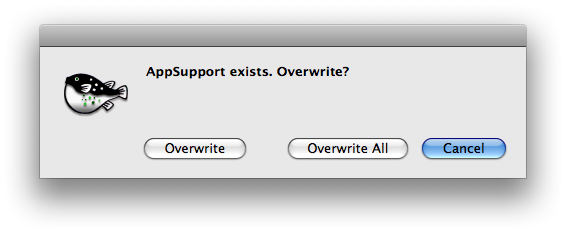
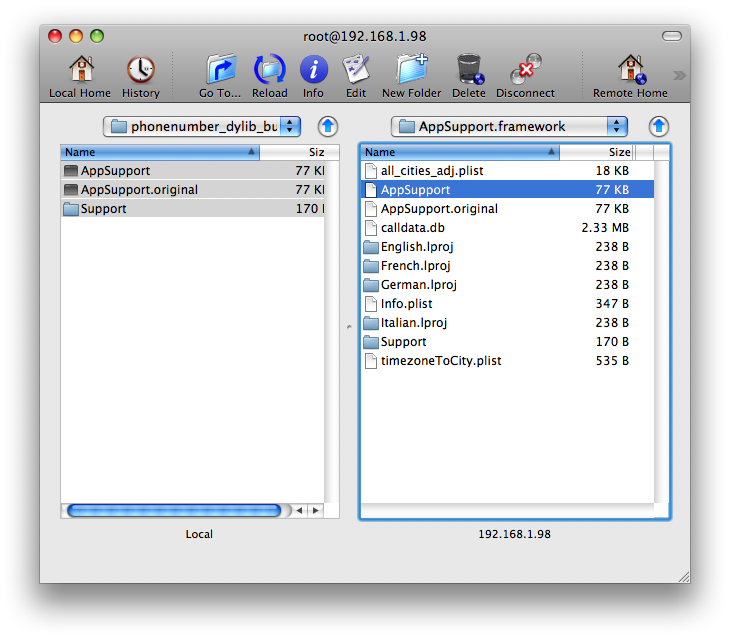
Step Ten Drag AppSupport, AppSupport.original, and Support from the left pane into the right pane. If asked to overwrite click the Overwrite button.
Step Eleven You can now reboot your iPhone by holding down the Sleep/Wake button for three seconds then sliding the Power slider to the right.
NOTES***: This solution already includes support for many countries. There is a small chance however that it won't have your country. If this is the case you will have to edit the file PhoneNumberTemplates.txt that is inside the Support folder we copied over to the iPhone. Locate the heading for your country and add the correct phone number syntax for your country.
For example Jamaica would look like this:
// Jamaica [jm] jm 1 011 1 ### #######
[ISO Code] [Country Code] [IDD=International Direct Dial] [NDD=National Direct Dial] [Area Code] [Phone number]
Thanks Thanks to timschuerewegen for creating this solution!!
Get the iClarified Daily Newsletter
Apple news, rumors, tutorials, price drop alerts, in your inbox every evening, free.
Unsubscribe at any time.
Success!
You have been subscribed.
Add Comment
Would you like to be notified when someone replies or adds a new comment?
Yes (All Threads)
Yes (This Thread Only)
No
Notifications
Would you like to be notified when we post a new Apple news article or tutorial?
"The iPhone currently only supports SIM cards from the United States, Canada, France, United Kingdom, Italy, Germany, Japan or China."
But I'm in Greece, my iPhone was bought & connected here..
Are you implying that my phone won't work if I leave Greece..?
I have a 112 otb iphone upgraded to 113 jailbroken and unlocked thanks to Ziphoneosx BUT cant use simcard from Iceland because IWORLD shows Error size mismatch .... What can I do ?
This doesnt seem to work for me, can someone please help out. I am between Nigeria and Ghana
The ISO code is "gh" & the country code is 233 and ISO code is "ng" & the country code is 234.
What else do i add in the template file.
Thanks
iClarified: Do I need AppSupport for unsupported country to keep phone and SMS from crashing on 1.1.3 FM. Can anybody else who lives in a unsupported country verify this as well? Thanks.
Please help. I have successfully unlocked & jailbroken my new iphone (1.1.2), but cannot use the phone feature - I am in canada -- not on iWorld, and when I try to follow the tutorial using WinSCP I continue to get the message {Network Error: Connection Refused} when I attempt to login.
Thanks
so all the countires listed in "PhoneNumberTemplates.txt", those countries will work fine without adding them to the list? i was going to send iphones over seas and the person probably will not be smart enough to do all this them self. Thats why i wanted to make sure.
thanks for the help man...
chakdey, this works with any country. you can customize it yourself...
kenton, go to Fugu preferences, then Known Hosts. Delete the host with the IP address of your iPhone then press Save.
Please help! I can't seem to make AppSupport work for Lebanon on my updated 1.1.3 iPhone. I followed all the steps but there are no changes in Caller ID matching. When I dial the numbers show as (###) ###-#### and when I receive a call and if I add a new contact. What should I do? And after making it work consider I want to add a new contact, how can you add a number without being restricted to the US region format?
The site with all files is working very strange, but I managed to get the files out.
The PhoneNumberTemplates.txt file is being updated, but it misses the entrances for Portugal and Spain. And those are:
// Portugal [pt]
pt 351 00 - - #########;#########
// Spain [es]
es 34 00 - - #########;#########
I am from Kuwait and am using my iPhone 1.1.2 OTB with a i3gSim. Can someone please help me with the Template for Kuwait. The ISO code is "kw" & the country code is 965. Thank you in advance.
@ Fusca
a swiss number looks like this:
07x 123 45 67
Internationally it looks like this: +417x 123 45 67
Sometimes I store my numbers with +41 and sometimes without...it doesnt matter, ID matchins is always working...maybe its not a clean approach, however, it's working very well, so I dont care :)











![How To Change Wallpaper on Mac [Video]](/images/tutorials/90512/90512/90512-160.jpg "How To Change Wallpaper on Mac [Video]")
![How To Turn Off Always On Display on iPhone [Video]](/images/tutorials/87524/87524/87524-160.jpg "How To Turn Off Always On Display on iPhone [Video]")





![16-Inch M5 Max MacBook Pro Drops $900 to New Low of $3,499 [Deal]](/images/news/102438/102438/102438-160.jpg "16-Inch M5 Max MacBook Pro Drops $900 to New Low of $3,499 [Deal]")
![Magic Keyboard for iPad Air Drops to $200 on Amazon [Deal]](/images/news/102402/102402/102402-160.jpg "Magic Keyboard for iPad Air Drops to $200 on Amazon [Deal]")
