

The YouTube app for iOS has been updated with a new Dark Theme.
To enable the dark mode, tap the Account icon at the top right, choose Settings, then toggle the Dark Theme switch on.
Take a look at a few screenshots below.
You can download YouTube from the App Store for free.
Download
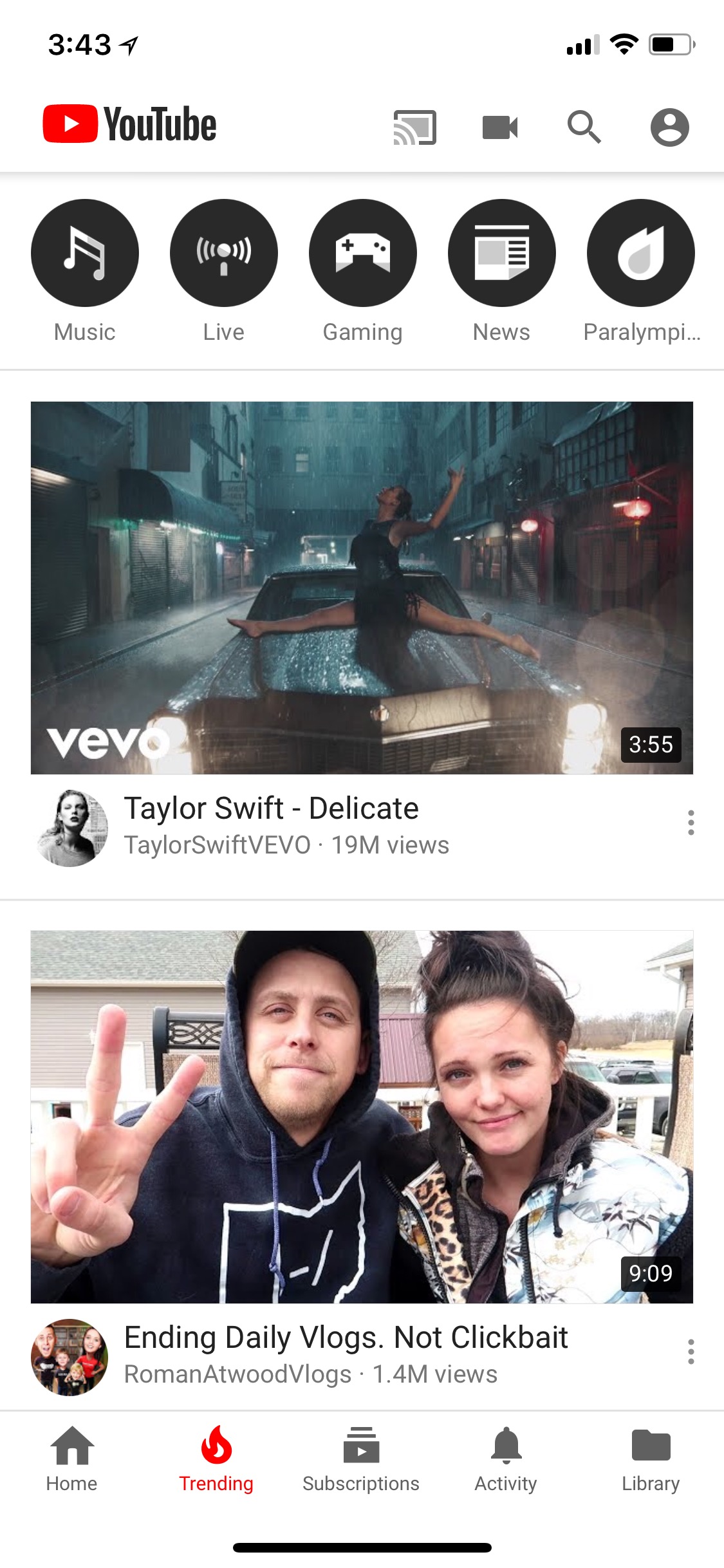
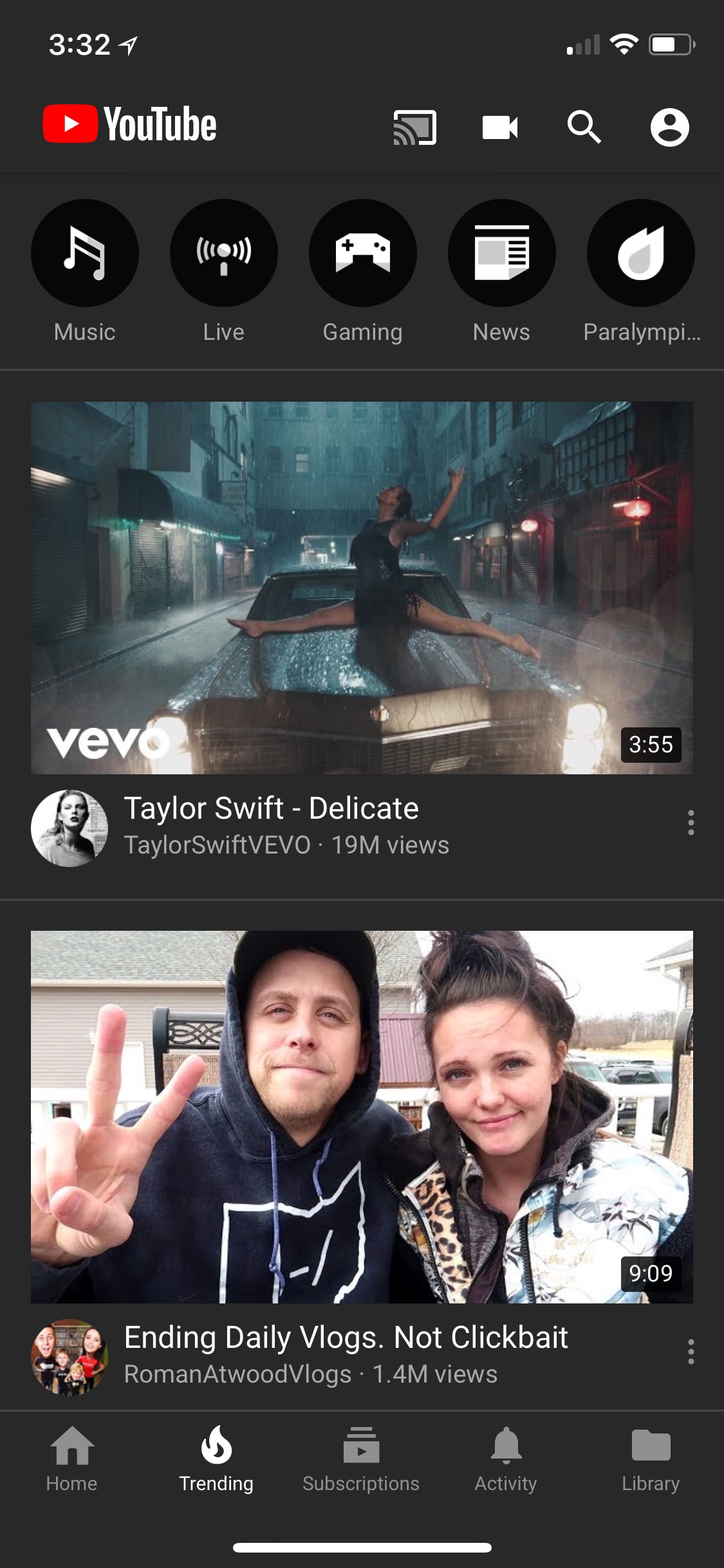
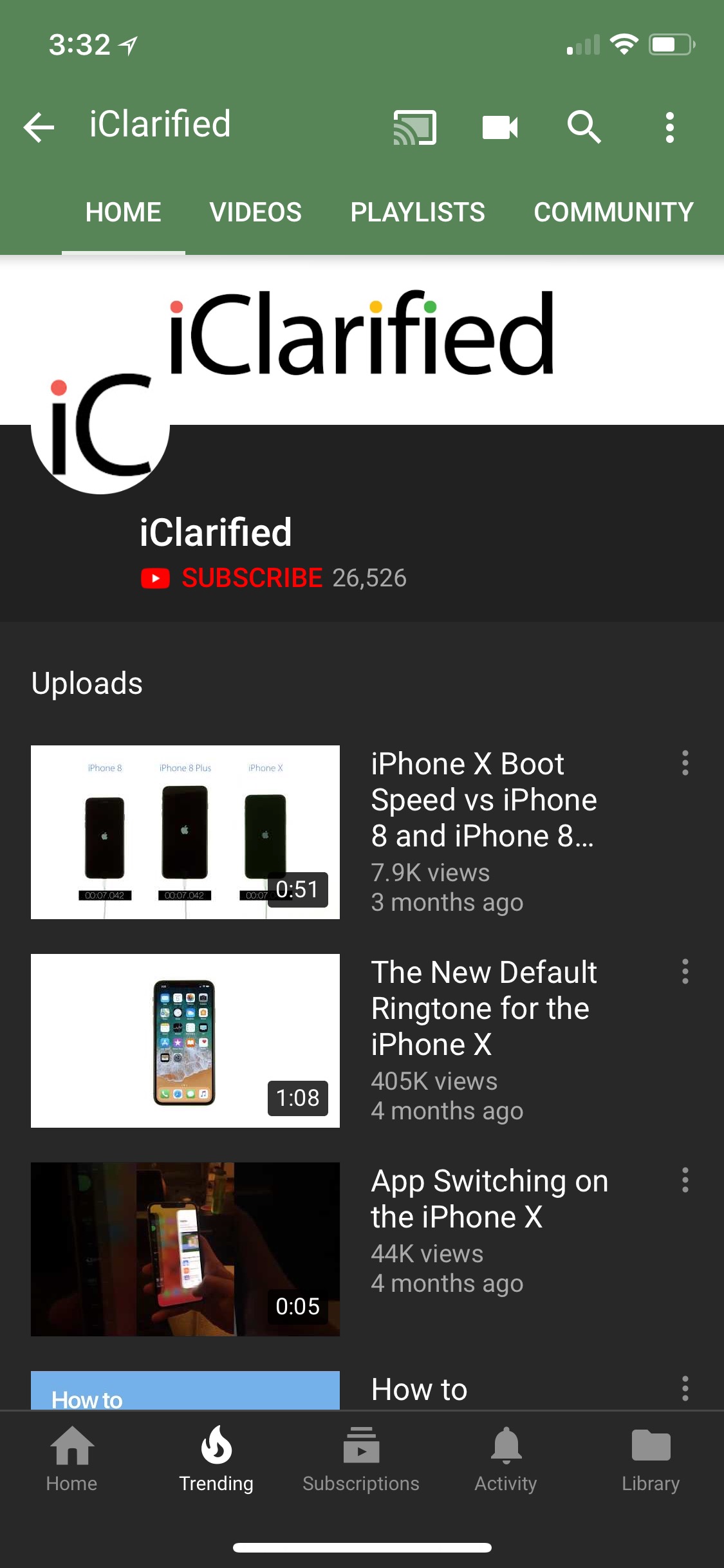
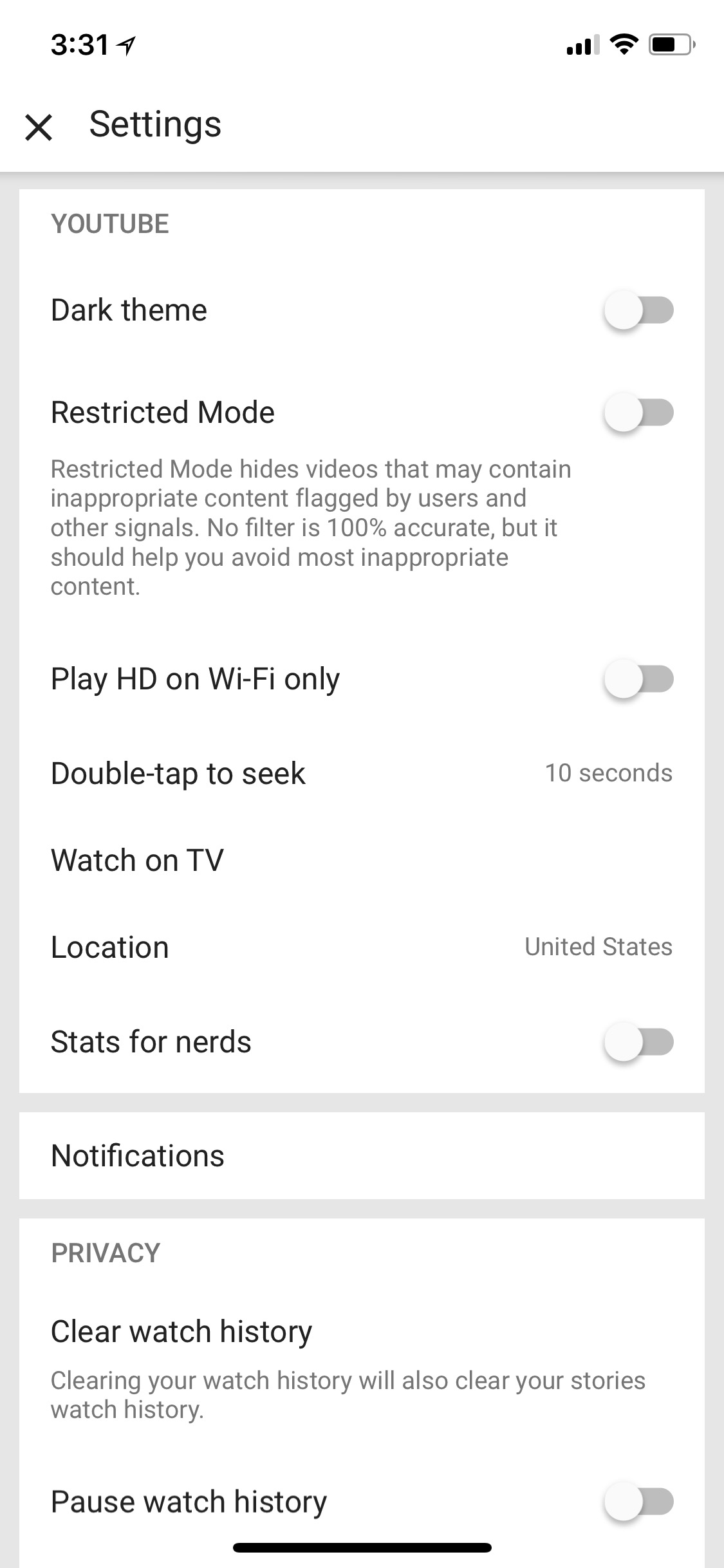
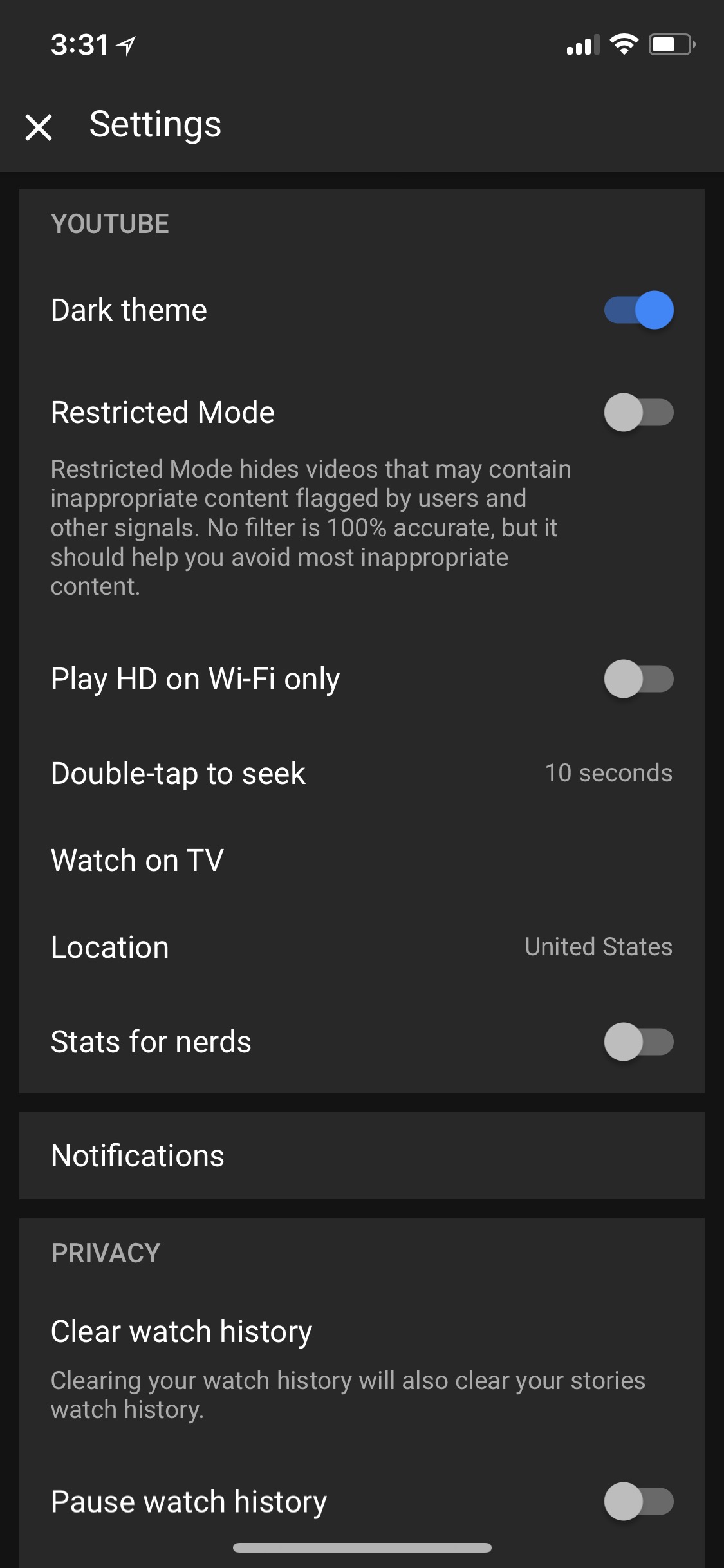
To enable the dark mode, tap the Account icon at the top right, choose Settings, then toggle the Dark Theme switch on.
Take a look at a few screenshots below.
You can download YouTube from the App Store for free.
Download




![Apple Releases iOS 27.2 Beta and iPadOS 27.2 Beta to Developers [Download]](/images/news/102248/102248/102248-160.jpg "Apple Releases iOS 27.2 Beta and iPadOS 27.2 Beta to Developers [Download]")

![Apple Debuts Official Trailer for 'Tenzing' Starring Genden Phuntsok and Tom Hiddleston [Video]](/images/news/102246/102246/102246-160.jpg "Apple Debuts Official Trailer for 'Tenzing' Starring Genden Phuntsok and Tom Hiddleston [Video]")










![Apple Studio Display XDR Hits All-Time Low of $2,969.99 ($329 Off) [Deal]](/images/news/101976/101976/101976-160.jpg "Apple Studio Display XDR Hits All-Time Low of $2,969.99 ($329 Off) [Deal]")
