These are instructions on how to upgrade your iPhone 4 GSM or iPhone 3GS to iOS 5.1 without updating your baseband. This will maintain the potential to unlock if you are on a supported baseband.
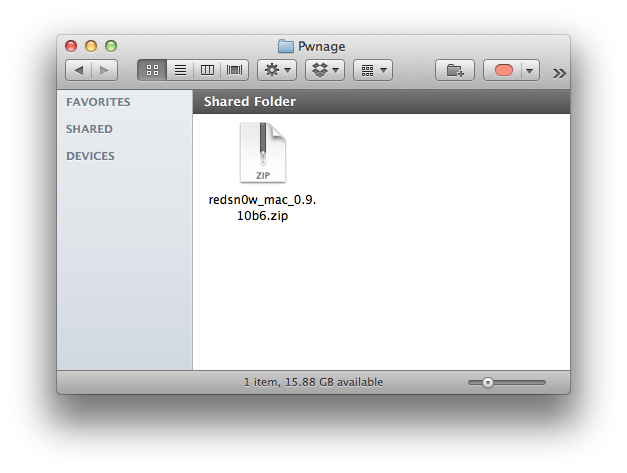
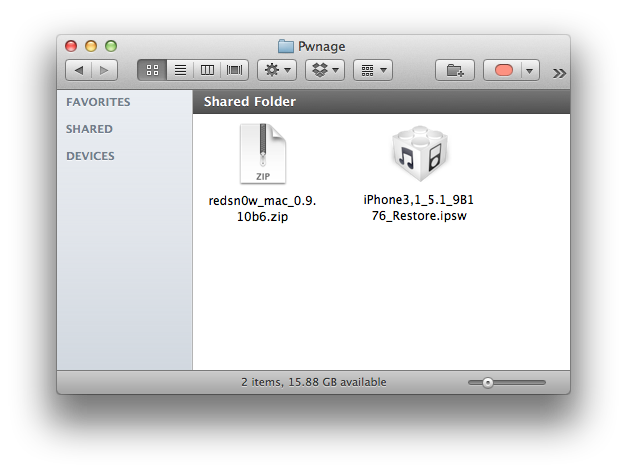
Step One Download the latest version of RedSn0w from here and place it in a Pwnage folder on your Desktop.
Step Two Download the iOS 5.1 firmware for your device from here and place it in the same Pwnage folder.
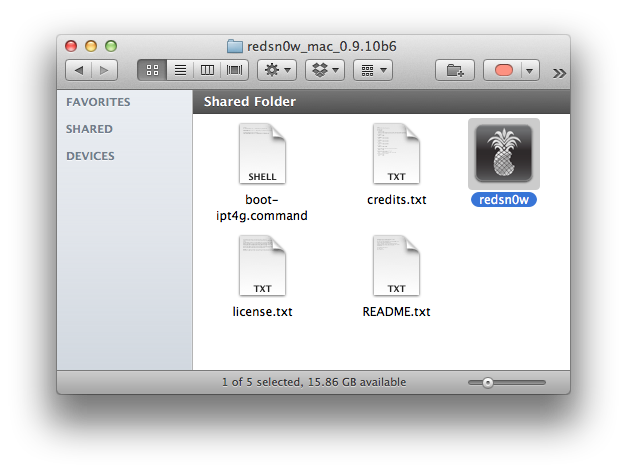
Step Three Double click the RedSn0w archive to extract it then double click the RedSn0w icon to launch the application.
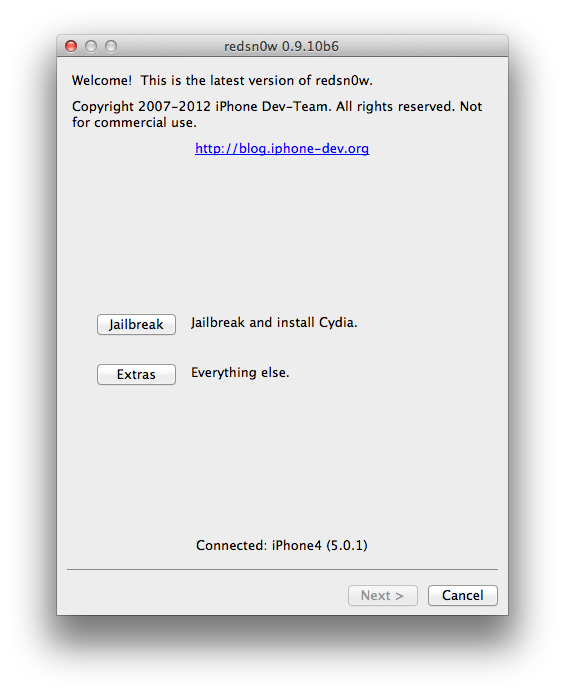
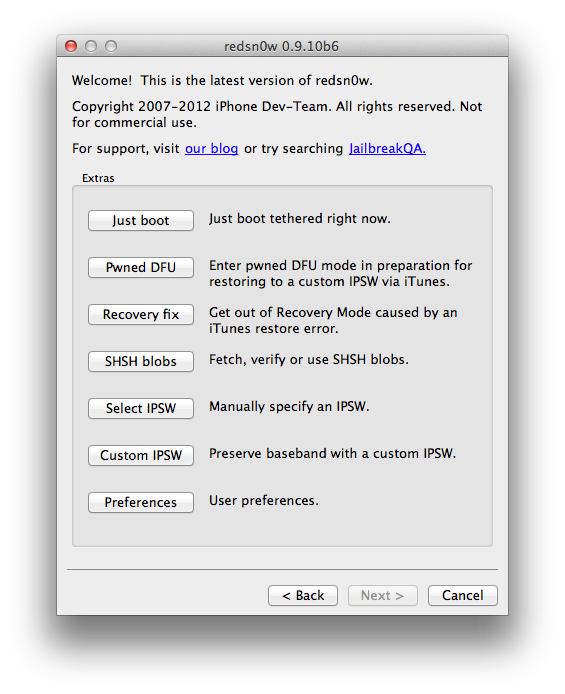
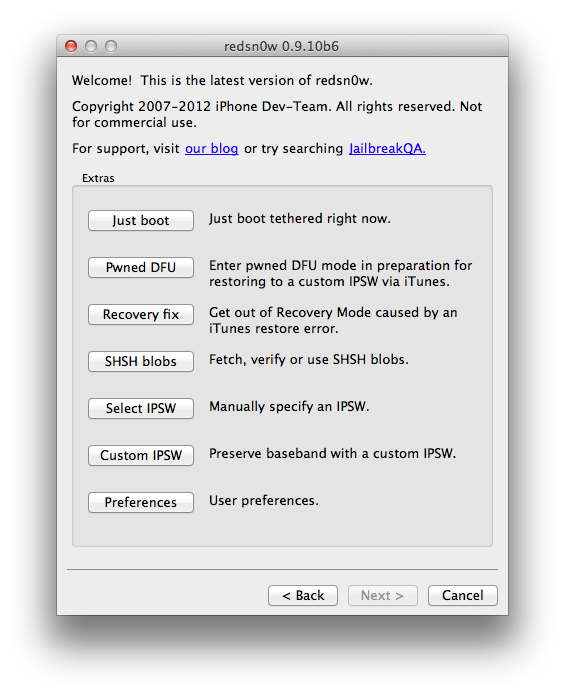
Step Four Click Extras from the RedSn0w main menu.
Step Five Click Custom IPSW from the Extras menu.
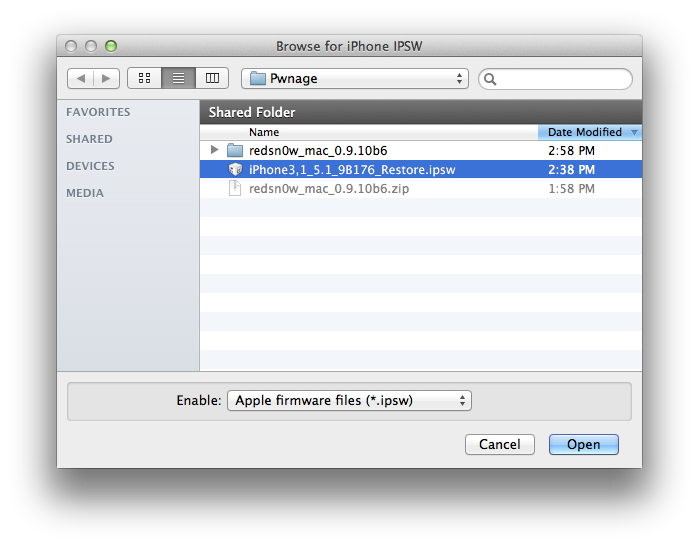
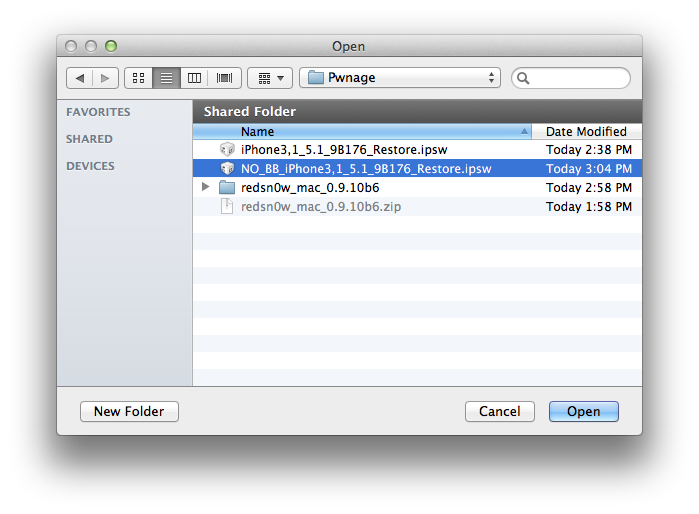
Step Six Select your iOS 5.1 firmware from the Pwnage folder on your Desktop and click Open.
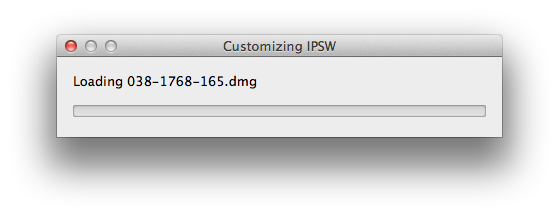
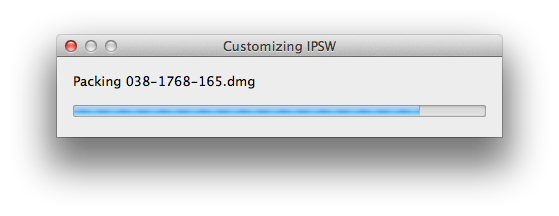
Step Seven RedSn0w will now customize an IPSW file for you.
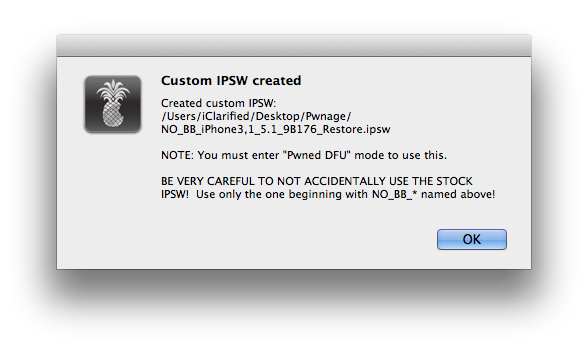
Step Eight RedSn0w will inform you once your IPSW has been created successfully. Click the OK button.
Step Nine Click Pwned DFU from the Extras menu.
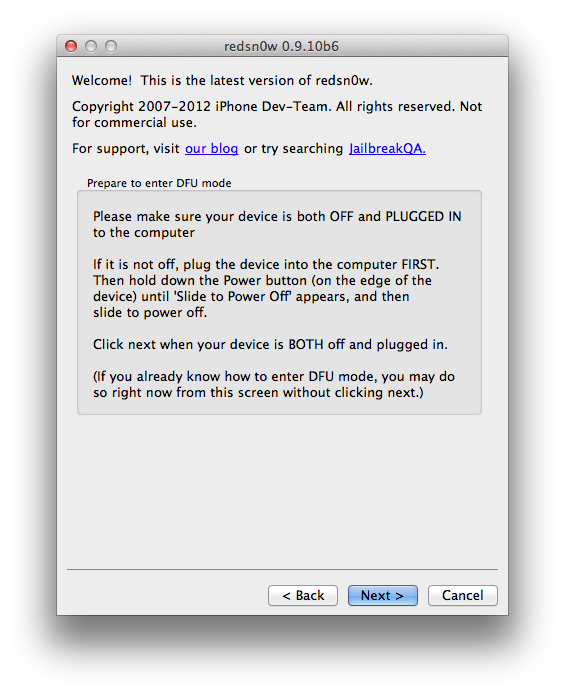
Step Ten Connect your device to the computer via USB and power it off. Then click the Next button to continue.
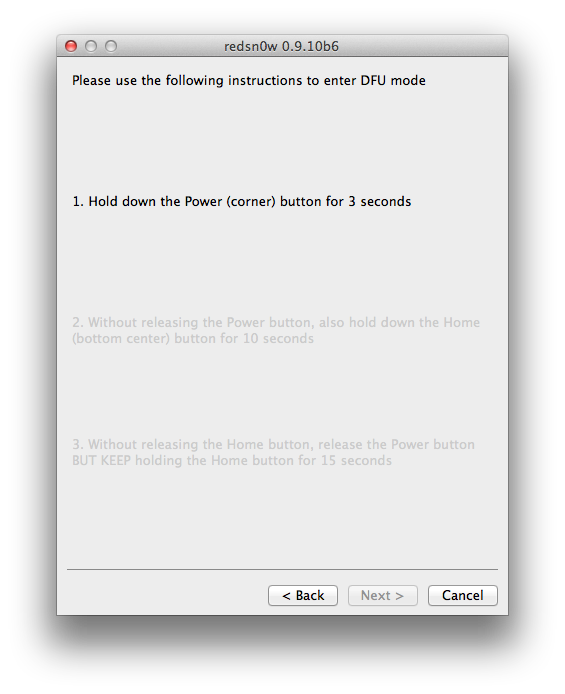
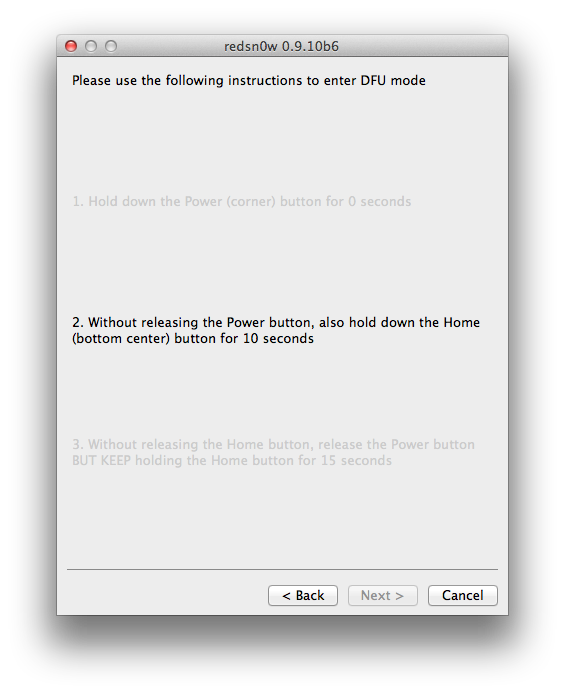
Step Eleven Hold down the Power button for 3 seconds.
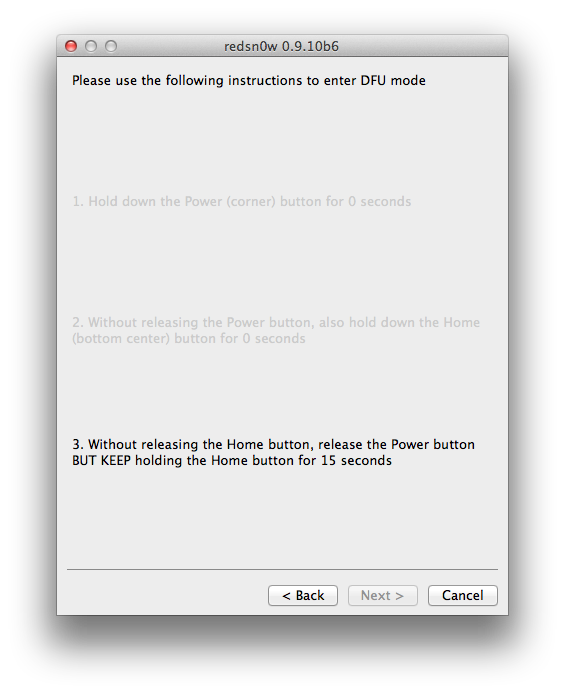
Step Twelve Without releasing the Power button, also hold down the Home button for 10 seconds.
Step Thirteen Without releasing the Home button, release the Power button BUT KEEP holding the Home button until your device is detect in DFU mode.
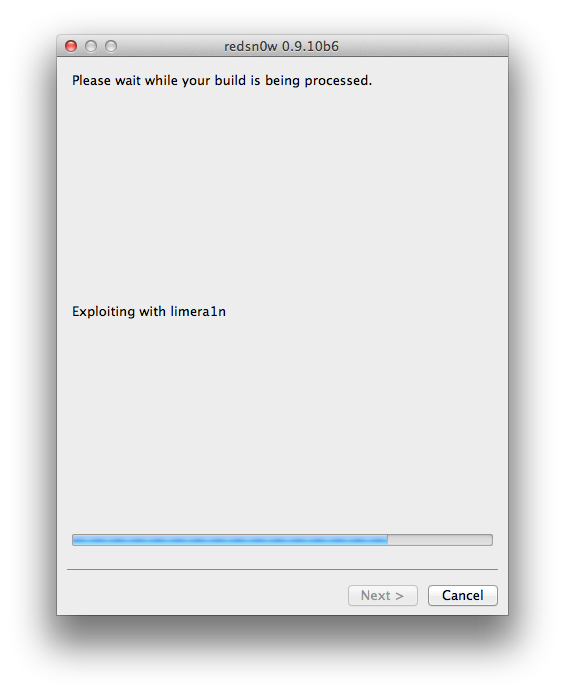
Step Fourteen You device will now be exploited with LimeRa1n.
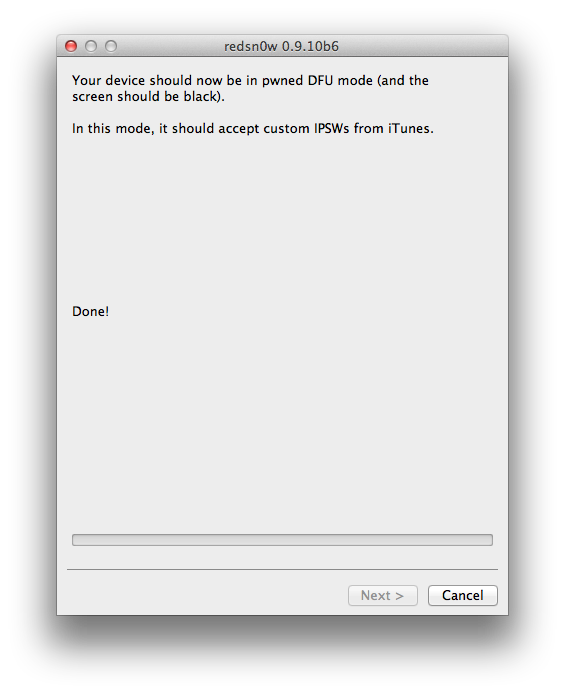
Step Fifteen Once its done you will be in Pwned DFU mode.
Step Sixteen Launch iTunes by clicking its icon in the dock.
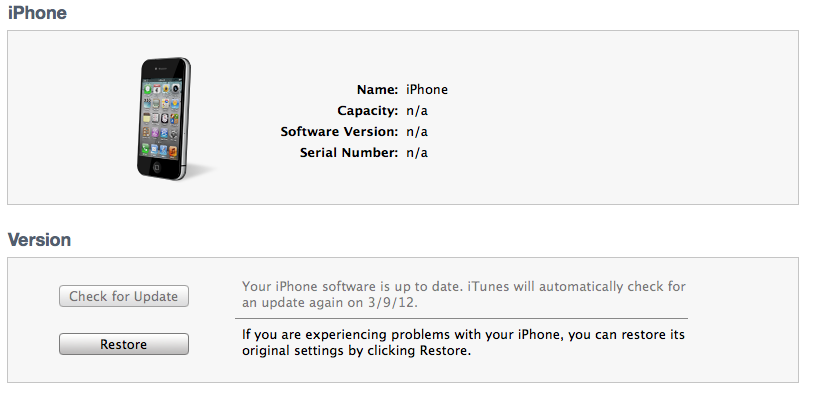
Step Seventeen Select your device from the list on the left, then hold down the Option key and click Restore.
Step Eighteen Select the NO_BB custom IPSW from the Pwnage folder on your desktop and click Open.
Step Nineteen You iPhone will now be upgraded to iOS 5.1 without updating the baseband.
Get the iClarified Daily Newsletter
Apple news, rumors, tutorials, price drop alerts, in your inbox every evening, free.
Unsubscribe at any time.
Success!
You have been subscribed.
Add Comment
Would you like to be notified when someone replies or adds a new comment?
Yes (All Threads)
Yes (This Thread Only)
No
Notifications
Would you like to be notified when we post a new Apple news article or tutorial?
At step nineteen iTunes says The iPhone could not be restored. This device is not eligible for the requested build.
I tried to restore using the correct NO BB etc.ipsw
Might this be a iTunes version problem ?
Followed this procedure and now my phone says 'No SIM' all the time. Tried restoring trough iTunes (non-jailbreak) and even that now says the same! iPhone 4, using 5.1.1. No idea what my baseband is now - how do I find out? Thanks for your help!
When I do these steps, it upgrades to 5.1 and it doesn't touch my baseband, but it doesn't seem to be jailbroken anymore. There is no Cydia app. I've tried it multiple times. How can I get it jailbroken without updating my baseband?
You've probably learned by now but if not... Your jailbreak is gone. Never ever upgrade a jailbroken idevice if the new firmware doesn't have a released jailbreak preferably of the untethered variety. It's really too bad however your jailbreak will be back, hopefully soon seems possible, so don't fret.
All you need to do is go back to redsnow and click Jailbreak. It will then take you through that process (don't worry, if you've already done the custom IPSW part it won't update your baseband). Once the jailbreak is finished go back to redsnow again and click Extras and click Just Boot. Cydia should be there now.
really dude? he upgraded to 5.1 and was curious his jailbreak was gone. if a week later a jailbreak was released it doesn't change what initially happened, and that's what happened. I was just trying to be informative. take it or leave it. or go to the dev team blog and ask questions there.
Thanks MB. Your instructions worked. I did the jailbreak and it worked and I have my jailbreak back. Wish I would have known this a week earlier, but glad to have it back. And my baseband is still safe and sound at a really old version.
On another note, if the instructions in this post don't jailbreak the phone, then they shouldn't be listed under Tutorials . . . Jailbreak.
Agreed. I went back to the tutorial that would have upgraded the baseband to get the rest of the steps. Luckily if you've already installed the custom IPSW, you're fine.
What do you mean? If you know how to upgrade firmware without upgrading baseband you should probably just do it. Resale value possibly increased if there's ever an unlock.







![Apple TV Shares Official Trailer for 'Trying' Season 5 [Video]](/images/news/101148/101148/101148-160.jpg "Apple TV Shares Official Trailer for 'Trying' Season 5 [Video]")





![Apple Watch Series 11 is Back on Sale for Just $299 [Deal]](/images/news/101081/101081/101081-160.jpg "Apple Watch Series 11 is Back on Sale for Just $299 [Deal]")
![AirPods Max 2 Drop to New All-Time Low of $499 [Deal]](/images/news/101063/101063/101063-160.jpg "AirPods Max 2 Drop to New All-Time Low of $499 [Deal]")
![AirPods Max 2 Hit All-Time Low Price of $509 ($40 Off) [Deal]](/images/news/101039/101039/101039-160.jpg "AirPods Max 2 Hit All-Time Low Price of $509 ($40 Off) [Deal]")
![New 13-Inch M5 MacBook Air Hits All-Time Low Price of $899.99 [Deal]](/images/news/100969/100969/100969-160.jpg "New 13-Inch M5 MacBook Air Hits All-Time Low Price of $899.99 [Deal]")
![AirPods Pro 3 Drop to $199 Ahead of Memorial Day [Deal]](/images/news/100935/100935/100935-160.jpg "AirPods Pro 3 Drop to $199 Ahead of Memorial Day [Deal]")
