These are instructions on how to enable support for carrier bundles in iTunes 8.2.
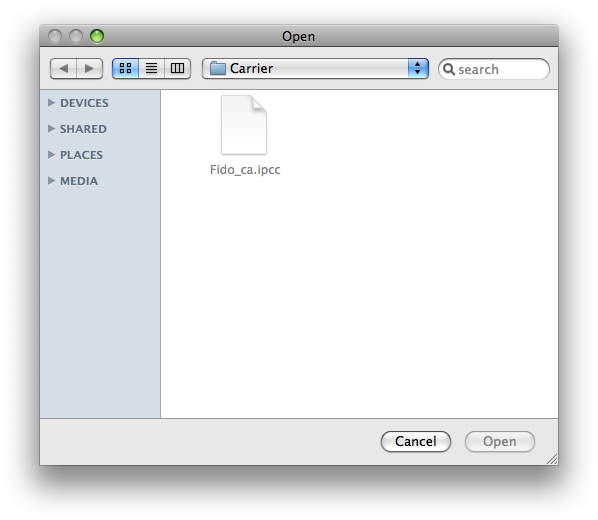
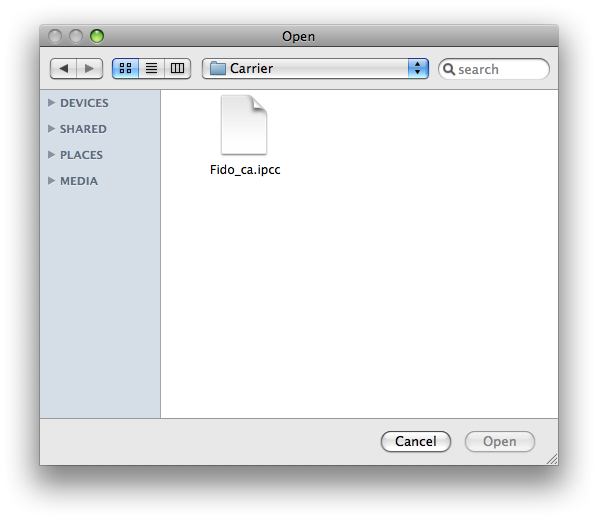
You'll notice if you try to update your iPhone carrier settings using the final version of iTunes 8.2 the .ipcc files are greyed out. In order to re-enabled access to these files you will need to follow the simple steps below.
Step One Quit iTunes
Step Two Click to launch Terminal from the dock or from the Applications:Utilities folder.
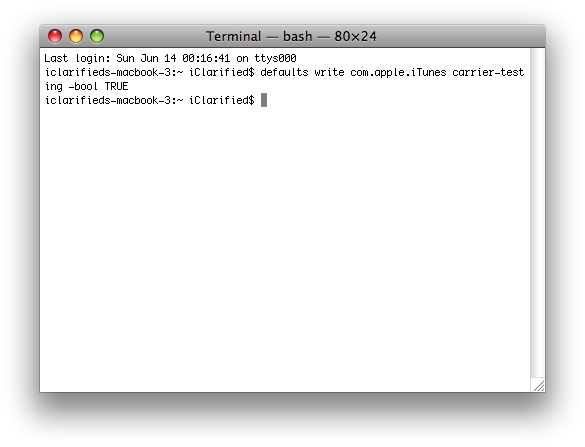
Step Three Enter the following command into the Terminal window:
hi i have an american iphone 3 have unlocked it however for some reason im not able to use my vodafone sim card on it but able to use 2degrees and telecom .. please help as its really frustrating
Hi, I am using ITunes 8.2 and my .ipcc file is not grey anymore but i cannot see the option of internet tethering in my iphone. I have 3.0 software and iphone 3g. can you please help me what should i do.
thank you
Just updated to OS 3.0 and tried your method. Updated all the .plist files but my final .ipcc file is still greyed out in the box.
I'm working with iTunes 8.2.23 on Mac OS X 10.5.7. Do you have any suggestions?
On Windows, support for carrier bundles can be enabled using the following command:
%ProgramFiles%\iTunes\iTunes.exe /setPrefInt carrier-testing 1
I tested and it works :)
Could you give detailed instructions on exactly how to get the tethering turned on...i haveno idea how or where to find the carrier bundle .... please help








![Apple Debuts Trailer for 'Stick' Season 2 Starring Owen Wilson [Video]](/images/news/102678/102678/102678-160.jpg "Apple Debuts Trailer for 'Stick' Season 2 Starring Owen Wilson [Video]")
![How To Force Restart iPhone [Video]](/images/tutorials/95012/95012/95012-160.jpg "How To Force Restart iPhone [Video]")
![How To Turn Off iPhone [Video]](/images/tutorials/94999/94999/94999-160.jpg "How To Turn Off iPhone [Video]")
![How To Back Up Your iPhone to an External Drive on Mac [Video]](/images/tutorials/72786/72786/72786-160.jpg "How To Back Up Your iPhone to an External Drive on Mac [Video]")




![Mac mini Drops to $779.99 for Prime Big Deal Days [Deal]](/images/news/102624/102624/102624-160.jpg "Mac mini Drops to $779.99 for Prime Big Deal Days [Deal]")