These are step by step instructions on how to add the iClarified source to Cydia. You may have to follow these directions if iClarified isn't already included in your list of sources.
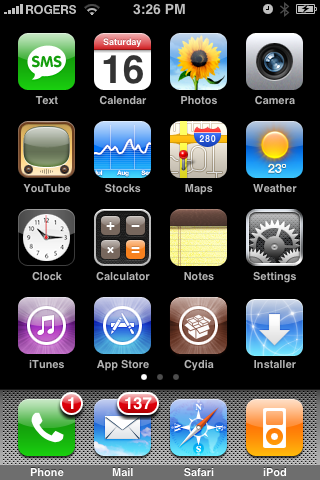
Step One Press to select Cydia from your Springboard.
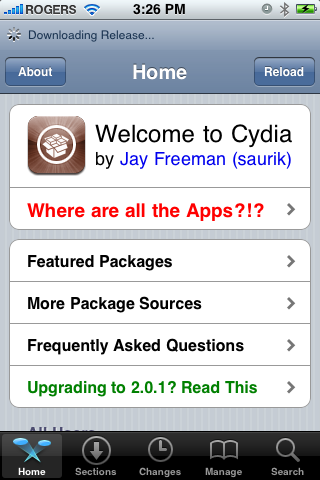
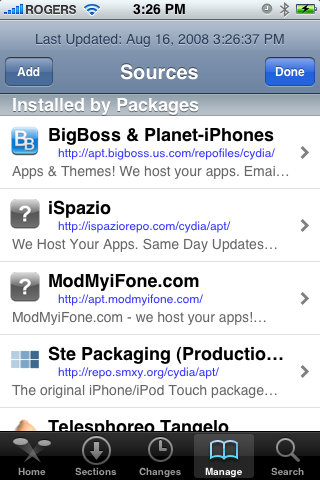
Step Two Press to select Manage from the tabs at the bottom of the screen.
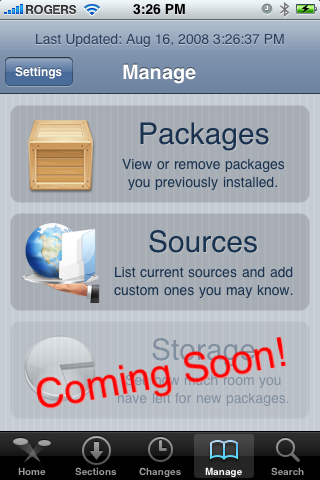
Step Three Press to select Sources from the menu that appears.
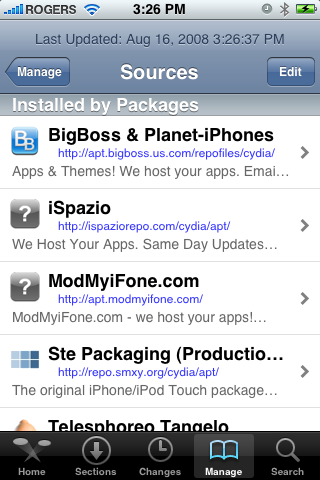
Step Four Press the Edit button at the top right of the screen.
Step Five Press the Add button that appears at the top left of the screen.
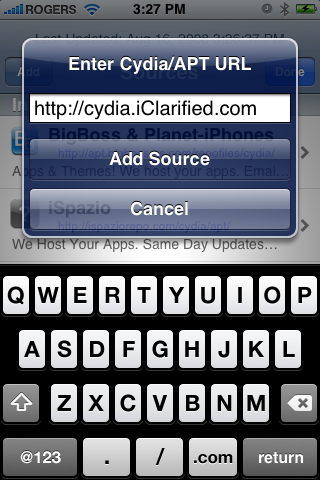
Step Six Enter http://cydia.iClarified.com as the source address then press the large Add Source button.
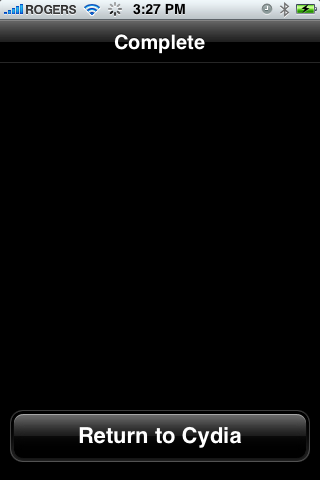
Step Seven One the source has been added press the large Return to Cydia button at the bottom of the screen.
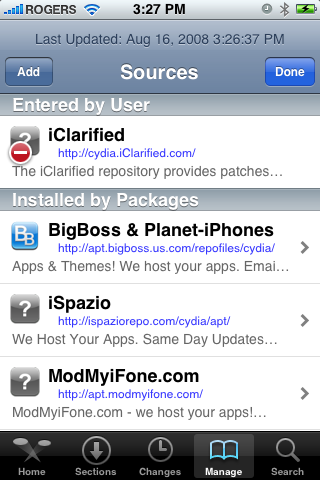
Step Eight Press the Done button at the top right of the screen.
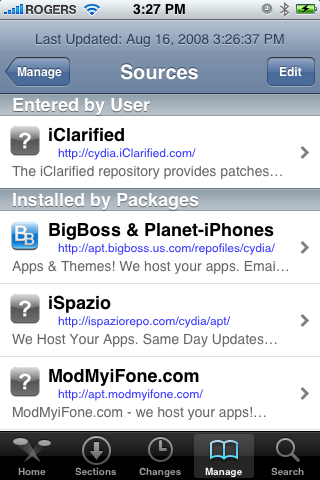
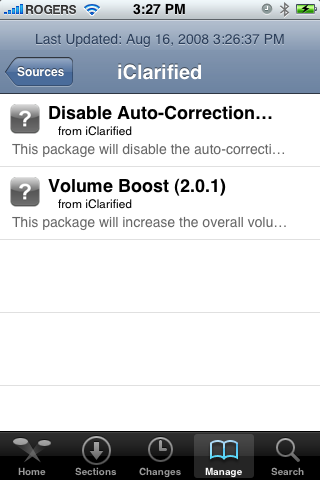
Step Nine Notice the iClarified source appears in the list of sources. Press it to view the packages currently available!
Get the iClarified Daily Newsletter
Apple news, rumors, tutorials, price drop alerts, in your inbox every evening, free.
Unsubscribe at any time.
Success!
You have been subscribed.
Add Comment
Would you like to be notified when someone replies or adds a new comment?
Yes (All Threads)
Yes (This Thread Only)
No
Notifications
Would you like to be notified when we post a new Apple news article or tutorial?
thanks a lotttt ... now please launch appsupport patch... thanks for the volume one... the correction was already in Cydia since the launch of 2.0 unlock.





![Apple Home Hub With Siri AI in Employee Testing, Could Debut in October [Gurman]](/images/news/102309/102309/102309-160.jpg "Apple Home Hub With Siri AI in Employee Testing, Could Debut in October [Gurman]")

![Apple Cuts Fitness+ Jobs as It Rethinks the Service [Report]](/images/news/102306/102306/102306-160.jpg "Apple Cuts Fitness+ Jobs as It Rethinks the Service [Report]")










![Apple Studio Display XDR Hits All-Time Low of $2,969.99 ($329 Off) [Deal]](/images/news/101976/101976/101976-160.jpg "Apple Studio Display XDR Hits All-Time Low of $2,969.99 ($329 Off) [Deal]")
