How to Save Your iPhone SHSH Blobs Using RedSnow (Mac)

Posted September 19, 2011 at 8:42pm by iClarified | Please help us and submit a translation by clicking here | 94123 views

These are instructions on how to backup and save your SHSH Blobs to Cydia using RedSn0w.

Step One
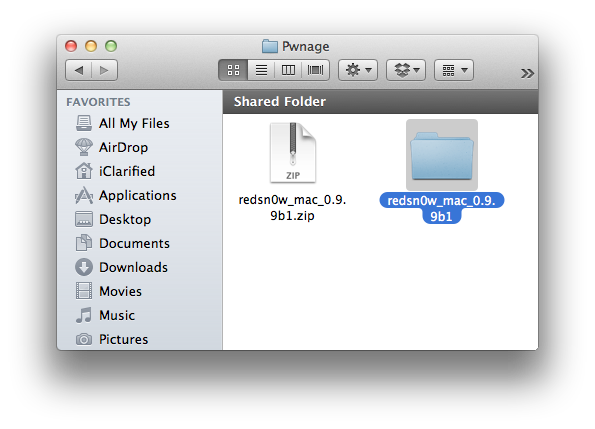
Create a folder on your desktop called Pwnage

Download RedSn0w from 0.9.9b1 here and place it in the Pwnage folder.

Extract the RedSn0w zip file by double clicking it.


Step Two
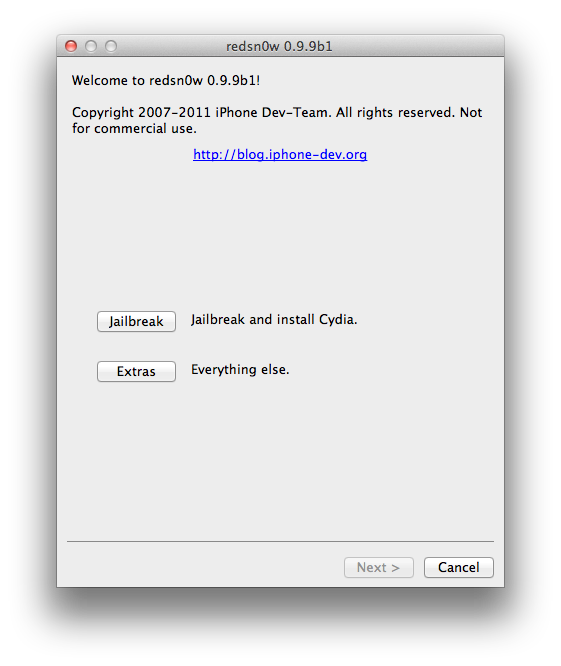
Launch the redsn0w application from the redsn0w folder we just extracted.


Step Three
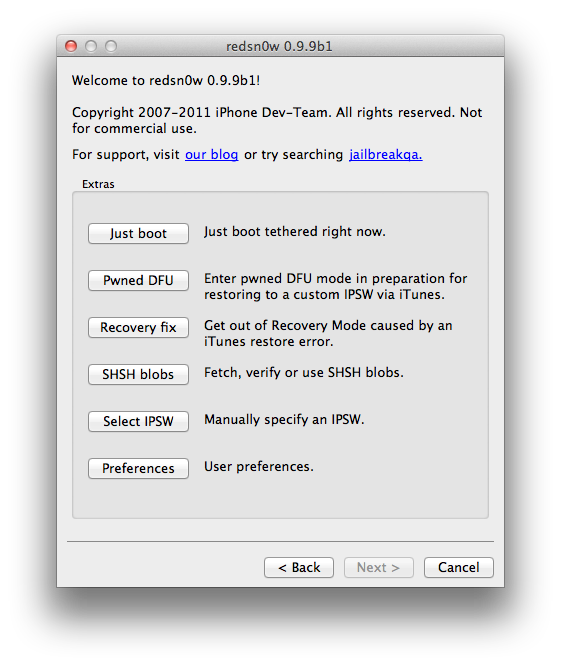
Once RedSn0w opens click the Extras button


Step Four
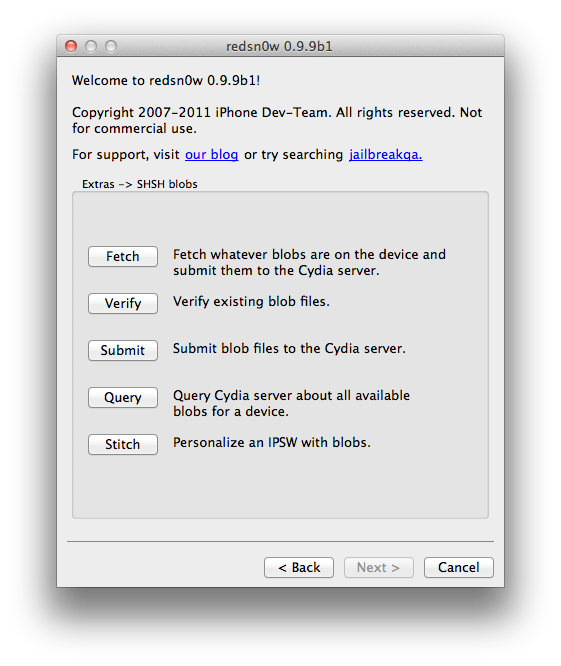
Click the SHSH blobs button from the Extras menu.


Step Five
Click the Fetch button to fetch the SHSH blobs on your device and send them to the Cydia server for storage.


Step Six
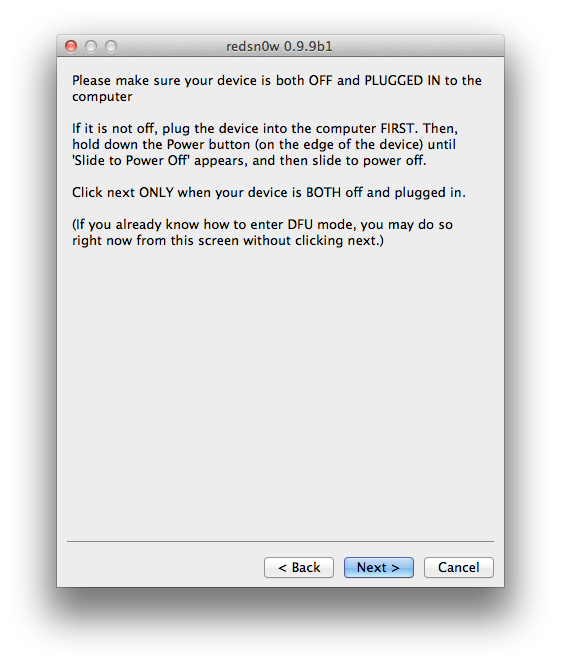
Please plug your iPhone into the computer and make sure its OFF then click the Next button


Step Seven
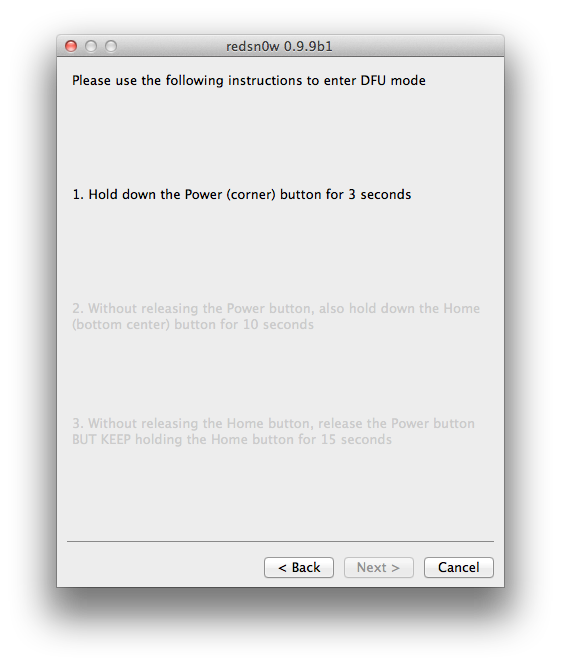
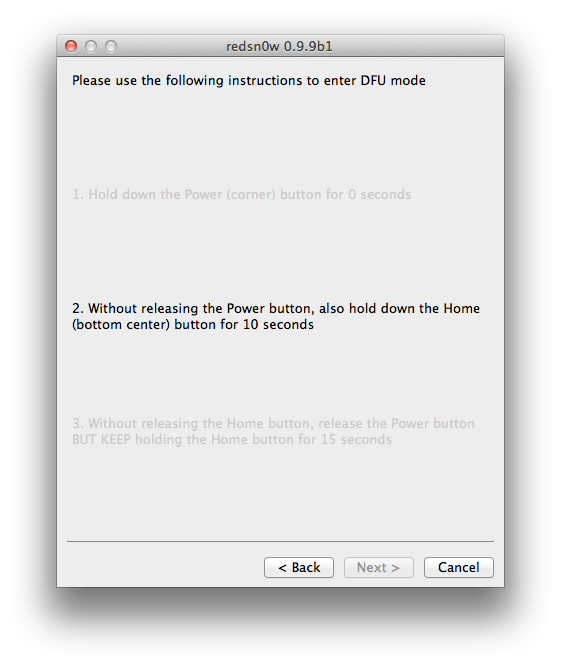
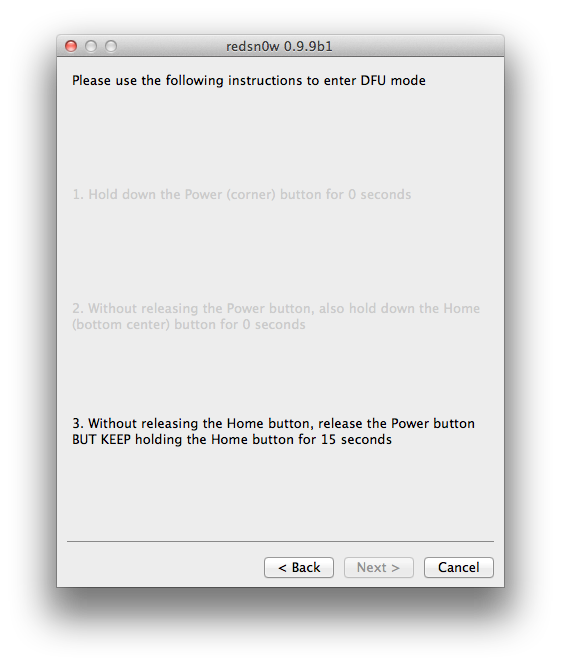
RedSn0w will now guide you through the steps to get into DFU mode. You can find more help with DFU mode here


Hold down both the Home button and the Power button for 10 seconds.


Release the Power button and continue holding the Home button until RedSn0w detects the device.


Step Eight
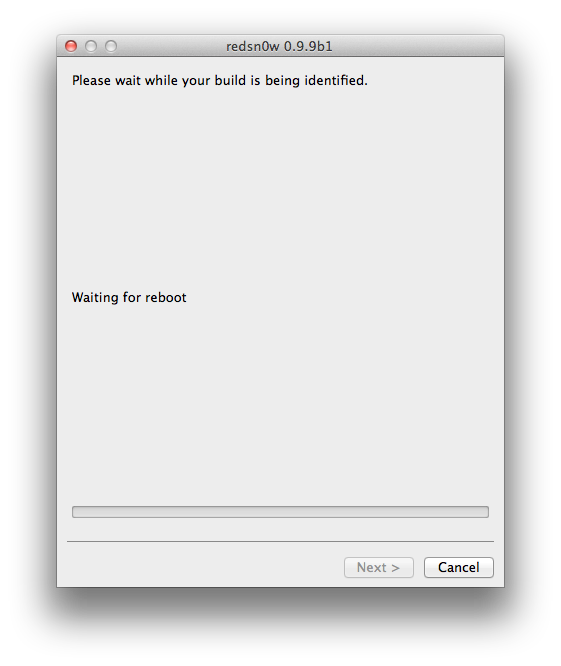
Your iPhone will now reboot


Step Nine
RedSn0w will then begin fetch the SHSH blobs from your device and submit them to Cydia.


Step Ten
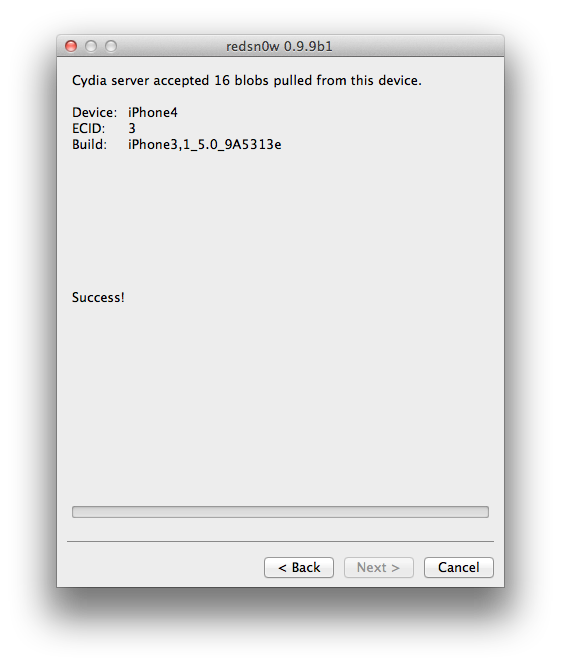
Once this is complete you will be notified that your submission was a success. Click the Back button to return to RedSn0w.


Step Eleven
Click the SHSH blobs button and then click the Query button to make sure Cydia has your blobs saved.


Step Twelve
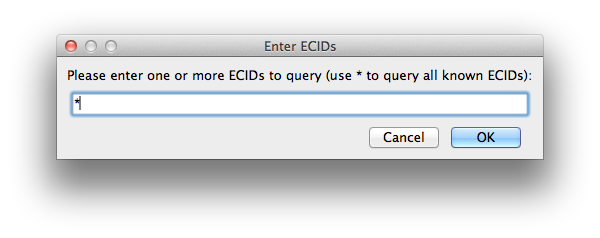
Enter * into the ECID textfield and click OK to check all your devices.


Step Thirteen
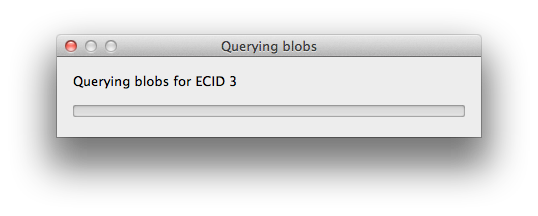
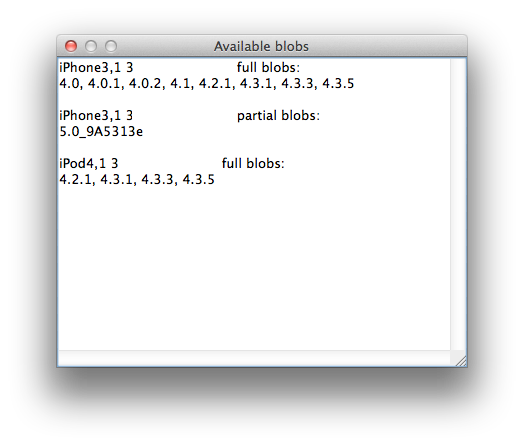
RedSn0w will now query Cydia and display the list of stored blobs.


Important:
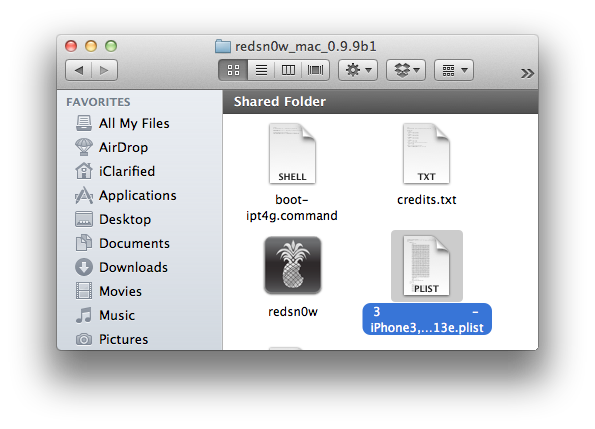
RedSn0w also saves your blobs in a plist located within the RedSn0w folder. We would recommend keeping these for added safety.

Share
Add Comment
bassam - May 15, 2013 at 8:31pm
is there any way that i can downgrade my iphone by adding the older version on my iphone in such a way that if my iphone work on 6.1.3 ,it will tell me that there is a software update 5.1.1 and i can install as if it a the latest version ( setting -> sofware update)????
itaymis - April 7, 2013 at 7:27pm
try this one, http://www.rapidunlockers.com/ I have unlocked my phone there. very fast service (about 6 hours total) and cheap, now i can update to any version without having to worry that my phone will be locked ever again. Only 9.99 for phone unlocks!
Carla - November 4, 2012 at 4:10pm
Hi, The tutorial said that I should follow with these steps I got a: 3GS baseband 5.16.05 version 5.1.1 (9B206) serial 872247xxxxx I got an error message: unrecognized build Fingerprint: ffffffffffffffffea3be91a220349bf Please check bla, bla... Error with SHSH blobs! How can i fix this? Help please!!!
Mellish - October 20, 2012 at 10:19am
Same for me
cici - September 20, 2012 at 9:48am
Hello, I got an error that i'm using the wrong redsn0w. It's true i jailbreaked in another version of redsn0w. What can i do to backup if i don't remember the version?
3 More Comments
Follow iClarified
Gameloft Releases Epic for iPhone, iPad, and iPod Touch
Gameloft has released Epic, a new game based ...
Evernote Launches Reminders Feature for Mac, iOS, Web
Evernote has launched a new Reminders feature...
Angry Birds Space is Currently Available For Free
Rovio is currently offering Angry Birds Space...
Mailbox App is Now Available for the iPad
Mailbox, a popular new email app for iOS, has...
Shazam App is Updated With iPad Support, Interactive Maps
Shazam has been updated as a universal app wi...