These are instructions on how to backup and save your iPhone SHSH Blobs to Cydia using RedSn0w for Windows.
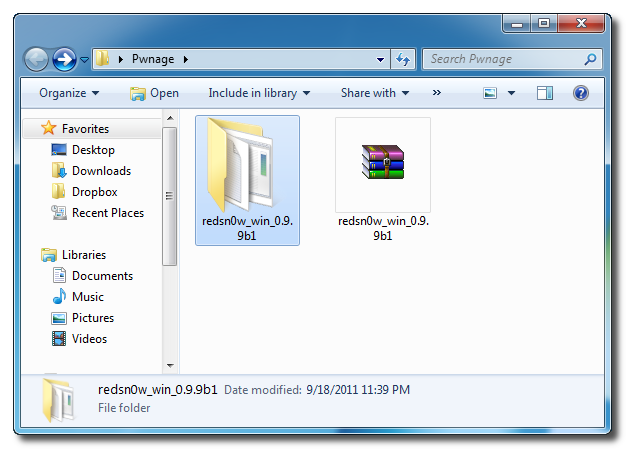
Step One Create a folder on your desktop called Pwnage
Download RedSn0w from 0.9.9b1 here and place it in the Pwnage folder.
Extract the RedSn0w zip file into the same folder.
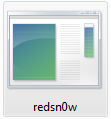
Step Two Launch the redsn0w application from the redsn0w folder we just extracted.
**Windows 7 users should run the redsn0w executable mode as an administrator in Windows Vista compatibility mode. You can do this by right clicking the executable and selecting Properties from the contextual menu.
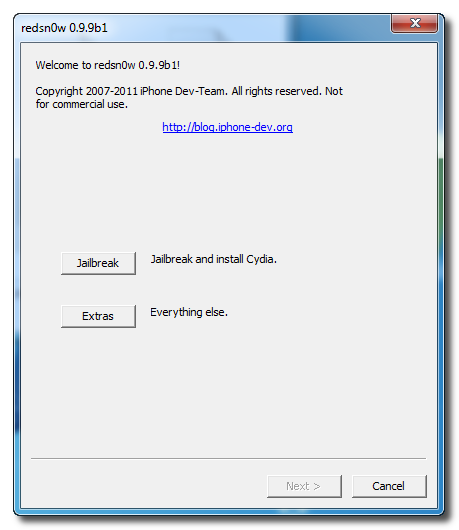
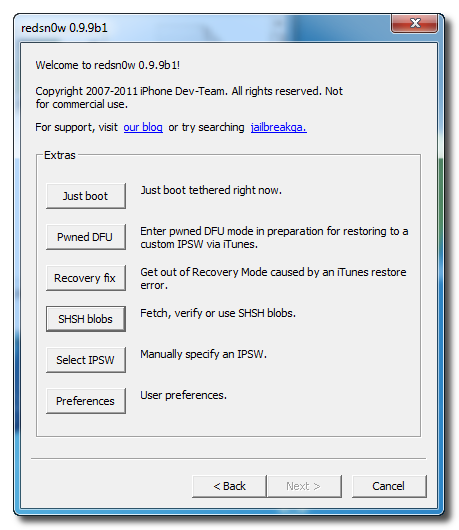
Step Three Once RedSn0w opens click the Extras button
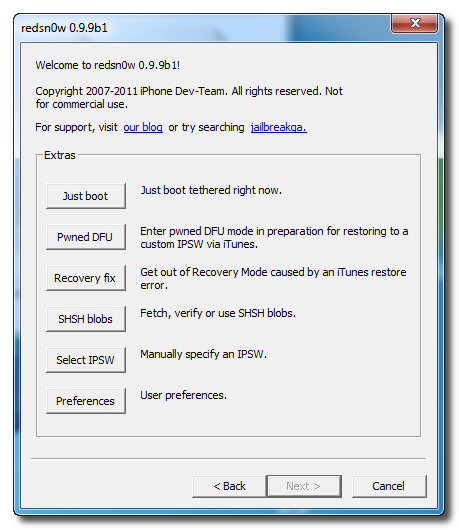
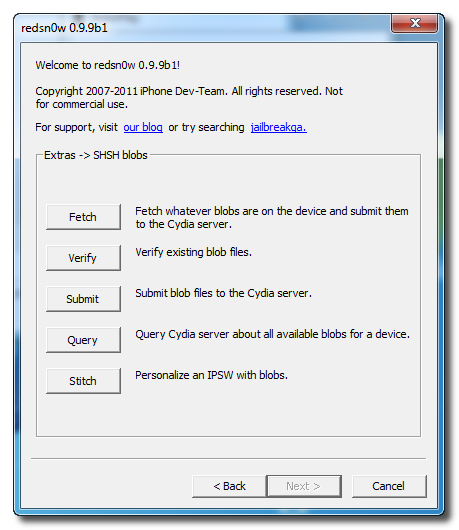
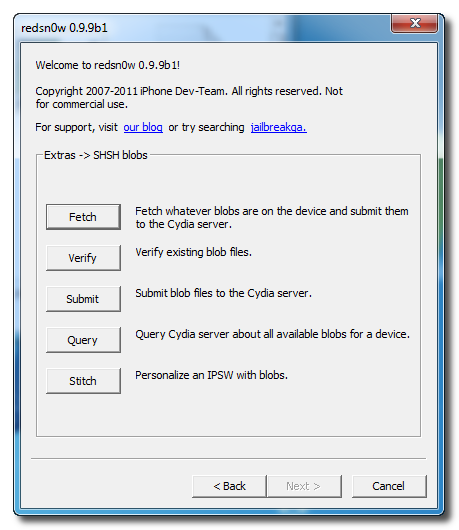
Step Four Click the SHSH blobs button from the Extras menu.
Step Five Click the Fetch button to fetch the SHSH blobs on your device and send them to the Cydia server for storage.
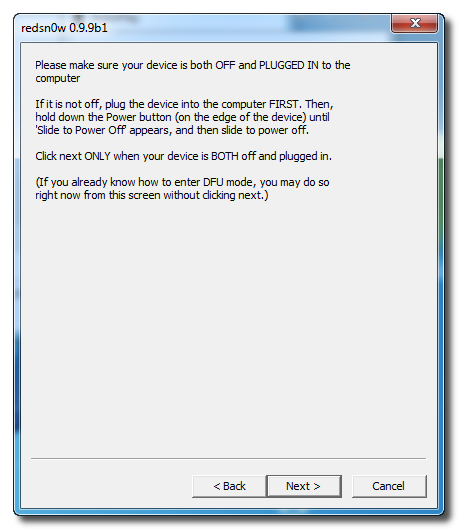
Step Six Please plug your iPhone into the computer and make sure its OFF then click the Next button
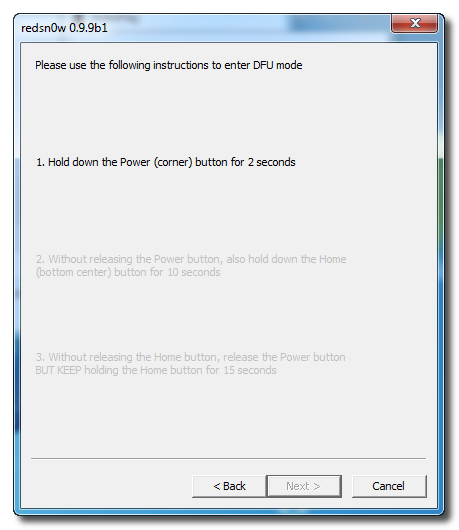
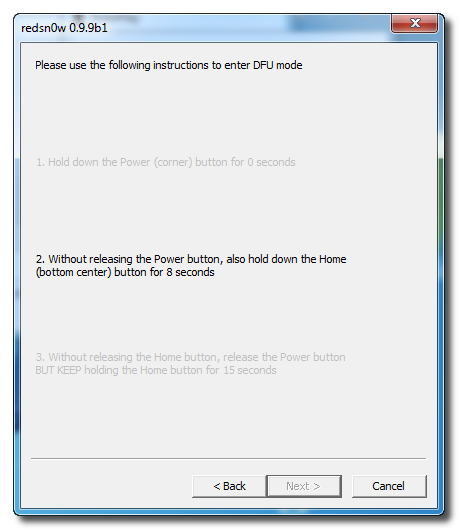
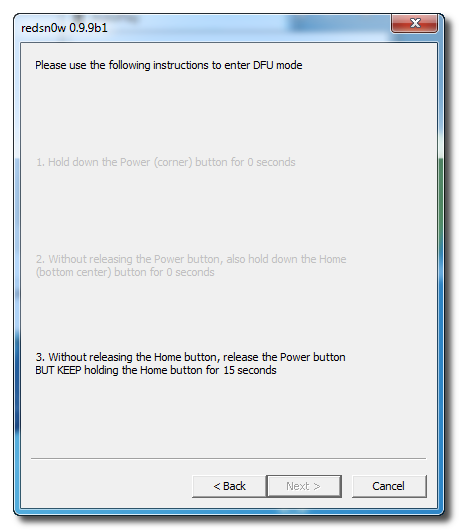
Step Seven RedSn0w will now guide you through the steps to get into DFU mode. You can find more help with DFU mode here
Hold down both the Home button and the Power button for 10 seconds.
Release the Power button and continue holding the Home button until RedSn0w detects the device.
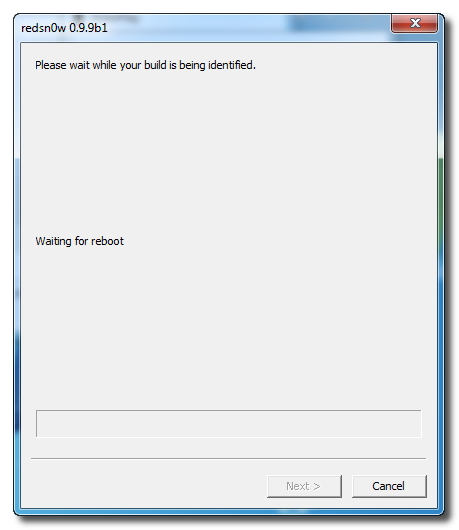
Step Eight Your iPhone will now reboot
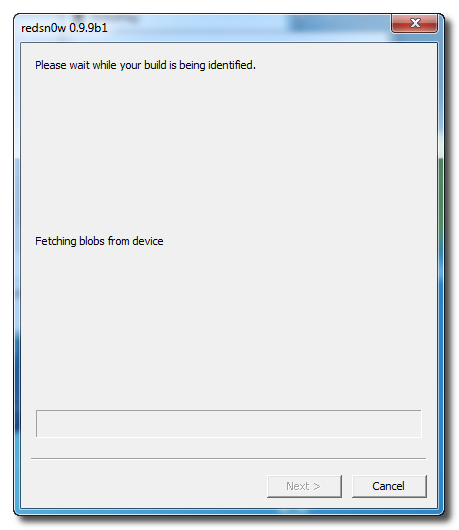
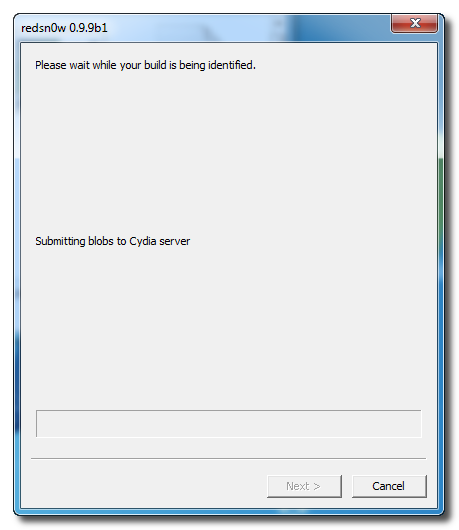
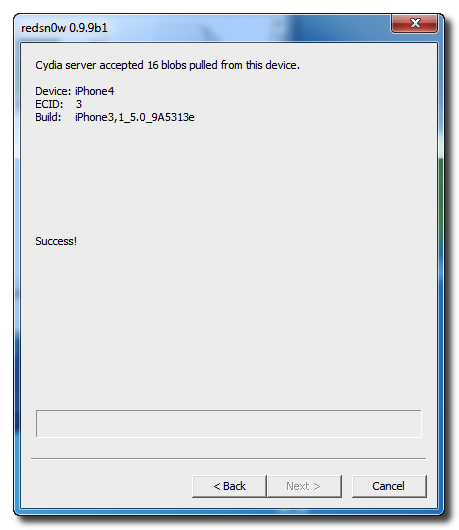
Step Nine RedSn0w will then begin fetch the SHSH blobs from your device and submit them to Cydia.
Step Ten Once this is complete you will be notified that your submission was a success. Click the Back button to return to RedSn0w.
Step Eleven Click the SHSH blobs button and then click the Query button to make sure Cydia has your blobs saved.
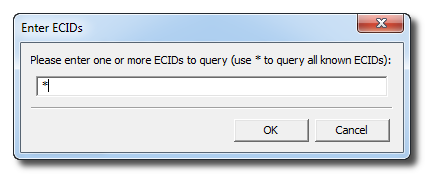
Step Twelve Enter * into the ECID textfield and click OK to check all your devices.
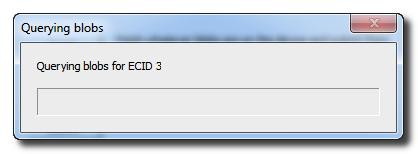
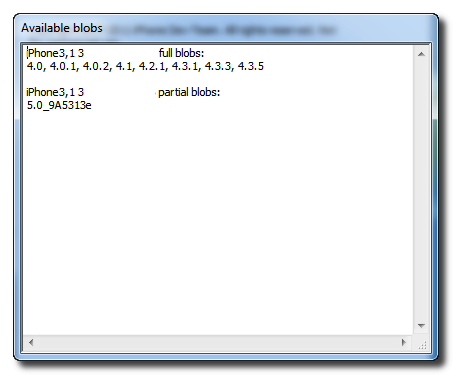
Step Thirteen RedSn0w will now query Cydia and display the list of stored blobs.
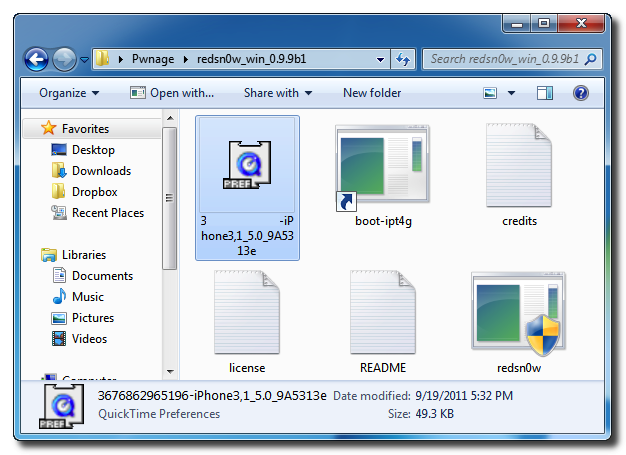
Important: RedSn0w also saves your blobs in a plist located within the RedSn0w folder. We would recommend keeping these for added safety.
Get the iClarified Daily Newsletter
Apple news, rumors, tutorials, price drop alerts, in your inbox every evening, free.
Unsubscribe at any time.
Success!
You have been subscribed.
Add Comment
Would you like to be notified when someone replies or adds a new comment?
Yes (All Threads)
Yes (This Thread Only)
No
Notifications
Would you like to be notified when we post a new Apple news article or tutorial?
Hey .. here i have needed to help anyone please..
I have Iphone 3gs 4.1 firmware and I want to upgrade 4.1 to 5.1 but redsnow 9.15 b3 only fetch 4.1 and 6.1.3 ...... what i need to do.. i will appriate
Thanks
hi, i'm trying to do a downgrade by ios 6.1.3 to ios 6.1.2, when i arrive at the step 8 redsnow show me "waiting for reboot" and my ipod 4g reboot, but redsnow remains stationary on that words.
what can i do..?
That tutorial only told u how to create no BB IPSW.. You then need to stitch those 5.1.1 blobs into it...then do the pwned DFU mode restore..
This is what I do on my 3GS... I think this works for a 4... This is a slightly modified version of my previous tutorial on 3GS for folks that didn't unlock...this should work for unlocking..at end of course u have to JB and install ultrasn0w as before...I've not done this myself all the way through as I don't unlock, so proceed at own risk. Would like to know I it works though...
This is for preserving baseband and stitching blobs...
1. Download stock iOS 5.1.1 IPSW.
2. Download redsn0w 0.9.14b2
3. Run redsn0w as administrator in windows.
3. Click on Custom IPSW button
4. Browse to downloaded stock IPSW
5. Let RS Finish creating no BB IPSW
6. Click Extras button.
7. Click SHSH blobs button.
8. Click Query button to see what blobs Cydia has for device.
9. If Cydia has required blobs, Click Stitch button.
10. Click IPSW button-browse for previously created 5.1.1 no BB IPSW file NOT the stock one.
11. Click Blobs-Cydia button to stitch remote Cydia stored blobs to IPSW.(or could do local if you have
them local).
12. Let Process and finish. It will take a few minutes.
13. Click Back button-Click Pwned DFU to put in pwned DFU mode-follow onscreen instructions.
14. Once in pwned DFU mode, close redsn0w, launch iTunes.
15. iTunes will see device in "recovery" mode. Click Check button.
16. Hold down Shift key, click Restore button. Browse to that stitched IPSW file
you created.Select it.
17. Wait for restore to finish as normal. JB as normal(or not)...Enjoy!
hi
I had jailbreak 4.1 baseband 5.16.04 on 3gs .I tried to upgrade firmware 5.1.1 but I did not successful.Now my phone got reboot and locked to ATT. I don't have ATT sim card I don't know what is the firm ware and ipsw on it.
Would you please tell me how to jailbreak this.
Thanks
Dang it! Get all the way to Step 11 before a Redsnow error message "Error with SHSH blobs!' after upload to Cydia. Anyone else come across this? I will gladly accept suggestions.;-)
Hi
Ive tried the on screen instructions and keep getting a message that advises the SHSH blobs are unknown.
I have the iphone 3gs with ios 6 installed.
Does anyone know how to get around this.
Craig
it gets stuck at please wait while your build is being processed...waiting for reboot.
but my phone has already rebooted ans is on...can someone help please. im using a iphone 4 firmware 6.0.1
which version should I use to save the iPhone 6.x SHSH....the instructions says 0.9.9b1 but there is a newer 0.9.15b3. This is to ultimate downgrade IOS from 6.x to 5.x.
dont know if i can even b helped.. gotta bricked 3g first gen it says. i can dfu in redsnow but that is as far as i can go. i can not get to an ipsw to install . paid for factory unlock. need to downgrade before that can work.????
any body help am not completely literate but can usually follow instructions. .mostly
Ca i use this on iphone 4s. Because I got amessage saying not supported on 4s after clicking the "next button" after connecting iphone and ensurirng power is off
i get an error - This device is pwned with a bootrom exploit. Any blobs it has are unnecessary (and invalid).
can you please explain what this error means?
After following your above instruction, I got the serious situation: the PC appears note "iPad 2 is not supported" and I cannot start and open my iPad 2. It is black!!!! Can anyone help me?
it fingerprint not recognized and my firmware is
5.1.1: iPhone3,1_5.1.1_9B208_Restore.ipsw
Where as the latest firmware version of redsnow is
5.1.1: iPhone3,1_5.1.1_9B206_Restore.ipsw
When will it be updated?




![Apple Readies New Smart Home Hub, Apple TV, and HomePod mini [Report]](/images/news/101609/101609/101609-160.jpg "Apple Readies New Smart Home Hub, Apple TV, and HomePod mini [Report]")
![Apple Shares Official 'Ted Lasso' Season 4 Trailer Ahead of August 5 Premiere [Video]](/images/news/101608/101608/101608-160.jpg "Apple Shares Official 'Ted Lasso' Season 4 Trailer Ahead of August 5 Premiere [Video]")