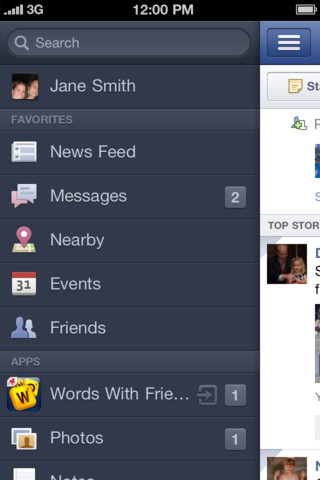
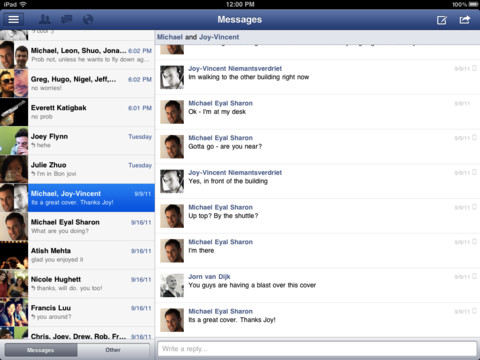
Facebook has updated its iOS app with numerous improvements including Retina Display support for the new iPad, the ability to offline in chat, and more.
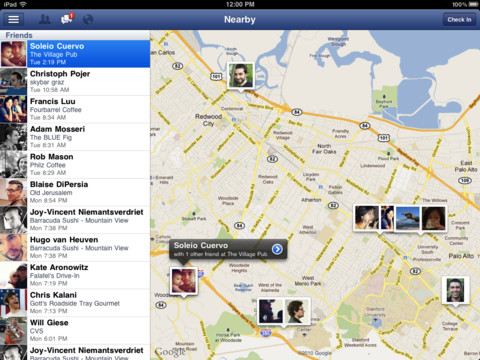
Facebook for iPad With high-res photos, games, chat and more, now you can get the best of Facebook-on your iPad.
- Enjoy bigger, better photos: Your photos are high-res and easy to flip through, like a real photo album - Navigate anywhere, fast: Just tap, slide or pinch to move from one screen to another - Play games on the go: Access your favorite Facebook apps and games, wherever you are - Focus on what matters: Zoom in on your friends' photos, updates and stories - Never lose your place: Share a photo, update your status or send a message without leaving News Feed - See who's nearby: Check out the Nearby map to see what your friends are up to
What's New In This Version: In this release, we added some features and fixed some bugs so now: - You can go offline in chat - The right profile picture appears for everyone - Your list of friends always includes all your friends - In sets of photos, your name is displayed correctly - Photos of people who like Facebook Pages load correctly - Your friend-request notification only lights up if you have a request - You can change your language to Czech, Danish, Greek, Indonesian, Malaysian, Norwegian (Bokmal), Portuguese (Portugal) or Thai - If you've got a new Retina iPad, you'll see a crisp, high resolution interface
You can download Facebook from the App Store for free.








![Apple Releases iOS 27, iPadOS 27, and macOS 27 Design Resources [Download]](/images/news/101173/101173/101173-160.jpg "Apple Releases iOS 27, iPadOS 27, and macOS 27 Design Resources [Download]")





![Save $50 on Beats Powerbeats Pro 2, Now Just $199.95 [Deal]](/images/news/101182/101182/101182-160.jpg "Save $50 on Beats Powerbeats Pro 2, Now Just $199.95 [Deal]")
![AirPods Pro 3 Drop to New All-Time Low of $179 ($70 Off) [Deal]](/images/news/101156/101156/101156-160.jpg "AirPods Pro 3 Drop to New All-Time Low of $179 ($70 Off) [Deal]")
![Apple Watch Series 11 is Back on Sale for Just $299 [Deal]](/images/news/101081/101081/101081-160.jpg "Apple Watch Series 11 is Back on Sale for Just $299 [Deal]")
![AirPods Max 2 Drop to New All-Time Low of $499 [Deal]](/images/news/101063/101063/101063-160.jpg "AirPods Max 2 Drop to New All-Time Low of $499 [Deal]")
![AirPods Max 2 Hit All-Time Low Price of $509 ($40 Off) [Deal]](/images/news/101039/101039/101039-160.jpg "AirPods Max 2 Hit All-Time Low Price of $509 ($40 Off) [Deal]")
