These are instructions on how to use the built-in password generator in OS X.
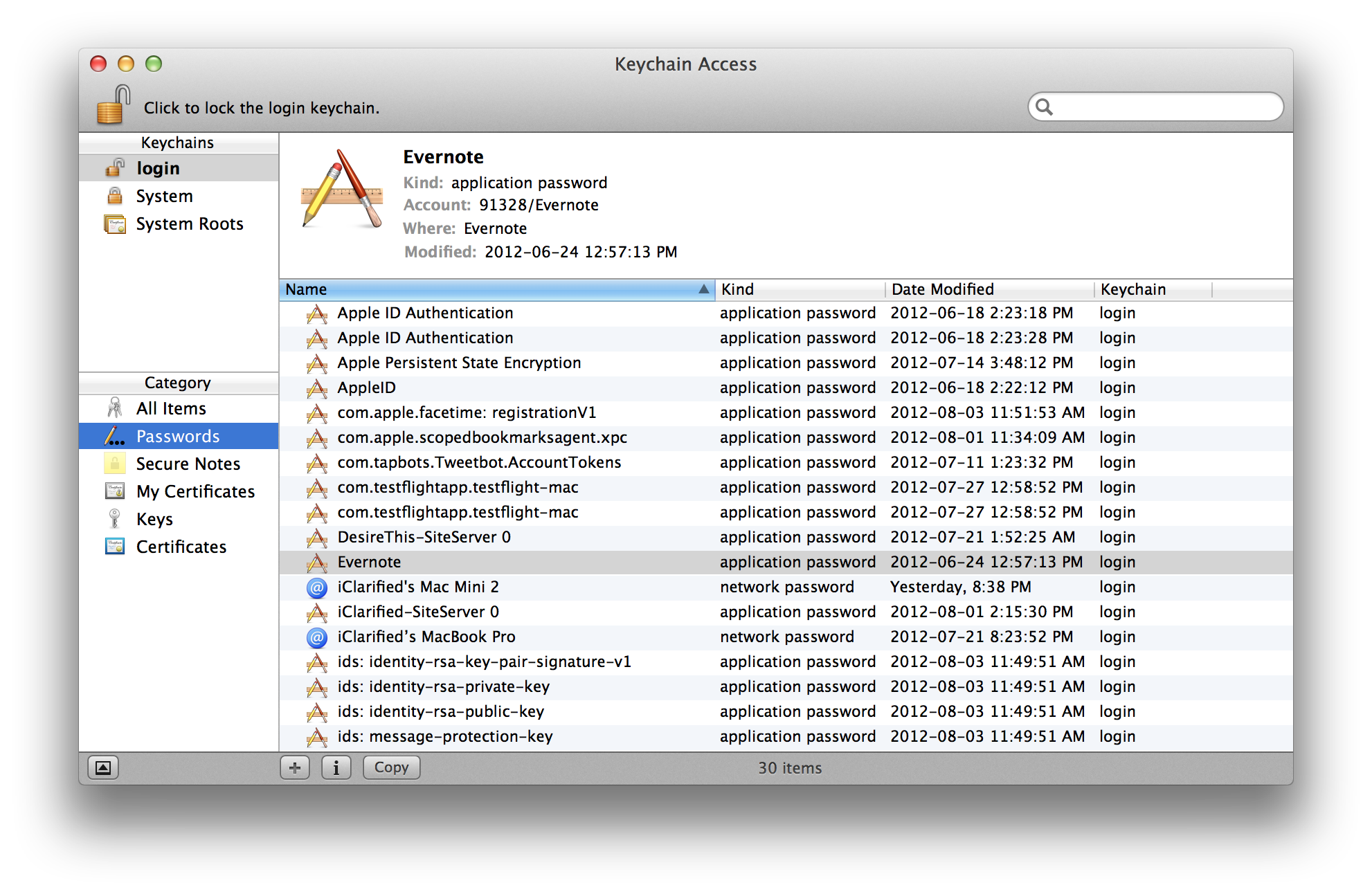
Step One Launch Keychain Access from the Applications:Utilities folder.
Step Two If necessary unlock the application at top left and select Passwords from the list of categories on the left.
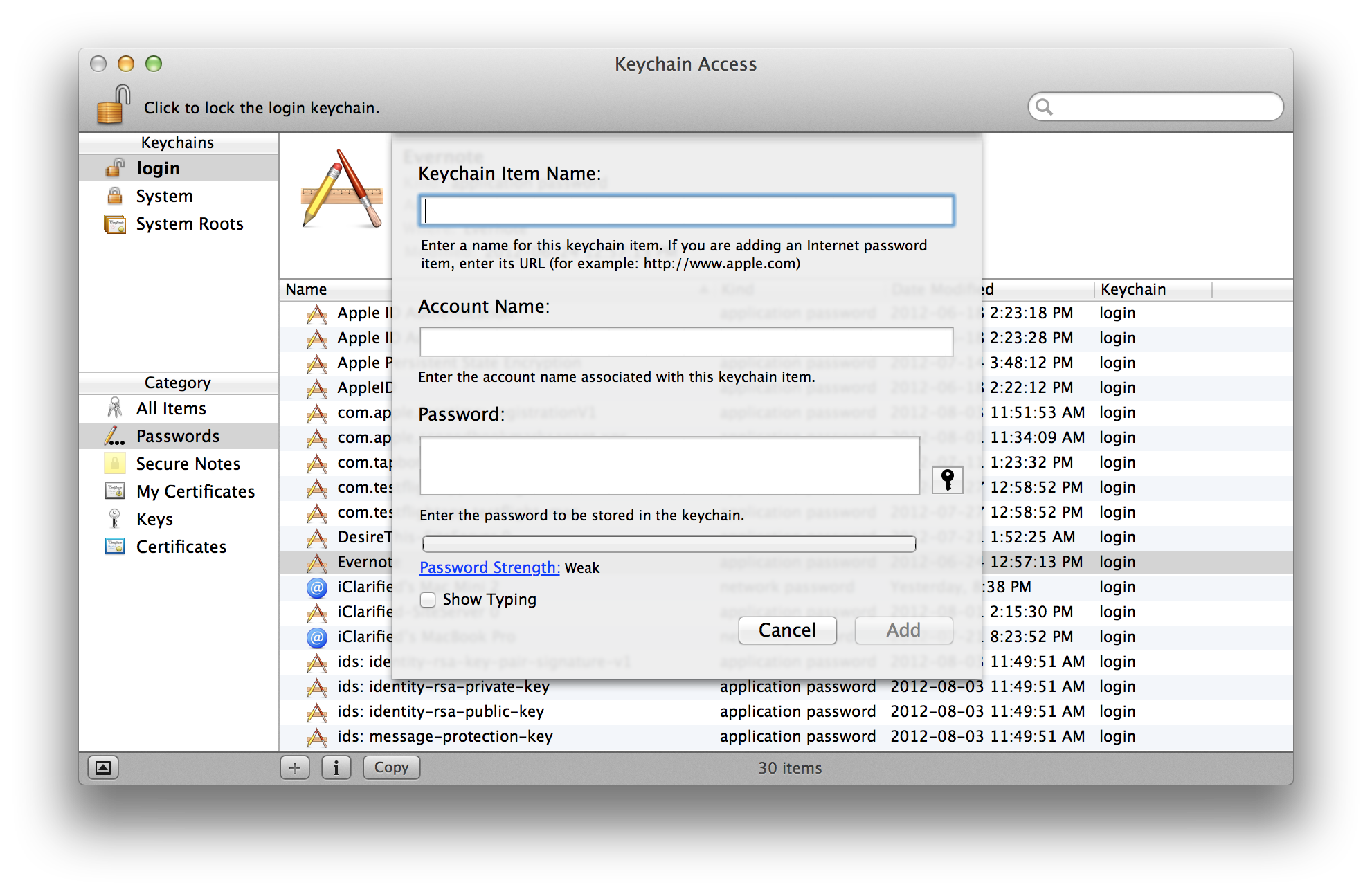
Step Three Click the + button at the bottom of the screen.
Step Four Click the key button from the popup window that appears.
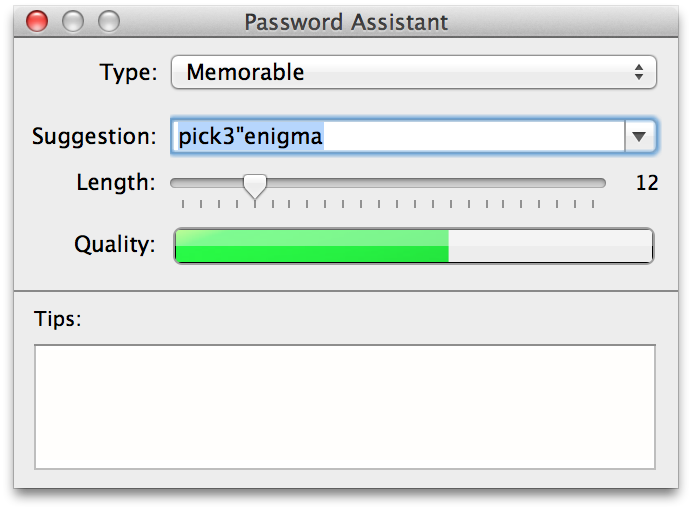
Step Five Password Assistant will now open. You use it to generate a memorable, letters & numbers, numbers only, random, or FIPS-181 compliant password of different lengths. The quality bar will show you how secure the generated password appears to be.










![How To Change Wallpaper on Mac [Video]](/images/tutorials/90512/90512/90512-160.jpg "How To Change Wallpaper on Mac [Video]")
![How To Turn Off Always On Display on iPhone [Video]](/images/tutorials/87524/87524/87524-160.jpg "How To Turn Off Always On Display on iPhone [Video]")




![16-Inch M5 Max MacBook Pro Drops $900 to New Low of $3,499 [Deal]](/images/news/102438/102438/102438-160.jpg "16-Inch M5 Max MacBook Pro Drops $900 to New Low of $3,499 [Deal]")
![Magic Keyboard for iPad Air Drops to $200 on Amazon [Deal]](/images/news/102402/102402/102402-160.jpg "Magic Keyboard for iPad Air Drops to $200 on Amazon [Deal]")
![13-Inch M5 MacBook Air With 1TB Drops to $1,449 on Amazon [Deal]](/images/news/102345/102345/102345-160.jpg "13-Inch M5 MacBook Air With 1TB Drops to $1,449 on Amazon [Deal]")
