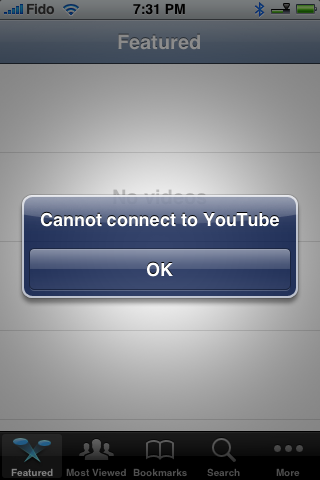
Its pretty simple to fix Youtube on your iPhone; however, I thought I'd post this for those who still want instructions. If you are getting the "Cannot connect to YouTube" error then this tutorial is for you.
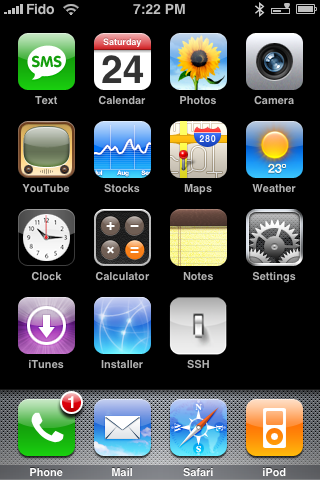
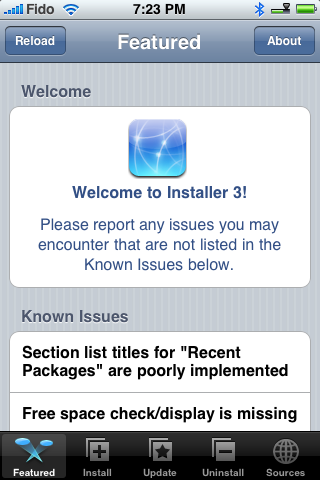
Step One Launch Installer from your iPhone's springboard.
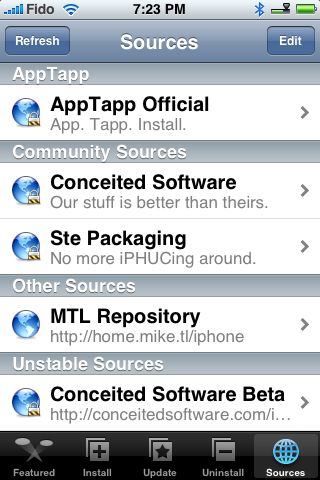
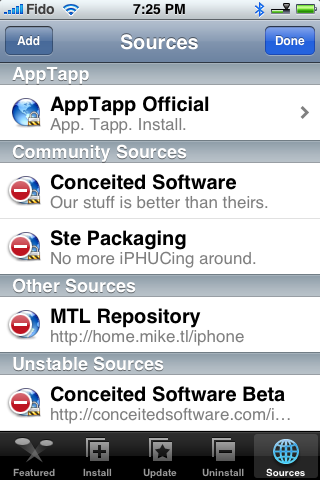
Step Two Press to select the Sources tab at the bottom right of your screen.
Step Three Press the Edit button at the top right of the screen.
Step Four Press the Add button at the top left of the screen.
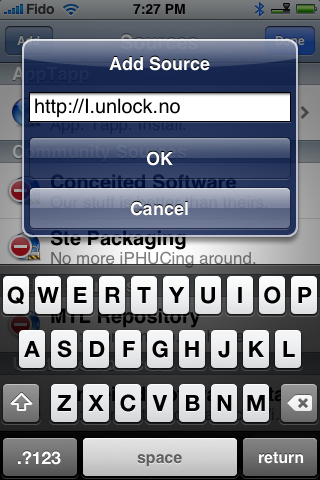
Step Five Set the source url to http://i.unlock.no. Then press the Ok button.
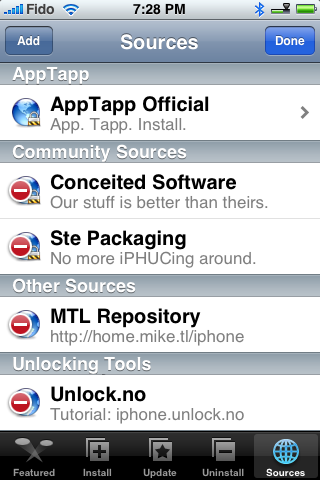
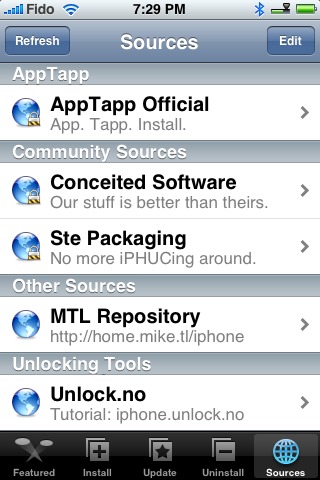
Step Six Once the source has been loaded press the Done button at the top right of the screen.
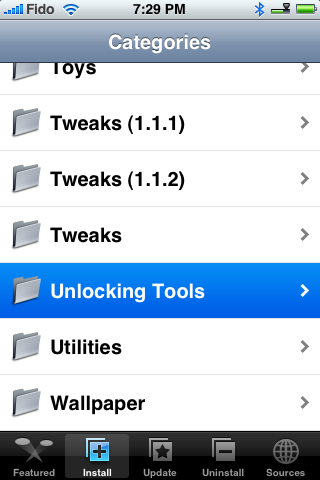
Step Seven You will now notice a new category called Unlocking Tools. Press to select the Install tab at the bottom of the screen.
Step Eight Press to select Unlocking Tools from the category list.
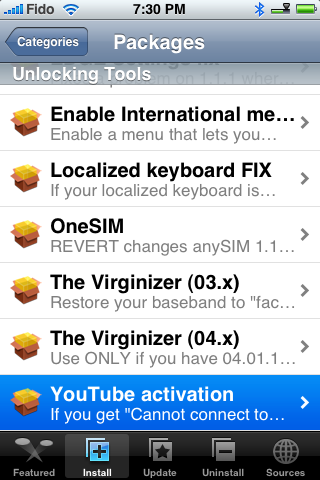
Step Nine Press to select You Tube activation from the list of Packages.
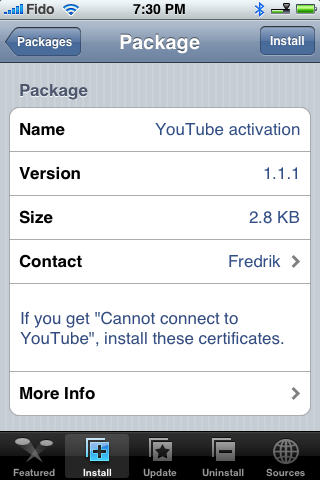
Step Ten Press the Install button at the top of the screen.
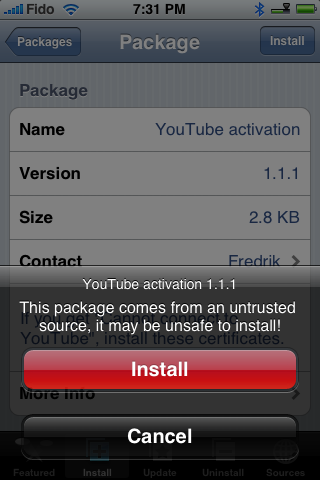
Step Eleven Press the red Install button to start the installation.
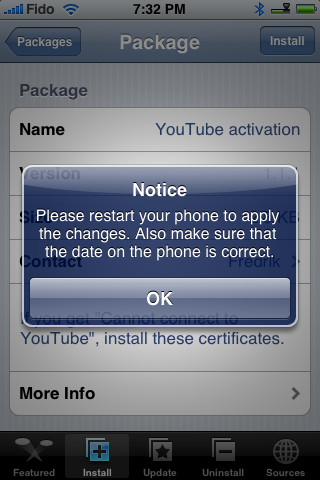
Step Twelve Once complete you will see message asking you to reboot. Press the Ok button.
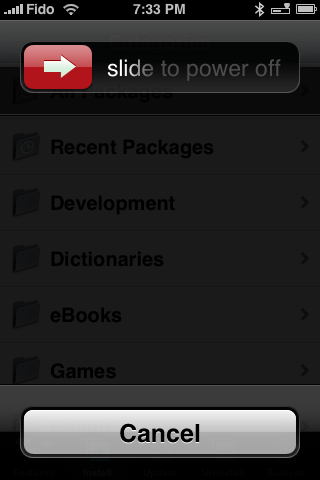
Step Thirteen Hold down the Sleep/Wake button for three seconds. When the power slider appears drag it to the right. Press the Sleep/Wake button again to turn back on the iPhone.
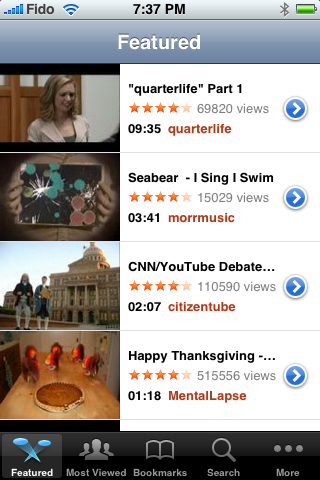
Step Fourteen Launch YouTube from the springboard and yay! it works now.
Thanks to iPhone Dev Team, i.unlock.no, onemanarmy and everyone else that figured this out!
Get the iClarified Daily Newsletter
Apple news, rumors, tutorials, price drop alerts, in your inbox every evening, free.
Unsubscribe at any time.
Success!
You have been subscribed.
Add Comment
Would you like to be notified when someone replies or adds a new comment?
Yes (All Threads)
Yes (This Thread Only)
No
Notifications
Would you like to be notified when we post a new Apple news article or tutorial?
I use it but it never appears the reset part, but still I reset it, and when I turn it up the youtube said that I have to conect with my iTunes first or something like that please help me
I'm having the same problem on 1.1.3 with a TMO SIM. Also LocateMe not working. Whether related or not BT works but never stops searching. I'll put my AT&T SIM back in to see if its unlock or SIM related.
This solved my problem of "unable to connect". Definetely the best tutorial I have seen to help me get sorted. Thank you ever so much ... I really appreciate all the time an effort you guys have invested in this.
As we say in Ireland ... a hundred thousand thanks!
By far the best and easier tutorial I've found on this thread. After trying sevreal diferent solution that I've found from Goggle, this one solved my issue. Thank you very much!
iphone 3g firmware 2.2 also was having the same problem when I try to connect to youtube from my wifi at home, however it works fine when I am connected from other public WIFI. So, it looks like my home DSL ISP STC saudi.net.sa is behind a proxy or something. Youtube and Mxtube works fine from any other isp provider but STC.
IPHONE 3G 8G
2.2 firmware
Jailbreakn and unlocked using yellowsn0w .98
















![Apple Studio Display XDR Hits All-Time Low of $2,969.99 ($329 Off) [Deal]](/images/news/101976/101976/101976-160.jpg "Apple Studio Display XDR Hits All-Time Low of $2,969.99 ($329 Off) [Deal]")
