Instructions on how to generate a unique certificate for your iPhone 3GS' iBSS using a Mac.
Apple has added a new layer of security to the iPhone 3GS called the ECID field. According to GeoHot when iTunes starts the restore process, they contact Apple servers to generate signatures just for your device. It's important you get these signatures for your phone before a new version of the software comes out.
Step One Put your iPhone into recovery mode. If you do not know how to do this then you can follow this tutorial.
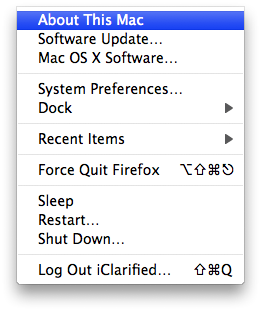
Step Two Click to select About This Mac from the Apple menu at the top left of your screen.
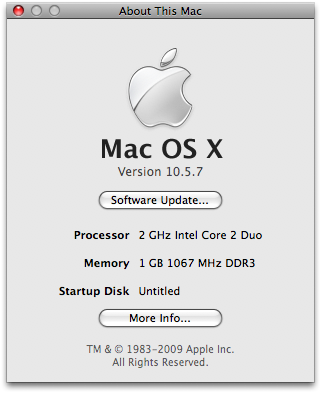
Step Three Click the More Info... button from the window that appears.
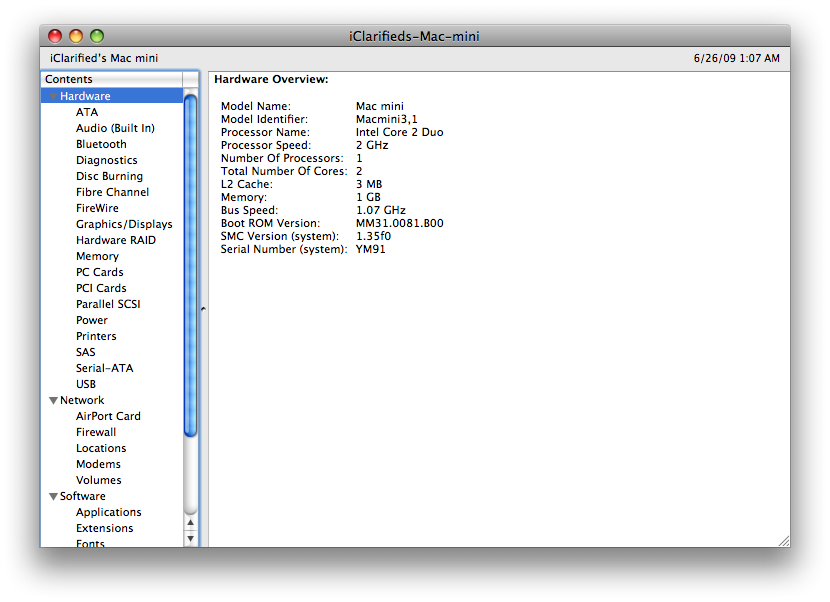
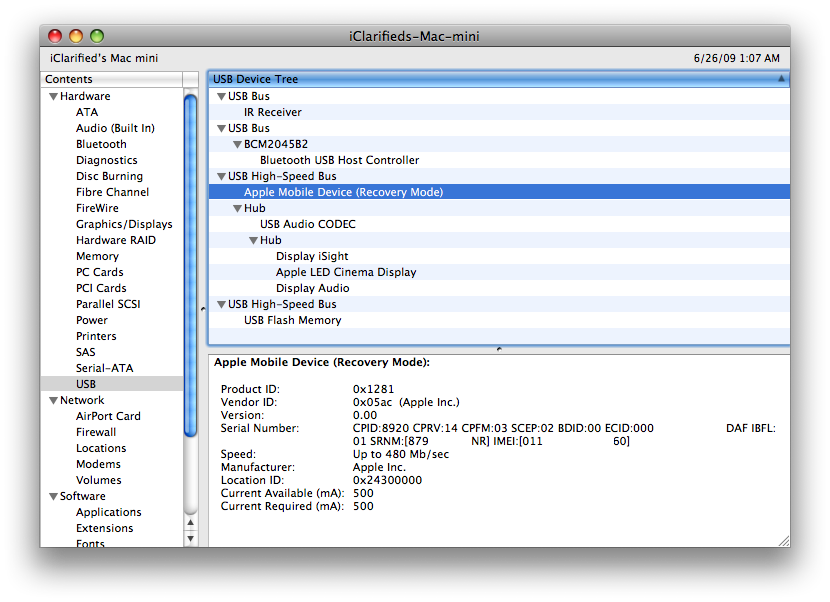
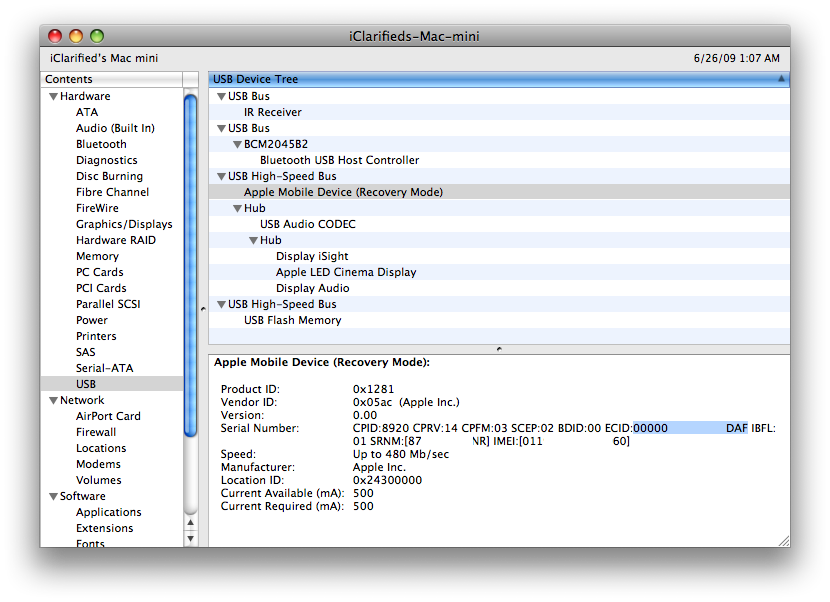
Step Four System Profiler will open. Select USB from the Hardware menu at the left.
Select Apple Mobile Device (Recovery Mode from the USB Device tree in the top right panel.
Step Five Copy (highlight and press Command+c) your ECID from the Serial Number field.
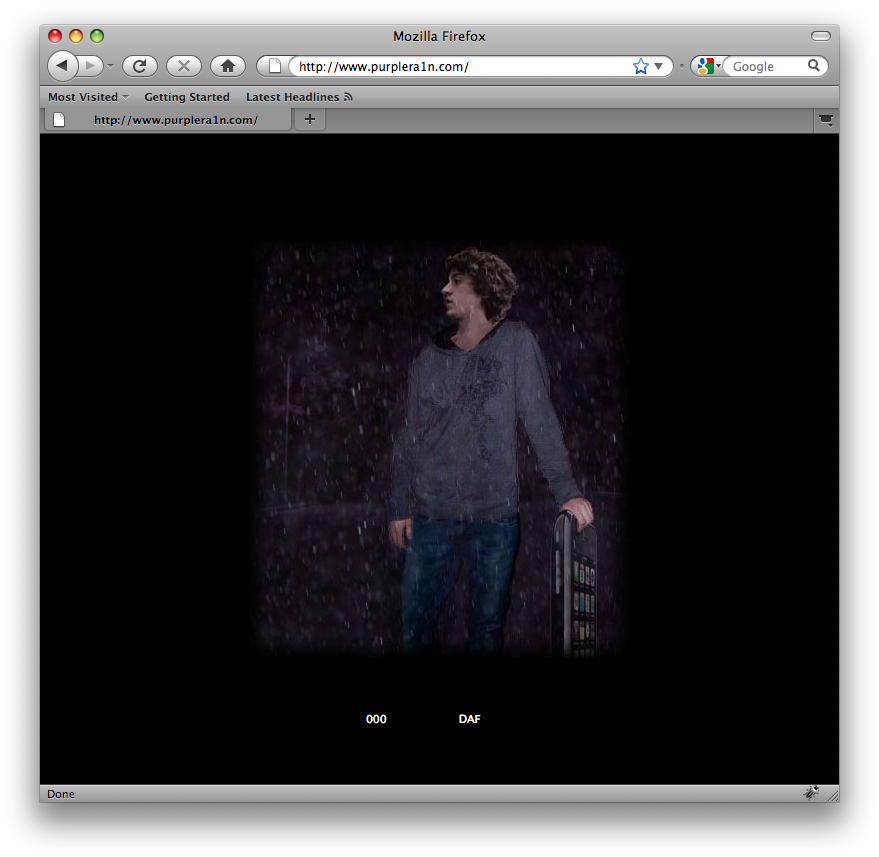
Step Six Open your web browser and navigate to purplera1n.com. Paste (command+v) the ECID into the field provided and press the Enter key.
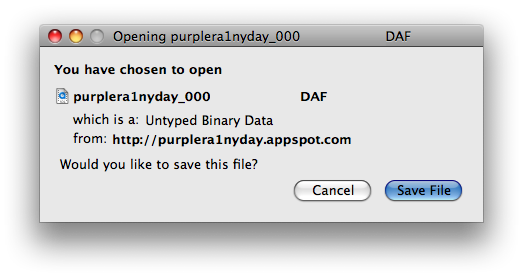
Step Seven The site will generate a file and ask you whether you would like to save or open it. Click to Save the file and store it in case you need it in the future.
Get the iClarified Daily Newsletter
Apple news, rumors, tutorials, price drop alerts, in your inbox every evening, free.
Unsubscribe at any time.
Success!
You have been subscribed.
Add Comment
Would you like to be notified when someone replies or adds a new comment?
Yes (All Threads)
Yes (This Thread Only)
No
Notifications
Would you like to be notified when we post a new Apple news article or tutorial?
like the other poster that has tried this, i hit enter after pasting in my ECID and nothing happens... kinda frustrating because i'm really wanting to jailbreak and this is the only thing stopping me as i'm scared to go ahead and jailbreak the 3G(S) without this being done! can someone provide information as to why this could be happening?!
thanks in advance!
So when I navigate to purplera1n.com it has a window's icon and a donate button. There is no longer a place to put in my number to get the file generated out... anyone else having this problem?
This article leaves a couple of things unclear: first, why is it important to get this? Before which software comes out, iTunes or iPhone OS? How do you get out of Recovery Mode, just plugging into iTunes if I recall, but there's no restore or anything, correct?
Not that I distrust GeoHot, but why do i want to paste my private security key into someone else's Web site (if it's not a concern, why did you guys white out yours...?)?
Apple could track the user who made the video; knowing your ID they could block you. It is a standard security precaution, so there is no need to worry.
im with you on this, im going to wait until more people and dev team has confirmed and approve of this
i don't want to mess up anything to delay jailbreaking my 3GS
Ermm. Geohot is more cleverer than any of the Dev Team, he unlocked the first iPhone ever, BL4.6 and helped with the iPhone 3G, so stop being afraid, Geohot is extremely trustworthy :-)
i went ahead and did it,
these are the type of positive comments i was waiting for before i did this
and after looking at the step it seems that there are no harm that could be done
instructions were very simple and easy,
thanks for all your hard work and hope the freedom of the iPhone 3GS is soon!
hmm! this is so strange.. I don't feel comfortable putting my iphone info on a website I don't know! if it's so important why the don't release an utility that produce this important file Locally. not on their servers....
From iphone dev:
"If you already have a 3GS phone and have already done a full USB dump or captured your img3s signed with your ECID, then youre in great shape."
In other words they are telling people to do it. Follow iPhone Dev and Geohot on Twitter



![Apple Developing iPhone Game Controllers Likely to Launch Under Beats [Report]](/images/news/102201/102201/102201-160.jpg "Apple Developing iPhone Game Controllers Likely to Launch Under Beats [Report]")
![Apple to Remove Video Walls and Bring Back Dedicated Genius Bars [Gurman]](/images/news/102198/102198/102198-160.jpg "Apple to Remove Video Walls and Bring Back Dedicated Genius Bars [Gurman]")
![John Ternus and Joz Discuss iPhone Duo Design, Price, and iPhone 18 Pro Camera [Video]](/images/news/102197/102197/102197-160.jpg "John Ternus and Joz Discuss iPhone Duo Design, Price, and iPhone 18 Pro Camera [Video]")








![Apple Studio Display XDR Hits All-Time Low of $2,969.99 ($329 Off) [Deal]](/images/news/101976/101976/101976-160.jpg "Apple Studio Display XDR Hits All-Time Low of $2,969.99 ($329 Off) [Deal]")
![Apple AirPods Pro 3 Drop to $199 ($50 Off) [Deal]](/images/news/101966/101966/101966-160.jpg "Apple AirPods Pro 3 Drop to $199 ($50 Off) [Deal]")
