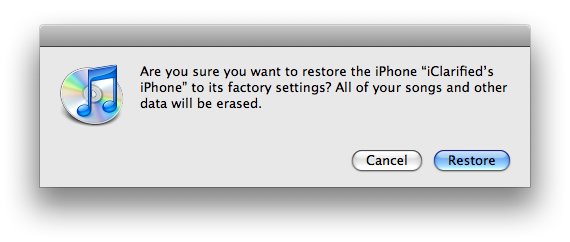
Step One Restore your iPhone to 1.1.4 using iTunes. Do this by plugging your iPhone into the computer and pressing the Restore button in iTunes.
Step Two Download the modified version of ZiPhone ZiPhone (ZiPhone-1.1.4_by_JBLP.zip download no longer available) (mirror (ZiPhone-1.1.4_by_JBLP.zip mirror no longer available)). Thanks to JBLP for modding this! Please note this isn't an official release so like everything else it is at your own risk!
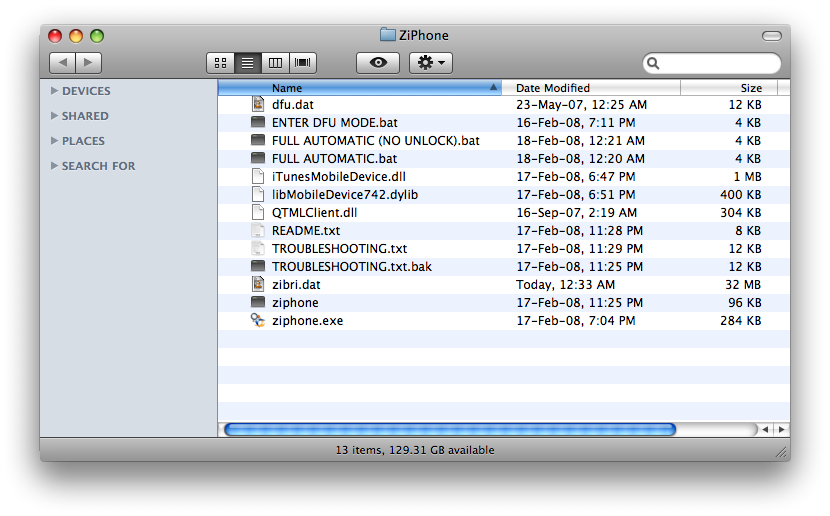
Step Three Double click the downloaded zip file to extract a folder called ZiPhone onto your desktop.
Step Four Open a new Terminal window by launching it from the Applications:Utilities folder.
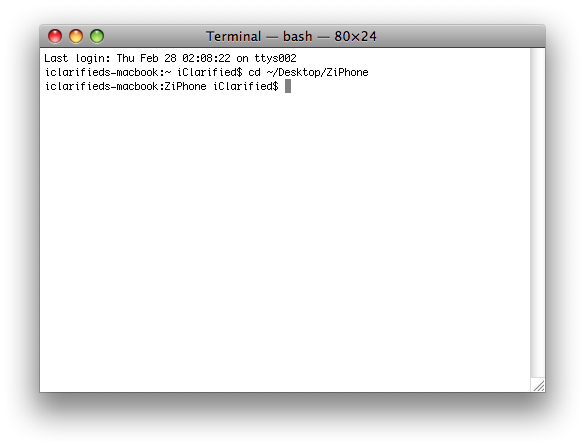
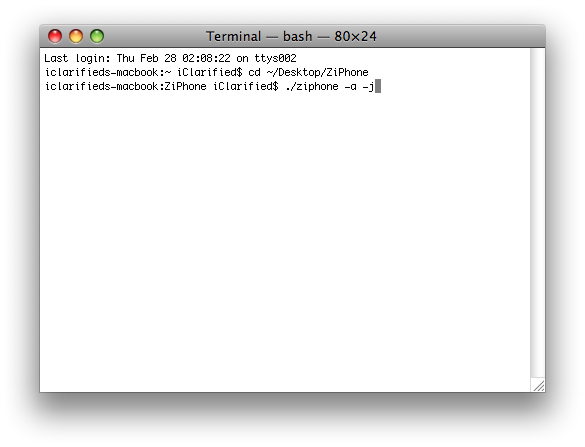
Step Five Navigate to the ZiPhone directory by typing this into Terminal: cd ~/Desktop/ZiPhone.
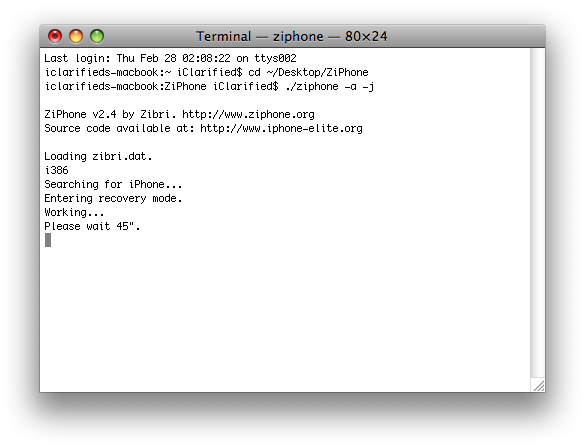
Step Six Now to activate and jailbreak your iPhone type this into the Terminal windows: ./ziphone -a -j.
Step Seven ZiPhone will put your iPhone into recovery mode and then tell you to wait 45s for the jailbreak and activate.
Step Eight Once the jailbreak and activate is complete you must install BSD Subsystem on your iPhone. To do this follow these steps: How to Install BSD Subsystem on Your iPhone
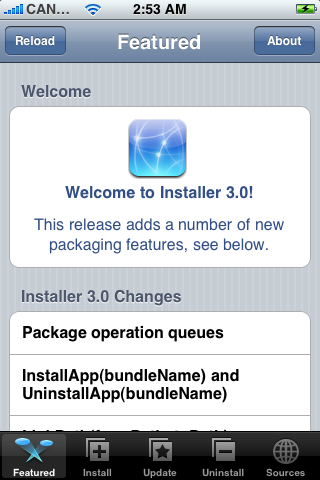
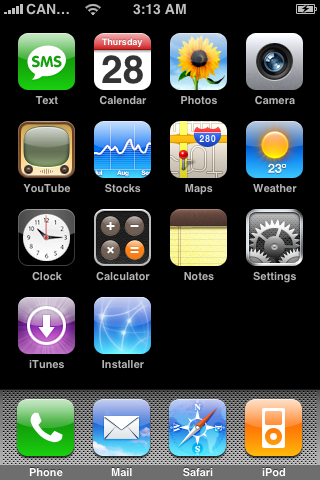
Step Ten Press to launch Installer from your SpringBoard.
Step Eleven Press to select the Install tab at the bottom of the screen.
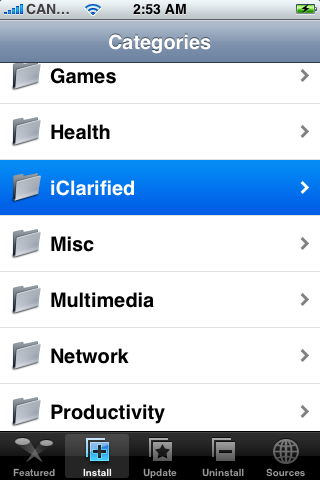
Step Twelve Press to select iClarified from the list of Categories.
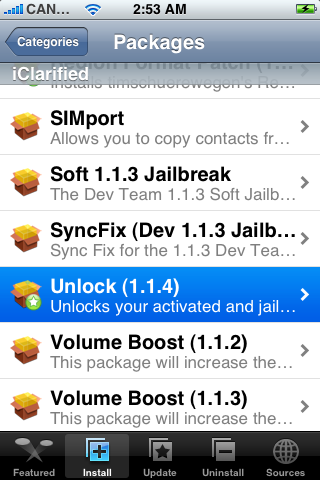
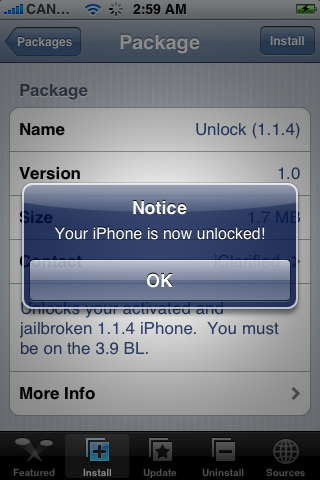
Step Thirteen Press to select Unlock (1.1.4) from the list of Packages.
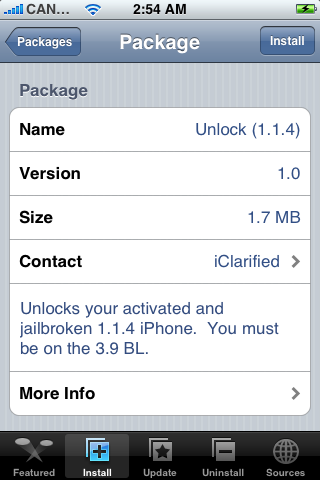
Step Fourteen Press the Install button at the top right of the screen.
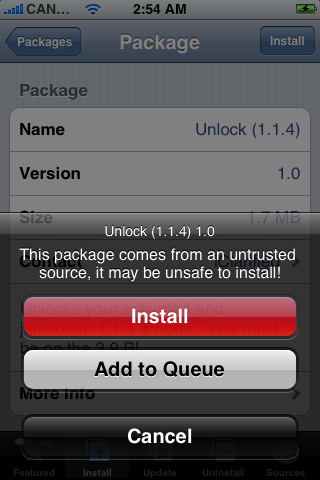
Step Fifteen Press the large red Install button that appears.
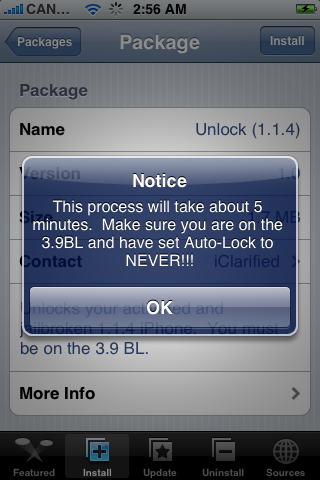
Step Sixteen You will now get a Notice telling you that the process will take 5 minutes and to make sure you are on the 3.9BL. If you are press the large OK button to continue.
Step Seventeen After about 3-5 minutes you will get another notice saying that Your iPhone is now unlocked!
Congratulations!!!!
Thanks***: A big thanks to crackn, avi, dtube, enkrypt3d, parsi, jblp, and zibri!!!
Get the iClarified Daily Newsletter
Apple news, rumors, tutorials, price drop alerts, in your inbox every evening, free.
Unsubscribe at any time.
Success!
You have been subscribed.
Add Comment
Would you like to be notified when someone replies or adds a new comment?
Yes (All Threads)
Yes (This Thread Only)
No
Notifications
Would you like to be notified when we post a new Apple news article or tutorial?
I have got my iphone working with 1.1.4, jailbreak and everything is working but for some reason when i try to install a app i get a error which says package download failed, also i cannot get the iphone to unlock to any sim
any help please
many thanks
I done everything, and everything works fine, except the mail not working. Anyone now why? every time i tap on the "mail" its go back to my home screen. Thanks for helping
Hi guys, sorry to interrupt the discussion but... where are you guys downloading the installer.app for 1.1.4? I use to get it on the site nullriver, but I was using one 1.1.1 version, now that I updated I dont know if I should use the same source (in the site they keep saying that is only for 1.1.1).
tks
After I got terminal to do its thing, I'm now trying to download BSD through Installer, but it seems my wifi does not work on the phone. It will find my wifi network, but I do not get a wifi icon showing connected and Installer acts as if not connected to the internet. PLEASE HELP. Thank you.
This works perfect! I also upgraded my 3.9BL iPhone and just ran the 1.1.4 unlock after upgrading to 1.1.4 instead of restoring and this works perfectly as well!!
This worked wonders... it all worked perfectly and I could activate, jailbrake and unlock a friend´s iPhone without much addo. The only thing is that summerboard and make it mine along with a lot of cool apps still don´t run under 1.1.4
regas from Mexico and kudos to the dev. team!
Genius! I thought I was going to have to wait forever to unlock my 1.1.4 as I could use everything except my phone, now everything is working again thanks guys!
now i finally finished to update new firmware 1.1.4 ;) email app was my fault. everything's ok except summerboard when i restored and hacked it. thank you, iClarified~
This works partially on a upgraded iPod Touch. I can make the jailbrake, but when I try to unlock with the iClarifief aplication, the process stop and tells "Error Main script execution failed!"
Is necesary run the unlock in iPod touch? I Can instale some aplicatins, but another need 1.1.3 firmware
Thank you thank you thank you thank you thank you thank you it worked im in shock i was so sure i was going to be without a phone for a week............thank you













![Apple Studio Display XDR Hits All-Time Low of $2,969.99 ($329 Off) [Deal]](/images/news/101976/101976/101976-160.jpg "Apple Studio Display XDR Hits All-Time Low of $2,969.99 ($329 Off) [Deal]")
![Apple AirPods Pro 3 Drop to $199 ($50 Off) [Deal]](/images/news/101966/101966/101966-160.jpg "Apple AirPods Pro 3 Drop to $199 ($50 Off) [Deal]")
