These are instructions on how to unlock and jailbreak your iPhone 2G on the 3.1.2 iPhone firmware using RedSn0w for Windows.
You can find the Mac version of this tutorial here. If you have an iPhone 3G click here, if you have and iPhone 3GS click here
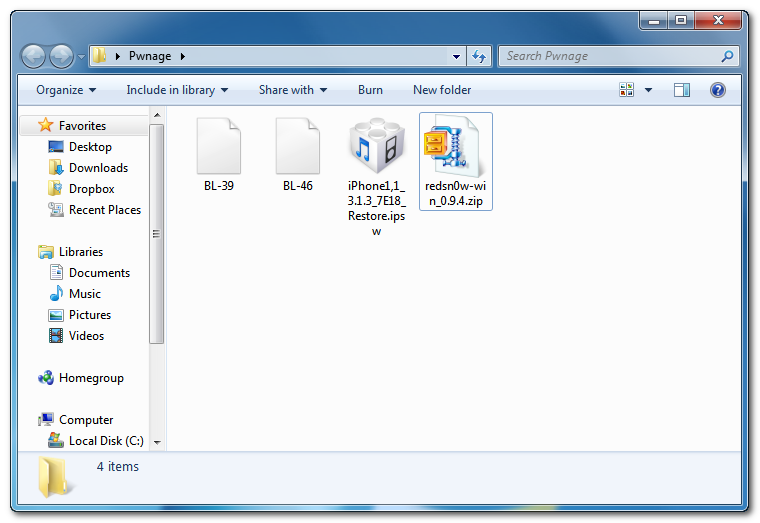
Step One Create a folder called Pwnage on your desktop.
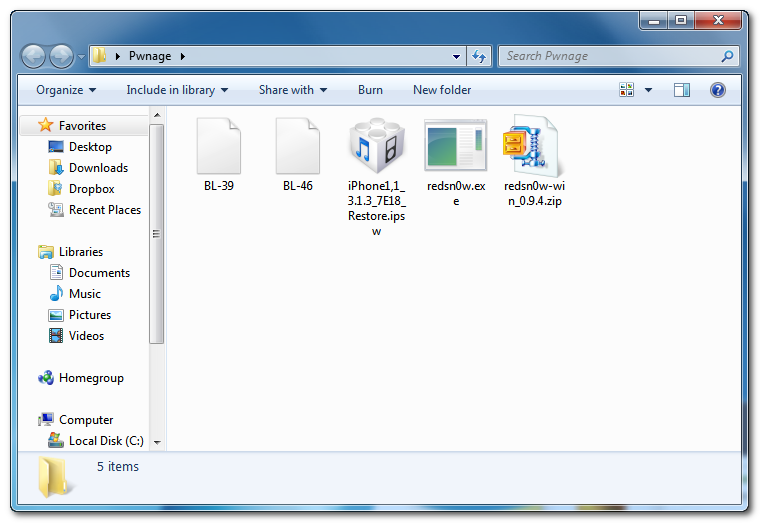
Download the following files and place them in the Pwnage folder you just created: - RedSn0w - BL 3.9 - BL 4.6 - 3.1.3 (2G): iPhone1,1_3.1.3_7E18_Restore.ipsw
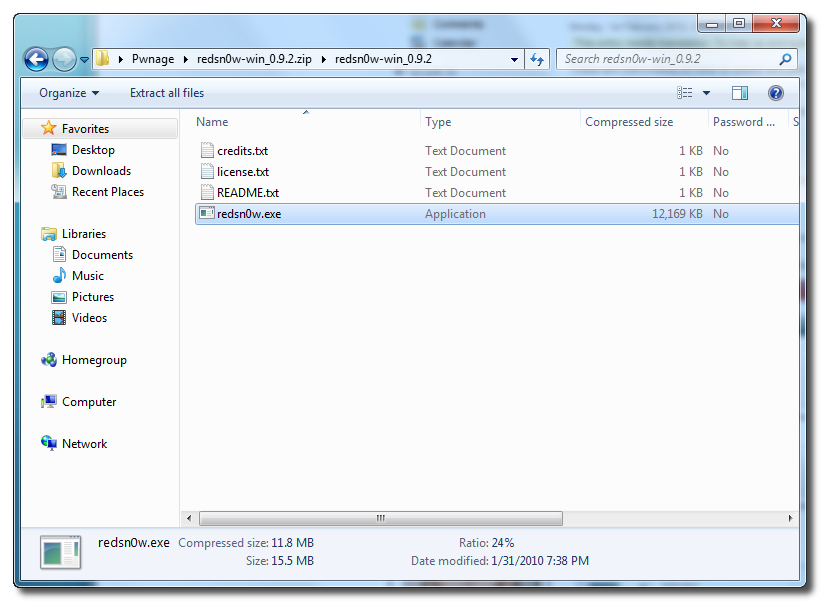
Extract the RedSn0w application from the zip file to the Pwnage folder.
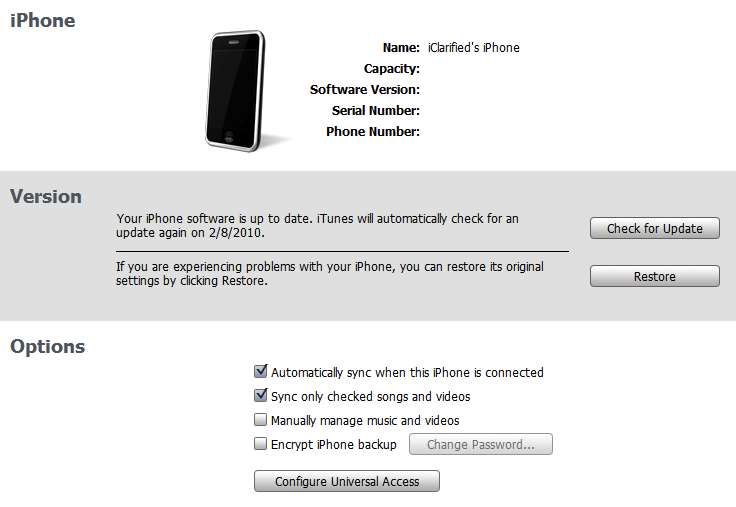
Step Two Connect your iPhone to the computer and launch iTunes.
Select your iPhone from the list of devices on the left. Now hold down shift and click the Restore button. Restore is preferred as it won't create any wasted space on your iPhone.
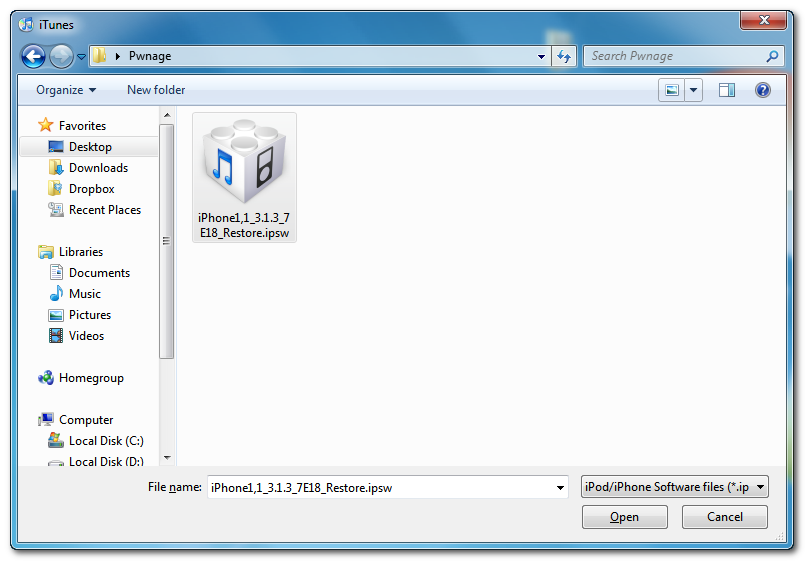
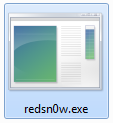
Navigate to the Pwnage folder on your desktop and select the firmware ipsw. Click the Open button to continue. Step Three Once iTunes has finished updating your iPhone to the desired firmware you may launch redsnw0w.exe from the Pwnage folder on your desktop.
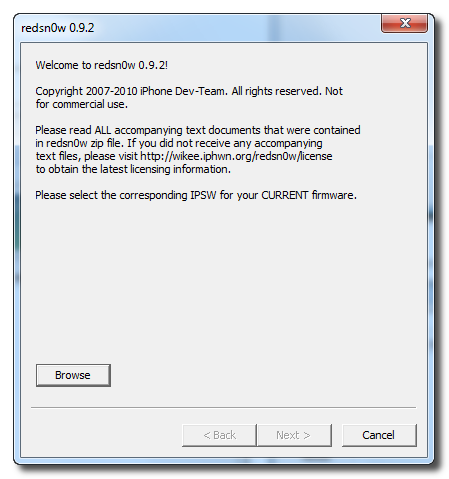
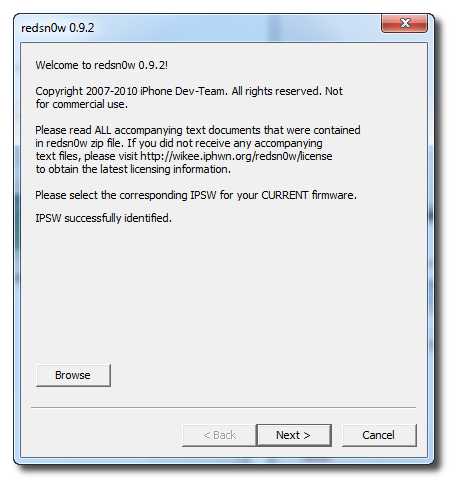
Step Four Once RedSn0w opens click the Browse button
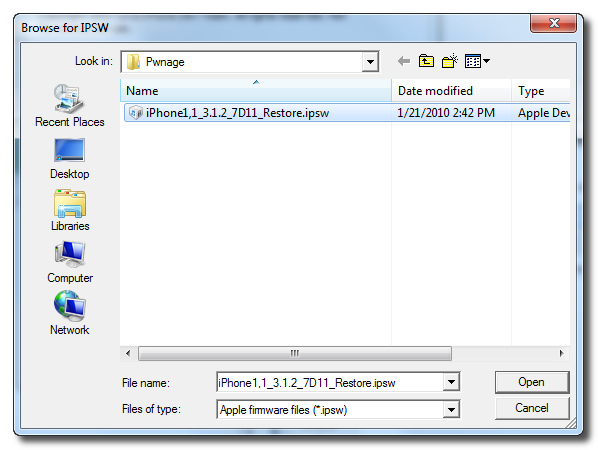
Step Five Select the firmware ipsw we placed in the Pwnage folder on our desktop then click Open
Step Six Once the firmware has been verified click the Next button to continue.
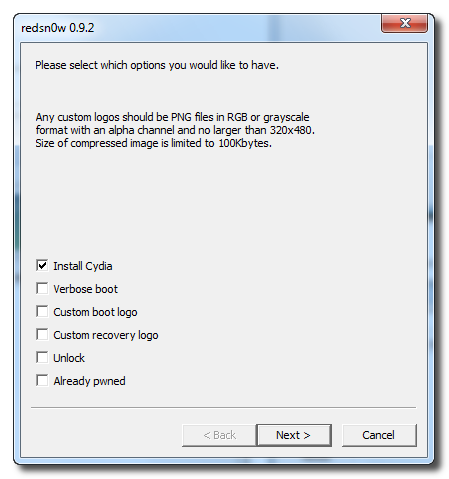
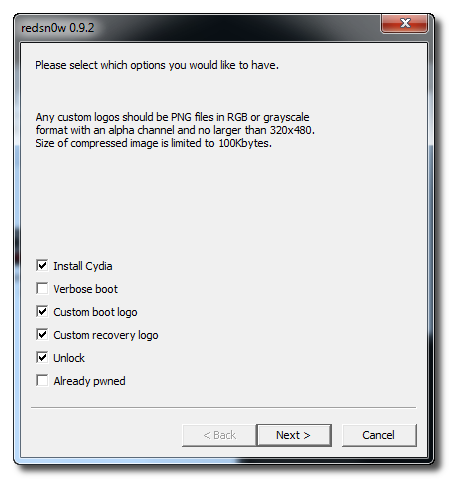
Step Seven From this window you can select the jailbreak options you would like. If you have already pwned your device check the Already pwned option.
Verbose boot displays detailed information on boot of your device and is generally only needed by developers and advanced users.
Make sure the Cydia and Unlock options are selected. For this tutorial we will also select Custom boot logo and Custom recovery logo.
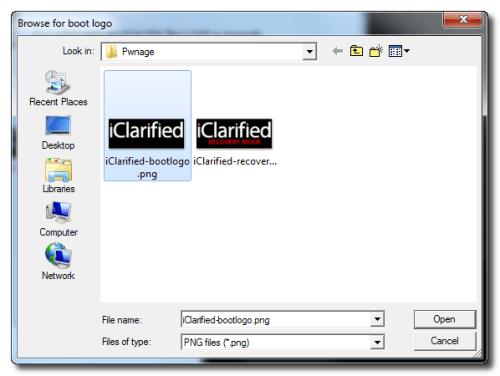
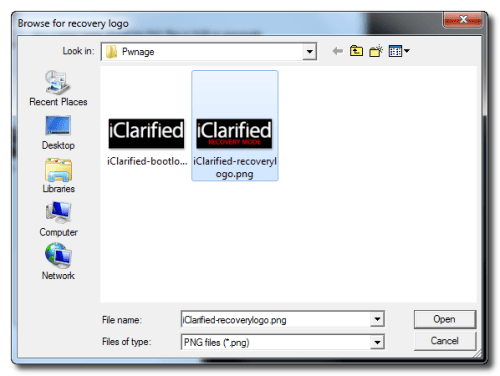
When you click to select each custom logo option a dialog window will appear asking you to select the image. Locate the image you would like to use then press the Open button.
*Remember the rules for boot logos are: RGB or Grayscale format with Alpha channel and dimension below 320x480. If you would like to use the iClarified ones they can be found here: Boot Logo, Recovery Logo
Click the Next button to continue
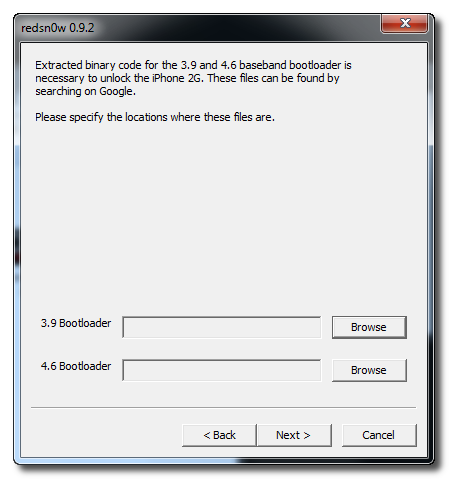
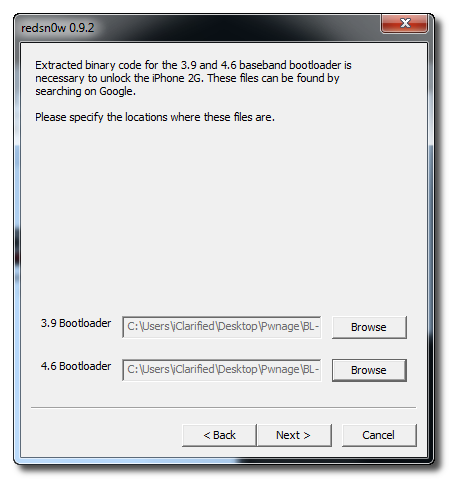
Step Eight We will know need to set the location of our bootloader files.
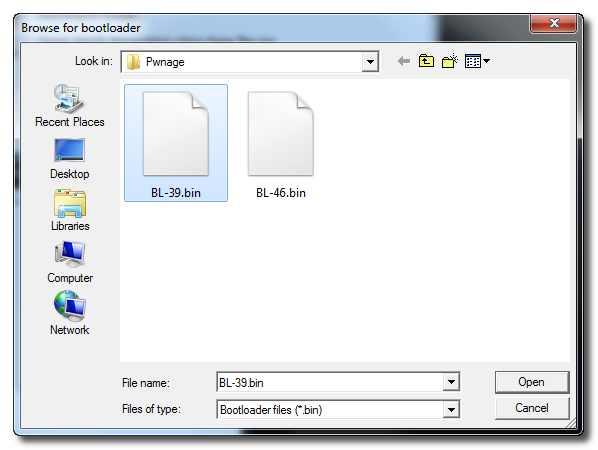
Click Browse and select the 3.9 bootloader file from the Pwnage folder on your desktop.
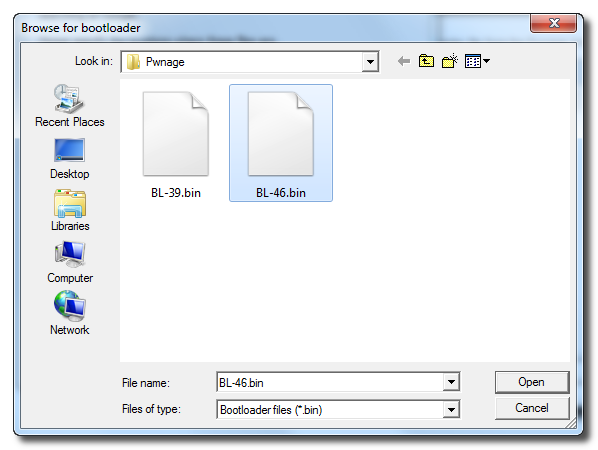
Click Browse and select the 4.6 bootloader file from the Pwnage folder on your desktop.
Click the Next button to continue.
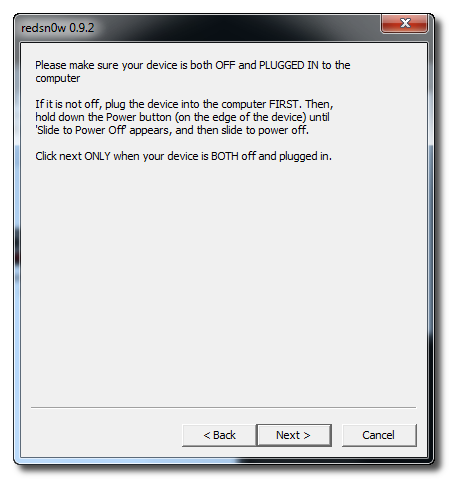
Step Nine Please plug your iPhone into the computer and make sure its OFF then click the Next button
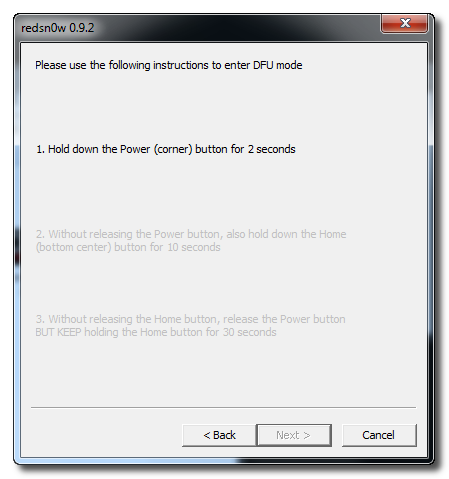
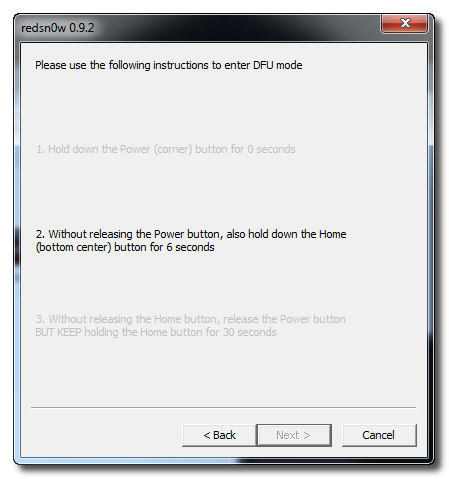
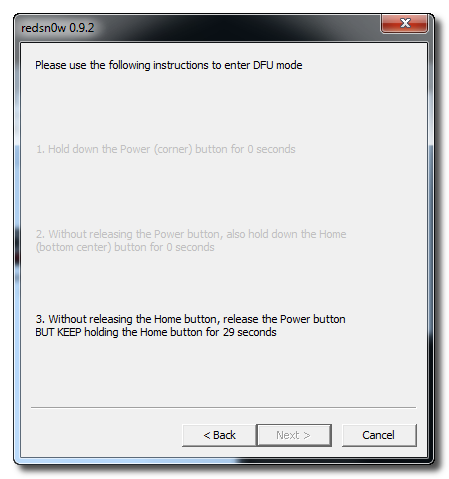
Step Ten RedSn0w will now guide you through the steps to get into DFU mode.
Hold down both the Home button and the Power button for 10 seconds.
Release the Power button and continue holding the Home button until RedSn0w detects the device.
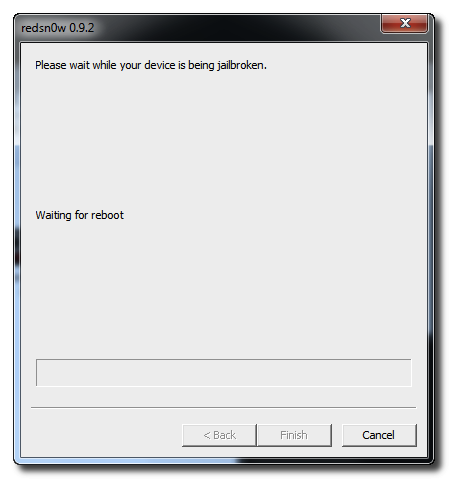
Step Eleven Your iPhone will now reboot
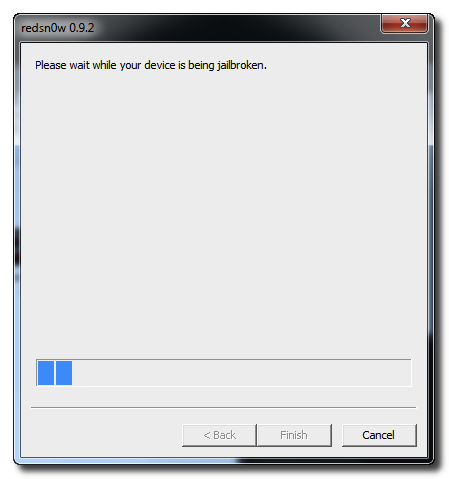
Step Twelve RedSn0w will then begin uploading the new RAM Disk and Kernel.
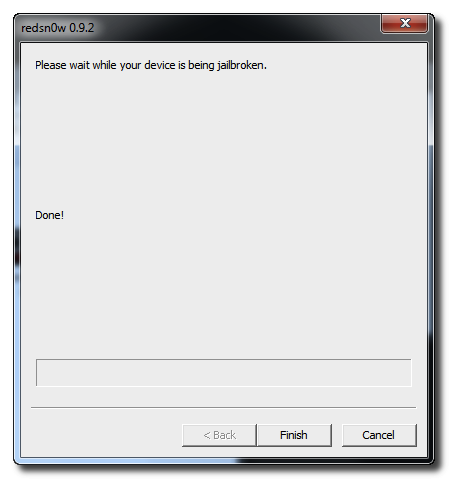
Step Thirteen Once this is complete you will be notified that RedSn0w is done. Click the Finish button. After your iPhone reboots (5 minutes or so), it will run BootNeuter then be unlocked and jailbroken with Cydia on the SpringBoard.
*As usual a big thanks to the iPhone Dev-Team for this contribution to the community.
Get the iClarified Daily Newsletter
Apple news, rumors, tutorials, price drop alerts, in your inbox every evening, free.
Unsubscribe at any time.
Success!
You have been subscribed.
Add Comment
Would you like to be notified when someone replies or adds a new comment?
Yes (All Threads)
Yes (This Thread Only)
No
Notifications
Would you like to be notified when we post a new Apple news article or tutorial?
Bonjour e0 tous.J'ai suivi le tuto pour jailbreaker mon ihpone 4S Ios 5.0.1. je n'ai plus l'icine greenpoison, mais l'icone Cydia qui ne fonctionne pas. Impossible de l'ouvrir. J'ai reinitialise9 mon ihpone en mettant bien nouvel ihpone , tout est supprime9 sauf Cydia qui est toujours pre9sent.. Je souterais savoir comment faire marcher cydia ( quand j'appuie dessus, la fenetre s'ouvre 1ms et se referme) ou sinon comment supprimer cydia et rejailbreaker mon ihpone e0 nouveau. Lorsque je relance le programme greenpoison, il me dit qu'il est de9ja jealbreaker.PS; j'ai pas l'onglet VPN dans les options, est-ce normal? (il apparaissait juste au dessus de wifi lorsque j'ai installer greenpoison)merci d'avance
i installed the software and followed instructions until I got to updating firmware. phone restarted in emergency code and says to insert valid sim with no pinlock o activate phone. my phone is locked to orange and i havent got an orange sim. I just get emergency calls message displayed in different languages. somebody please help me :'(
every instructions are correct except the things that mentioned in redsnow itself about how to enter DFU mode......its not that hard or complicated........you just have to hold Home button and Power button in time until screen goes fuzzy
I did it all and it worked till I synchronized the apps from itunes. Now all the apps are working but there are no native icons such as calls, sms, camera, settings. There is no cydia also What should I do now??
It works fine for me, just that iPhone1,1_3.1.3_7E18_Restore did not work in my iphone 2 G A1203, i use the iPhone1,1_3.0_7A341_Restore, Then i got no problem. Thanks Guys! you´re the best!!!!





![Boot Speed Test: iPhone Duo vs iPhone 18 Pro Max [Video]](/images/news/103104/103104/103104-160.jpg "Boot Speed Test: iPhone Duo vs iPhone 18 Pro Max [Video]")



![How To Turn Off iPhone [Video]](/images/tutorials/94999/94999/94999-160.jpg "How To Turn Off iPhone [Video]")
![How To Back Up Your iPhone to an External Drive on Mac [Video]](/images/tutorials/72786/72786/72786-160.jpg "How To Back Up Your iPhone to an External Drive on Mac [Video]")

![How To Find Your IP Address on iPhone [Video]](/images/tutorials/496/496/496-160.jpg "How To Find Your IP Address on iPhone [Video]")

![Beats Headphones, Earbuds, and Pill Speaker Are Up to 41% Off [Deal]](/images/news/103026/103026/103026-160.jpg "Beats Headphones, Earbuds, and Pill Speaker Are Up to 41% Off [Deal]")
![New Fire TV Stick 4K Drops to $29.99 (50% Off) [Deal]](/images/news/102984/102984/102984-160.jpg "New Fire TV Stick 4K Drops to $29.99 (50% Off) [Deal]")
![Apple's iPhone 18 Pro and Pro Max Cases Are Up to 37% Off [Deal]](/images/news/102978/102978/102978-160.jpg "Apple's iPhone 18 Pro and Pro Max Cases Are Up to 37% Off [Deal]")
