These are instructions on how to increase the volume on your 1.1.4 iPhone using an Installer source. Remember your iPhone speaker isn't very powerful so it will only be a slight improvement but its better then before :)
Step One Make sure you have iClarified added as an installer source. You can find directions on how to do that here.
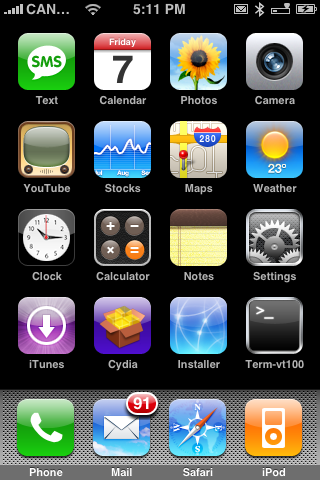
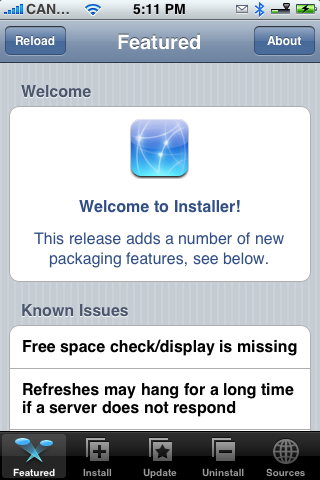
Step Two Press to launch Installer from your Springboard.
Step Three Press to select the Install tab at the bottom of the screen.
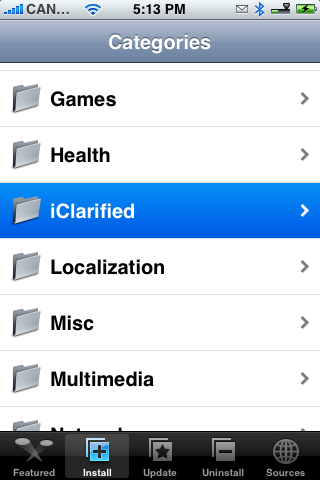
Step Four Press to select iClarified from the list of Categories.
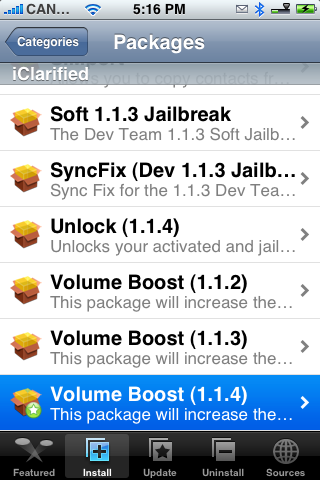
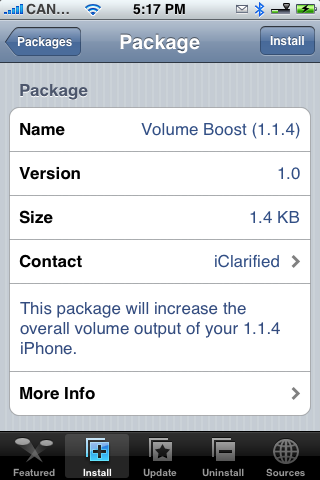
Step Five Press to select Volume Boost (1.1.4) from the list of Packages.
Step Six Press the Install button at the top right hand corner of the screen.
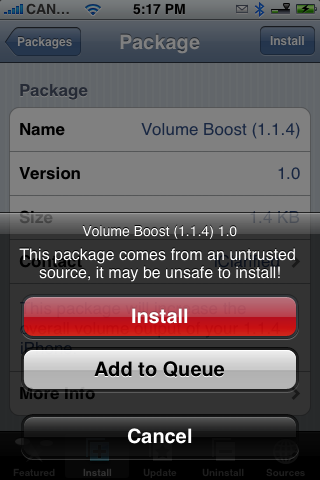
Step Seven Press the large red Install button that appears.
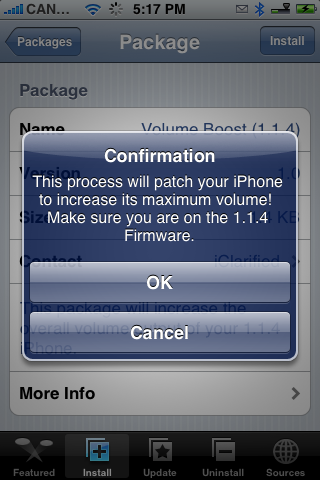
Step Eight You will get a Notice telling you that this process will patch your iPhone to increase its maximum volume! Make sure you are on the 1.1.4 Firmware and press the large OK button.
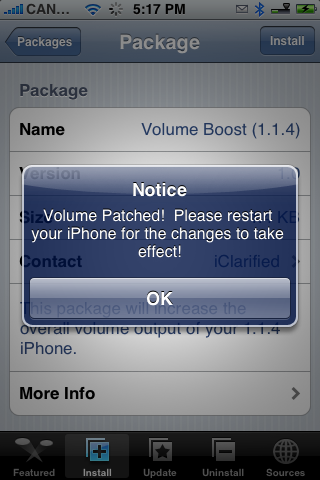
Step Nine When the installation is done you will get a Notice telling you that your volume has been patched and to restart your iPhone. Press the large OK button.
Step Ten You will be returned to the Categories list. Hold down the Sleep/Wake button for 3 seconds to bring up the Power slider. Slide it to the right to turn off your iPhone. Then push the Sleep/Wake button again to turn back on the phone!
You will now notice an increase in the volume of your phone :)
Get the iClarified Daily Newsletter
Apple news, rumors, tutorials, price drop alerts, in your inbox every evening, free.
Unsubscribe at any time.
Success!
You have been subscribed.
Add Comment
Would you like to be notified when someone replies or adds a new comment?
Yes (All Threads)
Yes (This Thread Only)
No
Notifications
Would you like to be notified when we post a new Apple news article or tutorial?
@DistortedLoop -- Hey Thanks a Lot for replying !! I shall try that out !!
my phones a unlocked one !! got it from uk o2 !! so now the firmware on it is is v1.1.4 .
but now the v2.0 is out .. but updating to that would lock my fone ! so thats why have not updated it as yet !!
if there is anyway where i can get v2.0 and still keep my fone unlocked do keep me posted !!
sorry posting here !!
if any one of u has info on how to go about do let me no !!
thanks and appreciated !!
iclarified rocks !!!!
@gamer-
This particular patch just changes a plist file (preferences) for the sounds; so yes, it can be undone. I believe the uninstall routine for this particular patch puts the values back to normal.
Why you still running 1.1.4? This patch won't work on other firmwares, old or new (well, it might work on 1.1.3.
hi !! all !! am new to the modding world of i phone !!
i have the patch and all .
just to inquuire-- if after installing it ??
can i uninstall the patch ?- will it override to the previous settings ?
coz wen i uninstall others things like games - toys they do.
the confusion is with the patch thing - can it be uninstalled & override to the previous settings ..
thans !!
i clarified rocks !!!
Hi,
I have been trying to download this patch but encountered messages such as:
1. Error
Package download failed
2. Can't find host
Both times I have been using my wireless netowrk to download this patch, could it be a connection issue?
Thanks very much.
The patch is great, really bumps up the volume without having to edit those plists manually like we were early on in the iPhone days.
My issue is that it bumps up the system sounds (like email arrivals, keyboard clicks, sms notifications) to the point that they are painful (especially email notification) if wearing headphones.
Any idea which of the actual keys in which plist changes the system sound levels? I'd like to manually tweak that down a bit.
Also, just for curiosity sake, in the RegionalVolumeLimits plist, there's 10 cryptically labelled keys. Are those for different regions, or maybe one of those is what I'm actually looking to address in the prior question.
sorry it does work, just have that stupid clear film that ( came with the iphone) is covering the audio part of the iphone. remove that clear film, volume works great thanks.
this is a great site!
Well, you just did something stupid to that $400 phone! Apple put that clear plastic over the speakers for a reason: to keep dust and moisture out of the device. Lots of complaints in the past by people who poked those holes and then got dust under the screen. Good luck with it, I hope no bad comes of it.
yeah it didnt work for me too...install the volume boost 1.1.4 , no difference for me in volume just got the iphone yesterday 4-8-08. I have installed bsd subsystem and then volume boost 1.1.4
The reset worked - I have all sounds and functionality back. I appologize for the sarcasm in my previous post. Thank you for still offering to help - even after I was an ass. :)
well, my phone is completely worthless right now and I now have to do a complete restore to get any sound back. The iPod feature doesn't even work - it won't play any songs.
Thanks for this app..... :/