These are instructions on how to install extensions in Safari 5.
Step One Launch Safari by clicking its icon in your dock
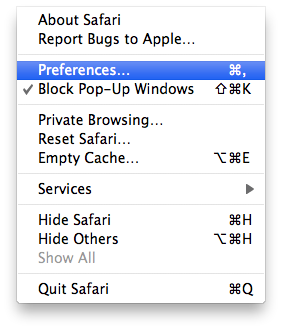
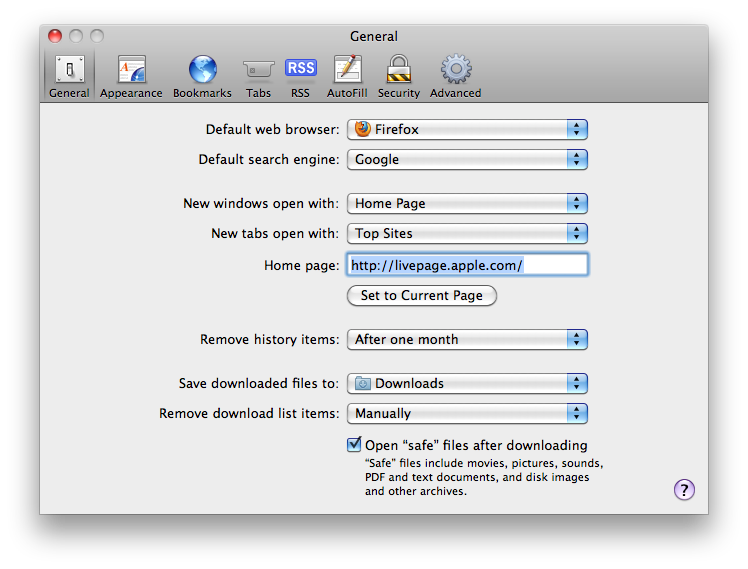
Step Two Click to select Preferences from the Safari menu at the top left of your screen.
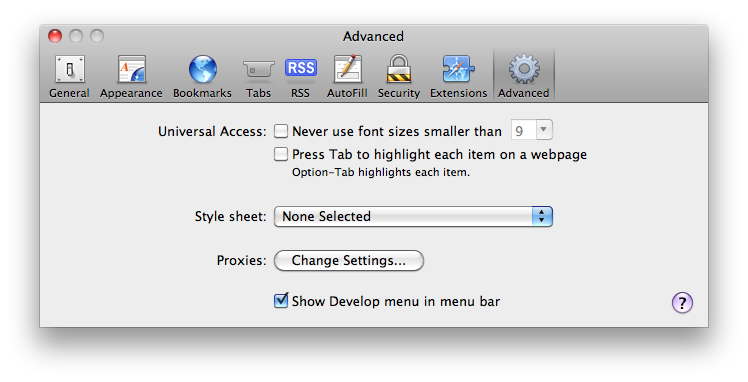
Step Three Click to select the Advanced tab from the Preferences window.
Step Four Check the box entitled Show Develop menu in menu bar
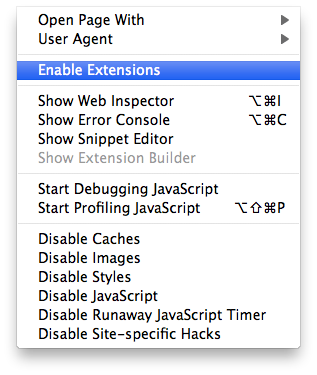
Step Five Click to select Enable Extensions from the Develop menu at the top of your screen.
Step Six Now we will need to download an extension to add to Safari. The Apple extension gallery is not available yet; however, this tumblr gallery will help you find some neat ones.
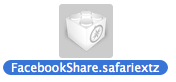
Step Seven Double click a downloaded extension to install it. Notice the filename will look similar to FacebookShare.safariextz
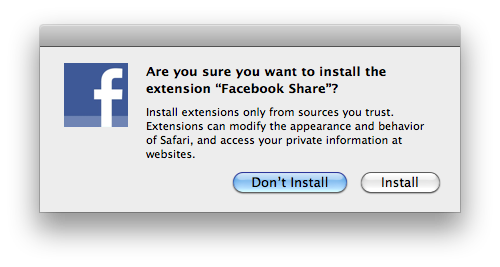
You will be asked to confirm installation. Click the Install button.
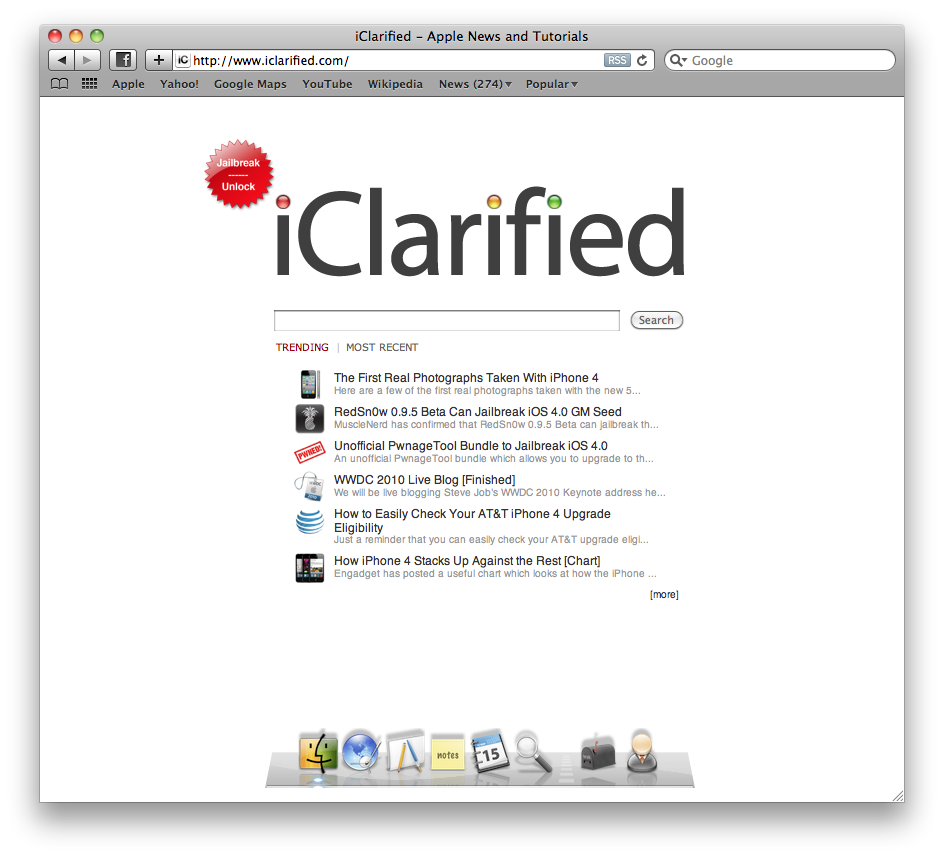
Step Eight In this example we installed the Facebook Share extension. Notice the new Facebook button to the right of the back and forward buttons.
Get the iClarified Daily Newsletter
Apple news, rumors, tutorials, price drop alerts, in your inbox every evening, free.
Unsubscribe at any time.
Success!
You have been subscribed.
Add Comment
Would you like to be notified when someone replies or adds a new comment?
Yes (All Threads)
Yes (This Thread Only)
No
Notifications
Would you like to be notified when we post a new Apple news article or tutorial?





![Google Unveils Genie 4 With Interactive AI Worlds and Real-Time Audio [Video]](/images/news/103125/103125/103125-160.jpg "Google Unveils Genie 4 With Interactive AI Worlds and Real-Time Audio [Video]")

![Apple Shares New Ad for 14-Inch MacBook Pro With M6 [Video]](/images/news/103119/103119/103119-160.jpg "Apple Shares New Ad for 14-Inch MacBook Pro With M6 [Video]")
![How To Turn Off iPhone [Video]](/images/tutorials/94999/94999/94999-160.jpg "How To Turn Off iPhone [Video]")
![How To Back Up Your iPhone to an External Drive on Mac [Video]](/images/tutorials/72786/72786/72786-160.jpg "How To Back Up Your iPhone to an External Drive on Mac [Video]")

![How To Find Your IP Address on iPhone [Video]](/images/tutorials/496/496/496-160.jpg "How To Find Your IP Address on iPhone [Video]")


![Beats Headphones, Earbuds, and Pill Speaker Are Up to 41% Off [Deal]](/images/news/103026/103026/103026-160.jpg "Beats Headphones, Earbuds, and Pill Speaker Are Up to 41% Off [Deal]")

![New Fire TV Stick 4K Drops to $29.99 (50% Off) [Deal]](/images/news/102984/102984/102984-160.jpg "New Fire TV Stick 4K Drops to $29.99 (50% Off) [Deal]")
![Apple's iPhone 18 Pro and Pro Max Cases Are Up to 37% Off [Deal]](/images/news/102978/102978/102978-160.jpg "Apple's iPhone 18 Pro and Pro Max Cases Are Up to 37% Off [Deal]")
