These are instructions on how to jailbreak your iPad using Greenpois0n for Windows. Greenpois0n has been updated to support iOS 4.2.1.
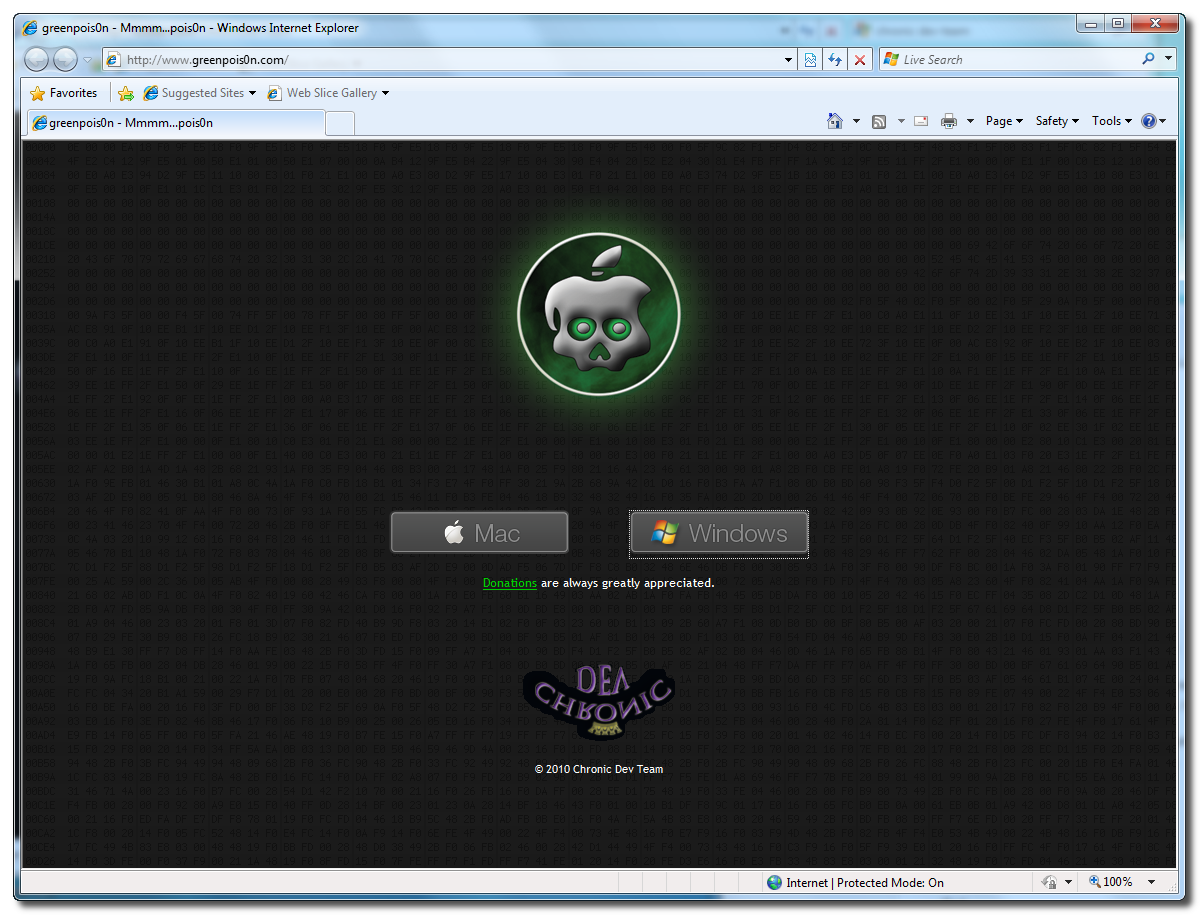
Step One Open your web browser of choice and navigate to https://greenpois0n.com/. Click the Windows link at the bottom of the screen.
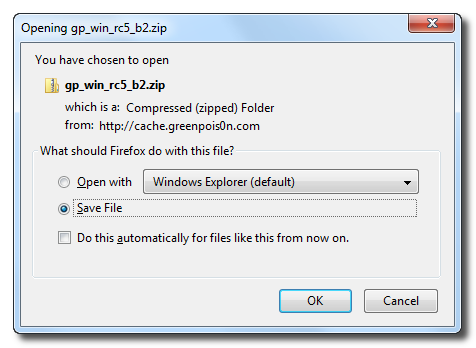
Step Two When prompted save the download to your desktop
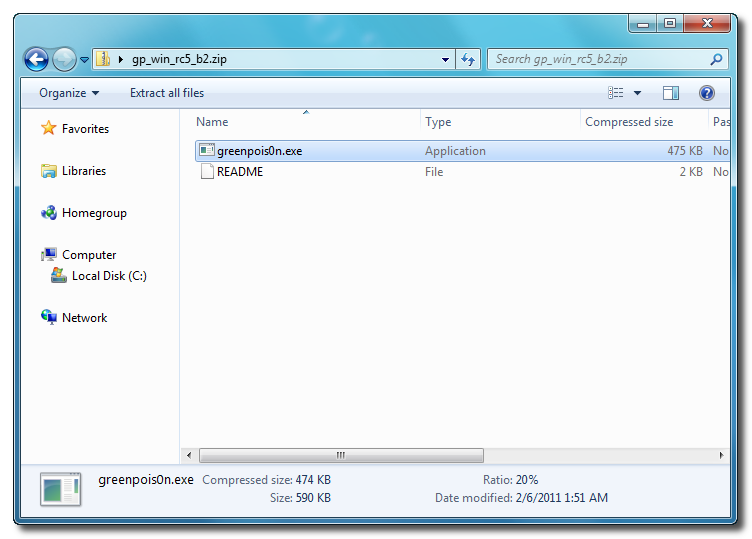
Step Three Double click the downloaded gp_win_rc5_b2.zip file then drag the greenpois0n.exe file to the desktop. Double greenpois0n.exe from the desktop to launch the application
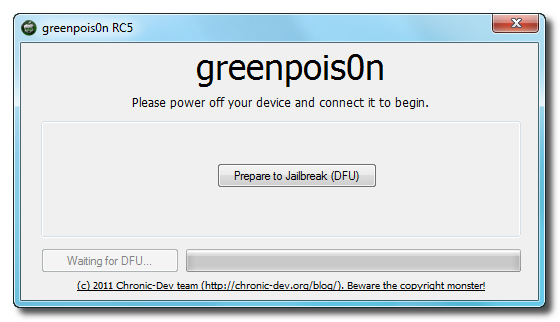
Step Four Power off your iPad then click the large Prepare to Jailbreak (DFU) button
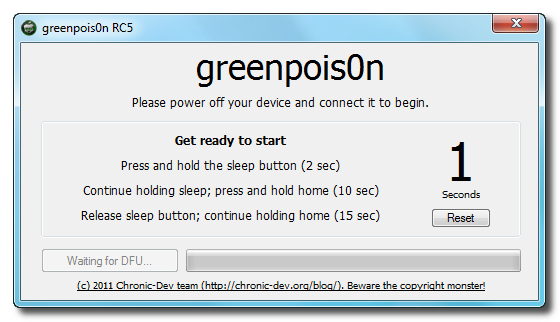
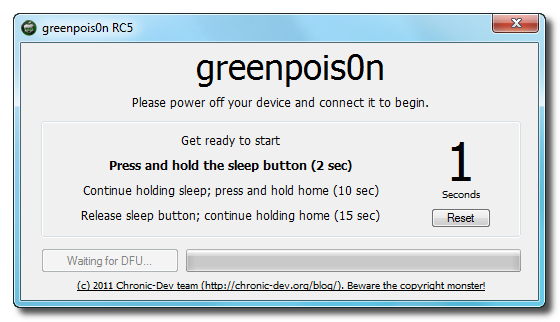
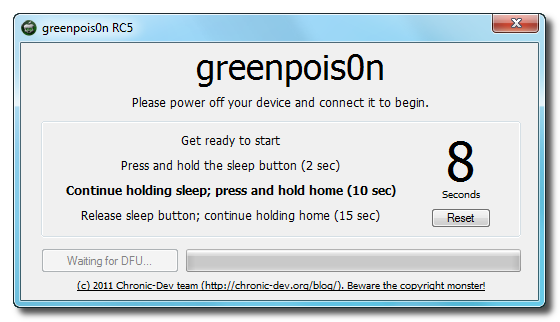
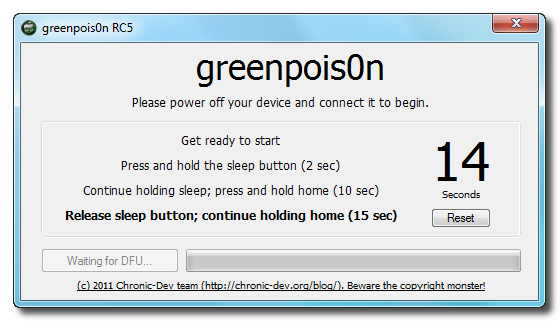
Step Five You will now be instructed on how to place your iPad into DFU mode. You can get help with this here.
You will be asked to press and hold the sleep button for 2 seconds.
Continue holding sleep; press and hold home for 10 seconds.
Release sleep button; continue holding home for 15 seconds.
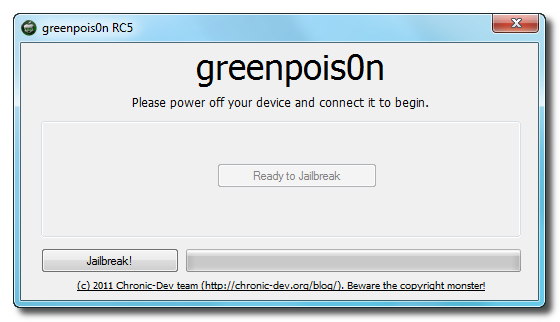
Step Six Once your iPad is successfully in DFU mode you may click the Jailbreak button.
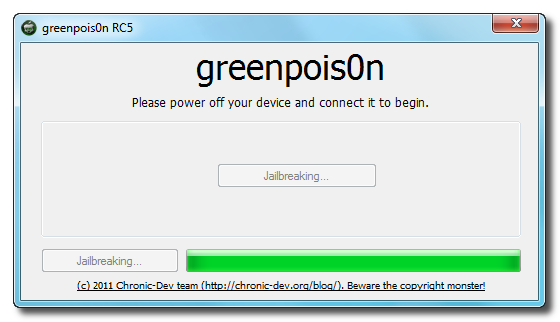
Step Seven Greenpois0n will now jailbreak your device.
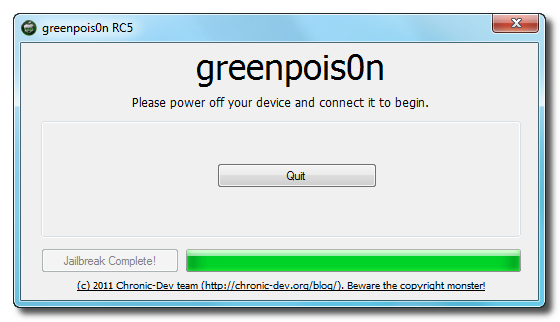
Step Eight Click the Quit button once the software application has completed.
You'll notice some verbose mode text scrolling on your device.
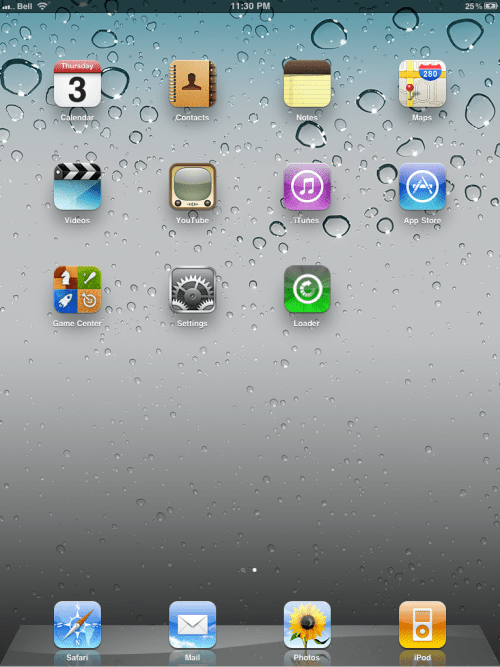
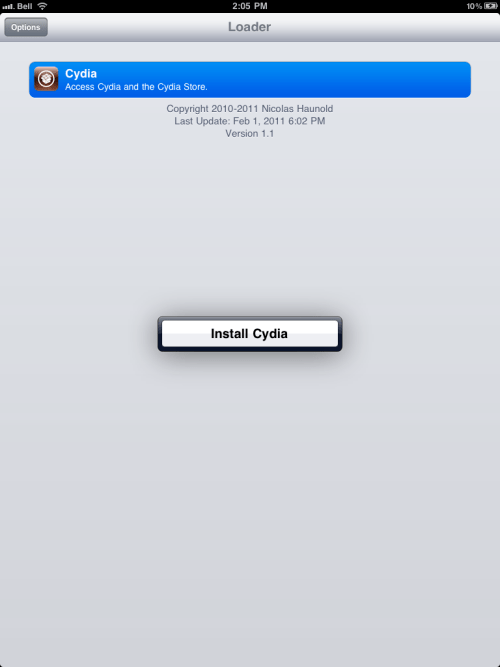
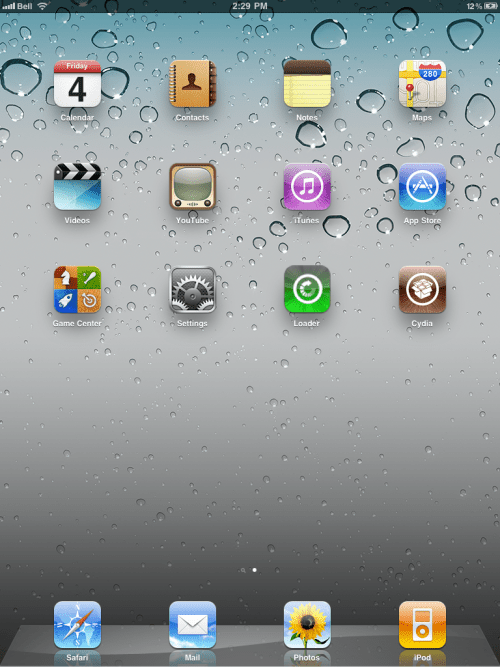
Step Nine After the iPhone restarts you'll have a new Loader application on your Springboard. Press to launch it.
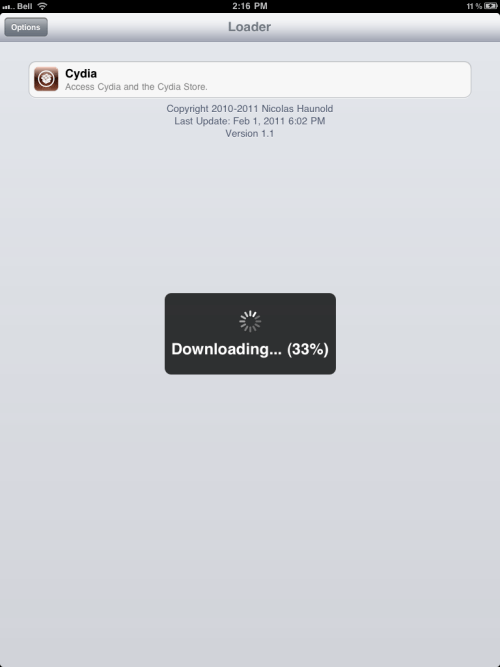
Step Ten Press to select Cydia then press the large Install Cydia button that appears.
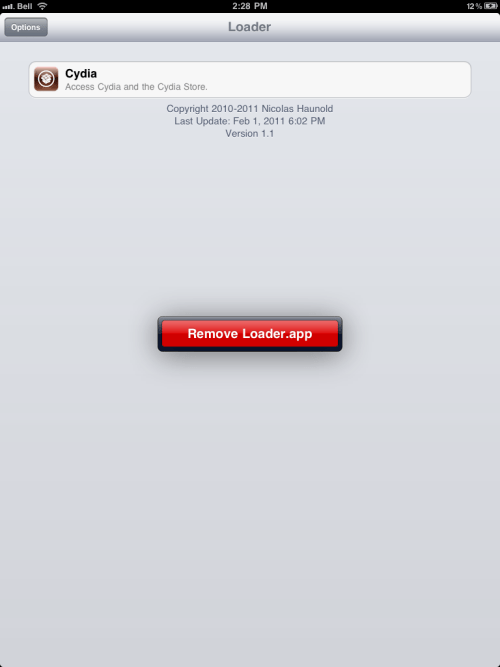
Step Eleven Once Cydia has installed successfully you can remove Loader from your device. Press the Options button then press the Remove Loader.app button.
Step Twelve Reboot your iPad then run Cydia. Let it do all the necessary updates.
***A big thanks goes everyone who made this jailbreak possible.
Get the iClarified Daily Newsletter
Apple news, rumors, tutorials, price drop alerts, in your inbox every evening, free.
Unsubscribe at any time.
Success!
You have been subscribed.
Add Comment
Would you like to be notified when someone replies or adds a new comment?
Yes (All Threads)
Yes (This Thread Only)
No
Notifications
Would you like to be notified when we post a new Apple news article or tutorial?
Works perfect, remember to restore your iphone before anything. to 4.2.1 thats the best way to go on about this. dont jump from one jailbreak to another, thats most likely why most of your ipads are messed up.
i love this site, it makes everything look soo simple, and it is indeed too ;-)
Mine is the most wierd, i wonder i the ipad 64gb has problems, i face the same failed jailbreak and reboots itself, but it works on my iphone 4 n my ipad 16gb, so anyone can tell me whts wrong with th 64gb? I even tried using multiple computers, cables and ports, greenpsn or redsnow didn't wrk as well, even after itunes update still dont work,......
Worked perfectly , I first used the tethered Redsn0w jailbreak then applied Greenposi0n Untethered jailbreak .
Everything works fine .
Thanks for everyone who created this jailbreak !
Hi, hope someone can clarify.
i hv jb my ipad using Redsn0w win0.9.6 and have installed a lot of apps.
if i to use GreenPois0n untethered jb for 4.2.1, do i loose all those apps?
thx
Ok, I have an Ipad 3g, but have never used the 3g. I got it in case I went on vacations and wanted internet access beyond wifi.
Question - Is the Ipad 3g even locked to a carrier?
If so, will upgrading to 4.2.1 lock it back down as I am on 3.2 now.
help! doesn't work for me. tried it like 8 times now. keeps getting the "failed" message. and getting stuck at the apple boot logo. so just went back to tethered jb now with redsnow.
I just did my Ipad, was on 4.2.1 jailbroken with Redsn0w, runned Greenpois0n and worked 1st time. maybe try rebooting pc and give it another go. I'm using Win7 64bit.
WOW...i also did it on my tethered ipad and it worked the first time....i thought it was gonna uninstall all of my apps and my music, but it didnt ........i guess it does its think in the background and leave all your stuff like it was ......thats Awesome.
What ive been saying is that i dont get any jailbreak failed messages. The opposite... I get through, i even se a giant limerain drop on the screen when the limera1n finishes. But in the end i dont se a loader icon or limera1n icon
Anyone had luck using Greenpois0n with VMWare Fusion? I am stuck in DFU mode now and can not get out. I have tried everything I know to try including restore, restore to a separate downloaded ipsw file, and forced restore. Now, the iPad is just stuck on the 'plug into itunes' screen and when I try to restore, it gets stuck at 95% and stays there.
Ideas?
I tried it (iPod4G) on VMware with no luck. It wouldn't show lime drop when exploiting. It also wouldn't allow me to restore until I restored my "iTunes" back to 9.2. Then I was able to restore my iPod4G.
My Solution: I restored iTunes back to 9.2 from 10. Then restored my iPod4G. I bought a new but cheap Toshiba laptop, tried limera1n on it with my iPod4G and it worked 1st time around.
Still no white loader app, i have rebooted and still no frickin app. I have even restored my Ipad and still its not working. I get through the whole process successfully but no cydia
well, its a Ipad 3.2.2 16gig wifi model. I have now tried many times and even with limera1n and with the same results.
Its says that att it has successfully jailbroken the ipad and there is now loader or limera1n icon to load cydia with. And no, it doesnt show up after a reboot and it is not on the second homescreen. I am starting to give up really
Interesting. I have a 32 gig WIFI that is doing something similar. I have tried both Greenpois0n (which worked fine on my iPhone 4) and Limera1n and both fail. Greenpois0n gets going just finem but then I get a failure message. Limera1n ends up leaving me in recovery mode and I have to use Tinyumbrella. I have rebooted the PC and made sure I have the leatest versions. This is a week old iPad.








![Apple Targets October 13 for Smart Home Hub, New HomePod mini and Apple TV [Gurman]](/images/news/102501/102501/102501-160.jpg "Apple Targets October 13 for Smart Home Hub, New HomePod mini and Apple TV [Gurman]")


![How To Find Your iPhone IMEI Number [Video]](/images/tutorials/83557/83557/83557-160.jpg "How To Find Your iPhone IMEI Number [Video]")



![16-Inch M5 Max MacBook Pro Drops $900 to New Low of $3,499 [Deal]](/images/news/102438/102438/102438-160.jpg "16-Inch M5 Max MacBook Pro Drops $900 to New Low of $3,499 [Deal]")
![Magic Keyboard for iPad Air Drops to $200 on Amazon [Deal]](/images/news/102402/102402/102402-160.jpg "Magic Keyboard for iPad Air Drops to $200 on Amazon [Deal]")
![13-Inch M5 MacBook Air With 1TB Drops to $1,449 on Amazon [Deal]](/images/news/102345/102345/102345-160.jpg "13-Inch M5 MacBook Air With 1TB Drops to $1,449 on Amazon [Deal]")

