These are instructions on how to backup your iPhone unlock ticket after unlocking with SAM. It's very important you do this to ensure continued unlock of your SIM in the future.
If you haven't already unlocked using SAM, you can follow this unlock tutorial.
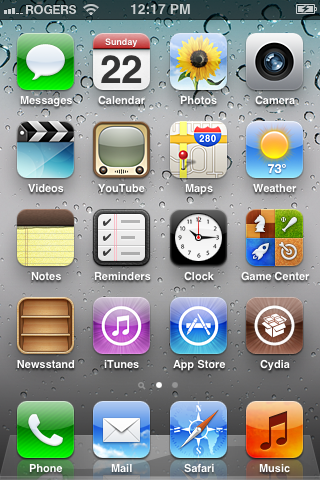
Step One Launch Cydia from your SpringBoard.
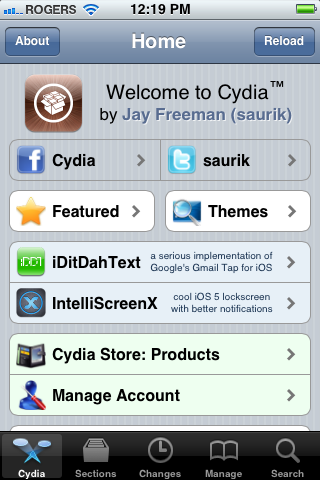
Step Two Choose Sections from the tabs at the bottom of the screen.
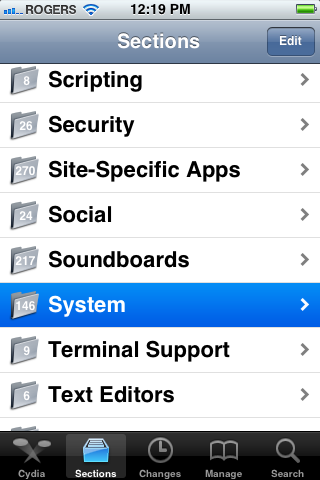
Step Three Select System from the list of sections.
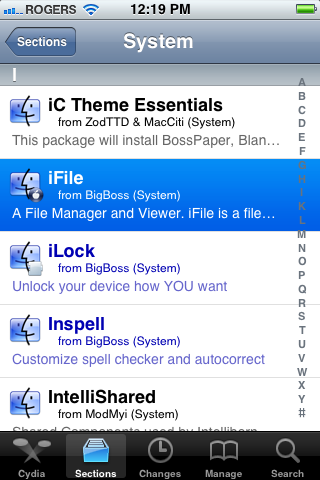
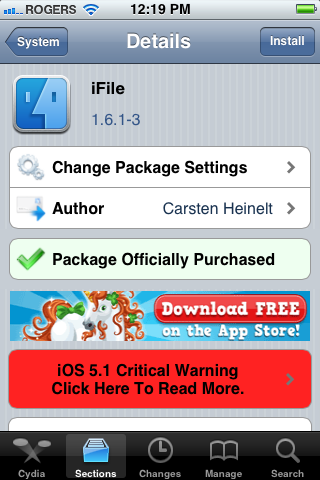
Step Four Press to select iFile from the list of packages.
Step Five Press the Install button at the top right of the screen.
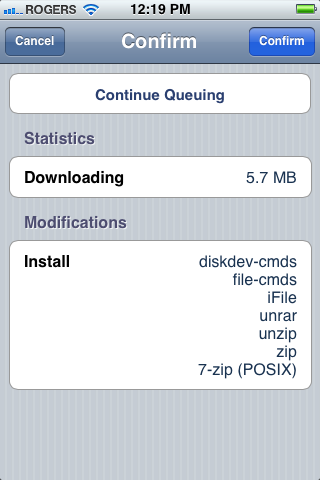
Step Six Press Confirm to begin installation.
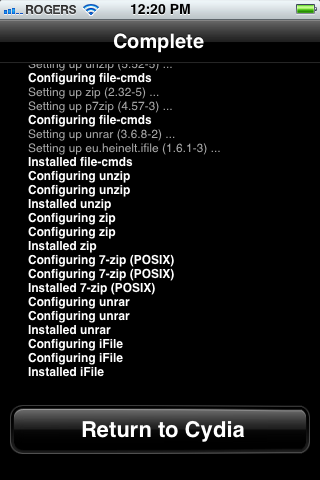
Step Seven Once the installation has completed successfully, press the large Return to Cydia button.
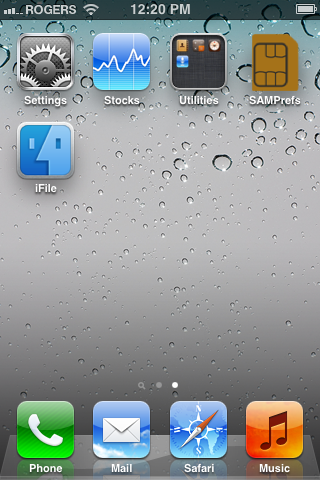
Step Eight Press the Home button then launch iFile from your SpringBoard.
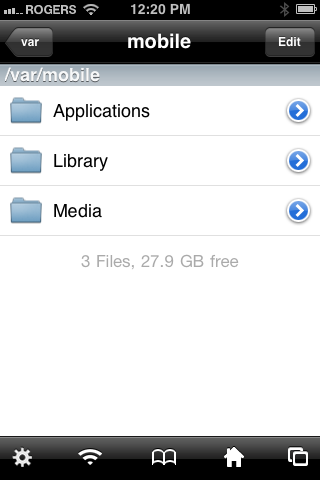
Step Nine Press the Back button at the top left of your screen to navigate to /var.
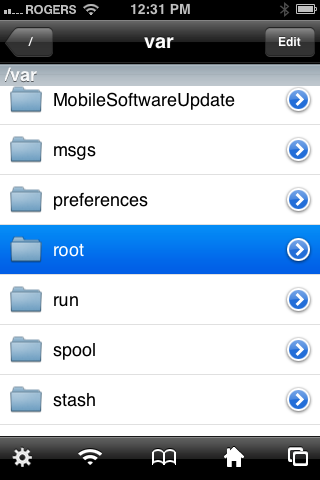
Step Ten Choose root from the list of folders in /var.
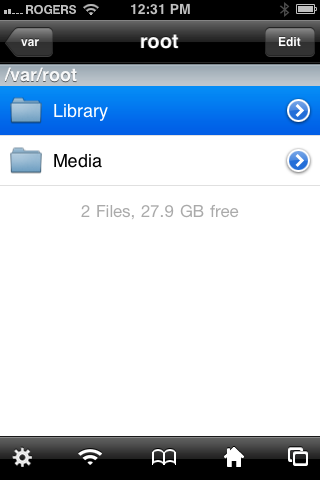
Step Eleven Tap to select Library from the list of folders in /var/root.
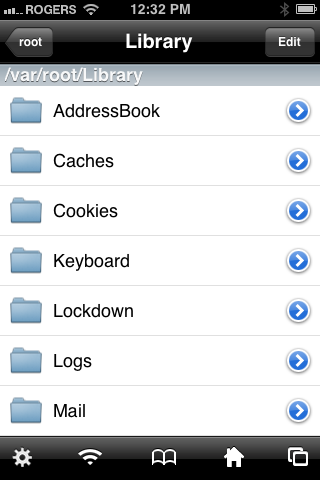
Step Twelve Press the Edit button at the top right of the screen.
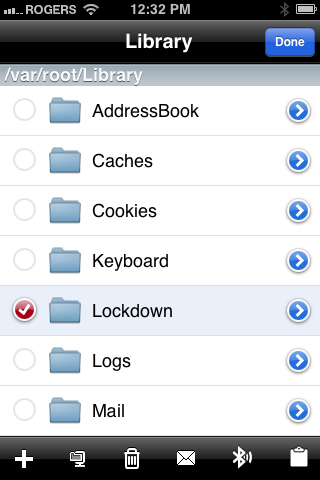
Step Thirteen Choose Lockdown from the list of folders. Then press the zip icon in the tab bar. It's the second from the left.
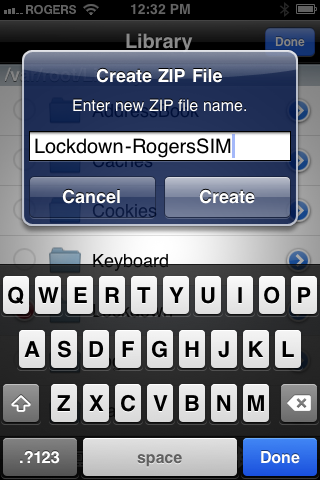
Step Fourteen Name your archive so you know what SIM card its for. Then press the Create button.
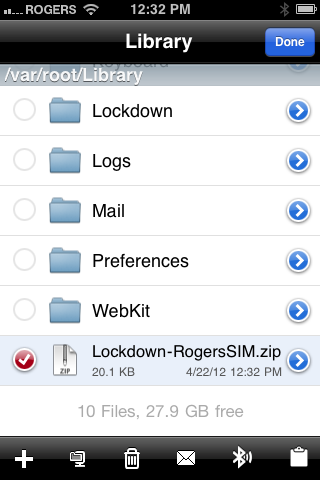
Step Fifteen Choose the archive we created from the list of files. Then press the mail icon in the tab bar. It's the third from the right.
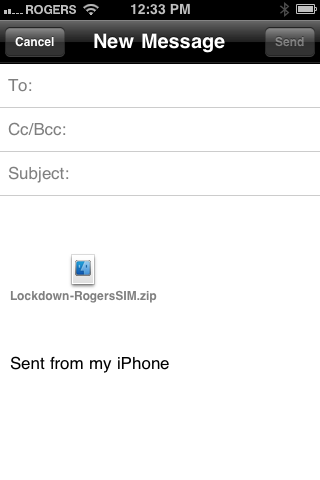
Step Sixteen Email yourself the archive. Be sure to keep it in a safe place!
IMPORTANT: You should perform the unlock procedure and this backup procedure for every SIM you want to use with your iPhone.
Alternatively, if you do not want to use iFile, you can simply SSH into the directory above and copy that file over to your computer. Be sure to save it in a safe place! If you are not sure on how to SSH, we have a [Windows] tutorial and a [Mac] tutorial.
Get the iClarified Daily Newsletter
Apple news, rumors, tutorials, price drop alerts, in your inbox every evening, free.
Unsubscribe at any time.
Success!
You have been subscribed.
Add Comment
Would you like to be notified when someone replies or adds a new comment?
Yes (All Threads)
Yes (This Thread Only)
No
Notifications
Would you like to be notified when we post a new Apple news article or tutorial?
For activating each sim card the iPhone uses the folder ( LOCKDOWN ) so once you unlock the sim rename the folder lockdown to that sim. If you don't rename the lockdown folder it gets written over. After your done the same process to each sim there should be folders with the names of each sim, which ever sim you want to use you have to rename that folder back to lockdown for the iPhone to read it. You can only have one folder at a time called lockdown. This is the reason for saving the tickets so you can easily switch sims and they are activated.
Hi I have a question, last Friday I was playing with my iPhone 4S iOS 5.1 and I have reverted all my setting to stock, and I lost my activation. So after plugging in and out my Gevey sim with my not original carrier sim and then the non-orig sim without the Gevey I have managed to unlock my iPhone 4S from carrier 3 Sweden to Orange Romania! Is there a way to save my unlock ticket? In case Apple finds a way to revert my unlock? I have tried another Orange sim but my phone is unlocked only on my Orange sim (the method posted yesterday). I say it again my iPhone is 4S! No jailbreak no custom ISPW! What should I do to save my unlock ticket?
u didn't get a ticket to save, the GIEVEY ULTRA S works in a way that it had to be set once, and after that, u don't have to redo the settings again, I guess that what happened is that the settings is already saved on ur iPhone so that u didn't need the GIEVEY chip again, because it has already done it's job and saved it to ur iPhone. That's my guessing :)
Thats not the case!!! Tha iPhone was completely restored to factory, it was asking for activation I have tried like 6 times to activate it with and without Gevey then out of nowhere it said IPhone activated with the non- orig Sim inside. And I pretty that I got the unlock/ lock problem from the Apple server because my iPhone works only with this particular non-original sin from this carrier and only this one ,another Sim from the same carrier does not work on the iPhone it asks for activation again.
actually that's what GIEVEY does, it activates your iPhone to a particular SIM card, and I guess that's what happened, so if you used another SIM card with GIEVEY and then took out the GIEVEY, you will have the same result. Again, assumption only :)
Yeah this should be called a semi unlock cause its only an unlock for one specific sim card. I honestly would prefer a gevey or more ideally the sending your imei in way to unlock it.
AT&T's solution has some restrictions, not all subscribers are eligible. If you wanted to be free, u should have a factory unlocked iPhone from the beginning ;)
That's what I always do :)
Ok, so, let's assume you perform the SAM method with different SIM cards, and it would work every time.
Now, say that in the future it stops working, how do you restore a saved activation ticket?
Ya true.. there is still a lot of missing information!!
I tried this method of unlock with two different sim cards- i unlocked with the 1st sim card and then took a backup as mentioned here, then i popped in the 2nd sim card and then did the entire unlock process again for this 2nd sim card and it worked too and i backed up the files for this sim card too.. Now when i inserted the 1st SIM card again in the phone i had to redo the unlock again through the entire process.... So it seems the Lockdown folder does not remember the previous activations [i am guessing from what is happening?]... SO SO how is this backup useful? is it that extracting it back again in that root/library folder would make the phone start running with the associated sim card again? Or is it that in case Apple changes its activation method then this backup can be used some how? What is it!!
iClarified should explain more on how this backup comes useful.
How is a factory unlock $400 more? I don't want a contract so explain how its $400 more? Plus you keep saying you always buy factory unlocked and yet your here in this article about unlocks..... Hmmmmm someone seems like they are lying....
:D why would I lie??? :D the thing is that I'm not just an iPhone user, I'm always following jailbreak/unlock news...I have many friends with iPhones, and not a factory unlocked ones, and I've been unlocking their devices for about 2 years :) that's the deal dude.
About your question, u can buy a factory unlocked iPhone from Apple's Online Store, 16GB for $649, 32GB for $749, 64GB for $849.
if u want my opinion, get it with contract, it will b better for you, specially that you have many carriers now to choose between them.
Have a good day :)









![How To Turn Off iPhone [Video]](/images/tutorials/94999/94999/94999-160.jpg "How To Turn Off iPhone [Video]")
![How To Back Up Your iPhone to an External Drive on Mac [Video]](/images/tutorials/72786/72786/72786-160.jpg "How To Back Up Your iPhone to an External Drive on Mac [Video]")

![How To Find Your IP Address on iPhone [Video]](/images/tutorials/496/496/496-160.jpg "How To Find Your IP Address on iPhone [Video]")

![Beats Headphones, Earbuds, and Pill Speaker Are Up to 41% Off [Deal]](/images/news/103026/103026/103026-160.jpg "Beats Headphones, Earbuds, and Pill Speaker Are Up to 41% Off [Deal]")
![New Fire TV Stick 4K Drops to $29.99 (50% Off) [Deal]](/images/news/102984/102984/102984-160.jpg "New Fire TV Stick 4K Drops to $29.99 (50% Off) [Deal]")
![Apple's iPhone 18 Pro and Pro Max Cases Are Up to 37% Off [Deal]](/images/news/102978/102978/102978-160.jpg "Apple's iPhone 18 Pro and Pro Max Cases Are Up to 37% Off [Deal]")
![16-Inch MacBook Pro With M5 Pro Drops to $2,429 ($570 Off), Lowest Price We've Seen [Deal]](/images/news/102957/102957/102957-160.jpg "16-Inch MacBook Pro With M5 Pro Drops to $2,429 ($570 Off), Lowest Price We've Seen [Deal]")
