These are instructions on how to jailbreak your iPhone 3GS using PurpleRa1n for Mac OS X. Once you have completed this tutorial you will be able to unlock your iPhone 3GS using this tutorial.
This is a preliminary jailbreak and thus some apps such as Winterboard will not work. You may want to consider waiting for the jailbreak release from the iPhone Dev-Team if this is important to you.
You can find a Windows version of this tutorial here.
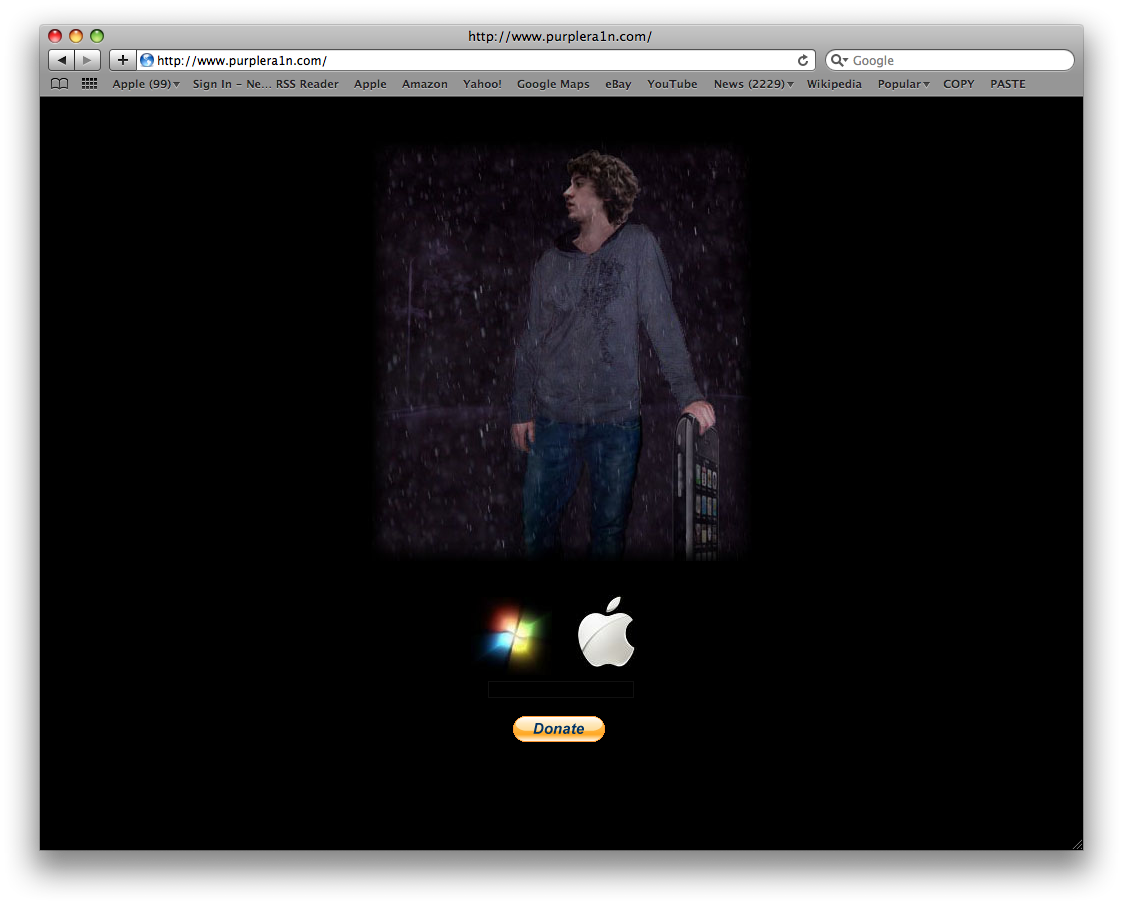
Step One Open your web browser of choice and navigate to https://purplera1n.com/. Click the Apple logo at the bottom of the screen.
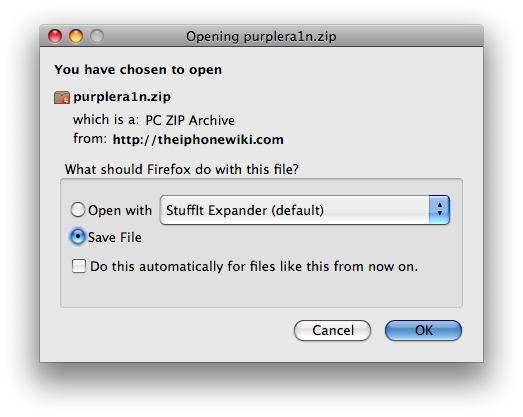
Step Two When prompted save the download to your desktop
Step Three Double click the purplera1n archive to extract the application. Then double click the purplera1n application file from the desktop to launch the program
Step Four Click the large make it ra1n button
Step Five You iPhone will now be placed in recovery mode. You will see a picture of GeoHot that replaces the regular recovery mode screen on your device.
purplera1n will run and then your device will reboot.
Step Six Once your device reboots you will see a new icon on the SpringBoard entitled Freeze. Press it to continue.
Step Seven Once Freeze opens tap Install Cydia.
Step Eight Once the Cydia installation has completed you must reboot your iPhone.
Step Nine When you iPhone has rebooted you can run Cydia. Let it do all the necessary updates then follow our Unlock tutorial to finally unlock your iPhone 3GS.
NOTE*: To remove the Freeze icon from your desktop you can install CyDelete from Cydia then use it to delete the application. We will post a tutorial on this shortly.
THANKS*: A big thanks goes to GeoHot for his work in making this jailbreak possible. Also thanks to others who contributed such as chronic and the dev-team.
Get the iClarified Daily Newsletter
Apple news, rumors, tutorials, price drop alerts, in your inbox every evening, free.
Unsubscribe at any time.
Success!
You have been subscribed.
Add Comment
Would you like to be notified when someone replies or adds a new comment?
Yes (All Threads)
Yes (This Thread Only)
No
Notifications
Would you like to be notified when we post a new Apple news article or tutorial?
Tried purplerain for my Iphone 3GS and my phone just locks up on the purple rain recovery screen. Tried 3 times but no joy... I guess I'll have to wait for them to iron out the kinks. Let it rain!
I'm having the same issue.
Stalls on the picture of Geohot in the rain.
Been like it for about half hour now.
Any ideas anyone?
As for the official Dev-Team Jailbreak... iTunes just throws up the error message that my 3gs cannot verify the software when it reaches the verifying 3.0.1 software and fails every time.
I am on 3.0.1 so this really should not be the case.
Anyone got any idea?
Having trouble finding any info on the problem I am having.
Any help would be much appreciated.
Thanks.
I wanna say thanks for purplerain. I just got my phone less than 10 hours ago after quesing for 2 hours. As soon as I got home I started to download redsnow. As it was taking a ling time to diwnload I decide yo try purple rain. Great choice. At least for now everything works perfectly. From native apps to intelliscreen, there's nothing that's working less than normal. In fact everything is much faster than my 2g which is now my secondary phone. Great job geohot!!!!
This Jailbreak worked fine for me. I am happy with the results I got. The only thing that doesn't work for me after this jailbreak is that the AppStore app crashes after 5 seconds of launching it. No big deal, I can always get my apps through iTunes :) but of course I would prefer that I did not have an app that crashes.
Well the jailbreak worked great for me. Have a 32gig 3GS and with in a few min I was jailbroken and ready to go.
Now comes the problem. I was lying in bed looking on Safari and the auto rotate was driving me nuts so I decided to download the SBSettings autorotate kill switch. Not a good idea!!! Now my phone just keeps rebooting. What do I do now!?!?!? Do I just restore or is their an easier way?
Help!!!
OK I found the solution for Freeze : just go to Cydia then install Cydelete then in the preferences of Cydelete ask it to support NON Cydia applications. That all, plus some restarts and I could get rid of Freeze. very easy. Note that Big Boss has a very good how-to that works great with Windows and Mac OS X PurpleRa1n
Just to say that I have an official desimlocked iPhone (did it in France (75 euros at Orange shop), just before coming back to Thailand where I live 3GS arrive in Bankgok with True Mobile only in August. So I did not tried Ultrasn0w.
As French Folk said just before, this PurpleRa1n works very well. And all my iPhone 3GS functions are functional. Wifi works perfect. I did reinstall of the pieces of software I have on my (still alive) iPhone V1.
The only thing I don't know to do is to get rid of Freeze application.
I used always in the past the DEV Team tools that I respect a lot.
But there's no reason (I don't use Winterboard anyway) to wait. If the DEV Team as something to propose, I will be also happy looking at.
you guys don't waste your time most apps and settings are not working I just tried it and my network last Wi Fi not working and much more be patient and wait for the great work of Dev Team !!!
Launch settings app and navigate to the bottom of the first page to find the settings bundle and Tap CyDelete and enable Non-Cydia Deletion (the top option).After the springboard reloads, hold any icon to get into wiggle mode and remove Freeze:
Optional. You no longer need CyDelete. You can uninstall this in Cydia now. I recommend keeping it however. Its a very easy way to uninstall Cydia apps and you now have enough memory in your 3GS that you will not notice any overhead having it





![Apple's New 'HomeView' Hub to Launch Without an App Store [Gurman]](/images/news/102726/102726/102726-160.jpg "Apple's New 'HomeView' Hub to Launch Without an App Store [Gurman]")

![Apple-LG Home Accessories Could Offer Dynamic Island Proximity Controls [Leak]](/images/news/102711/102711/102711-160.jpg "Apple-LG Home Accessories Could Offer Dynamic Island Proximity Controls [Leak]")

![How To Force Restart iPhone [Video]](/images/tutorials/95012/95012/95012-160.jpg "How To Force Restart iPhone [Video]")
![How To Turn Off iPhone [Video]](/images/tutorials/94999/94999/94999-160.jpg "How To Turn Off iPhone [Video]")
![How To Back Up Your iPhone to an External Drive on Mac [Video]](/images/tutorials/72786/72786/72786-160.jpg "How To Back Up Your iPhone to an External Drive on Mac [Video]")






![Mac mini Drops to $779.99 for Prime Big Deal Days [Deal]](/images/news/102624/102624/102624-160.jpg "Mac mini Drops to $779.99 for Prime Big Deal Days [Deal]")
