These are detailed instructions on how to unlock your iPhone using PwnageTool for Mac OS X.
Step One Download PwnageTool (PwnageTool_1.0.zip download no longer available) to your desktop.
Step Two Double click the downloaded file(PwnageTool_1.0.zip) to extract PwnageTool.
Step Three Double click PwnageTool to launch the application from your Desktop.
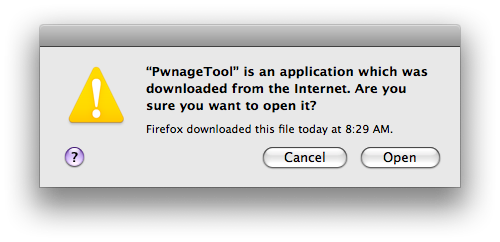
Step Four If prompted that PwnageTool is an application that was downloaded from the internet click the Open button.
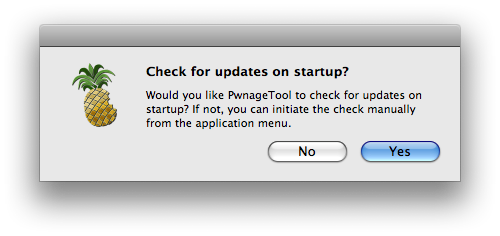
Step Five If you would like PwntageTool to automatically check for update then click the Yes button.
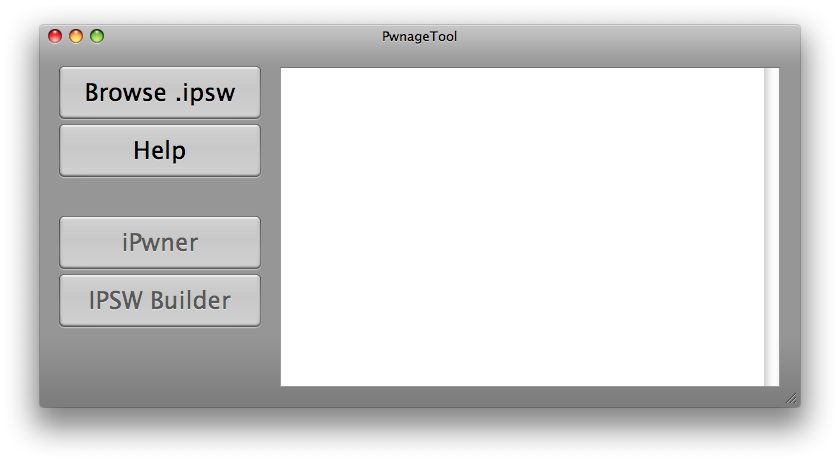
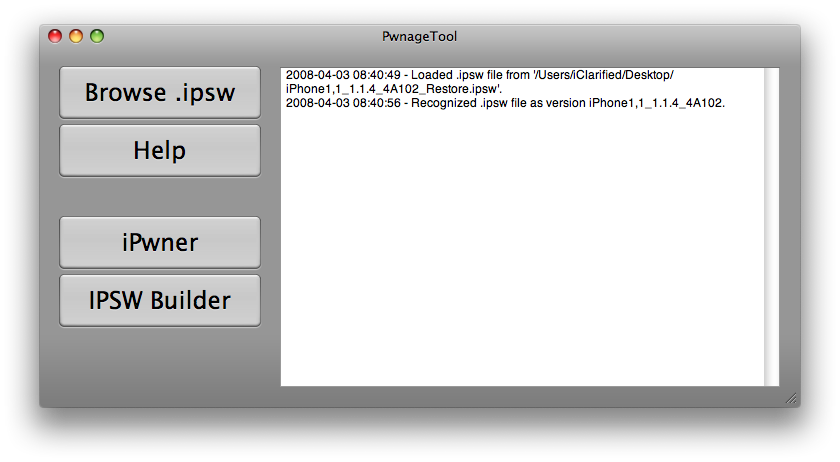
Step Six Click the Browse .ipsw button in PwnageTool.
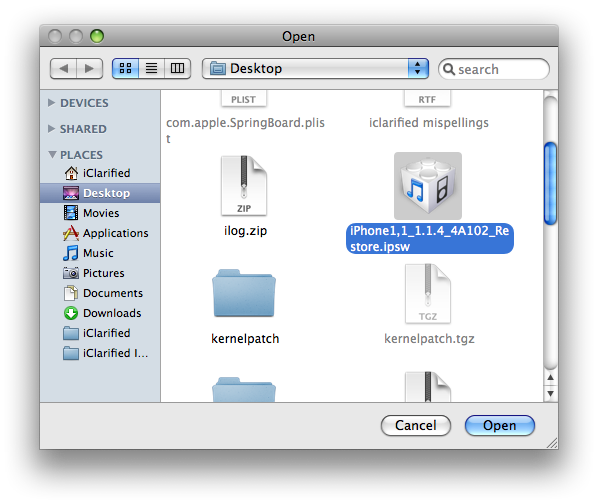
Step Seven A window will appear in which you should choose the .ipsw file for the firmware you would like to unlock then click the Open button.
If you do not have the firmware .ipsw file you can find its download location here.
Step Eight Click the iPwner button which will now be activated!
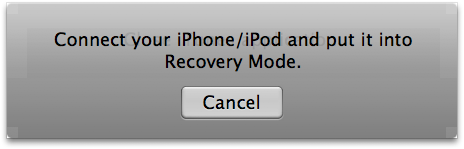
Step Nine You will be asked to connect your iPhone and put it into recovery mode.
The easiest way to do this is to hold down your Sleep/Wake button for 3 seconds. The power slider will appear. Slide this to the right to power off your iPhone. Then hold down the Home button as you connect the iPhone to the dock. After a few seconds the recovery screen will appear. (iTunes logo and cable).
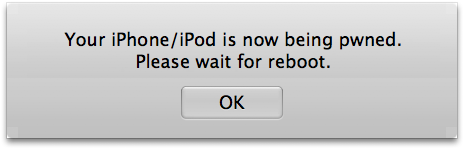
Step Ten PwnageTool will then let you know your phone is being pwned and to please wait for a reboot.
Step Eleven Once you phone has rebooted click the IPSW Builder button in PwnageTool.
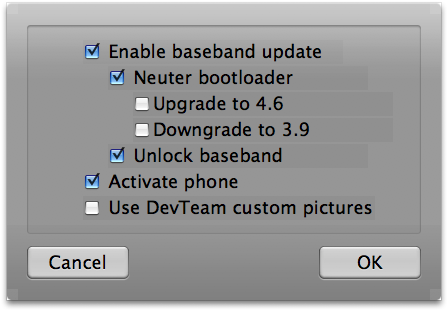
Step Twelve From the menu that appears select: - Enable baseband update - Neuter bootloader - Unlock baseband - Activate phone
Then click the OK button.
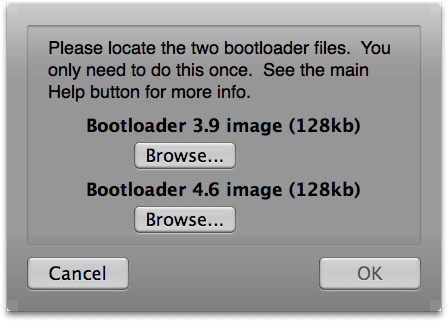
Step Thirteen IPSW Builder will now ask you for the bootloader images.
Download bootloaders.rar (download no longer available) onto your Desktop. Double click this to extract its contents.
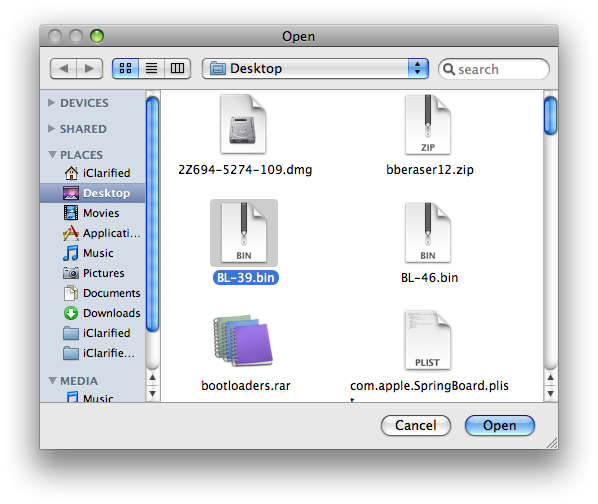
Click the browse button for the bootloader 3.9 image and select BL-39.bin file from your Desktop.
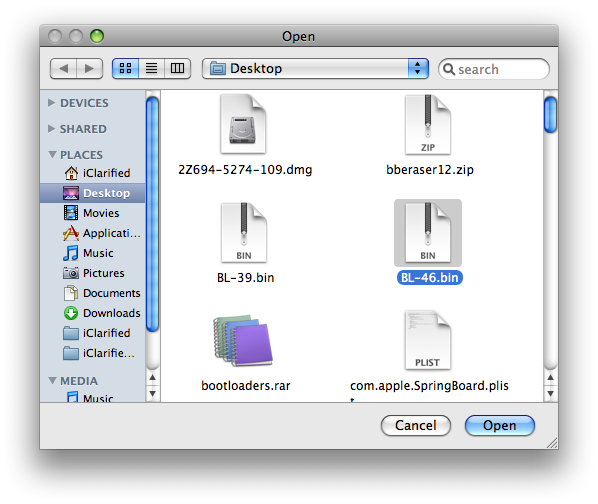
Click the browse button for the bootloader 4.6 image and select BL-46.bin file from your Desktop.
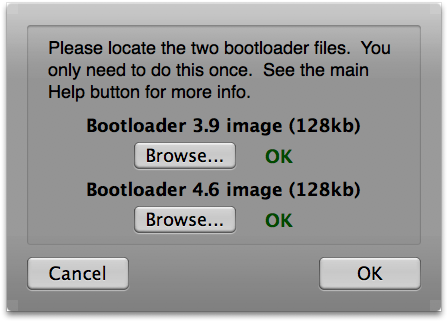
Finally click the OK button.
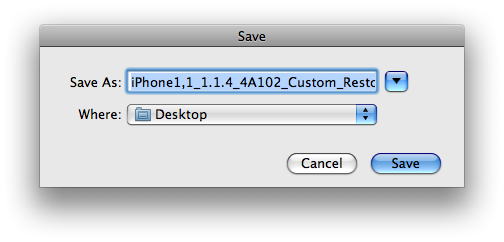
Step Fourteen IPSW will ask you to select where to save the custom ipsw file. Click the Save button.
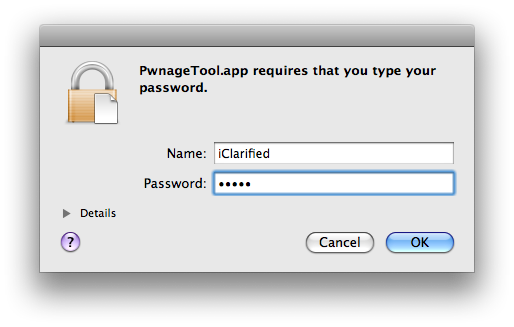
Step Fifteen IPSW Builder will then ask you to login using your administrator username and password. Do this then click the OK button.
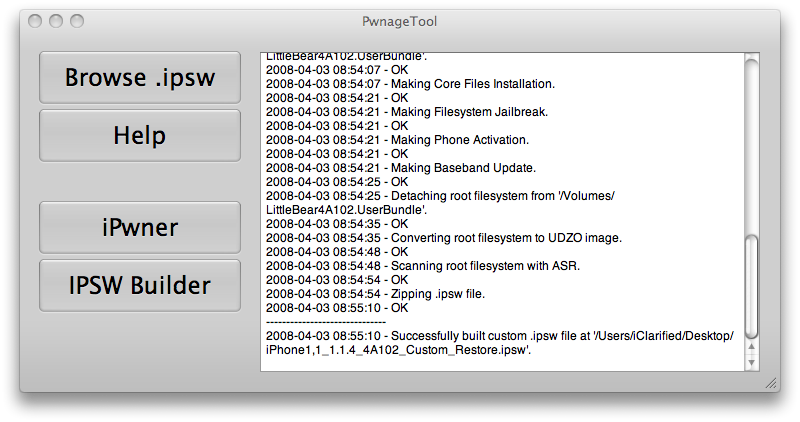
Step Sixteen PwnageTool will then show you that IPSW Builder has completed successfully.
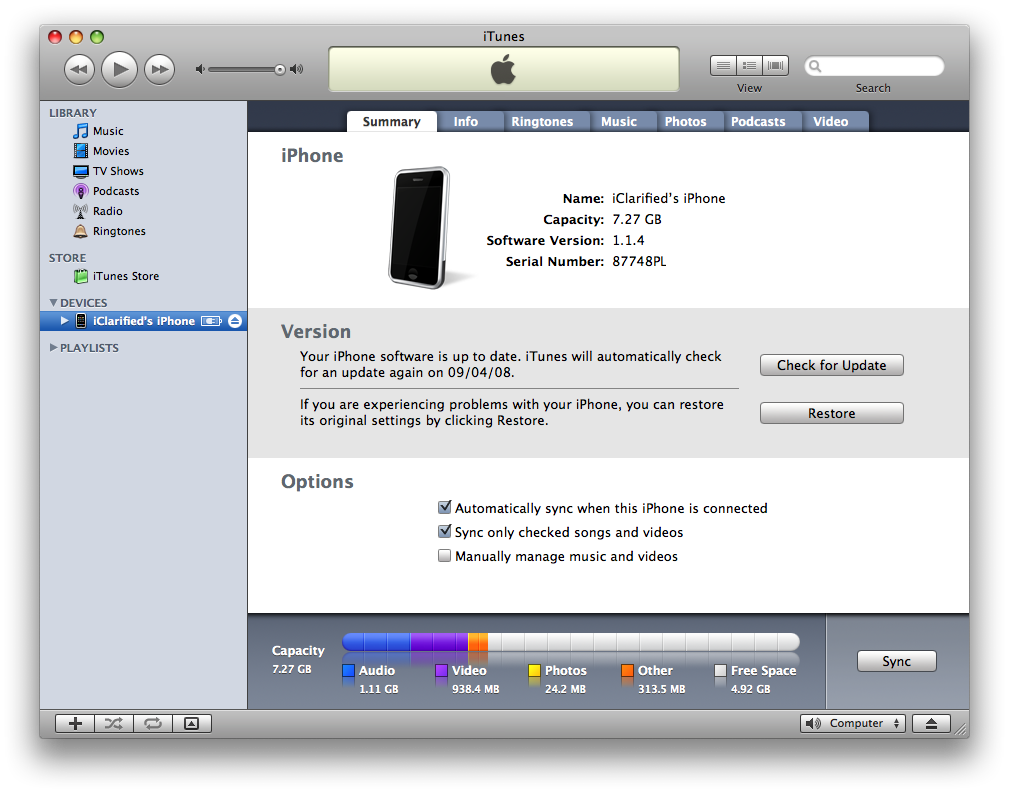
Step Seventeen Launch iTunes using its icon in the dock if its not already open.
Step Eighteen Select your iPhone from the list on the left. Hold down the Option and click the Restore button.
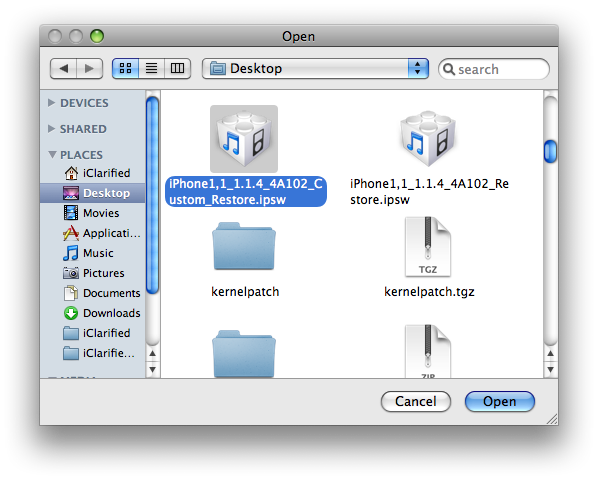
Step Nineteen Select the custom firmware file (iPhone1,1_1.1.4_4A102_Custom_Restore.ipsw) we just created and click the Open button.
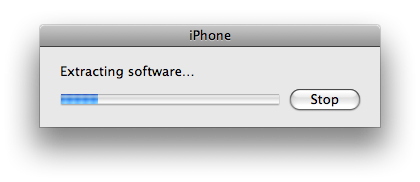
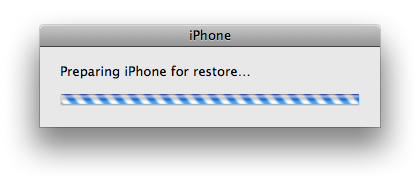
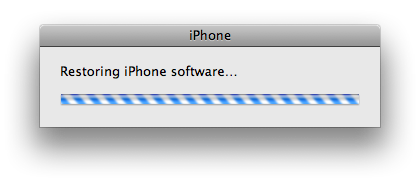
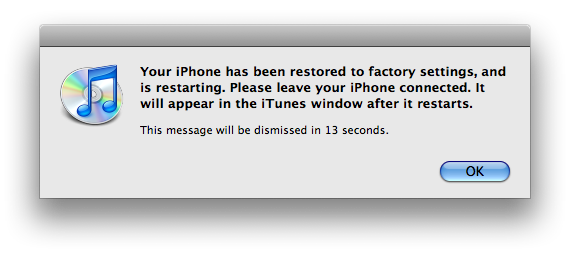
Step Twenty iTunes will then restore to our new custom firmware.
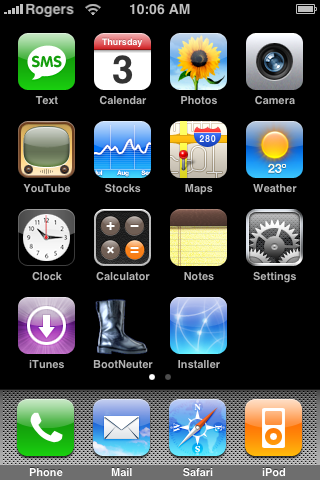
Step Twenty One Once iTunes restore is complete your iPhone will reboot and autolaunch BootNeuter. BootNeuter will then proceed to Flash Bootloader and Flash Baseband. Do not interrupt this process. Once BootNeuter is done it will reboot the iPhone on its own and your Pwnage process will be complete!
NOTE***: After pwning your iPhone it is highly recommended that you install BSD Subsystem and SSH.
THANKS***: Make sure to thank asap18, bgm, Bugout, bushing, chris, dinopio, drudge, Fred_, ghost_000, gray, kroo, MuscleNerd, NerveGas, netkas, np101137, planetbeing, pr3d4t0r, pumpkin, pytey, roxfan, sam, Turbo, w___, wizdaz, Zf, Sam and others. These guys have put alot of hard work into making this a reality.
You can send donations to iphone.devteam@gmail.com using paypal.
Get the iClarified Daily Newsletter
Apple news, rumors, tutorials, price drop alerts, in your inbox every evening, free.
Unsubscribe at any time.
Success!
You have been subscribed.
Add Comment
Would you like to be notified when someone replies or adds a new comment?
Yes (All Threads)
Yes (This Thread Only)
No
Notifications
Would you like to be notified when we post a new Apple news article or tutorial?
Go to iPwner it and it doesnt detect my iPhone in restore mode.
Tryed skipping that step, doing it on QuickPwn to see what would happen and then build an IPSW, doesnt work, the firware is not compatible or there is an error.
Try using the newest PwnageTool [not used in this tutorial] and whenver i select the right ipsw, even the one it gave me to download and use, says its the wrong bundle or isnt a recognized ISPW.
I've been getting these errors for a few days now and I think i might have resolved my issue by NOT going into DFU mode while restoring with a CUSTOM firmware on windows (holding Shift + clicking Restore) or on Mac (holding Option + clicking Restore).
I've found that it's easier to download a IPSW made with a MAC and use that while restoring with a custom with iTunes 8.
Also, for jailbreaking your iphone the easiest thing to do is in Winpwn 2.5 v2 you click the "Custom" button on the top right corner of the screen so that it says "Quickpwn", you then choose your phone (2.0, 2.0.1, 2.0.2) and follow the instructions on the screen. Jailbreak should be done BEFORE you instill your custom firmware.
....Alright guys, I was actually doing the custom restore while writing this and now I have mine ready and going with a T-Mobile SIM card in it. The unlock is working and it's been jailbroken, so i hope everything works out for you guys. Just remember when doing CUSTOM restore, don't have your iphone in DFU mode.
I tried to use the pwnage tool at step 20 I get a message saying "The iphone could not be restored. An unknown error occured. (2001)" Other times it was error 2005.
Is there a way to get pass this error? If not, is there a way to somehow get the phone back to a default state so I can start over?
Please help.
Hello, loca.
Thanks!! That's my fool. It's really take just seconds but i didn't note that. The recovery mode image was flash up so fast. Now my iPhone already unlocked, thanks very much about all info and your kindness. I'm learning to use installer for App. ^_^ bye
How long "wait for iPhone reboot" in Step 10. I've wait for 20 mins! Is it ok? and my iPhone sitll empty screen (black). what should i can do from now? Pls hepl, thanks.
You need to go back to step 11 and starta again from there... But you may need assistance by phone... because there are some instructions that are not inside the tutorial and you need them... I would like to assist you from here, but it is complicated to write all the stuff... I also had to go back to this step, but my son helped me through the iChat...
thanks for the advice , reading is indeed not so easy ! Now I'm stuck with the next problem ; after running the custom restore I get the message "The iPhone could not be restored. An unknown error occurred (1600)." !!!
This problem is solved when you HOLD DOWN the OPTION key on your keyboard at the same time you click restore... The OPTION key is located next to the apple sign on your left side... When you do this, it won't open iTunes, it will give you the option to open the file you are being asked to on the next step.
I seem to have the same problem as loca , each step is ok till step 19
I-tunes opens and after restoring I keep having the message :the sim car inserted in this iphone does not appear to be supported" ?
What am I doing wrong ?
finally, I got it!!! It is easy when you are smart... if that is not the case, it will take you 12 hours... like me!!! But... it is great to have your iPhone unblocked... thank you guys!!!
sorry for the question... on the setp 19, when you are asked to Select the custom firmware file (iPhone1,1_1.1.4_4A102_Custom_Restore.ipsw) we just created and click the Open button. What happen you you click open? I only get iTunes open no matter if it is closed...
After step 18 having clicked on option and restore buttom, having confirmed the message that I want to restore my ipod/iphone a message pops up "The "iphone" could not be restored because the firmware file could not be found" Thanks for any advise.
For me the tutorial did not work - but I found out why: You need to select "BSD-Tools" otherwise the BootNeuter-App will not be able to flash the baseband (at least in Pwnage 1.1)
Perhaps you should add this hint to your guide?
I found this info on:
http://www.hackint0sh.org/forum/showthread.php?p=282747
















![Apple Studio Display XDR Hits All-Time Low of $2,969.99 ($329 Off) [Deal]](/images/news/101976/101976/101976-160.jpg "Apple Studio Display XDR Hits All-Time Low of $2,969.99 ($329 Off) [Deal]")
![Apple AirPods Pro 3 Drop to $199 ($50 Off) [Deal]](/images/news/101966/101966/101966-160.jpg "Apple AirPods Pro 3 Drop to $199 ($50 Off) [Deal]")
