These are instructions on how to downgrade your iPad 2 from iOS 6.x to iOS 5.x using saved SHSH blobs and Redsn0w for Windows.
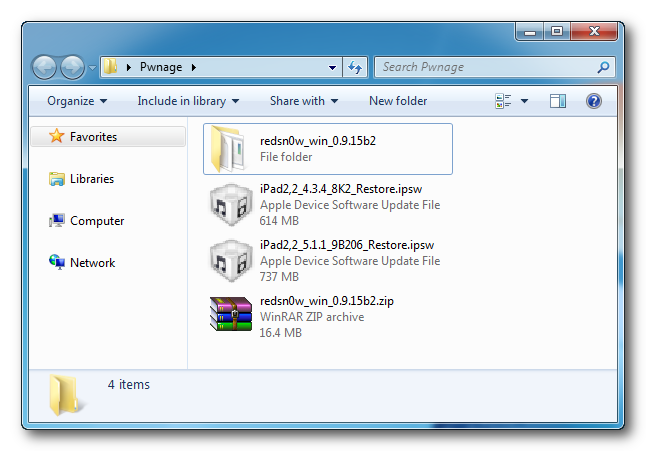
Step One Create a folder on your desktop called Pwnage
Download the latest version of RedSn0w from here and place it in the Pwnage folder. Likewise, download the 5.x firmware you would like to restore to and the 4.x firmware you also have SHSH Blobs for from here and place it/them in the Pwnage folder.
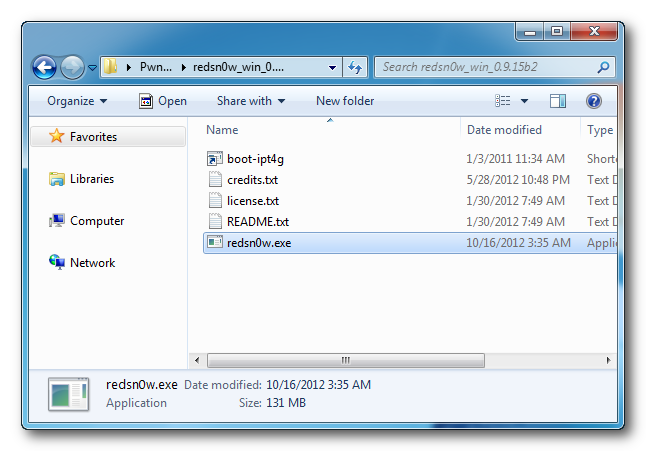
Extract the RedSn0w archive to the Pwnage folder.
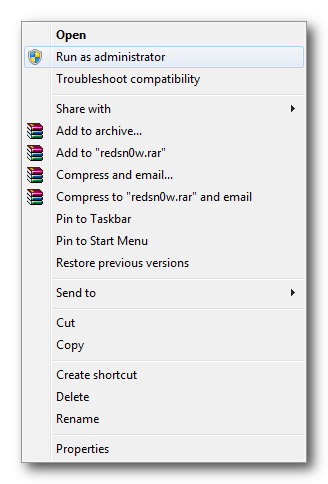
Step Two Right click or control-click the redsn0w application from the redsn0w folder we extracted earlier and choose Run as administrator from the popup menu that appears.
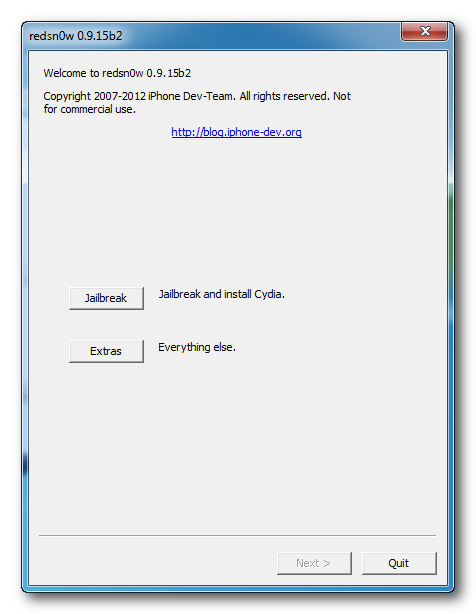
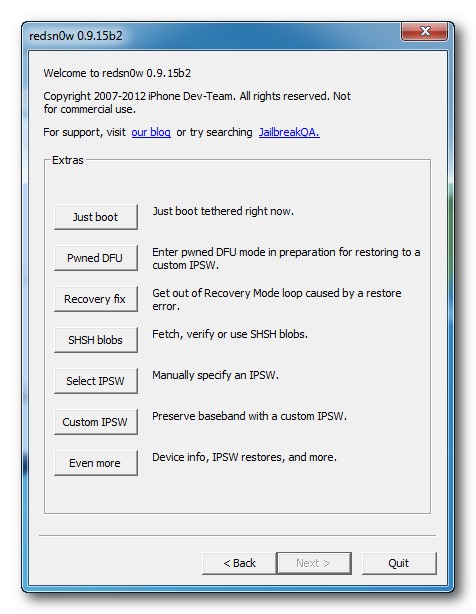
Step Three Click Extras from the main menu.
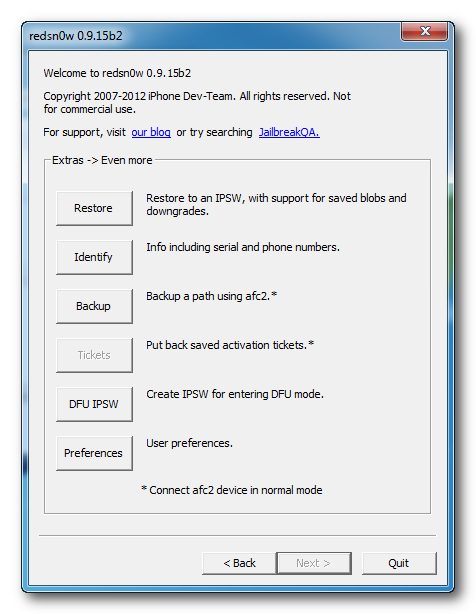
Step Four Click Even More from the Extras menu.
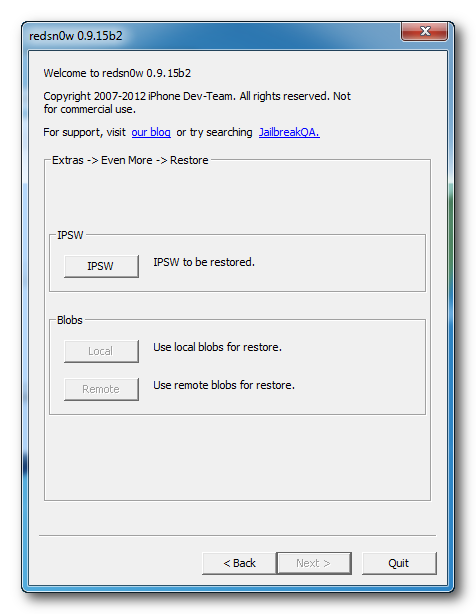
Step Five Click Restore from the Even More menu.
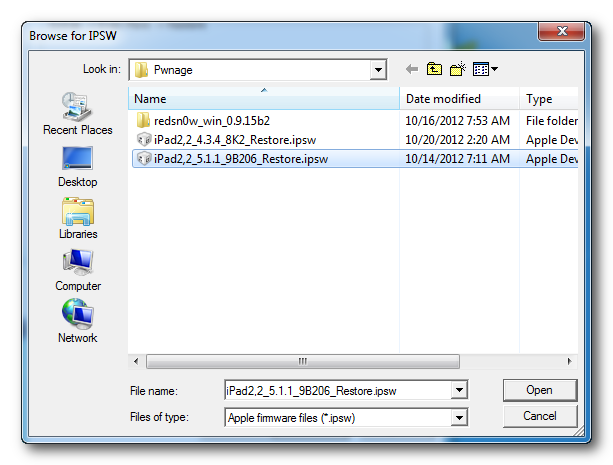
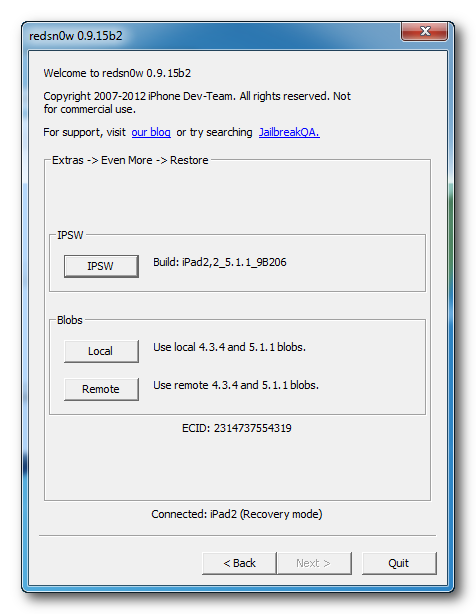
Step Six Click IPSW from the Restore menu, choose the IPSW you would like to restore to from the window that appears, and click Open.
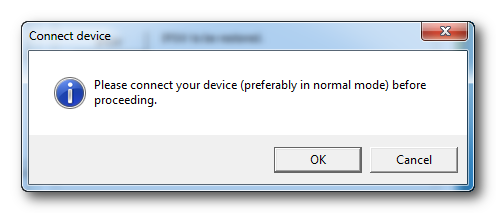
Step Seven When prompted, connect your iPad 2 to the computer in normal mode and click OK
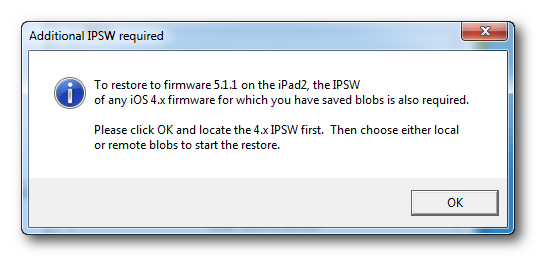
Step Eight You will be informed that a 4.x IPSW will be required to continue. Click the OK button.
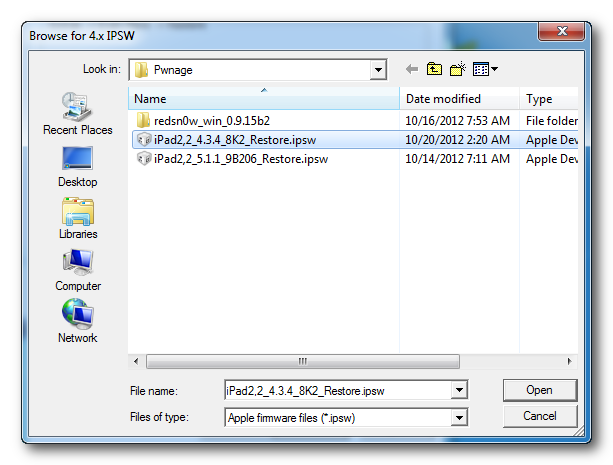
Step Nine Select the 4.x firmware IPSW from the Pwnage folder on your desktop and click Open.
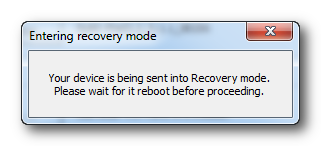
Step Ten Your iPad will now be placed into recovery mode.
Step Eleven RedSn0w will check Cydia to see if you have the correct blobs saved.
If RedSn0w is unable to find your blobs automatically click the Remote button to try again or you can click the Local button to search for blobs on your computer.
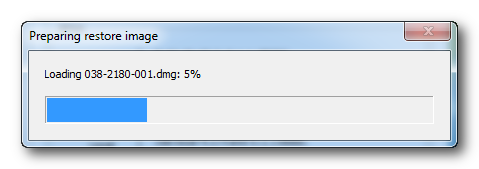
Step Twelve RedSn0w will prepare the 4.x restore image.
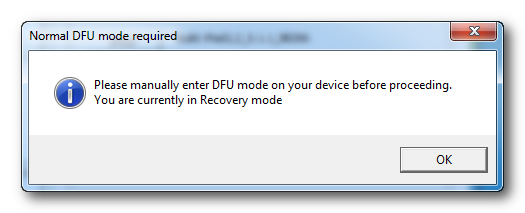
Step Thirteen You will then be prompted to place your iPad into DFU mode. You can find more help with DFU mode here.
Hold down both the Home button and the Power button for 10 seconds.
Release the Power button and continue holding the Home button for another 10 seconds. You screen should stay blank.
Click the OK button to continue.
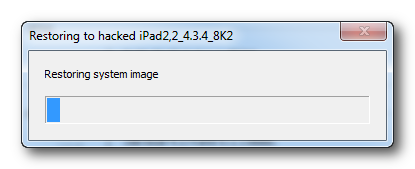
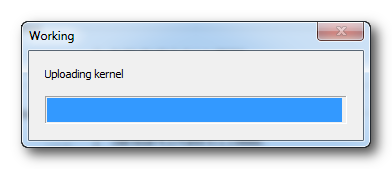
Step Fourteen RedSn0w will now restore to iOS 4.x.
Step Fifteen Once the restore to iOS 4.x is complete, RedSn0w will put your device back into recovery mode and prepare the iOS 5.x restore image.
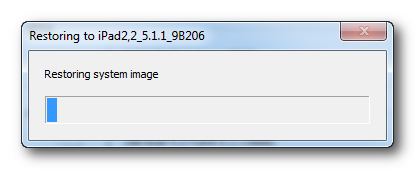
Step Sixteen iOS 5.x will now be restored.
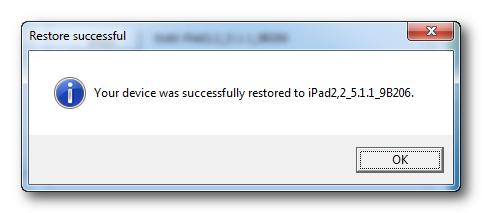
Step Seventeen You'll be notified once the restore is complete.
ANSWERS: If you need help with this tutorial please post a question in the comments or submit a question to the iClarified community using our Answers section.
Get the iClarified Daily Newsletter
Apple news, rumors, tutorials, price drop alerts, in your inbox every evening, free.
Unsubscribe at any time.
Success!
You have been subscribed.
Add Comment
Would you like to be notified when someone replies or adds a new comment?
Yes (All Threads)
Yes (This Thread Only)
No
Notifications
Would you like to be notified when we post a new Apple news article or tutorial?
i got problems on Step Eleven, when i click Remote, it's pop up message Like this: Couldn't find 5.1.1 (9B206) blobs for this device. Please help
ipad 2 wifi, Run iOS 6.0.1
I don't know if this is important to you guys, but believe it or not, i just successfully restore my Ipad2 GSM from IOS 6.1.3 to IOS 4.3.5 using this tutorial (i only have shsh 4.3.3 and 4.3.5).
First i connect my ipad2 IOS 6.1.3 normal mode, open latest RedSn0w 0.9.15b3, in IPSW select IOS Firm 4.3.5, and in Blobs local select shsh 4.3.5.
Then Redsn0w will start flaching and then restore the ipad, follow the next step.
Hope this will help... Thanks
(Sorry for my bad english)
Ohhh Noooo... there are no jailbreak for Ipad2 IOS 4.3.5...
Don't give up yet... try the same steps, now from IOS 4.3.5 to IOS 4.3.3, and again..... IT WORKS.
I know this firmware is to old, but its better than non jailbreak device... :-)
Note : don't worry to try, if you fail, you only need to restore to the latest firmware...
Thanks
Thank you so much! 100% worked on my iPad 2 wifi, with ios 4.3.3 JB, Cydia with 4.3.5 & 5.1.1 shsh. Although i have to repeat a few times..but it worked!
I have an ipad2 jailbreak only did that in 5.1.1.
SHSH blobs so I have the version 5.1.1.
tuturial you guys use on ios 4.x.x. the question is can I downgrade ios 6.0.1 SHSH blobls only with firmware 5.1.1?
if possible would like to know how .
Please
Im upgrading my ipad 2 from 4.3.3 to 5.1.1. Will these steps work?. I do have all the required blobs. My other question is that will the device still be jailbroken or do I have to jailbreak it again?
Yes, me too!
I tried to save SHSH blobs from my ipad 2 using instructions here https://www.iclarified.com/entry/index.php?enid=17063 but the program says that ipad 2 is not supported...
Hi everyone!
I got to step 11 successfuly, but it never goes to step 12 (RedSn0w will prepare the 4.x restore image).
Nothing happens, ipad is in recovery mode, but redsn0w does not prepare any files :(
Does anyone knows what to do?
When I get to the step where I manually place my iPad2 into DFU mode, I'm fine. It uploads iBSS, and then always drops out on an error saying it expects recovery mode but found DFU mode. I don't get it...
I would like to know if I downgrade, do I still have the applications?
And if it wipes everything how can i make a back up(include applications) (ITunes only backs up the user data)








![AirPods Pro 3 Hit New All-Time Low of $169, Save $80 [Deal]](/images/news/101221/101221/101221-160.jpg "AirPods Pro 3 Hit New All-Time Low of $169, Save $80 [Deal]")
![Apple Watch Ultra 3 Drops to $699.99, Save $99 [Deal]](/images/news/101192/101192/101192-160.jpg "Apple Watch Ultra 3 Drops to $699.99, Save $99 [Deal]")
![Save $50 on Beats Powerbeats Pro 2, Now Just $199.95 [Deal]](/images/news/101182/101182/101182-160.jpg "Save $50 on Beats Powerbeats Pro 2, Now Just $199.95 [Deal]")
![AirPods Pro 3 Drop to New All-Time Low of $179 ($70 Off) [Deal]](/images/news/101156/101156/101156-160.jpg "AirPods Pro 3 Drop to New All-Time Low of $179 ($70 Off) [Deal]")
![Apple Watch Series 11 is Back on Sale for Just $299 [Deal]](/images/news/101081/101081/101081-160.jpg "Apple Watch Series 11 is Back on Sale for Just $299 [Deal]")
