These are instructions on how to downgrade your iPhone 3GS or iPhone 3G's baseband from the iPad's 06.15 baseband to 05.13.04 using RedSn0w for Mac. The Mac version of this tutorial can be found here.
Typically you'd have the 06.15 baseband if you unlock with ultrasn0w but updated your iPhone baseband past 05.13.04. With this new capability, you can now downgrade specifically from 06.15 to 05.13.04 (even if you never had 05.13.04 on that device before). This gives you the best of both worlds: ultrasn0w unlock compatibility and a normal iPhone baseband with full GPS and the ability to use stock IPSWs again.
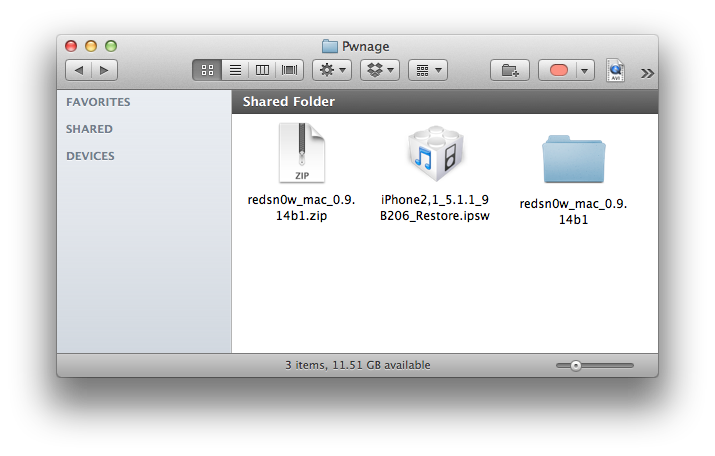
Step One Create a new folder on your desktop called Pwnage.
In the folder place the current firmware of your device (which can be downloaded from here) and the latest version of RedSn0w (from here).
Extract the RedSn0w zip file by double clicking it.
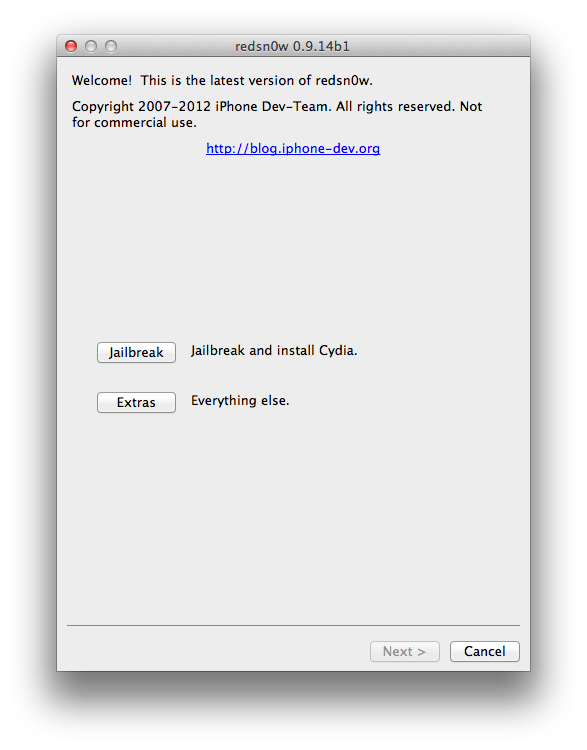
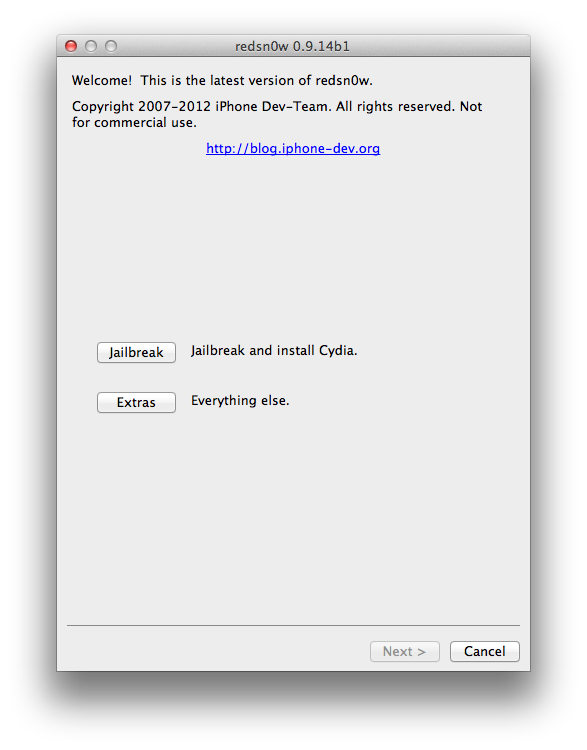
Step Two Launch the redsn0w application from the redsn0w folder we extracted earlier.
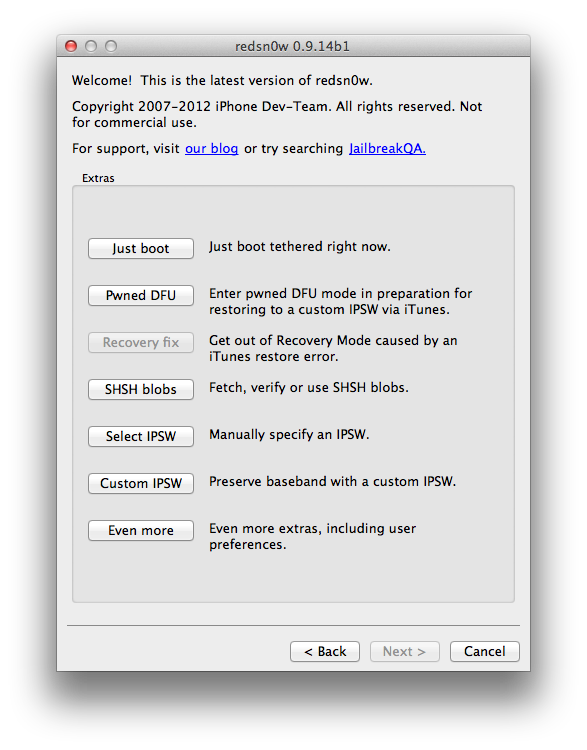
Step Three Once RedSn0w opens click the Extras button.
Step Four Choose Select IPSW from the Extras menu.
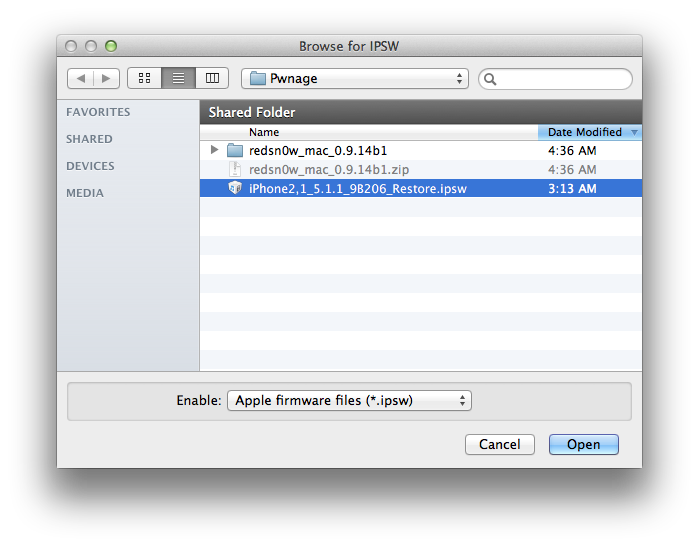
Step Five Navigate to the Pwnage folder on your desktop, choose the firmware ipsw we downloaded earlier, and click Open.
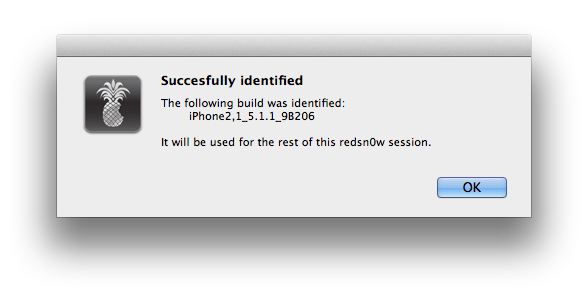
Click OK to confirm your selection.
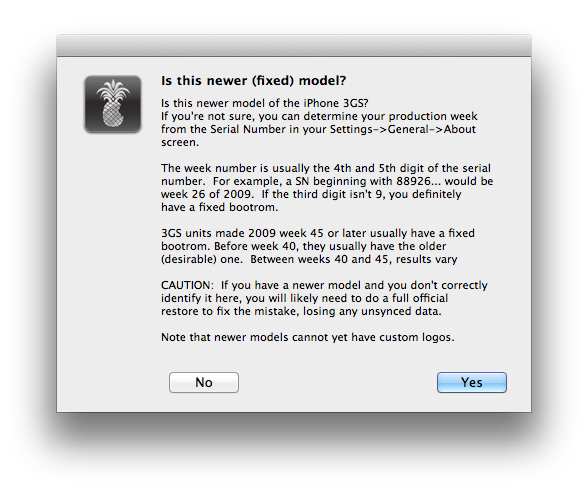
Tell RedSn0w whether you have a newer or older model iPhone 3GS.
Step Six Press Back to get back to the main menu then click the Jailbreak button.
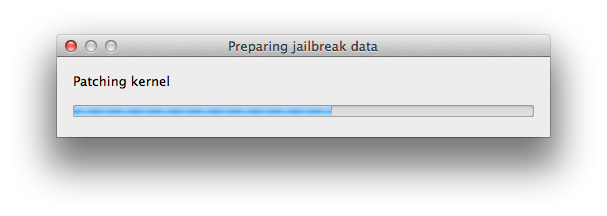
Step Seven RedSn0w will now prepare the jailbreak data.
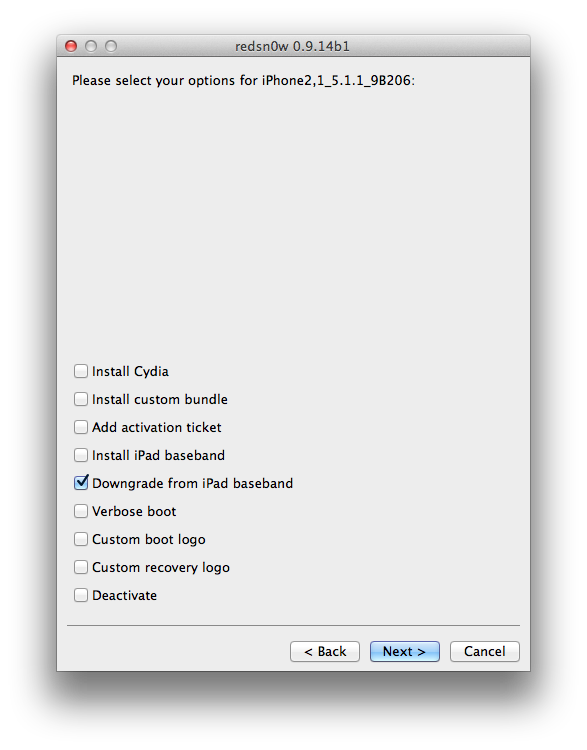
Step Eight Check the Downgrade from iPad baseband checkbox, uncheck Cydia if you already have it installed, and click Next to proceed through the normal DFU ramdisk steps.
Step Nine Plug your iPhone into the computer and make sure its OFF then click the Next button
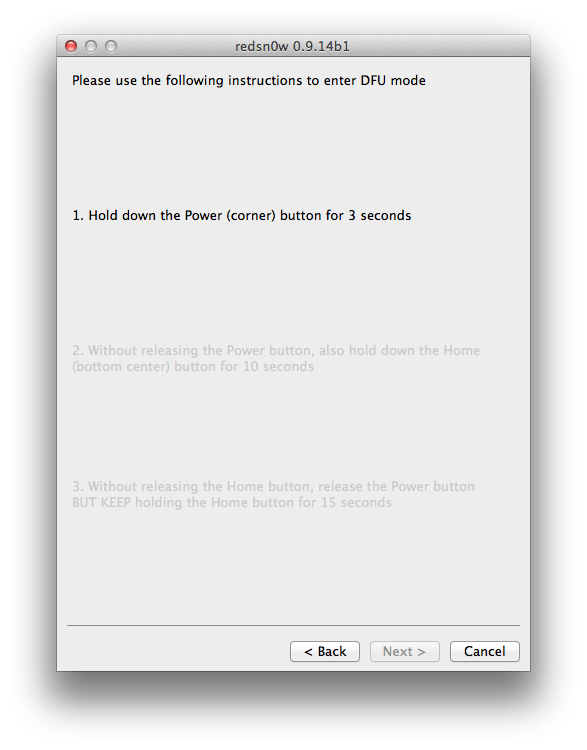
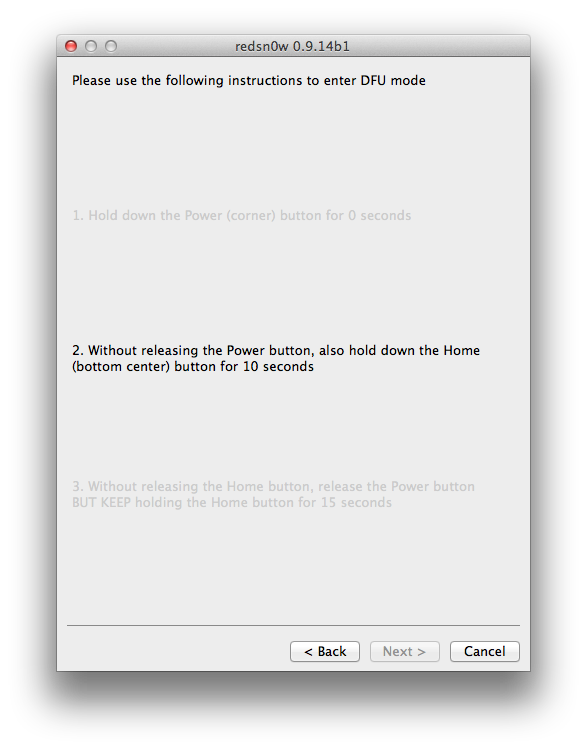
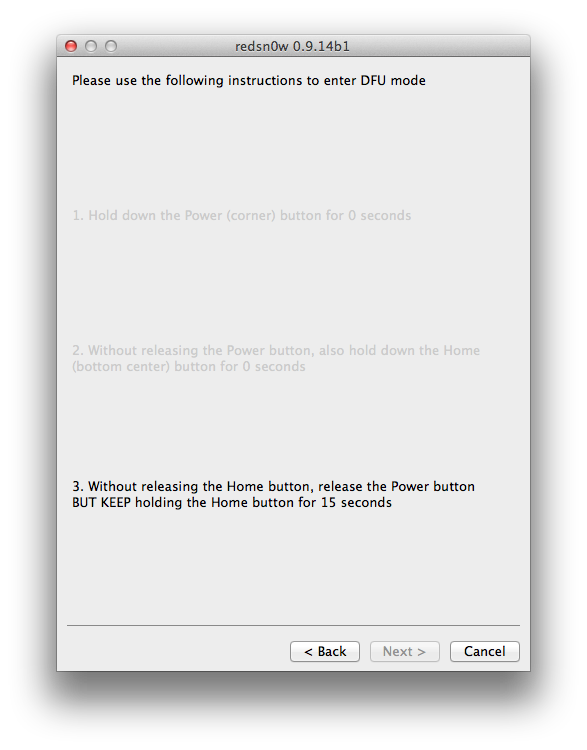
Step Ten RedSn0w will now guide you through the steps to get into DFU mode. You can find more help with DFU mode here.
Hold down both the Home button and the Power button for 10 seconds.
Release the Power button and continue holding the Home button until RedSn0w detects the device.
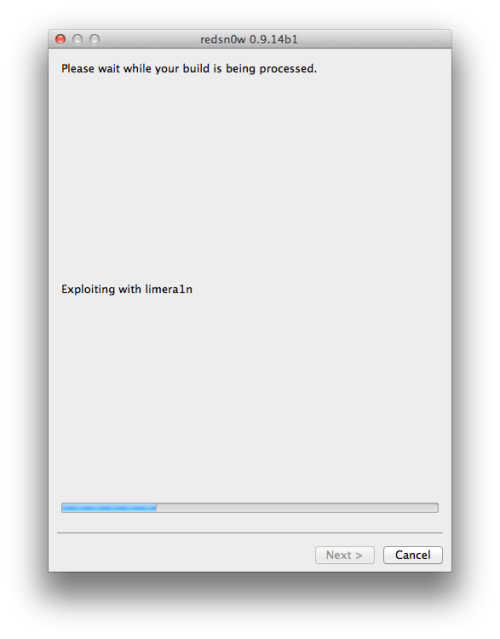
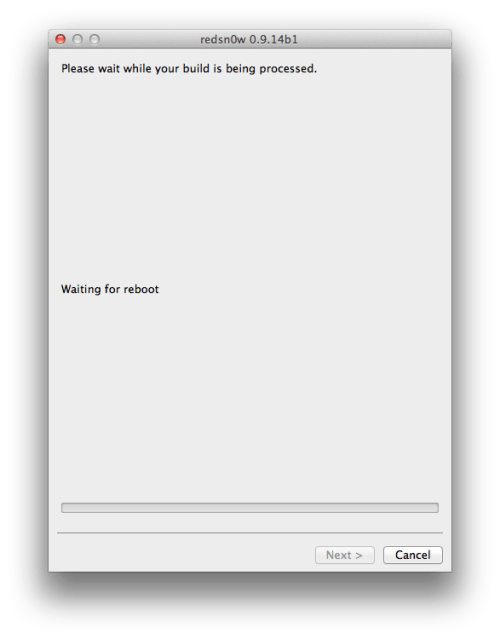
Step Eleven Your iPhone will now be exploited with limera1n and reboot
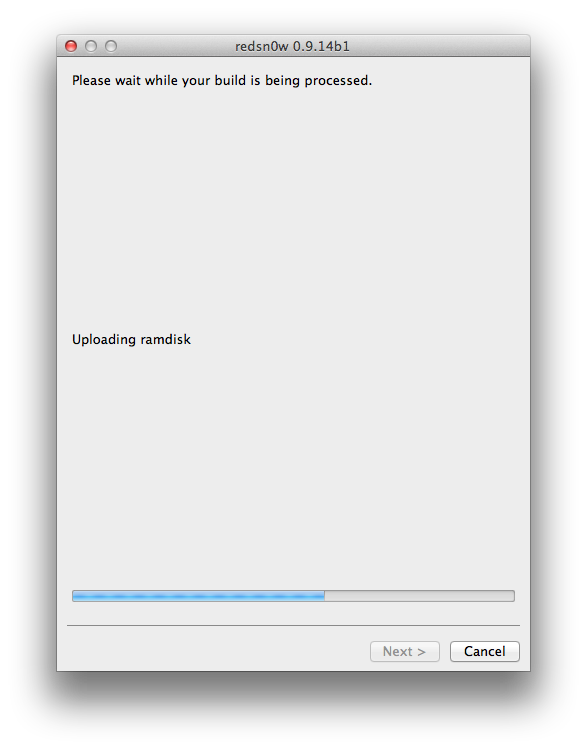
Step Twelve Your iPhone will now be rebooted again and RedSn0w will begin uploading the new RAM Disk and Kernel.
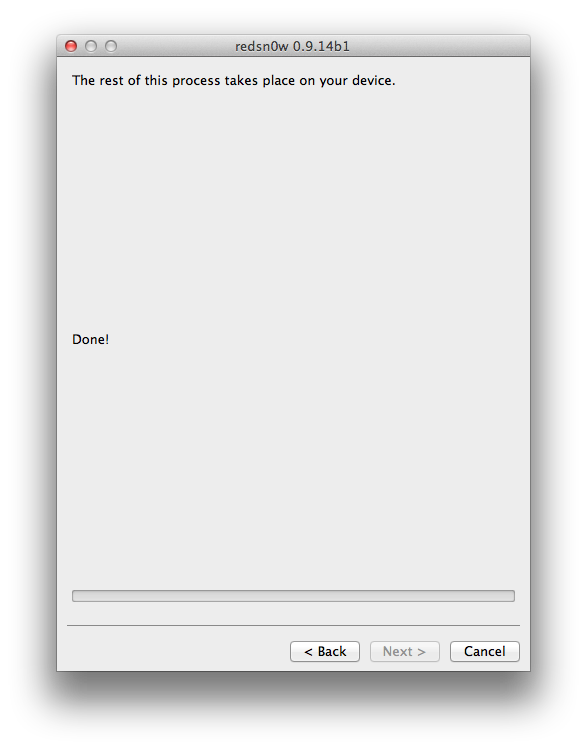
Step Thirteen RedSn0w will now inform you that its work is done. The rest of this process will take place on your device.
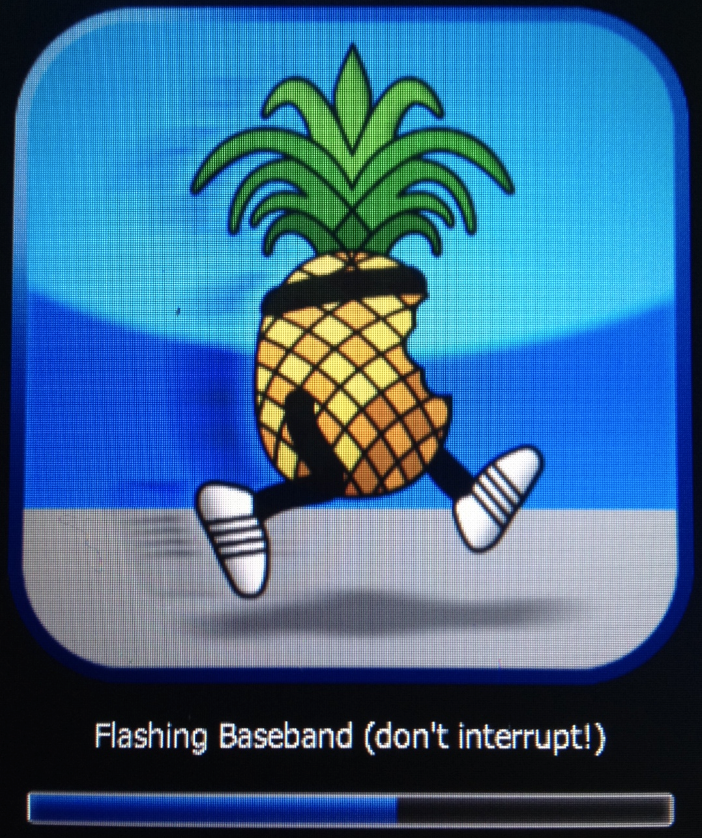
Step Fourteen After showing some scrolling text, your iPhone will display the pwnapple icon and say Flashing Baseband. THIS STEP TAKES A VERY LONG TIME to complete and there won't be any feedback while its running. Please just let it be for the next 3-8 minutes! When the ramdisk has done its job it will reboot the phone on its own.
Step Fifteen Once the phone has rebooted you will be on the 05.13.04 baseband. You can then follow this tutorial to unlock!
***A big thanks to the iPhone Dev-Team for making this possible!
Get the iClarified Daily Newsletter
Apple news, rumors, tutorials, price drop alerts, in your inbox every evening, free.
Unsubscribe at any time.
Success!
You have been subscribed.
Add Comment
Would you like to be notified when someone replies or adds a new comment?
Yes (All Threads)
Yes (This Thread Only)
No
Notifications
Would you like to be notified when we post a new Apple news article or tutorial?
somehow I managed to flash 06.15 baseband from 05.16 on my 3GS, but any attempt to downgrade 06.15 to 05.13 ends with a redsn0w message "the connected device doesn't support untethered options". any idea what could it be and whether there is any runaround would be greatly appreciated
Hi I tried doing it. In the end it gives me an ERROR. "Please reboot the device in to normal operating mode. then perform a clean slide to power off. then try redsnow again.
\
what do i do now? cant switch off or get out of this.
please help.
Great tutorial thank you for you hard work. How ever I can not get my 3gs to downgrade. I have tried just about every version of redsn0w with every possible firmware. currently stuck with iOS 4.1(8b117) with baseband 06.15.00 my phone is bell 3GS Model MC637C and serial 86023F0UEDG. Currently unlocked and jailbroken with redsn0w latest and ultrasn0w latest. I haave been pulling my hair out for a week now. I can reinstall the 06.15.00 with no issues and everything seems to work fine including the gps?? but when I try to downgrade redsn0w starts the exploit then crashes saying downgrade failed?? Anyone have any ideas?
I'm having the same issue as Redtowner. I have a factory unlocked 3GS (serial ---947) with baseband 15.16.08 and want to downgrade my baseband back to 5.13 so I can get my imessage and picture messaging capability back and so my signal will stop spazzing. Anyone offer any advice?
Oh! I did it! Read! I have an iPhone 3G on 4.2.1, SIM-locked, ultrasn0w wouldn't unlock it... so I upgraded to 06.15 iPad's baseband, then, using the latest redsn0w version, I tried to downgrade from iPad baseband. After redsn0w did its thing, iPhone rebooted and there was no baseband anymore! No cellular, no wifi, no bluetooth, IMEI, etc. So I tried other redsn0w versions, finally 09.14b1 was the one that worked!
Hi Grandpa,
I ran my iPhone 3GS with OS6 and 05.16.07 using the latest Redsn0w_10.9.15b2 and iPhone2.1_6.0_10A403_Restore.ipsw per the above process but the phone would not downgrade and unlock.
Am I using the correct files. Your assistance and advice is most appreciated.
Thanks
can some one help me my flash band thingy does not show... it just go straight to apple logo after loading jail break thingy... any help would be appreciate....
I have an iphone 3GS foreign, unlocked and activated with sn0wbreeze 2.9.5 firmware 5.1.1 BB 06.15.00. The phone unlocked with Ultrasnow from cydia .. the only problem is that GPS works poorly and above notifications are not coming, and this is the thing that penalizes more .. solutions? I tried SAM, fix push, push doctor but nothing .. if I downgrade the BB work out with notifications? the phone still work?
Hola como estan?? muchisimas giarcas por su tiempo y por el que se han tomado para desarrollar tantos programas para el iPhone. El metodo funciona a la perfeccion! pero cuando hago el update hasta 1.1.3 no puedo activar youtube, me dice que lo haga por iTunes pero no se que hacer en iTunes para activarlo. Si conocen la solucion se los agradesco muchisimo. Una vez mas Gracias por su tiempo.
I followed the instruction as listed. Did not get the Pineapple and still on 5.15 it did not down grade. What did I do wrong????
This phone is already JB on 4.2.1
i was using locked 3gs jailbreaked. i have wrongly updated my ios to 6 and i cannot activate it. Can anyone help how to jailbreak again using redsnow/absinthe or any other way.
Get the latest version of redsnow, redsn0w_win_0.9.15b3 and don't select any ipsw, it will only detect it. I had 4.3.3 and 06.15.00 installed on my 3gs and I just checked downgrade the baseband and unchecked all other options and it works. hope it helps.
Oh oh Thank you Thank you Thank you so much!!!!
I did it with the redsn0w_mac_0.9.14b2 and it worked beautifully!
(I never tried 0.9.14b1, I went straight to using b2) ;-)
I was surprised I didn't even have to re-sync or anything, not even having to install ultrasn0w again. It just worked. Wonderful!
I have had huge arguments with AT&T before (who turned out to have an illegal (!!) secret deal with Apple, and I talked to one supervisor after the other, and I threatened them to expose the illegal issues, since my husband is a U.S. lawyer - and since they admitted it (!) - but as i understand, you can now unlock with AT&T, so I'll call them again -- I'm a Swede btw so I need it unlocked).
I am so very, very grateful. Thank you so incredibly much!
The 615 Blues
So I tried it again with redsn0w_mac_0.9.14b2, but I still get "Exploit failed".
I could also not backup that log file that was suggested.
iPhone: 3GS
IOS: 4.2.1(8C148a)
Model: MB716LL
Serial: 5K9342
Locked to AT&T but unlocked by, i think ultrasn0w
BB: 06:15.00
GPS: NO
Hey guys, if you're on an unjailbroken 05.16.05 3GS and want to unlock, do I first have to jailbreak and upgrade to the iPad baseband then jailbreak again with this process to downgrade to 05.13.04?
Thanks in advance.






![Apple Readies New Smart Home Hub, Apple TV, and HomePod mini [Report]](/images/news/101609/101609/101609-160.jpg "Apple Readies New Smart Home Hub, Apple TV, and HomePod mini [Report]")
![Apple Shares Official 'Ted Lasso' Season 4 Trailer Ahead of August 5 Premiere [Video]](/images/news/101608/101608/101608-160.jpg "Apple Shares Official 'Ted Lasso' Season 4 Trailer Ahead of August 5 Premiere [Video]")