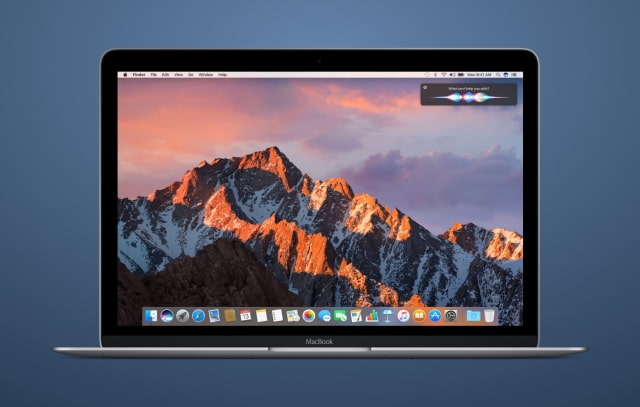
Apple is making macOS Sierra an automatic download starting today, reports The Loop. That means, for users who have auto update downloads enabled, the new operating system will download in the background.
It’s important to note that this is not an automatic installer—this process will only download the update in the background, and then alert you that it is available to install. You can choose to install it when its convenient. You can also choose to ignore the update.
The update will only be download on systems that support the new operating system. It will not download on systems that are low in space and if your system starts to run out of space the download will be deleted.
You can also manually delete the download if you don't want to upgrade and manually update at any time.
Apple plans to roll out auto download over the next week.
Apple news, rumors, tutorials, price drop alerts, in your inbox every evening, free.
Unsubscribe at any time.
Success!
You have been subscribed.
Add Comment
Would you like to be notified when someone replies or adds a new comment?
Yes (All Threads)
Yes (This Thread Only)
No
Notifications
Would you like to be notified when we post a new Apple news article or tutorial?
Yes
No
Comments (9)
Comments are closed for this article.
0
gamerscul9870 - October 4, 2016 at 3:16am
Another piece of gold that is post-mature that useable down to the core. Glad I had this set to automatic because it's now time to get the most out of OS X. Also, finder is still a useable piece of gold to.
0
Suki - October 3, 2016 at 10:57pm
The macOS Sierra release feels unstable and premature. I am looking for information on how to roll back to El Capitan.
0
gamerscul9870 - October 4, 2016 at 3:19am
So you upgraded anyway just so you can make this excuse or you mistakenly clicked on the upgrade button? Okay, first off, not everything released is expected to run well on the very first version. This is why any os in general always gets more than one update. 2. I happen to find this update smart. 3. It's your fault either way you upgraded by accident I mean the article clearly says it doesn't update to OS X.10 when you clearly have an option and update at your own desire.
0
Ok - October 3, 2016 at 7:33pm
lol it's only if you have automatic downloads activated so you have already said to apple yes please download updates so completely optional so apple is not forcing anything.
0
Devils - October 3, 2016 at 7:19pm
So they are take notice for Windows where it automatically downloads and installs but doing one step better and not automatically installing the software
0
SpeakLogic - October 3, 2016 at 6:23pm
I dislike when Apple makes their product an automatic download on your system. If people want it, they will download it themselves.
1
Blackapino - October 3, 2016 at 6:59pm
They aren't forcing you to do anything. Did you read the whole article? You can delete the download and manually download it yourself. It's not the same as what Windows did where they forced you to upgrade to Windows 10 whether you wanted to or not.
0
rkflyer - October 3, 2016 at 6:16pm
When oh when will Apple learn not everywhere in the world has 100mb/s download speed.
0
RWR - October 4, 2016 at 1:35am
You mean when you have a 2GB personal hotspot and apple sucks that up with a setting set as on by default.











![How To Change Wallpaper on Mac [Video]](/images/tutorials/90512/90512/90512-160.jpg "How To Change Wallpaper on Mac [Video]")
![How To Turn Off Always On Display on iPhone [Video]](/images/tutorials/87524/87524/87524-160.jpg "How To Turn Off Always On Display on iPhone [Video]")





![16-Inch M5 Max MacBook Pro Drops $900 to New Low of $3,499 [Deal]](/images/news/102438/102438/102438-160.jpg "16-Inch M5 Max MacBook Pro Drops $900 to New Low of $3,499 [Deal]")
![Magic Keyboard for iPad Air Drops to $200 on Amazon [Deal]](/images/news/102402/102402/102402-160.jpg "Magic Keyboard for iPad Air Drops to $200 on Amazon [Deal]")
