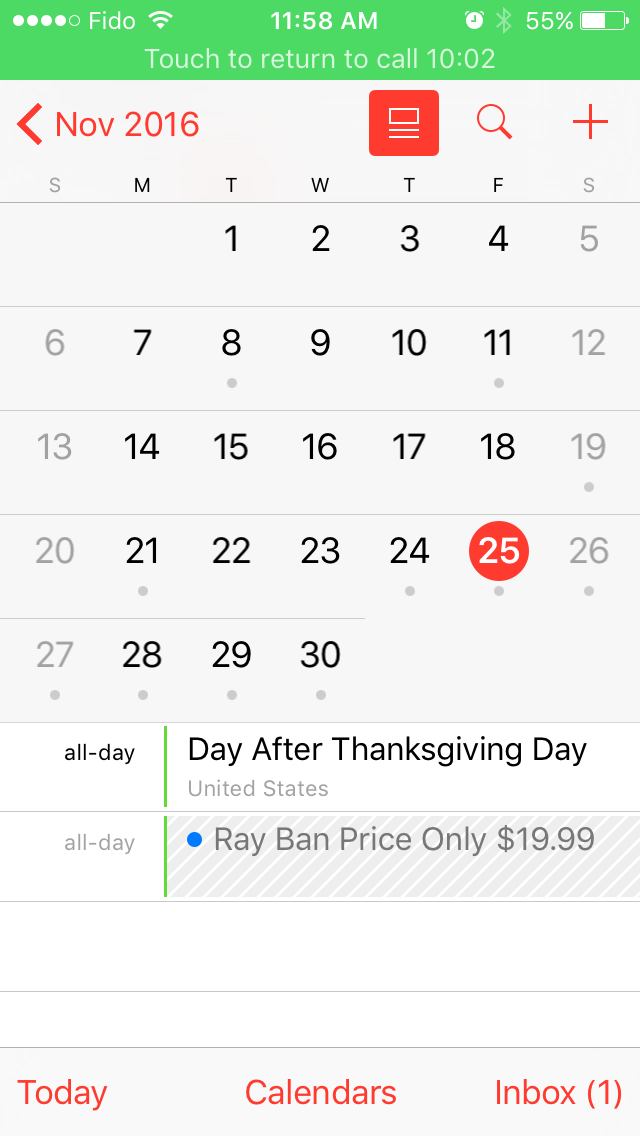
We are sorry that some of our users are receiving spam calendar invitations. We are actively working to address this issue by identifying and blocking suspicious senders and spam in the invites being sent.
Unfortunately, you currently cannot mark calendar invitations as spam and responding to the invitation will only confirm your email address is valid to the spammer.
The best solution at this time appears to be logging into iCloud.com, selecting Calendar, navigating to Settings, and sending your invites to email. You can then delete the email invite. Alternatively, a second calendar can be created and you can move the invite to that calendar then delete the entire calendar without the spammer being notified.
We'll let you know if Apple takes any further steps to address the issue. Please follow iClarified on X, Facebook, or RSS for updates.
Get the iClarified Daily Newsletter
Apple news, rumors, tutorials, price drop alerts, in your inbox every evening, free.
Unsubscribe at any time.
Success!
You have been subscribed.
Add Comment
Would you like to be notified when someone replies or adds a new comment?
Yes (All Threads)
Yes (This Thread Only)
No
Notifications
Would you like to be notified when we post a new Apple news article or tutorial?
Yes
No
Comments (2)
Comments are closed for this article.
0
Kourosh32 - December 1, 2016 at 2:31pm
Hi everybody.
My friends wants to buy an iPhone 7 and I know that she can check the warranty and other status on the Apple site by entering her iPhone serial number.
Can anyone tell me how she can know that her new iPhone is never used before?
When she entering her iPhone serial number on the Apple site for the first time before activating it, what’s happening?
Does she should see these messages? This iPhone has not been activated or please activate your iPhone.
I checked another my friends warranty status on the Apple site, I see estimated expiration date: October 24, 2017 under the Repairs and Service Coverage: Active. This means that he activated his iPhone October 25, 2016?
I'm sorry, I can't write English well, because I don't know English well.
Please help me, this is very important for me.
Many thanks to everybody.
Have a good time.
Good luck.












![Apple AirTag 2 4-Pack Drops to New All-Time Low of $79 [Deal]](/images/news/101860/101860/101860-160.jpg "Apple AirTag 2 4-Pack Drops to New All-Time Low of $79 [Deal]")
![AirTag 2 (4-Pack) Hits All-Time Low of $85, Just $21.25 Each [Deal]](/images/news/101856/101856/101856-160.jpg "AirTag 2 (4-Pack) Hits All-Time Low of $85, Just $21.25 Each [Deal]")
![LG 27-Inch UltraGear OLED Monitor Hits All-Time Low of $467.97 [Deal]](/images/news/101851/101851/101851-160.jpg "LG 27-Inch UltraGear OLED Monitor Hits All-Time Low of $467.97 [Deal]")