Four HomePods Around Your TV: What Apple's New Surround Setup Requires and Costs
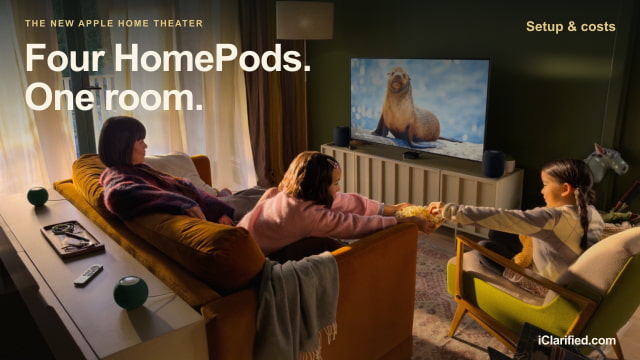
Apple's new surround setup will let you put two HomePods beside the TV and two behind the sofa. If you already use a pair of second-generation HomePods for TV audio, you can keep them up front and add two HomePod mini 2s at the rear.
You'll need the new Apple TV 4K to make it work, though, even if your current model already supports your stereo pair. That makes this more than a two-speaker purchase for most existing owners, while anyone starting from scratch has a bigger decision: build around HomePods or buy a soundbar system.
You Need the New Apple TV 4K
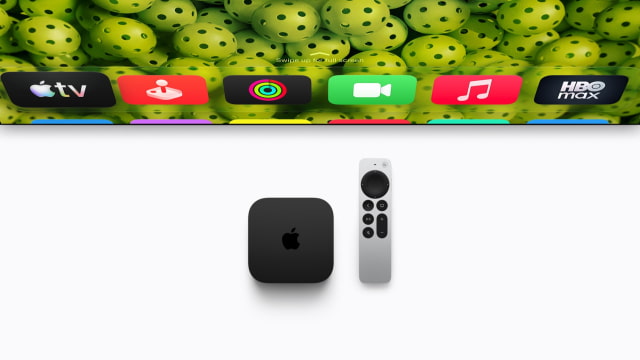
Four-speaker surround requires the fourth-generation Apple TV 4K, announced in October 2026, and four supported HomePods running the latest software. The new box costs $299. A 2022 Apple TV 4K cannot run this mode, even if it already works with your HomePod stereo pair.
The supported speakers are HomePod mini 2 and the full-size HomePod (2nd generation). First-generation HomePods and original HomePod minis cannot join this system, so owners of those models would need four new speakers as well as the new Apple TV.
Match Each Pair, Not Necessarily All Four
The two front speakers must match, and the two rear speakers must match. All four can be HomePod mini 2, or all four can be HomePod 2. You can also keep two HomePod 2s at the front and add two mini 2s behind you—the mixed arrangement Apple shows in its announcement.
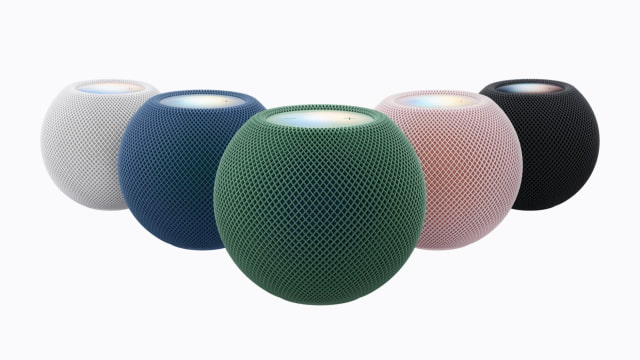
One HomePod 2 and one mini 2 will not form a stereo pair. Two mini 2s in different colors will, because it is the model and generation that need to match.
Once configured, the four speakers and Apple TV recognize the speakers' positions and automatically adjust timing and levels.
Wireless Speakers Still Need Places to Plug In
Before buying rear speakers, check that you have somewhere to put them and an outlet within reach. That can be awkward if your sofa sits against a wall. Each HomePod needs power, even though there's no speaker cable running back to the TV.
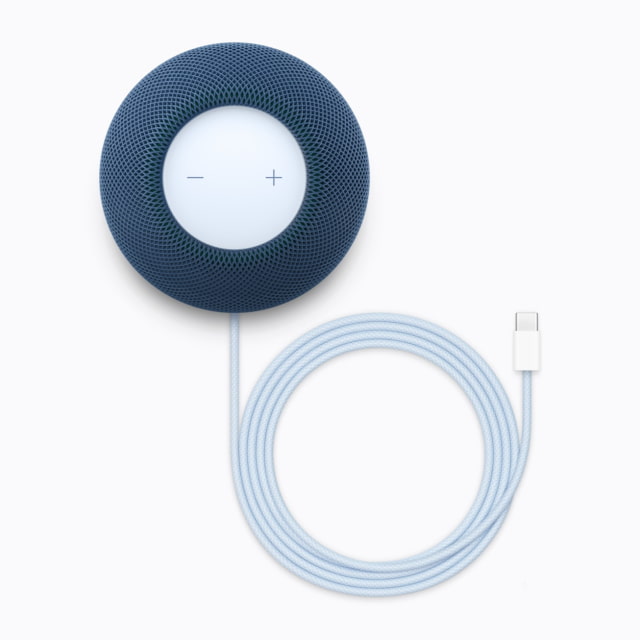
The mini 2 is easier to fit on a side table: it is 97.9mm wide and 84.3mm tall. HomePod 2 is 142mm wide and 168mm tall. The larger speaker has a 4-inch woofer and five tweeters, while mini 2 uses a full-range driver and two passive radiators.
What the Different Setups Cost
At current U.S. Apple retail prices, HomePod mini 2 costs $149, HomePod 2 costs $349, and the required Apple TV 4K costs $299. The least expensive all-new system is four mini 2s and the new Apple TV: $895 before tax, excluding the TV and any extra furniture or cabling.
| Feature | New hardware cost |
|---|---|
| Four mini 2s + new Apple TV | $895 |
| Two HomePod 2s + two mini 2s + new Apple TV | $1,295 |
| Four HomePod 2s + new Apple TV | $1,695 |
| Already own two HomePod 2s: add two mini 2s + new Apple TV | $597 |
If you already own two HomePod 2s, adding two mini 2s and the new Apple TV costs $597. The two rear speakers alone cost $298 if you are already buying the new Apple TV for other reasons.
Should You Replace a Soundbar?
If you already enjoy using two HomePod 2s for TV audio, adding rear speakers lets you keep that setup. For a new system, compare the $895 starting price with a soundbar package that includes rear speakers and a dedicated subwoofer.
Full-size HomePod 2 supports Spatial Audio with compatible content. Mini 2 supports the new four-speaker surround mode, but Apple does not list standalone Spatial Audio for it.
The new Apple TV supports ARC and eARC. If you also want to hear a game console or another connected device through the HomePods, check your TV's ARC or eARC support and Apple's final setup instructions.
When Can You Build It?
HomePod mini 2 reaches stores October 30. The new Apple TV 4K follows on November 13, so that is the earliest you can put the complete system together. The Apple TV and speakers will need the latest software.
If you're buying the whole system, wait for reviews that test bass, dialogue clarity, and surround effects with the speakers you plan to use.