Signal Blocks iPhone Screenshots by Default to Keep Siri AI Out of Chats
Signal now blocks screenshots and screen recordings by default on iPhones running iOS 27. The change, available in Signal 8.37 and later, is meant to keep Siri AI from reading chat content through its onscreen awareness feature.
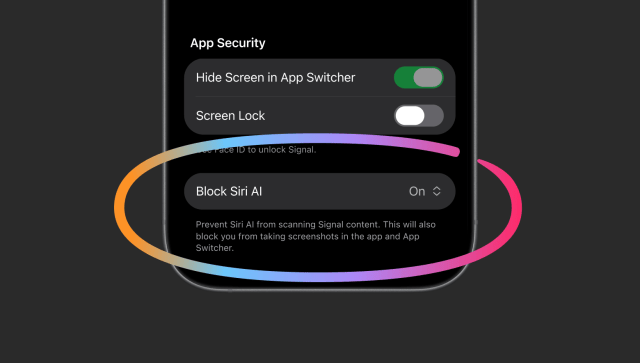
If you need to capture something in Signal, open the app's Settings and go to Privacy → Block Siri AI. You can turn the protection off or pause it for 10 minutes, after which it switches itself back on. Signal also offers those options when it prevents a screenshot. While the setting is off, Siri AI can read what's visible in the app.
In Signal's announcement, president Meredith Whittaker said that once an operating system's AI assistant captures what's on screen, Signal loses control over how that information is used or stored. The app still uses end-to-end encryption for messages. Signal is asking Apple and other operating system makers for a way to opt apps out of AI access while letting users take screenshots.
On Android, Signal automatically enables Screen Security when it detects an AI assistant trying to read the screen on supported devices. The Mac app lacks equivalent screenshot protection. Signal recommends going to System Settings → Siri and adding Signal to Excluded Apps on macOS 27.