Apple Releases Second Public Betas of iOS 27.3, macOS 27.3, and More
Apple has released the second public betas of iOS 27.3, iPadOS 27.3, macOS Golden Gate 27.3, watchOS 27.3, and tvOS 27.3. The updates bring this week's developer-beta changes to members of the free Apple Beta Software Program.
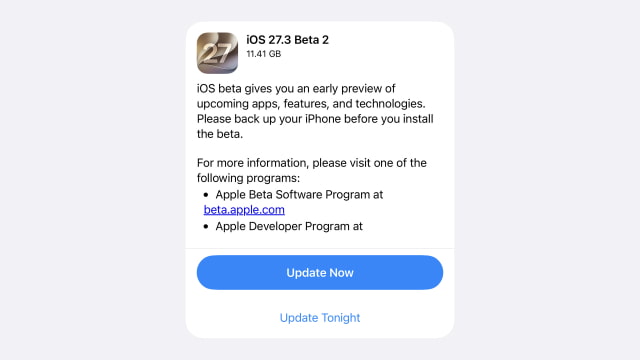
The iPhone and iPad updates are also available as revised developer beta 2 builds, replacing the seeds released on November 16. The current public-beta builds are:
- iOS 27.3 and iPadOS 27.3: 24C5049f
- macOS 27.3: 26C5047e
- watchOS 27.3: 24S5296d
- tvOS 27.3: 24K5298d
On iPhone, the latest changes include Siri AI access to Health data, full-webpage context in Safari, and revised Calendar controls. iPhone Duo gains front-camera unlocking and a Close to Lock option. The update also introduces daily limits for advanced Apple Intelligence features, with expanded access through eligible iCloud+ plans. Our iOS 27.3 beta 2 feature roundup covers these additions and the smaller changes.
The second macOS 27.3 beta brings more granular privacy controls for Full Disk Access and automation tools. The testing cycle also includes Safari's Vertical Tabs and Adaptive Dark Mode, introduced in the first beta.
Apple Watch Series 12 and Ultra 4 owners can continue testing Live Rewind and Siri Recap with watchOS 27.3 and a compatible iPhone running iOS 27.3. Availability varies by language and region. The TV app is also testing a free video podcasts section that does not require a subscription to Apple's streaming service.
To install, enroll through the Apple Beta Software Program using the Apple Account signed in on your device. On iPhone and iPad, open Settings > General > Software Update > Beta Updates and select the appropriate Public Beta option. On Mac, the equivalent setting is under System Settings > General > Software Update > Beta Updates.
Apple Watch updates are managed through General > Software Update in the Watch app on a paired iPhone. On Apple TV, open Settings > System > Software Updates and enable Get Beta Updates.
Back up your iPhone, iPad, or Mac before installing beta software.