Apple Watch Gets Live Rewind and Siri Recap in watchOS 27.3 Beta
Live Rewind and Siri Recap are now available for testing on Apple Watch Series 12 and Apple Watch Ultra 4 in the first watchOS 27.3 developer beta. The Audio Intelligence features let users catch words they missed or review summaries of conversations later.
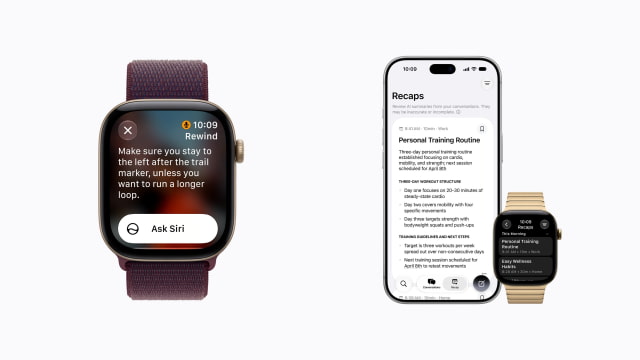
The additions arrive with today's watchOS 27.3 beta, following their preview at the September iPhone event. Sound Recognition and automatic Shazam music detection, the other two Audio Intelligence features, were already available on the new watches.
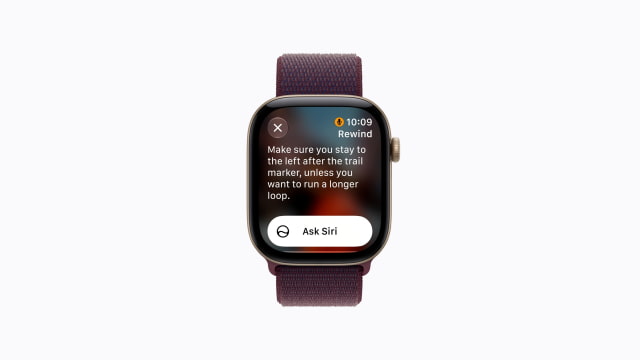
After opting in to Live Rewind, users can double-press the Digital Crown to display a text snippet from the previous 15 seconds of speech. The snippet can be saved to the Siri app or used to ask Siri a follow-up question. Otherwise, it disappears approximately 30 seconds after the Watch display dims.
Activating Live Rewind plays a chime through the Watch speaker, even in silent mode or with headphones connected. A full-screen animation and microphone indicator also appear to alert people nearby. Transcription does not continue in the background after the snippet.
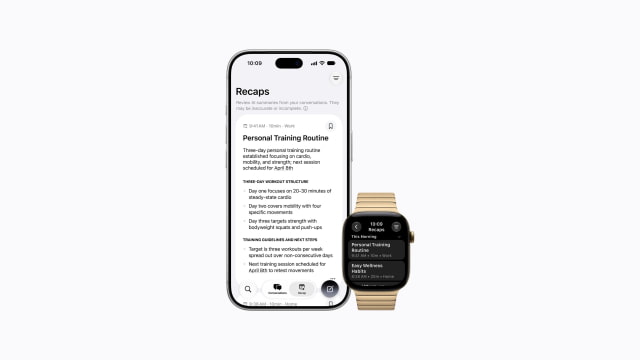
Siri Recap instead creates high-level summaries of conversations, rather than word-for-word transcripts. It does not label speakers or attribute statements to individuals. Users can enable it manually, schedule it by time or location, and turn it off at any time through Control Center. Unsaved summaries automatically disappear after seven days, while saved notes can be reviewed in the Siri app or exported to apps such as Notes and Journal.
Apple's Audio Intelligence privacy explainer says the features do not create or store audio recordings. Raw audio is handled in hardware-isolated buffers, separate from the operating system and apps, and deleted after processing. Saved snippets and summaries sync through iCloud with end-to-end encryption when two-factor authentication and a device passcode are enabled.
Processing is not entirely on-device. Live Rewind generates its initial snippet on the Watch and paired iPhone, but saving the text or asking Siri about it sends it securely to Private Cloud Compute. Siri Recap sends a condensed version of the conversation text to Private Cloud Compute to generate its summary, rather than sending raw audio to the cloud.
Recaps are designed to omit sensitive information such as financial details, authentication data, and government identifiers, although automated filtering may not catch everything. Apple also cautions that summaries and snippets can be inaccurate or incomplete.
Both tools require a supported iPhone 16 or later model, excluding iPhone 16e, with Apple Intelligence and Siri AI enabled. The initial beta is in English and is not available in the EU. Users under 13 cannot use the features, and those under 18 with a Child Account need a parent or guardian to enable access.