

Apple's new HomeView smart display features a set of sculpted, metallic wallpapers in Silver, Starlight, Rose Pink, and Space Gray. We've obtained the official HomeView wallpapers, with all four images available to download for your current iPhone, iPad, Mac, or another device.
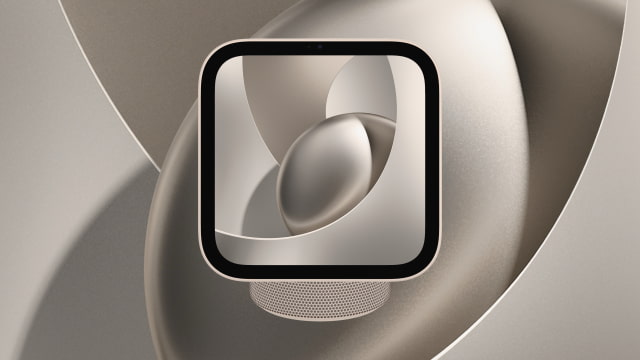
DOWNLOAD THE OFFICIAL APPLE HOMEVIEW WALLPAPER
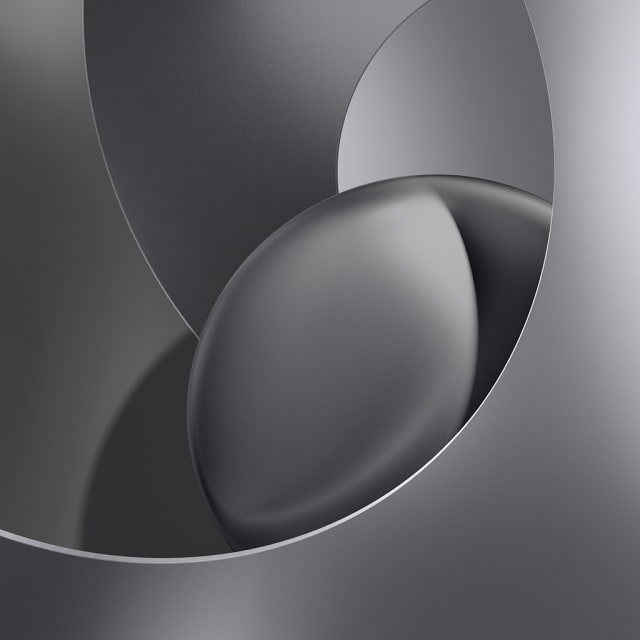
The HomeView wallpaper wraps broad, looping ribbons around a shaded metallic sphere. Fine grain, soft shading, and bright edges give the design a brushed-metal appearance.
Silver uses cool gray tones, while Starlight adds a warm champagne tint. Rose Pink brings a muted pink finish, and Space Gray gives the same sculpted design a darker look.
These are official Apple wallpaper assets. The JPGs we've obtained so far are 1024 x 1024 pixels, with 2x upscaled versions available at 2048 x 2048 pixels. We may be able to obtain higher-resolution wallpaper files closer to HomeView's release next month and will update this page if they become available.
You can download the HomeView wallpapers individually below or grab all four colors in both sizes by downloading the ZIP file we've created. If you share these, please be sure to link back to this page as the source.
Download Apple HomeView Wallpapers (ZIP)
Apple HomeView - Silver
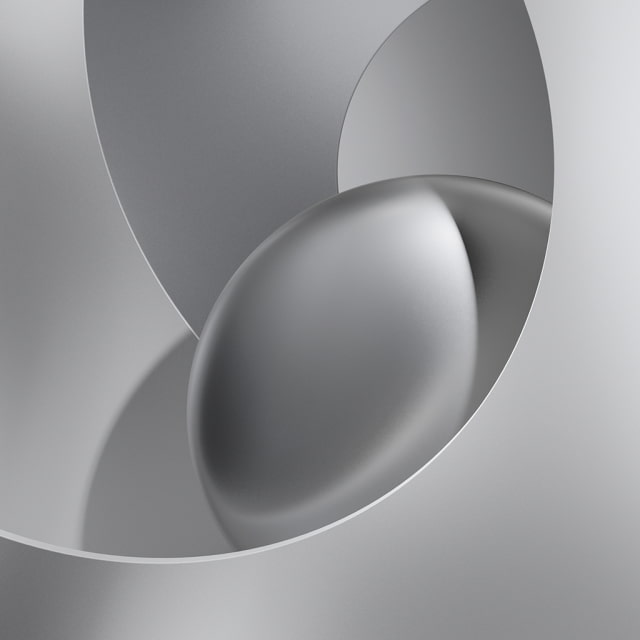
Apple HomeView - Starlight
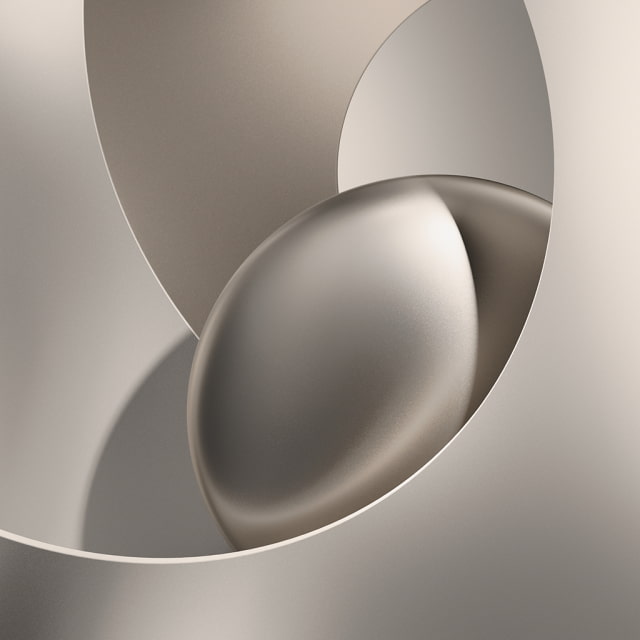
Apple HomeView - Rose Pink
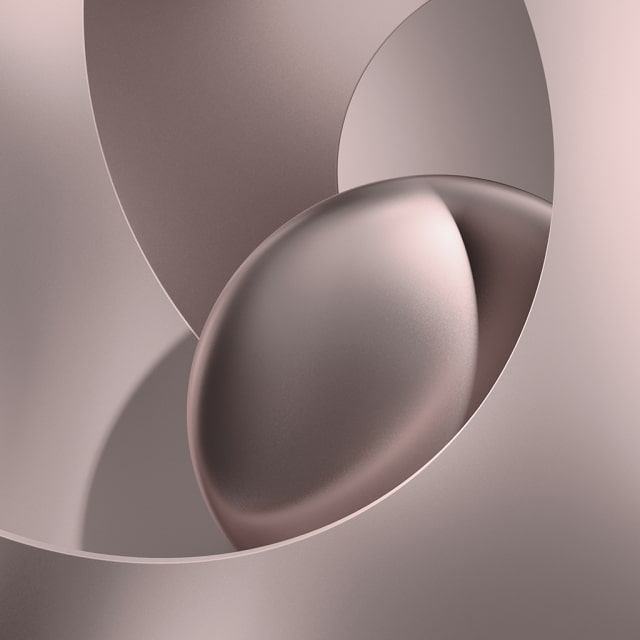
Apple HomeView - Space Gray
GET THE OFFICIAL IOS 27 WALLPAPERS
Looking for more new backgrounds? Our iOS 27 wallpaper collection includes Apple's Celosia design and its available variations.
Download the Official iOS 27 Wallpaper for iPhone
HOW TO APPLY YOUR NEW HOMEVIEW WALLPAPER
You don't need a HomeView to use these images. The square wallpapers can be used on phones, tablets, and computers; adjust the crop to fit your screen.
Download Process
Tap the download link below your chosen wallpaper to open the full-size JPG. On iPhone, touch and hold the image and choose Save to Photos, or use the Share menu to save it. On a computer, right-click the image and choose "Save Image As."
Applying the Wallpaper
Go to Settings > Wallpaper > Add New Wallpaper on your iPhone. Tap Photos, select the saved image, and adjust the crop. Tap Add, then choose Set as Wallpaper Pair to use it on both screens or Customize Home Screen to choose a different Home Screen look.
For detailed walkthroughs on iPhone and Mac, see our video tutorials:
How to Change Your Wallpaper on iPhone [Video]
How To Change Wallpaper on Mac [Video]
SUMMARY
The official Apple HomeView wallpapers bring the smart display's sculpted metallic design to your device in Silver, Starlight, Rose Pink, and Space Gray. Choose a color from the gallery or save the complete ZIP collection with both sizes included.
FREQUENTLY ASKED QUESTIONS
How many Apple HomeView wallpapers are available?
There are four colorways: Silver, Starlight, Rose Pink, and Space Gray. Each is available in two sizes, with the larger version upscaled. All eight JPGs are included in the ZIP file.
What is the resolution of the HomeView wallpapers?
The wallpapers currently available here are 1024 x 1024 pixels, with 2x upscaled versions at 2048 x 2048 pixels. HomeView's display has a resolution of 1088 x 1088 pixels. Higher-resolution wallpaper files may become available once the device is released. The images are square; crop or reposition them to fit your device.
Are these official Apple wallpapers?
Yes. The wallpapers we've obtained are official Apple assets. The optional 2x versions are upscaled from those files.
Are light and dark versions included?
This collection contains four colorways, including the lighter Silver and Starlight designs and the darker Space Gray design. We have not obtained separate light and dark versions for each color.
Can I use the HomeView wallpaper on my iPhone or Android phone?
Yes. Save a JPG and select it in your device's wallpaper settings. You can also use these images on an iPad, Mac, or another device that supports photo wallpapers. Adjust the crop to fit your screen.
Can I use these on both the Lock Screen and Home Screen?
Yes. The images have no clock or controls baked into them, so you can use the same wallpaper on either screen. This collection does not include separately supplied Home Screen versions.
Will the downloaded wallpapers animate?
No. These downloads are still JPG images and do not include HomeView's interactive face effects.
Where can I find more wallpapers for my device?
We have a massive collection of official Apple wallpapers. Check out some of the links below!
• Download the Official iPhone Duo Wallpaper Here
• Download the Official iPhone 18 Pro Wallpaper Here
• Download the Official iOS 27 Wallpaper for iPhone
• Download the Official iPhone 17 and iPhone 17 Pro Wallpaper Here
• Download the Official iPhone Air Wallpaper Here
• Download the Official iPadOS 27 Wallpaper for iPad
• Download the Official macOS 27 Golden Gate Wallpaper for Mac

![Apple Debuts Official Trailer for '12 12 12' Starring Anthony Mackie and Jamie Dornan [Video]](/images/news/102783/102783/102783-160.jpg "Apple Debuts Official Trailer for '12 12 12' Starring Anthony Mackie and Jamie Dornan [Video]")
![Apple Shows HomeView's FaceTime, Siri AI, and Home Controls in Two New Videos [Video]](/images/news/102774/102774/102774-160.jpg "Apple Shows HomeView's FaceTime, Siri AI, and Home Controls in Two New Videos [Video]")
![Apple Demonstrates Hands-Free Siri and HomePod Surround Sound on New Apple TV 4K [Video]](/images/news/102777/102777/102777-160.jpg "Apple Demonstrates Hands-Free Siri and HomePod Surround Sound on New Apple TV 4K [Video]")
![Apple Shows HomePod mini 2 Colors and Audio Features in New Video [Video]](/images/news/102780/102780/102780-160.jpg "Apple Shows HomePod mini 2 Colors and Audio Features in New Video [Video]")
![How To Turn Off iPhone [Video]](/images/tutorials/94999/94999/94999-160.jpg "How To Turn Off iPhone [Video]")
![How To Forward Calls on iPhone [Video]](/images/tutorials/92926/92926/92926-160.jpg "How To Forward Calls on iPhone [Video]")
![How To Back Up Your iPhone to an External Drive on Mac [Video]](/images/tutorials/72786/72786/72786-160.jpg "How To Back Up Your iPhone to an External Drive on Mac [Video]")






![Mac mini Drops to $779.99 for Prime Big Deal Days [Deal]](/images/news/102624/102624/102624-160.jpg "Mac mini Drops to $779.99 for Prime Big Deal Days [Deal]")
