Apple has introduced new official desktop wallpapers for macOS 27 Golden Gate, including four scenic backgrounds added during the developer beta cycle.
If you're looking to download the official macOS 27 Golden Gate wallpapers for Mac, you're in the right place. We've obtained the new backgrounds from the developer betas and are making them available for high-resolution download here at iClarified. We also shared the new wallpapers for iOS 27 and iPadOS 27.
You can download the macOS 27 Golden Gate wallpapers below, or grab all available versions by downloading the ZIP file we've created. If you share these online, please be sure to link back to this page as the source.
Experience the macOS 27 Golden Gate Wallpaper Collection
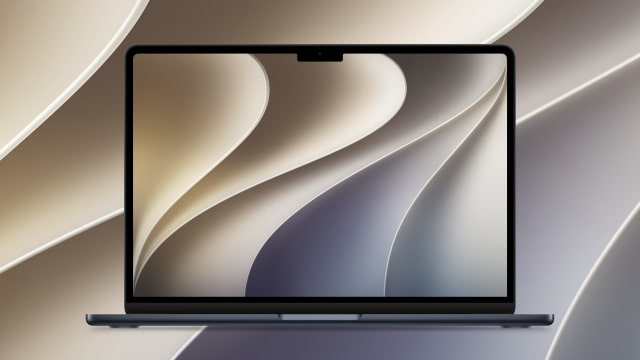
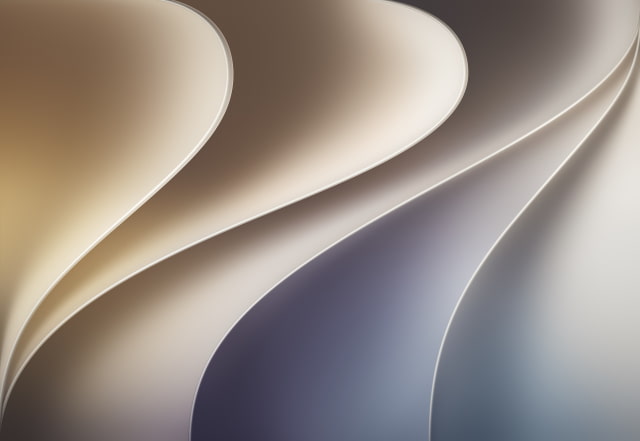
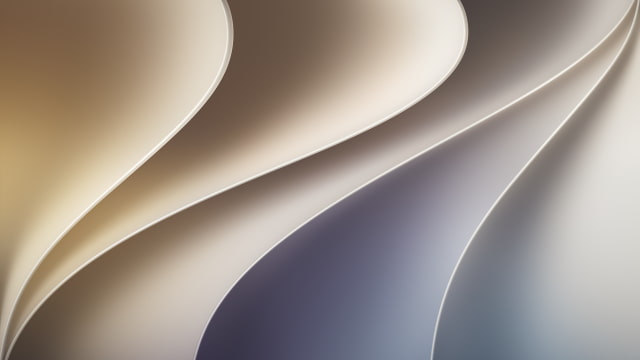
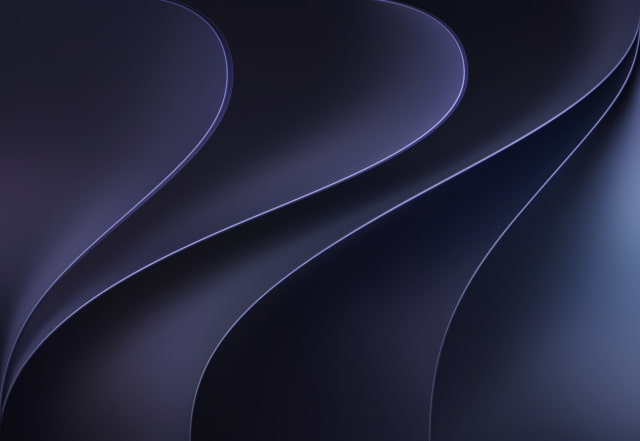
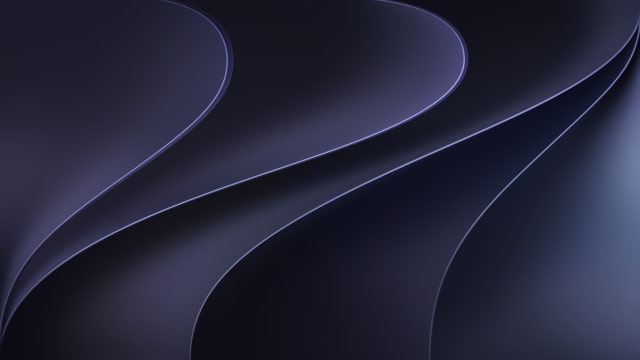
The original macOS 27 Golden Gate wallpaper features sweeping, overlapping curves and soft shadows. The aesthetic appears to be inspired by layered flower petals or folded paper, carrying over the same design language seen in iOS 27.
The wide desktop layout showcases a beautiful color gradient across the canvas. It transitions smoothly from warm, sandy gold and beige on the left side, curving down into soft greys and deep, moody indigos on the right. It provides a clean, modern, and highly sophisticated 3D look for your Mac desktop.
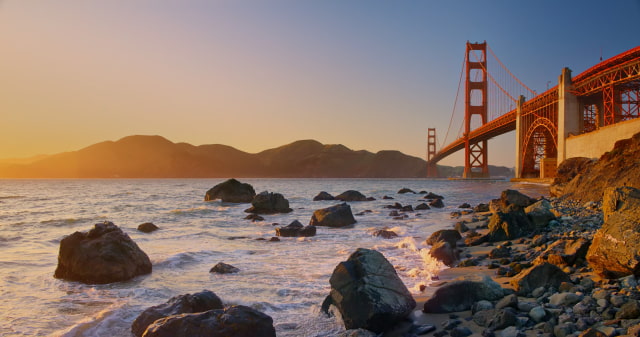
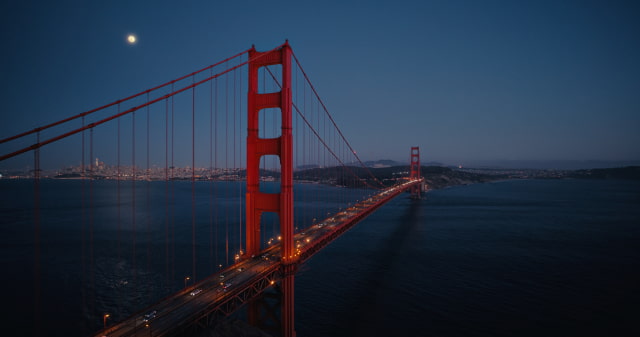
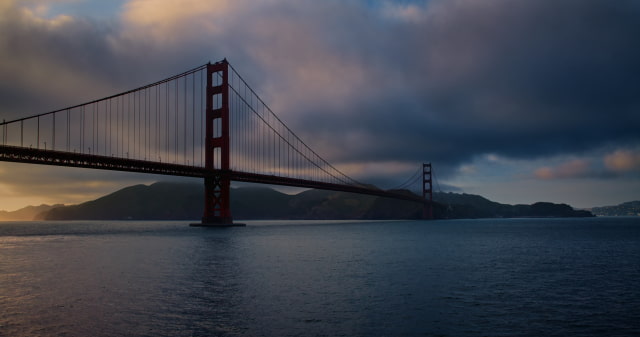
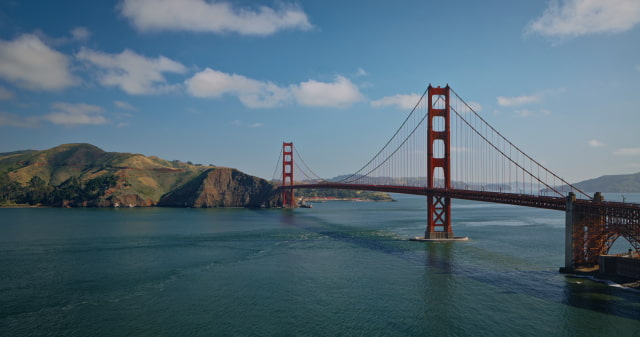
In macOS 27 beta 3, Apple expanded the collection with two photorealistic scenic wallpapers: "Golden Gate Sunset" and "Golden Gate Night." Golden Gate Sunset shows the bridge at golden hour from a rocky shoreline, while Golden Gate Night features an aerial view with the bridge illuminated over the bay. Beta 6 added two more backgrounds: "Golden Gate Day" and "Golden Gate Evening." Golden Gate Day presents the bridge beneath a bright blue sky, while Golden Gate Evening frames it against dramatic clouds and warm light near the horizon. Together, the four wallpapers showcase the Golden Gate Bridge at different times of day.
DOWNLOAD THE OFFICIAL MACOS 27 WALLPAPER
We are providing the new macOS 27 Golden Gate wallpaper in its stunning native 4480 x 3088 resolution in both light and dark variants. We have also created a standard 4K and 5K versions for maximum compatibility with external monitors.
The new scenic Golden Gate Sunset and Golden Gate Night wallpapers added in macOS 27 beta 3 are available in 4096 x 2160 resolution.
Now that you've seen the beautiful new macOS 27 wallpaper, let's get it onto your Mac. Follow these straightforward instructions to download and apply your new background.
Download Process
Click a download link above; the full-resolution image will open in a new tab. Right-click and choose "Save Image As" to save it to your Mac.
Applying the Wallpaper
Once downloaded, open System Settings, select Wallpaper, click "Add Photo", and choose the image you downloaded.
FREQUENTLY ASKED QUESTIONS
What wallpapers are included with macOS 27 Golden Gate?
macOS 27 Golden Gate includes the original abstract Golden Gate wallpaper in light and dark variants. Apple also added two scenic wallpapers in beta 3: Golden Gate Sunset and Golden Gate Night and then another two in beta 6: Golden Gate Day and Golden Gate Evening.
What is the new design in macOS 27?
The original Golden Gate design in macOS 27 features elegant, sweeping curves that appear to be inspired by layered flower petals or smooth, folded paper. It utilizes soft gradients and subtle drop shadows to create a clean 3D effect, transitioning beautifully from warm golds to deep indigos across your desktop.
What is Golden Gate Sunset?
Golden Gate Sunset is a photorealistic macOS 27 wallpaper showing the Golden Gate Bridge at golden hour from a rocky shoreline.
What is Golden Gate Night?
Golden Gate Night is a darker aerial wallpaper showing the Golden Gate Bridge illuminated at night, with the San Francisco skyline, traffic lights, and the moon visible in the scene.
Which Macs can run macOS 27?
According to Apple, macOS 27 will be available this fall as a free software update for compatible Apple Silicon Mac models.
What is the resolution of the macOS 27 wallpaper?
The original macOS 27 Golden Gate wallpaper is provided in its native 4480 x 3088 resolution, ensuring it looks crisp on your Mac's Retina display. We have also included standard 4K and 5K versions for maximum compatibility with external monitors. The Golden Gate Sunset image is available at 2560 x 1440, while Golden Gate Night is available at 4096 x 2160.
Can I use this wallpaper on other devices?
Absolutely. You can download and use this wallpaper on any device, including Windows PCs, older Macs, or even tablets. You may just need to use your system's settings to crop or "fill" the image to fit your screen perfectly.
Where can I find more wallpapers for my Mac?
We have a massive collection of official Apple wallpapers. Check out some of the links below!



![CT Scan Reveals How iPhone Duo's Hinge Works [Video]](/images/news/102981/102981/102981-160.jpg "CT Scan Reveals How iPhone Duo's Hinge Works [Video]")
![Apple Tests Face ID and Action Button for iPhone Duo, Considers Larger Display [Gurman]](/images/news/102972/102972/102972-160.jpg "Apple Tests Face ID and Action Button for iPhone Duo, Considers Larger Display [Gurman]")




![How To Back Up Your iPhone to an External Drive on Mac [Video]](/images/tutorials/72786/72786/72786-160.jpg "How To Back Up Your iPhone to an External Drive on Mac [Video]")

![How To Find Your IP Address on iPhone [Video]](/images/tutorials/496/496/496-160.jpg "How To Find Your IP Address on iPhone [Video]")

![Apple's iPhone 18 Pro and Pro Max Cases Are Up to 37% Off [Deal]](/images/news/102978/102978/102978-160.jpg "Apple's iPhone 18 Pro and Pro Max Cases Are Up to 37% Off [Deal]")
![16-Inch MacBook Pro With M5 Pro Drops to $2,429 ($570 Off), Lowest Price We've Seen [Deal]](/images/news/102957/102957/102957-160.jpg "16-Inch MacBook Pro With M5 Pro Drops to $2,429 ($570 Off), Lowest Price We've Seen [Deal]")

![16-Inch MacBook Pro With M5 Max Drops to $3,499 ($900 Off), Lowest Price We've Seen [Deal]](/images/news/102900/102900/102900-160.jpg "16-Inch MacBook Pro With M5 Max Drops to $3,499 ($900 Off), Lowest Price We've Seen [Deal]")
![Mac Studio With M5 Max Is $200 Off, Lowest Price We've Seen [Deal]](/images/news/102897/102897/102897-160.jpg "Mac Studio With M5 Max Is $200 Off, Lowest Price We've Seen [Deal]")
