Apple has just unveiled iOS 27 at WWDC 2026, the latest iteration of its iPhone operating system, and with it, beautiful new official wallpapers!
If you're eager to get your hands on the official iOS 27 wallpapers, you're in the right place. We've managed to obtain the new wallpapers from the first developer beta, and we're making every version available for download exclusively here at iClarified. We've also shared the new wallpapers for iPadOS 27 and macOS 27.
You can download the iOS 27 wallpaper variations individually below, or grab the entire set by downloading the ZIP file we've created. If you share these, please be sure to link back to this page as the source.
Experience the New 'Celosia' Design with the iOS 27 Wallpaper
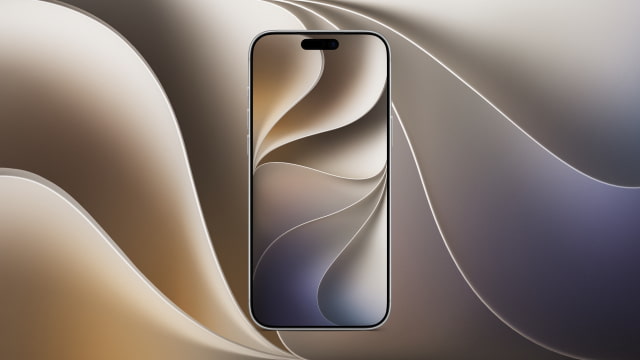
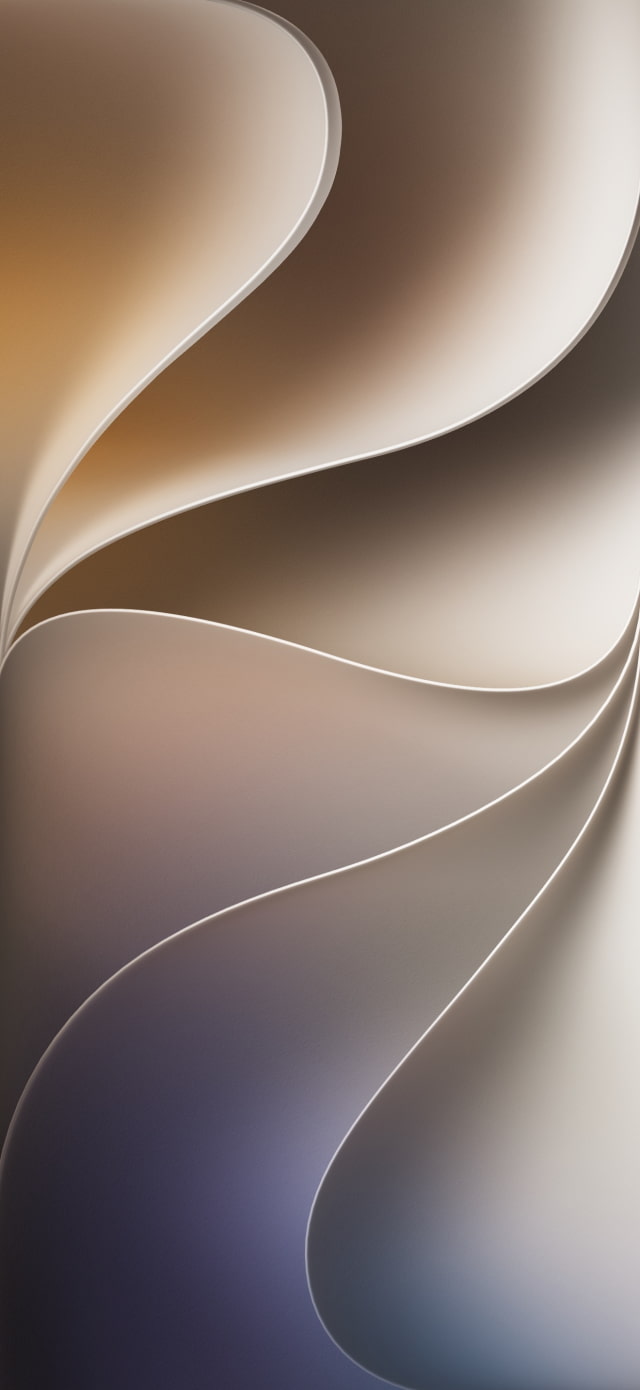
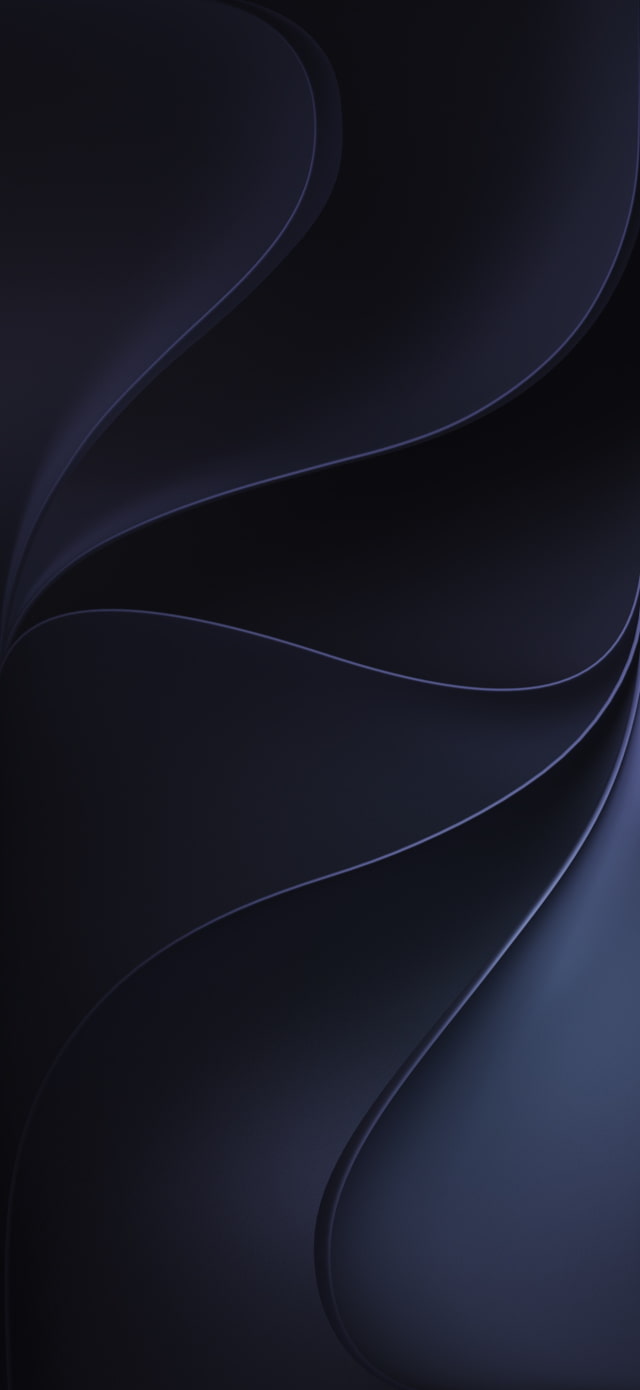
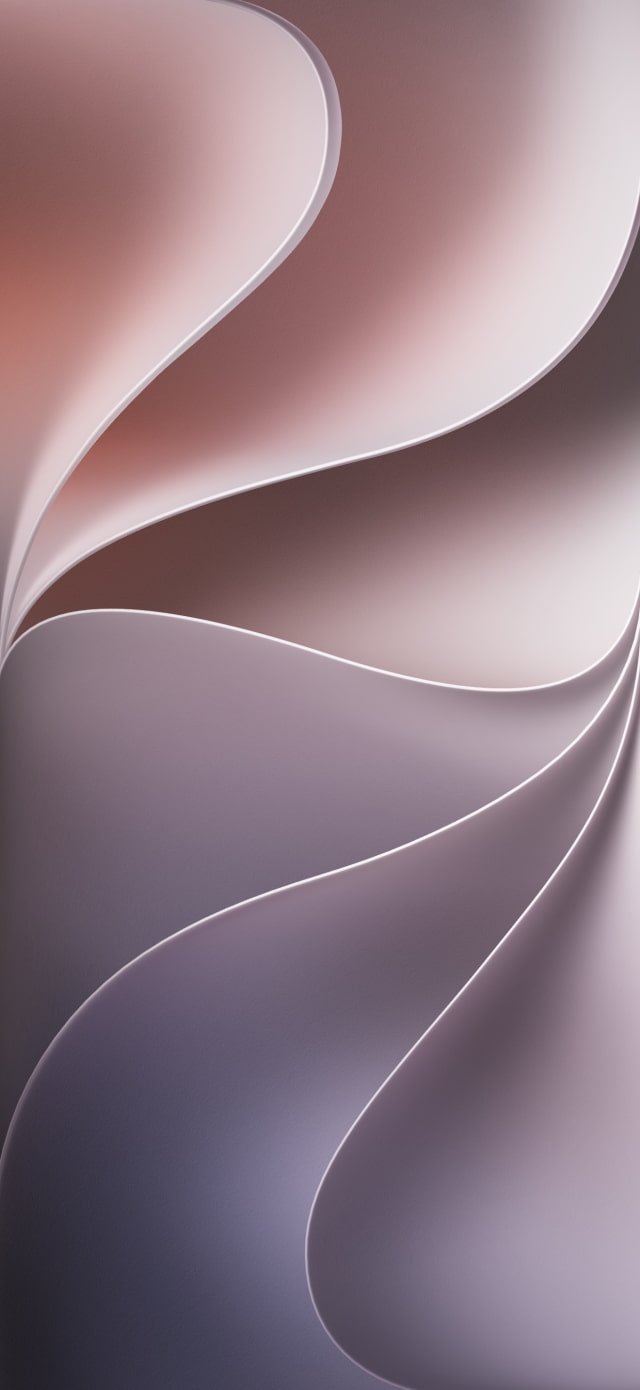
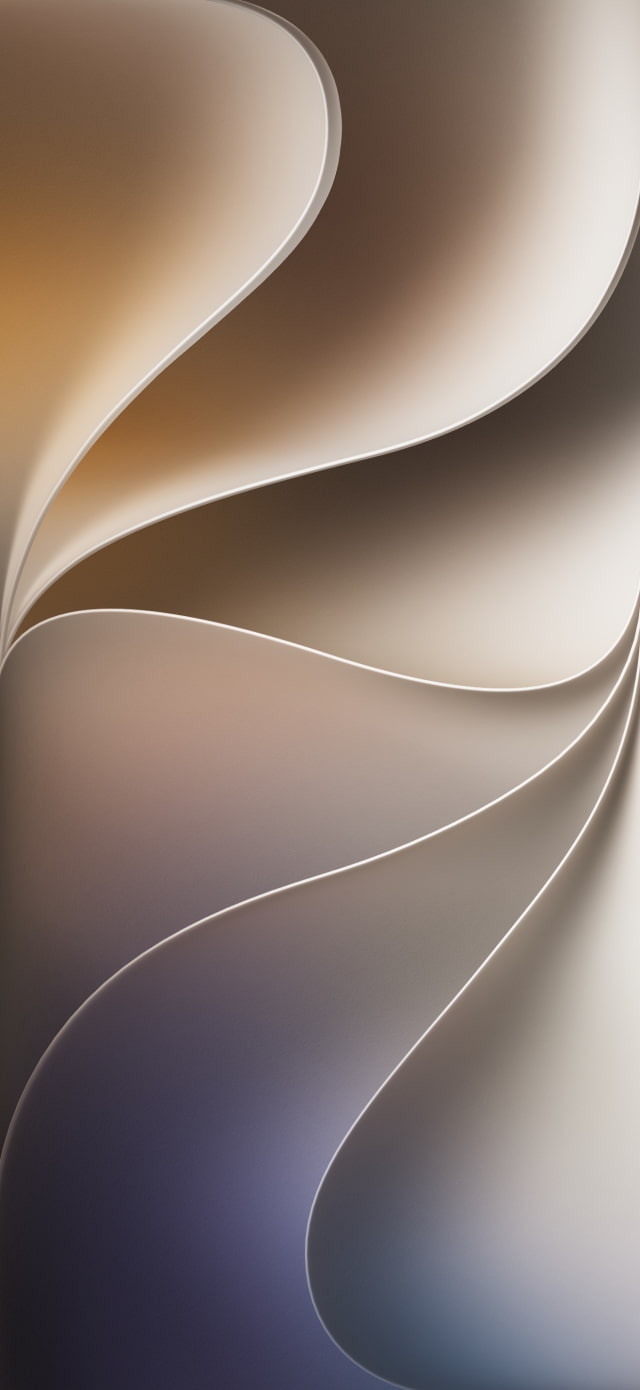
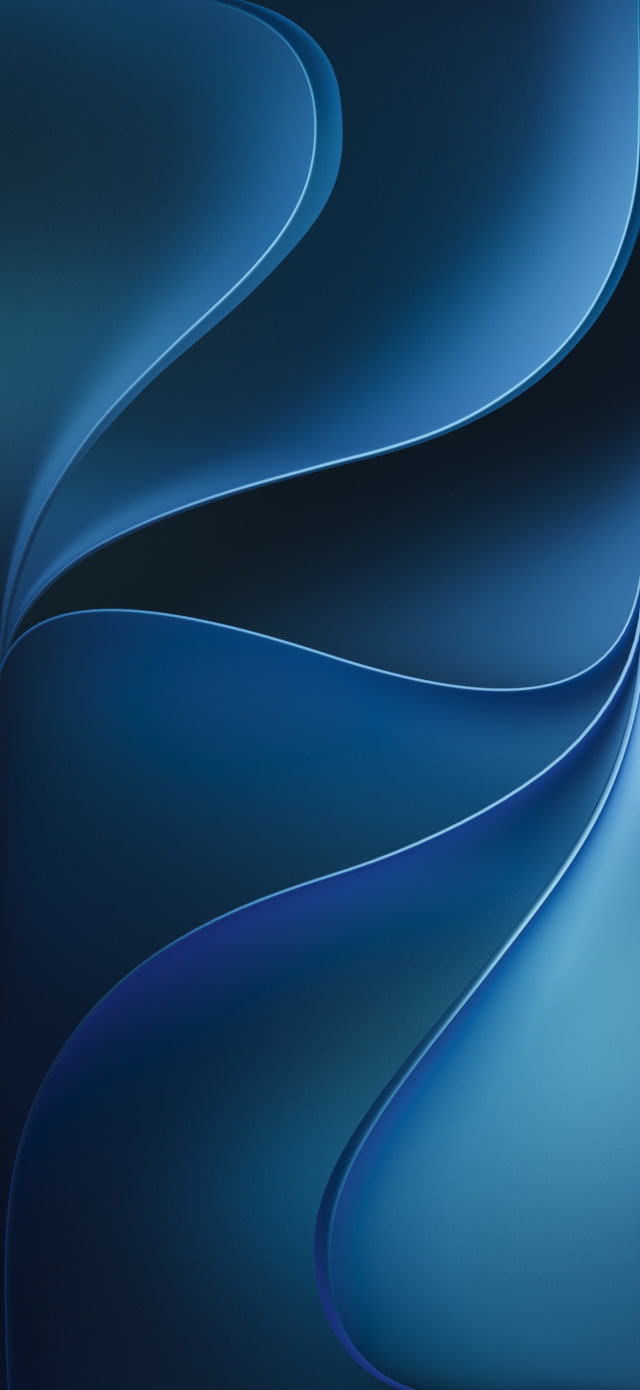
This year's iOS 27 wallpaper introduces a new design named 'Celosia'. Featuring sweeping, overlapping curves and soft shadows, the aesthetic appears to be inspired by layered flower petals or folded paper.
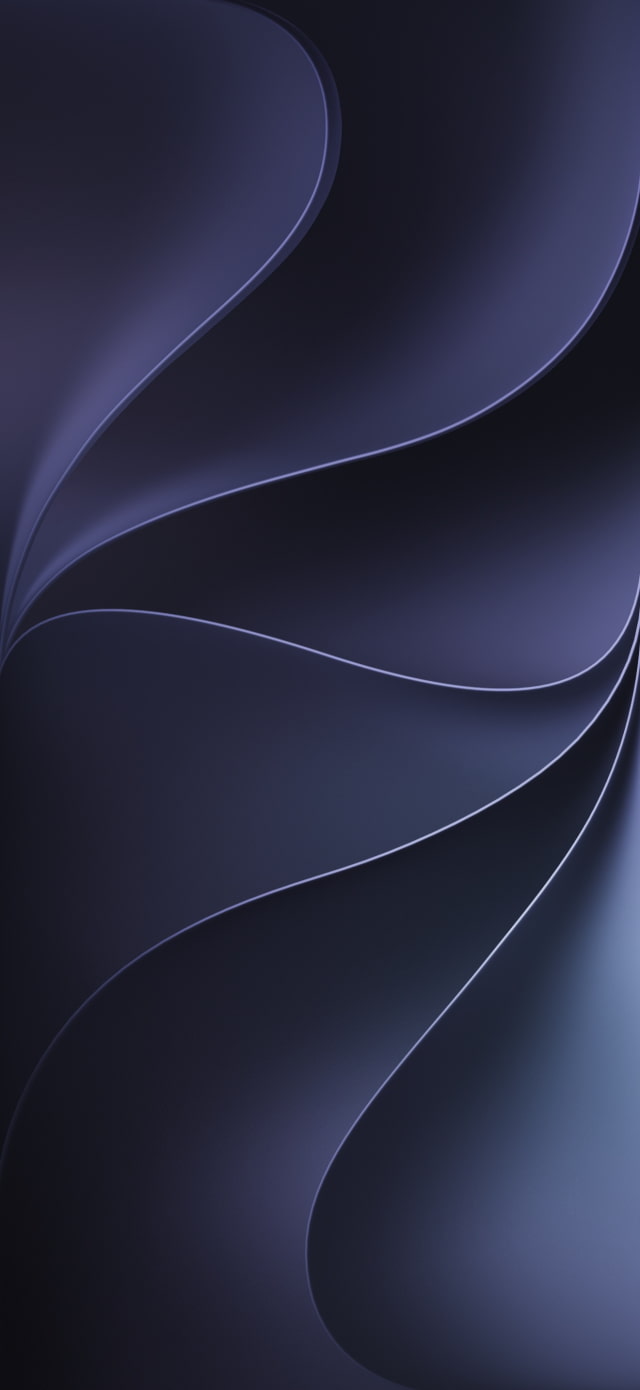
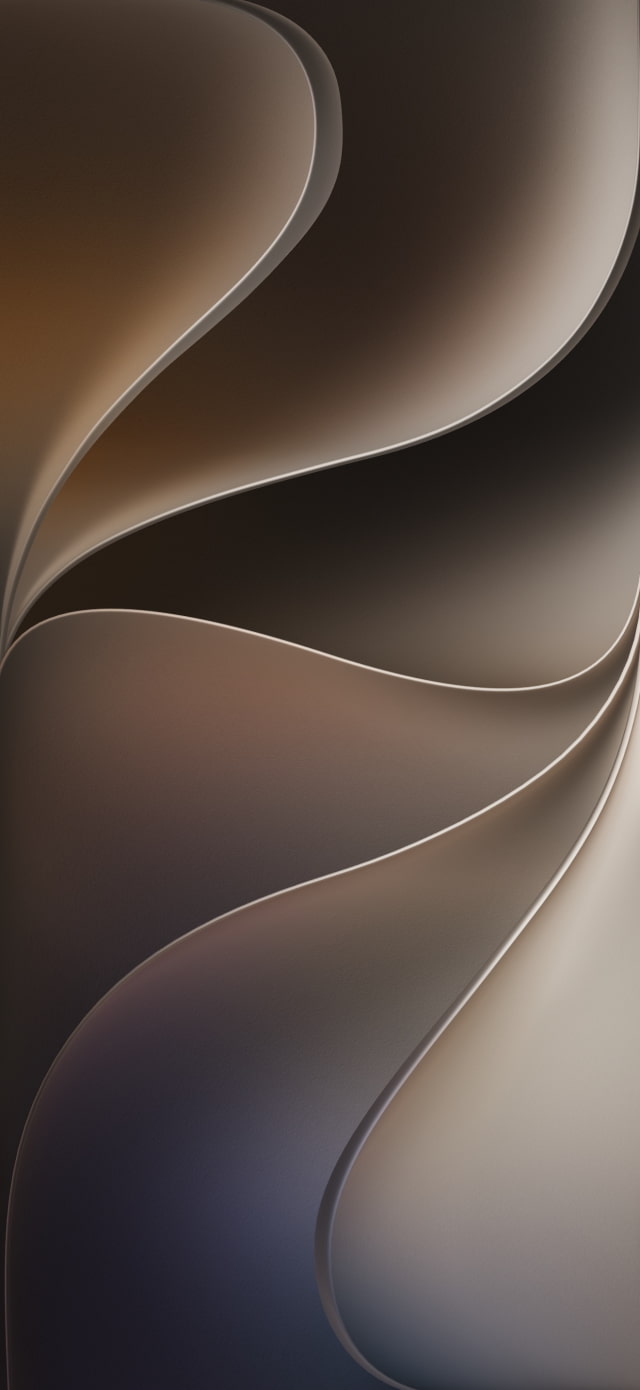
Light mode blends warm sandy gold into a soft purple, while Dark mode shifts to moody, deep indigos with silvery-blue edges. Apple offers the new design in three distinct variants: the standard 'iOS 27' version, 'Dynamic', and 'Color'.
DOWNLOAD THE OFFICIAL IOS 27 WALLPAPER
The new iOS 27 Celosia wallpaper collection comes in three distinct variants: iOS 27, Dynamic, and Color. Each includes a Light and Dark version for the Home Screen, as well as subtly different Light and Dark versions optimized for the Lock Screen.
Now that you've seen the beautiful new iOS 27 wallpaper, let's get it onto your iPhone. Follow these straightforward instructions to download and apply your new background.
Download Process
To save the new designs to your device, tap one of the download links above. The image will open in a new tab. On your iPhone, long-press the image until a menu appears, then select "Save to Photos" or "Add to Photos". On a desktop, right-click and choose "Save Image As."
Applying the Wallpaper
Once downloaded, open the Settings app on your iPhone and navigate to Wallpaper. Here, you can tap "Add New Wallpaper". You can set a separate image for both your Lock Screen and Home Screen. Alternatively, you can long-press on your Lock Screen, tap the Plus icon in the bottom right, and choose your new image from the Photos library to enter the wallpaper editor.
The new 'Celosia' design in iOS 27 features sweeping, overlapping curves and soft shadows. The aesthetic appears to be inspired by layered flower petals or folded paper. Light mode blends warm sandy gold into a soft purple, while Dark mode shifts to moody, deep indigos with silvery-blue edges.
How many new wallpapers are in iOS 27?
iOS 27 introduces the signature 'Celosia' design, which is available in three distinct configurations: iOS 27, Dynamic, and Color. Each of these variants includes Light and Dark modes customized for both the Home Screen and Lock Screen. There are a total of 4 new individual wallpaper images for the default iOS 27 version and many more combinations for Dynamic and the configurable Color version.
Which iPhones can run iOS 27?
According to Apple, iOS 27 will be available this fall as a free software update for iPhone 11 and later models.
What is the resolution of the iOS 27 wallpapers?
The resolution of the new iOS 27 wallpapers provided here is 1320 x 2868 pixels, ensuring they look incredibly crisp and detailed on your iPhone's Super Retina XDR display.
Are there official iPhone 17 wallpapers available for download?
Yes! With the launch of its latest flagship phones, Apple also released official wallpapers specifically for the iPhone 17 and iPhone 17 Pro. You can grab these beautiful backgrounds to personalize your device.
Can I use these wallpapers on older iPhones or Android devices?
Absolutely. You can download and use these wallpapers on any device, including older iPhone models, Android phones, Macs, or PCs. You may just need to crop or reposition the image to fit your screen perfectly.
Where can I find more wallpapers for my iPhone?
We have a massive collection of official Apple wallpapers. Check out some of the links below!




![CT Scan Reveals How iPhone Duo's Hinge Works [Video]](/images/news/102981/102981/102981-160.jpg "CT Scan Reveals How iPhone Duo's Hinge Works [Video]")
![Apple Tests Face ID and Action Button for iPhone Duo, Considers Larger Display [Gurman]](/images/news/102972/102972/102972-160.jpg "Apple Tests Face ID and Action Button for iPhone Duo, Considers Larger Display [Gurman]")




![How To Back Up Your iPhone to an External Drive on Mac [Video]](/images/tutorials/72786/72786/72786-160.jpg "How To Back Up Your iPhone to an External Drive on Mac [Video]")

![How To Find Your IP Address on iPhone [Video]](/images/tutorials/496/496/496-160.jpg "How To Find Your IP Address on iPhone [Video]")

![Apple's iPhone 18 Pro and Pro Max Cases Are Up to 37% Off [Deal]](/images/news/102978/102978/102978-160.jpg "Apple's iPhone 18 Pro and Pro Max Cases Are Up to 37% Off [Deal]")
![16-Inch MacBook Pro With M5 Pro Drops to $2,429 ($570 Off), Lowest Price We've Seen [Deal]](/images/news/102957/102957/102957-160.jpg "16-Inch MacBook Pro With M5 Pro Drops to $2,429 ($570 Off), Lowest Price We've Seen [Deal]")

![16-Inch MacBook Pro With M5 Max Drops to $3,499 ($900 Off), Lowest Price We've Seen [Deal]](/images/news/102900/102900/102900-160.jpg "16-Inch MacBook Pro With M5 Max Drops to $3,499 ($900 Off), Lowest Price We've Seen [Deal]")
![Mac Studio With M5 Max Is $200 Off, Lowest Price We've Seen [Deal]](/images/news/102897/102897/102897-160.jpg "Mac Studio With M5 Max Is $200 Off, Lowest Price We've Seen [Deal]")
