The new iPad mini's OLED screen is the biggest reason to upgrade from an A17 Pro model. Movies and photos get deeper blacks and brighter HDR highlights, while a lighter body makes the tablet easier to hold. But for books, notes, and everyday browsing, the A17 Pro mini still has plenty to offer.
The A20 Pro mini starts at $699 and launches Friday, November 6. It is already available to pre-order on Amazon.
OLED Is the Main Attraction
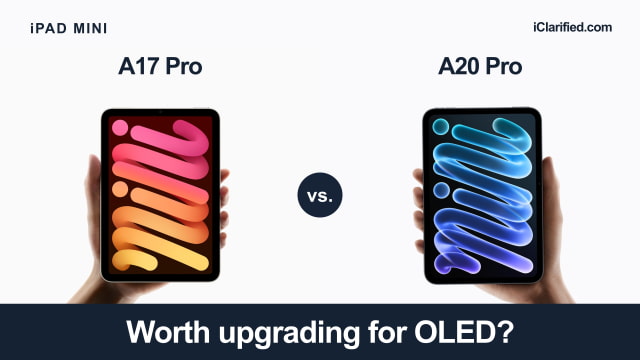
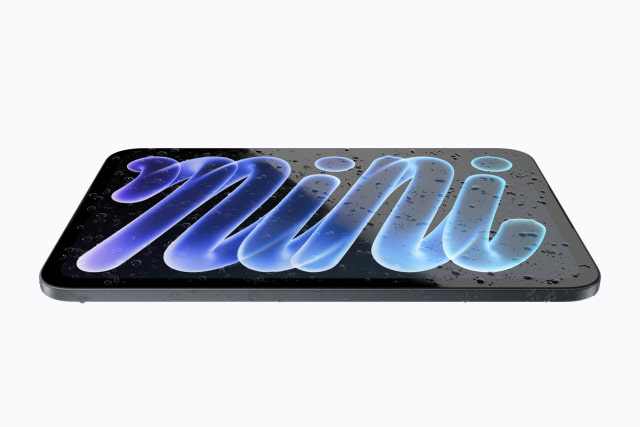
The A20 Pro mini's 8.5-inch OLED display replaces the A17 Pro model's 8.3-inch LCD. The extra screen space is modest, but OLED can turn individual pixels off for true black. Dark scenes in films and shadows in photos benefit more from that change than from the small increase in size.
Brightness improves too. The A20 Pro model reaches 600 nits across the full screen, up from 500 nits on the A17 Pro mini. Its 1,200-nit peak applies to HDR highlights, rather than the whole display. Both screens retain the same 326-pixel-per-inch density, so the upgrade is chiefly about contrast, HDR, and brightness rather than sharper text.
The new mini still has a 60Hz screen without ProMotion. Apple points to faster OLED pixel response for reduced motion blur, but you do not get the 120Hz scrolling and animation of a ProMotion display.
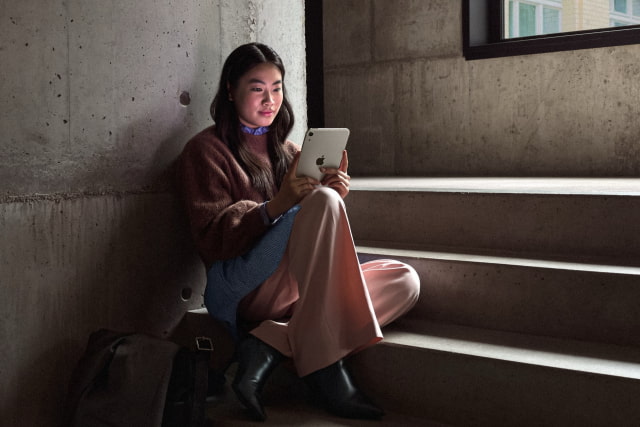
Nano-texture glass is another new option, available on the 256GB and 512GB A20 Pro models for an extra $100. It reduces glare in bright surroundings, which could be useful if reflections make your current mini hard to read outdoors. The standard glass already has an antireflective coating.
Lighter in Your Hand, With Protection Against Spills
The Wi-Fi mini drops from 293 grams to 255 grams, a 38-gram reduction, and thickness falls from 6.3mm to 5.4mm. It is also slightly narrower. Less weight is welcome for a device you may hold through a chapter or a long train journey.
The A20 Pro mini also adds IP67 water and dust resistance, tested under laboratory conditions at a depth of up to one meter for 30 minutes. The A17 Pro model has no published IP rating. The new protection is reassuring around spills, although resistance can diminish with wear and Apple's warranty does not cover liquid damage.
The 512GB Model Has an Extra CPU Core
Every new mini gets a seven-core GPU, up from five cores in the A17 Pro model. The CPU and Neural Engine depend on which capacity you buy: 128GB and 256GB models have a five-core CPU and a 16-core Neural Engine, while the 512GB version has a six-core CPU and dual 16-core Neural Engines.
Apple's claim of up to 60 percent faster CPU performance than the A17 Pro mini comes from testing the six-core model in Affinity Photo 2. That is promising for more demanding creative work, but it does not tell us how much faster the five-core versions will be. We'd wait for app benchmarks before paying for 512GB solely for its extra processing hardware.
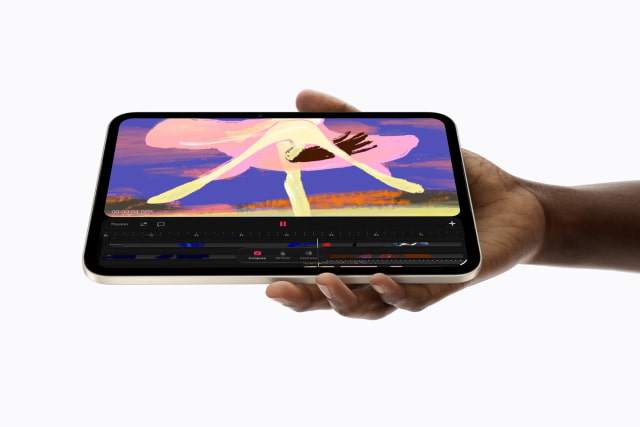
Apple Intelligence is supported on both generations. So are Apple Pencil Pro, Apple Pencil (USB-C), and Pencil hover. If you already have a compatible Pencil, you can keep using it with the new mini.
The A20 Pro mini can also serve as a small desktop setup. With iPadOS 27.2, it supports an extended workspace on a connected monitor, letting you spread windowed apps across both screens. Both generations can output video at up to 4K at 60Hz, but the extended workspace is new to the A20 Pro model.
Better for Calls, Quicker to Recharge
Apple has moved the new mini's front camera to the landscape edge, putting it in a more natural position when the tablet is propped up horizontally for a call. Both generations have a 12MP Center Stage front camera, while the new model uses a wider ƒ/2.0 aperture instead of ƒ/2.4.

The new mini's Acoustic Display uses the screen itself as part of the speaker system. Custom woofers drive sound through the display, while tweeters sit between the glass and aluminum enclosure.
Wi-Fi moves from 6E to 7, Bluetooth from 5.3 to 6, and cellular versions of the A20 Pro mini gain Apple's C2 modem.
Battery life is still rated at up to 10 hours for Wi-Fi browsing or video, or nine hours of cellular browsing. The new mini does add fast charging: Apple quotes about 50 percent in 30 minutes with a 35W or higher USB-C adapter. The included adapter is 20W, so you need a suitable separate charger to get that rate.
What You'll Pay
The 128GB Wi-Fi A20 Pro mini costs $699, which is $100 above the outgoing model's revised $599 retail price. As of November 3, our A17 Pro mini price tracker lists the Space Gray 128GB Wi-Fi model at $569 on Amazon. For a new buyer, that makes the OLED model $130 more expensive.
You can pre-order the 128GB Wi-Fi A20 Pro mini on Amazon for $699 ahead of the November 6 release, or use our A20 Pro mini price tracker to compare retailers and set a price alert.
iPad mini A17 Pro vs. A20 Pro Specifications
| Feature | A17 Pro mini | A20 Pro mini |
|---|---|---|
| Display | 8.3-inch LCD | 8.5-inch OLED |
| Resolution | 2266 × 1488; 326 ppi | 2316 × 1512; 326 ppi |
| Brightness | 500 nits | 600 nits full screen; 1,200 nits peak HDR |
| Nano-texture glass | Not offered | Optional on 256GB and 512GB |
| Size, H × W × D | 195.4 × 134.8 × 6.3 mm | 195.3 × 132.6 × 5.4 mm |
| Weight, Wi-Fi / cellular | 293g / 297g | 255g / 263g |
| Water and dust rating | No published IP rating | IP67 |
| Chip and CPU | A17 Pro: 6 cores | A20 Pro: 5 cores at 128/256GB; 6 at 512GB |
| GPU | 5 cores | 7 cores |
| Neural Engine | 16 cores | 16 cores at 128/256GB; dual 16-core at 512GB |
| Storage | 128GB, 256GB, 512GB | 128GB, 256GB, 512GB |
| Front camera | 12MP Center Stage, ƒ/2.4 | Landscape 12MP Center Stage, ƒ/2.0 |
| Rear camera | 12MP, ƒ/1.8; 4K up to 60 fps | 12MP, ƒ/1.8; 4K up to 60 fps |
| Speakers | Landscape stereo speakers | Stereo Acoustic Display |
| Wireless | Wi-Fi 6E, Bluetooth 5.3 | Wi-Fi 7, Bluetooth 6 |
| Cellular model | 5G, eSIM | 5G, eSIM; C2 modem |
| USB port | USB-C, up to 10Gbps | USB-C, up to 10Gbps |
| External display output | Up to 4K at 60Hz | Up to 4K at 60Hz |
| Apple battery rating | Up to 10 hours; 9 on cellular | Up to 10 hours; 9 on cellular |
| Included adapter | 20W USB-C adapter | 20W USB-C adapter |
| Apple Pencil support | Pencil Pro and USB-C; hover | Pencil Pro and USB-C; hover |
| Unlocking | Touch ID | Touch ID |
| Finishes | Blue, purple, starlight, space gray | Midnight, starlight |
| US Wi-Fi starting price | From $599 | From $699 |
Should You Upgrade?
We would keep an A17 Pro mini that still feels quick and spends most of its time on books, browsing, and notes. You already have Pencil Pro support and Apple Intelligence, and both generations carry the same battery-life rating.
If your mini gets more use for films, photos, or drawing, OLED makes the upgrade more tempting. The lighter body and water resistance help too. We'd see the screen in person before trading in a working A17 Pro mini, especially if you had hoped this update would bring ProMotion.
For a first mini, we would pay the current $130 premium for the A20 Pro model's OLED screen, lighter body, and water resistance; however, a much deeper A17 Pro discount could change that recommendation.