

Apple Shares Fix for Apple Watch Showing Wrong Time After Daylight Saving Change
Apple has shared fixes for an Apple Watch bug that can leave the Always On display showing the wrong time after a daylight saving time change. The issue can put the watch face off by one hour, according to a new support document.
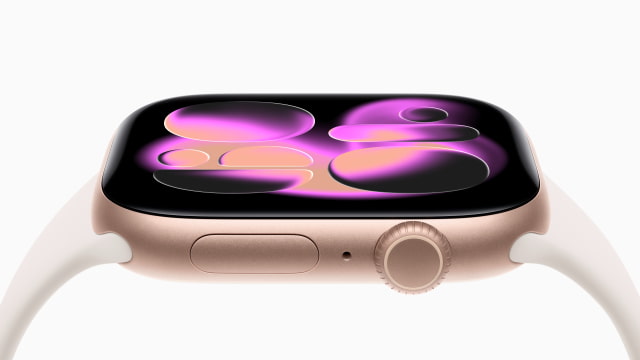
The incorrect time appears only while your wrist is down. Tapping the screen or raising your wrist wakes the display and shows the correct hour. Alarms and other watch features are not affected.
To switch watch faces, touch and hold the current face, swipe left or right to choose another, then tap it. Repeat those steps to return to your preferred face.
Alternatively, restart the watch. Remove it from its charger if necessary, then press and hold the side button until the sliders appear. Tap the power icon and drag the Power Off slider to the right. Once the watch turns off, hold the side button again until the Apple logo appears.
If you leave the watch as it is, the issue will resolve itself at midnight following the time change. Apple also recommends keeping watchOS updated for the latest bug fixes and security updates.

![Apple HomeView Could Double as a HomeKit Security Camera [Leak]](/images/news/103224/103224/103224-160.jpg "Apple HomeView Could Double as a HomeKit Security Camera [Leak]")

![iPhone 18 Pro Sales Rise 29% in China, Fall in U.S. and Japan [Report]](/images/news/103215/103215/103215-160.jpg "iPhone 18 Pro Sales Rise 29% in China, Fall in U.S. and Japan [Report]")



![How To Back Up Your iPhone to an External Drive on Mac [Video]](/images/tutorials/72786/72786/72786-160.jpg "How To Back Up Your iPhone to an External Drive on Mac [Video]")
![How To Find Your IP Address on iPhone [Video]](/images/tutorials/496/496/496-160.jpg "How To Find Your IP Address on iPhone [Video]")


![Apple Watch Ultra 4 Drops Back to All-Time Low of $699.99 ($99 Off) [Deal]](/images/news/103218/103218/103218-160.jpg "Apple Watch Ultra 4 Drops Back to All-Time Low of $699.99 ($99 Off) [Deal]")
![AirTag 2 4-Pack Hits All-Time Low of $69.99 ($29 Off) [Deal]](/images/news/103203/103203/103203-160.jpg "AirTag 2 4-Pack Hits All-Time Low of $69.99 ($29 Off) [Deal]")

![Beats Headphones, Earbuds, and Pill Speaker Are Up to 41% Off [Deal]](/images/news/103026/103026/103026-160.jpg "Beats Headphones, Earbuds, and Pill Speaker Are Up to 41% Off [Deal]")

