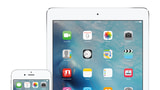
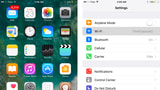
AppHome studios, a burgeoning mobile application developer, has announced the release SYSTEM Manager version 6.0 for the iPhone, iPod, and iPad. The newly released 6th version of this mobile device management app allows users to effectively track running processes and sweep memory usage to increase their device's free memory space. Additionally, users are given the ability to quickly kill unused or unwanted processes and perform trickle charge maintenance from directly within the app as well. System Manager is currently available for download on the Apple App Store.
Developed to offer users an effective platform from which to manage the performance of their mobile devices, SYSTEM Manager utilizes a well organized multi-layered user interface from which users can view and control the various running processes on their device. The app tracks running background & system processes, as well as a device's cellular and Wi-Fi network connections. SYSTEM Manager also gives users access easily understandable visual displays to track memory usage, battery usage, as available disk space.
The enhanced functionality of SYSTEM Manager 6.0 enables users to not only view but effectively manage the active processes on their phone as well. If memory usage is too high, users simply hit the app's refresh key to swipe their device's memory and clear up much needed space. Running processes can be killed with a single touch via the apps springboard from a devices home screen and from within the app as well. SYSTEM Manager 6.0 also offers multiple tips to help users maximize the battery-life of their devices and allows them to configure custom charge and maintenance alerts for their battary. Both useful as well as informative, System Manager is a seminal management utility that can help anyone's mobile device operate at its full potential the duration of it's life-cycle.
Pricing and Availability:
SYSTEM Manager 6.0 is only $0.99 USD (or equivalent amount in other currencies) and available worldwide exclusively through the App Store in the Utilities category.



![iPhone 20 Pro Could Use Ceramic in a Limited Edition [Rumor] iPhone 20 Pro Could Use Ceramic in a Limited Edition [Rumor]](/images/news/103818/103818/103818-160.jpg)
![iPhones Take Top Five Spots in China's Singles' Day Smartphone Sales [Report] iPhones Take Top Five Spots in China's Singles' Day Smartphone Sales [Report]](/images/news/103815/103815/103815-160.jpg)


![How To Sideload Apps Onto Your iPhone Using Xcode [Video] How To Sideload Apps Onto Your iPhone Using Xcode [Video]](/images/tutorials/52314/52314/52314-160.jpg)
![How To Free Up Storage on iPhone [Video] How To Free Up Storage on iPhone [Video]](/images/tutorials/103751/103751/103751-160.jpg)
![How To Find Your IP Address on iPhone [Video] How To Find Your IP Address on iPhone [Video]](/images/tutorials/496/496/496-160.jpg)


![13-Inch M5 MacBook Air Drops to $999.99, Up to $399 Off [Deal] 13-Inch M5 MacBook Air Drops to $999.99, Up to $399 Off [Deal]](/images/news/103824/103824/103824-160.jpg)
![Apple Watch Ultra 4 Drops to $649.99, a New All-Time Low ($149 Off) [Deal] Apple Watch Ultra 4 Drops to $649.99, a New All-Time Low ($149 Off) [Deal]](/images/news/103812/103812/103812-160.jpg)
![16-Inch MacBook Pro With PROLED XDR Drops to $3,200, a New All-Time Low ($199 Off) [Deal] 16-Inch MacBook Pro With PROLED XDR Drops to $3,200, a New All-Time Low ($199 Off) [Deal]](/images/news/103800/103800/103800-160.jpg)
![14-Inch MacBook Pro With M6 Drops to $1,799, a New All-Time Low ($200 Off) [Deal] 14-Inch MacBook Pro With M6 Drops to $1,799, a New All-Time Low ($200 Off) [Deal]](/images/news/103791/103791/103791-160.jpg)
![AirPods Pro 3 Drop to $149, a New All-Time Low ($100 Off) [Deal] AirPods Pro 3 Drop to $149, a New All-Time Low ($100 Off) [Deal]](/images/news/103740/103740/103740-160.jpg)