You can now use Claude to build installable apps for Mac and Windows. The Install as App beta takes interactive tools you build in Claude, called Artifacts, and gives them their own desktop icons and windows.
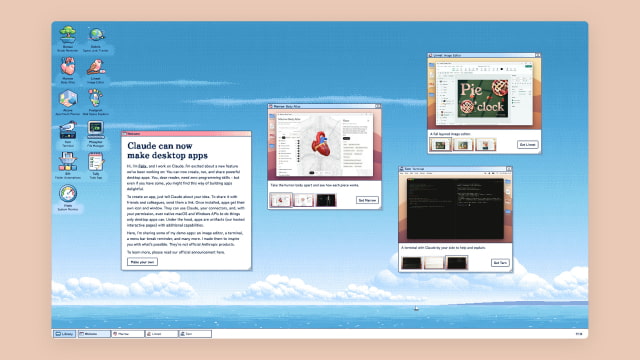
Update Claude for Mac or Windows, open an Artifact, and choose "Install as app" from the Share menu. You can share the app with a link, and installed copies update automatically when the original Artifact changes. Apps can use your connected services, and requests they send to Claude count toward your plan's usage limits.
With permission, a tool can send notifications, listen for global keyboard shortcuts, or put an item in the Mac menu bar or Windows system tray. Anthropic's examples include Linnet, a layered image editor, and Vitals, a menu bar app for checking system performance.
Apps start with browser-level access. They can request permission for desktop features, while full computer access lets an app run programs and read, change, or delete files without prompting for each action. You can grant full access only to apps you built yourself or, on Team and Enterprise plans, to apps built by someone in your organization. Claude asks again after an app update, though externally hosted components can change without another prompt.
The beta is rolling out across all plans. You need to be online and signed in to Claude to open an installed app. Some Artifacts are ineligible, including Claude Docs, Slides, and Sheets.