Tether is an app for your iPhone that can unlock your Mac when you're nearby and lock it when you leave.
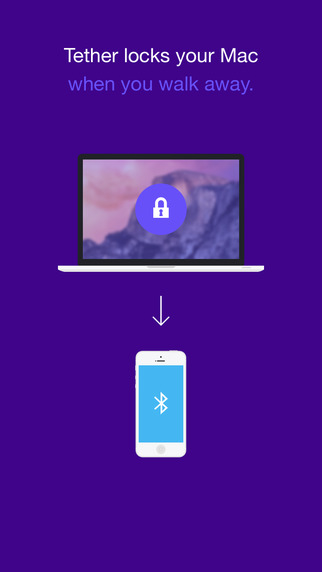
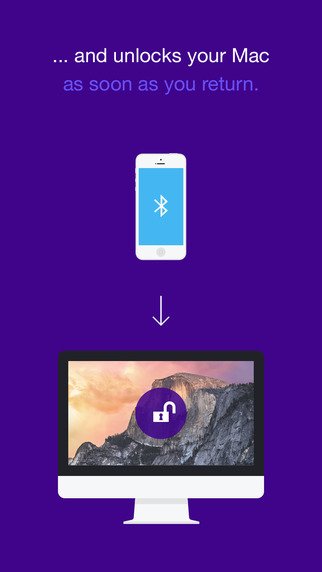
With Tether, your Mac automatically locks when you're not there and springs back to life when you return. It's that simple!
To use the feature you'll need to install the iOS app on your iPhone and install the companion app on your Mac. You download the OS X app from here.
Features: ● Secure Your Privacy: You have your iPhone with you all the time. We thought to utilise this behaviour a.k.a 'iPhone separation anxiety' to automatically ensure your Mac's digital files and private data are kept safe whenever you’re called away.
● Improve Your Workflow: As soon as you return, Tether will automatically enter your password and unlock your Mac allowing you to continue from where you left off. No password entry, just rock on up and you're in!
● No Battery Drain Tether communicates seamlessly between iPhone and Mac using Bluetooth Low Energy (BLE) which draws very little power. Which means using Tether all day won’t drain your battery.
Compatibility: iMac - Late 2012 or newer MacBook Pro - Mid 2012 or newer MacBook Air - Mid 2011 or newer Mac Mini - Mid 2011 or newer Mac Pro - Late 2013 or newer
You can download Tether from the App Store for free. Give it a try and let us know what you think in the comments!
[via CNET]
Get the iClarified Daily Newsletter
Apple news, rumors, tutorials, price drop alerts, in your inbox every evening, free.
Unsubscribe at any time.
Success!
You have been subscribed.
Add Comment
Would you like to be notified when someone replies or adds a new comment?
Yes (All Threads)
Yes (This Thread Only)
No
Notifications
Would you like to be notified when we post a new Apple news article or tutorial?
Yes
No
Comments (4)
Comments are closed for this article.
0
Miguel - March 14, 2015 at 5:07pm
It has some glitches
0
Jonnykk - March 14, 2015 at 7:29am
Well it's a good idea that will be 100x better if they develop it for the new Apple Watch.









![How To Change Wallpaper on Mac [Video]](/images/tutorials/90512/90512/90512-160.jpg "How To Change Wallpaper on Mac [Video]")
![How To Turn Off Always On Display on iPhone [Video]](/images/tutorials/87524/87524/87524-160.jpg "How To Turn Off Always On Display on iPhone [Video]")





![16-Inch M5 Max MacBook Pro Drops $900 to New Low of $3,499 [Deal]](/images/news/102438/102438/102438-160.jpg "16-Inch M5 Max MacBook Pro Drops $900 to New Low of $3,499 [Deal]")
![Magic Keyboard for iPad Air Drops to $200 on Amazon [Deal]](/images/news/102402/102402/102402-160.jpg "Magic Keyboard for iPad Air Drops to $200 on Amazon [Deal]")
