At just $599, Apple's newly released MacBook Neo is one of the most compelling Macs at this price point. But hitting that price required major trade-offs—and some are more significant than you might expect.
While recent iFixit teardowns praise the laptop for its highly repairable, glue-free interior, hitting that aggressive price point required Apple to make several strict compromises. As Bloomberg's Mark Gurman recently warned, power users picking one up may be wasting their money.
From using an iPhone chip to cutting key Mac features, here are five of the biggest trade-offs you should know before buying.
1. It Has an iPhone Chip, Not an M-Series Processor
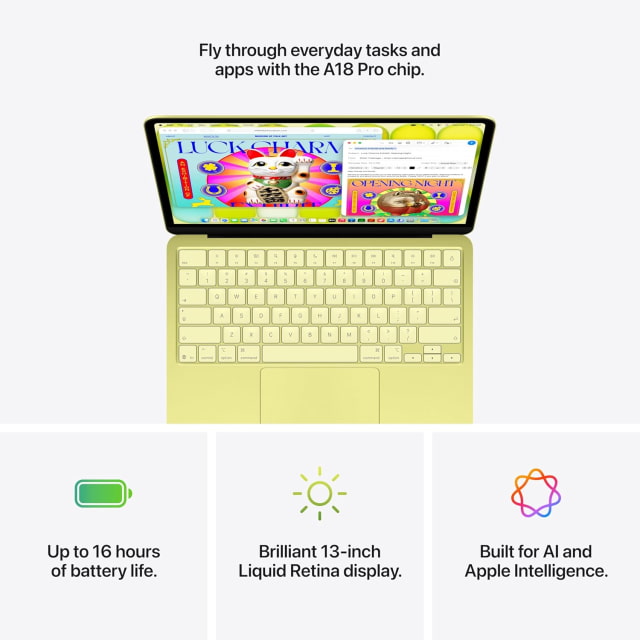
To reach the $599 price, Apple took a radical approach to the Neo's silicon. Instead of using a Mac-specific M-series chip, the MacBook Neo is powered by the A18 Pro—the same processor found inside the iPhone 16 Pro.
While the A18 Pro is efficient and handles macOS Tahoe smoothly for web browsing, email, and basic Apple Intelligence tasks, it lacks the multi-core performance and GPU bandwidth of the M5 chip. More demanding workloads like video editing, large code builds, or 3D rendering will quickly expose its mobile-first limits.
2. The 8GB Memory Ceiling
Apple has moved to 16GB of unified memory as the standard across its MacBook Air and MacBook Pro lineups, but the Neo remains capped at 8GB. While that meets the minimum requirement for Apple Intelligence, it leaves limited headroom for multitasking and more demanding apps.
Because the memory is integrated directly into the A18 Pro, there's no upgrade option at purchase. There's no way to upgrade it later.
3. Slower Ports and No Thunderbolt
The MacBook Neo includes two USB-C ports, but they operate at very different speeds. The left port supports USB 3 (10Gb/s) and can drive a single external display up to 4K at 60Hz. The right port is limited to USB 2 speeds (480Mb/s).
There's also no Thunderbolt support. If you rely on fast external storage, pro docks, or multiple displays, this limitation will be noticeable.
4. A Scaled-Back Display
The 13-inch Liquid Retina display is sharp and reaches up to 500 nits of brightness, but it lacks some of Apple's higher-end display features. The panel supports the standard sRGB color gamut instead of P3 wide color, and True Tone is not included.
Most people won't notice this in day-to-day use. However, users working with color-sensitive content may notice the difference.
5. No MagSafe Charging
Unlike the MacBook Air and MacBook Pro, the Neo does not include a MagSafe charging port. Charging is handled through USB-C, which means one of the two ports is occupied whenever the laptop is plugged in.
MagSafe has been a popular safety feature, helping prevent accidental drops when cables are pulled. Its absence is a notable trade-off.
For many buyers, the MacBook Neo delivers a very attractive entry point into the Mac lineup. But these trade-offs matter—especially if you plan to do more than basic tasks.







![Apple Releases visionOS 27.0.1 for Apple Vision Pro [Download]](/images/news/102459/102459/102459-160.jpg "Apple Releases visionOS 27.0.1 for Apple Vision Pro [Download]")
![Boot Speed Test: iPhone 18 Pro Max vs iPhone 17 Pro Max vs iPhone 16 Pro Max [Video]](/images/news/102462/102462/102462-160.jpg "Boot Speed Test: iPhone 18 Pro Max vs iPhone 17 Pro Max vs iPhone 16 Pro Max [Video]")
![Apple Releases macOS Golden Gate 27.0.1, Tahoe 26.7.1, and Sequoia 15.8.1 [Download]](/images/news/102456/102456/102456-160.jpg "Apple Releases macOS Golden Gate 27.0.1, Tahoe 26.7.1, and Sequoia 15.8.1 [Download]")
![Apple Releases iOS 27.0.1, iPadOS 27.0.1, and 26.7.1 Updates [Download]](/images/news/102453/102453/102453-160.jpg "Apple Releases iOS 27.0.1, iPadOS 27.0.1, and 26.7.1 Updates [Download]")


![How To Find Your iPhone IMEI Number [Video]](/images/tutorials/83557/83557/83557-160.jpg "How To Find Your iPhone IMEI Number [Video]")



![16-Inch M5 Max MacBook Pro Drops $900 to New Low of $3,499 [Deal]](/images/news/102438/102438/102438-160.jpg "16-Inch M5 Max MacBook Pro Drops $900 to New Low of $3,499 [Deal]")
![Magic Keyboard for iPad Air Drops to $200 on Amazon [Deal]](/images/news/102402/102402/102402-160.jpg "Magic Keyboard for iPad Air Drops to $200 on Amazon [Deal]")
![13-Inch M5 MacBook Air With 1TB Drops to $1,449 on Amazon [Deal]](/images/news/102345/102345/102345-160.jpg "13-Inch M5 MacBook Air With 1TB Drops to $1,449 on Amazon [Deal]")

