![How To Turn On Silent Mode on iPhone [Video]](/images/tutorials/102702/486597/486597-64.png "How To Turn On Silent Mode on iPhone [Video]")
Silent Mode stops your iPhone from playing ringtones, alerts and system sounds. Here are three ways to turn it on: the Action button, Control Center and Settings, plus the Ring/Silent switch on older iPhones.
We tested each one on an iPhone 18 Pro Max running iOS 27.
Put Your iPhone on Silent With the Action Button
Step One: Press and Hold the Action Button
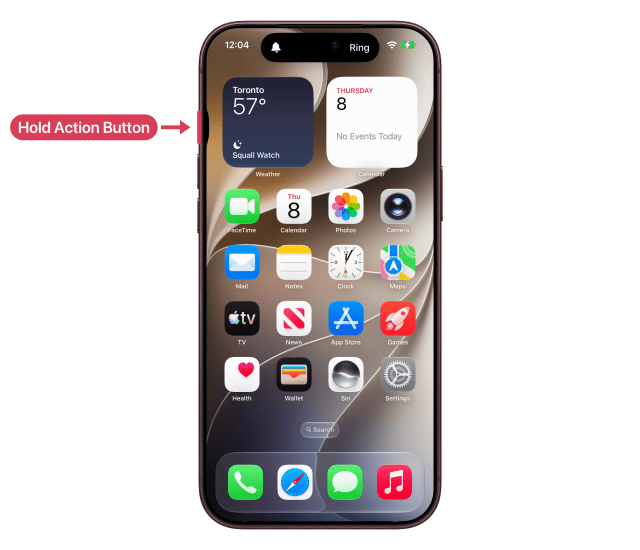
The Action button is on the left side of your iPhone, above the volume buttons. Press and hold it until the Dynamic Island shows Silent. A bell with a line through it appears next to the time.
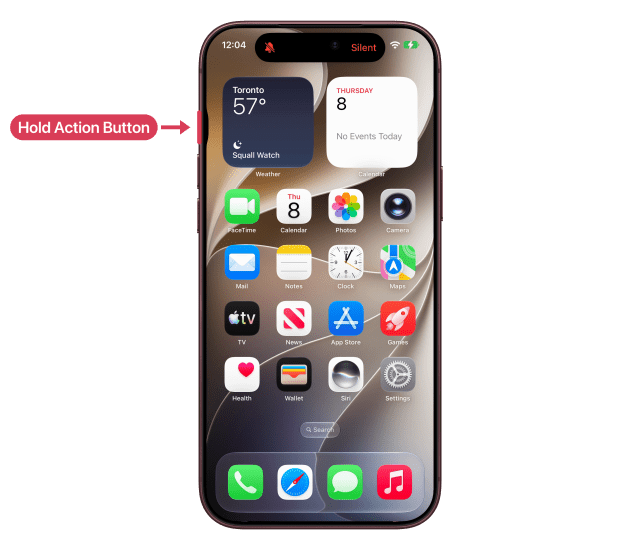
To turn Silent Mode off, press and hold the Action button again until you see Ring.
Use the Ring/Silent Switch on Older iPhones
If your iPhone has a Ring/Silent switch instead of an Action button, flip the switch toward the back of your iPhone to turn Silent Mode on. The switch shows orange when Silent Mode is on. Flip it toward the front to turn it off.
Turn On Silent Mode in Control Center
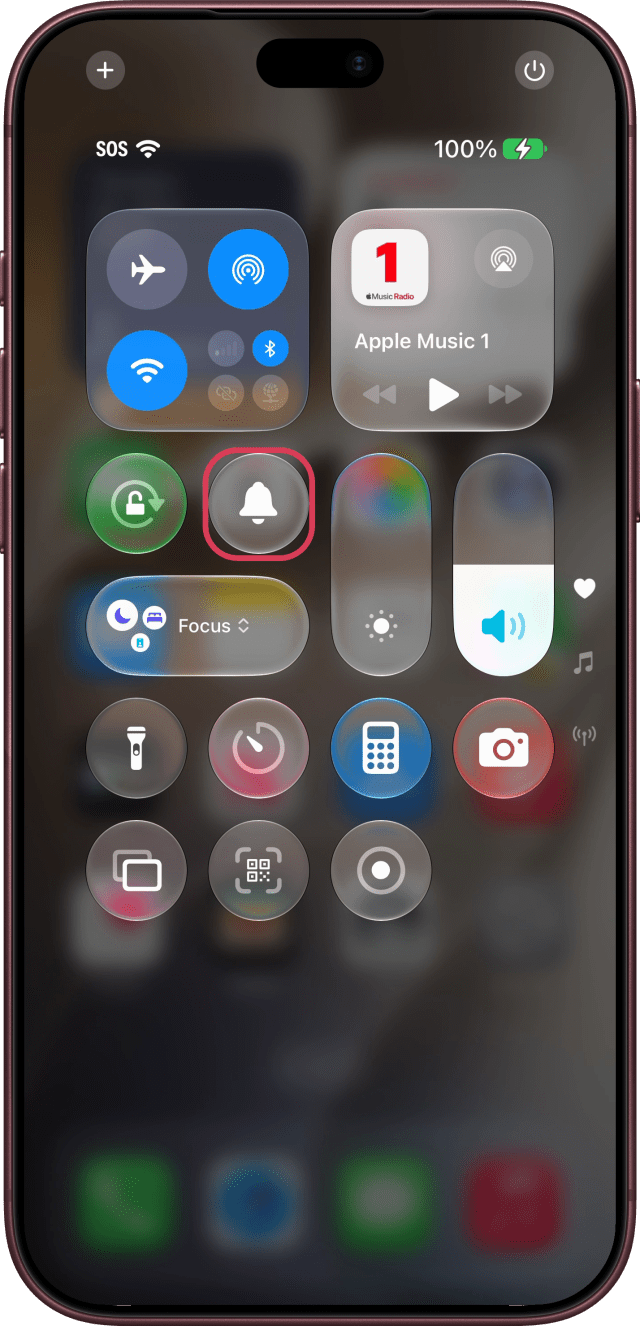
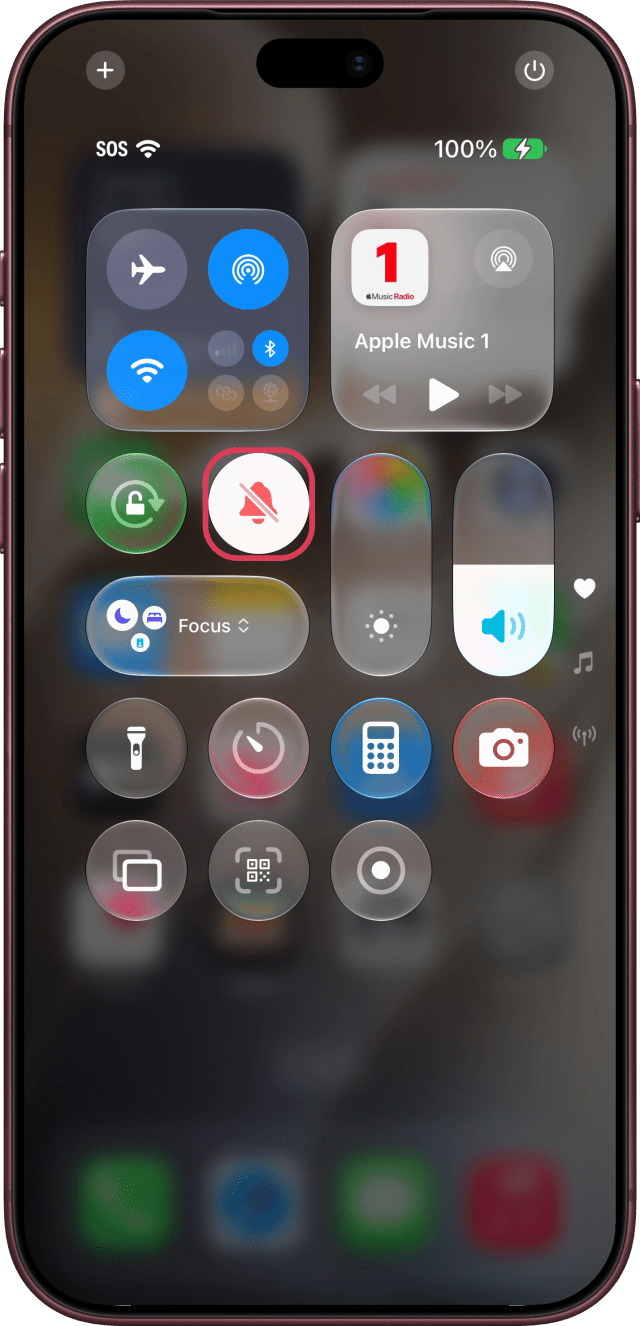
Swipe down from the top-right corner of the screen, and tap the Silent Mode bell. Tap it again to turn Silent Mode off.
Turn On Silent Mode in Settings
Step One: Open Sounds & Haptics
Open Settings, scroll down, and tap Sounds & Haptics.
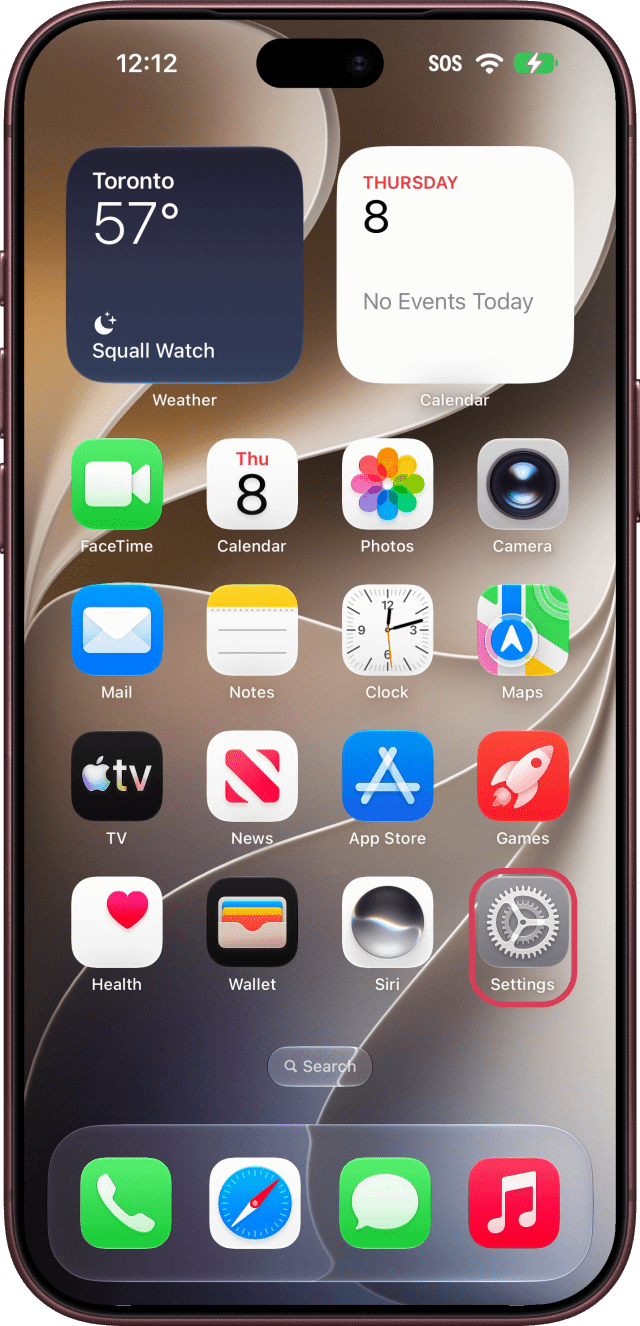
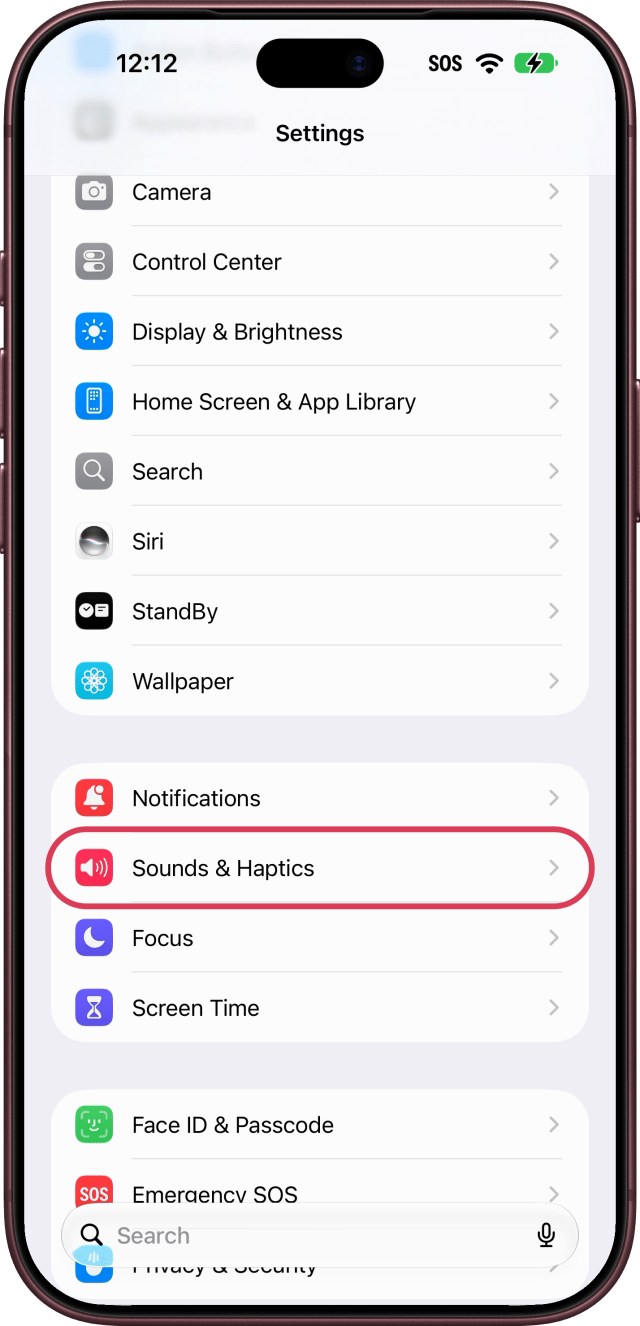
Step Two: Turn On Silent Mode
Turn on Silent Mode at the top.
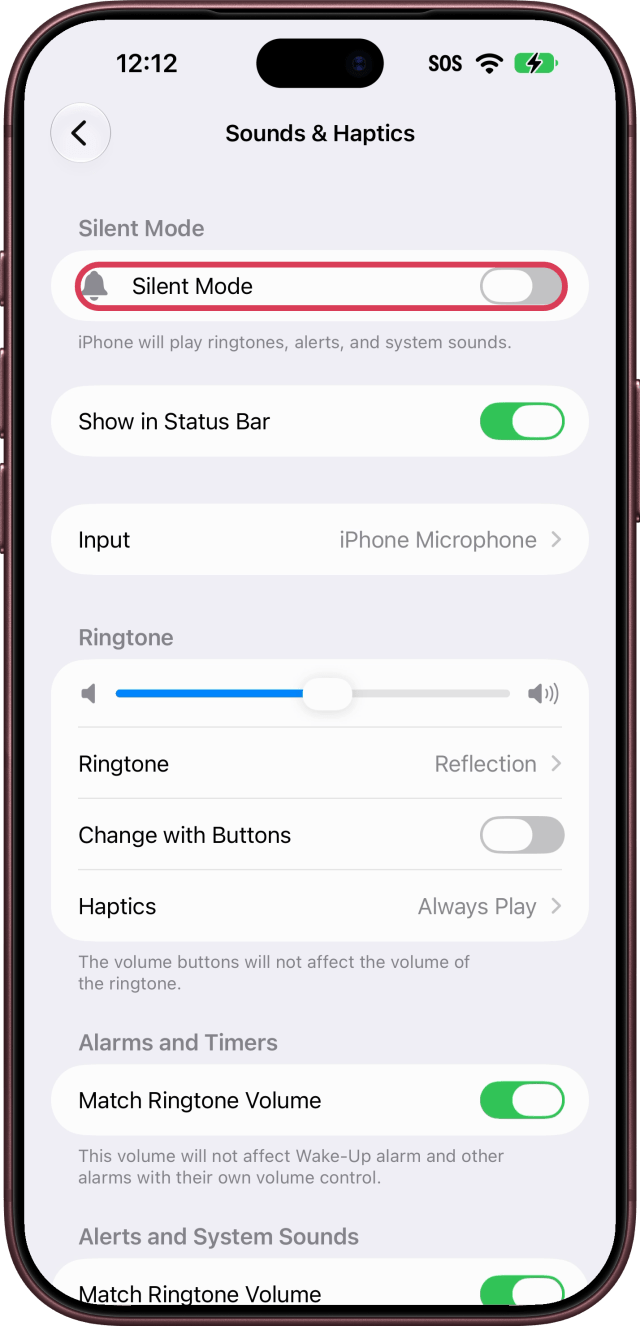
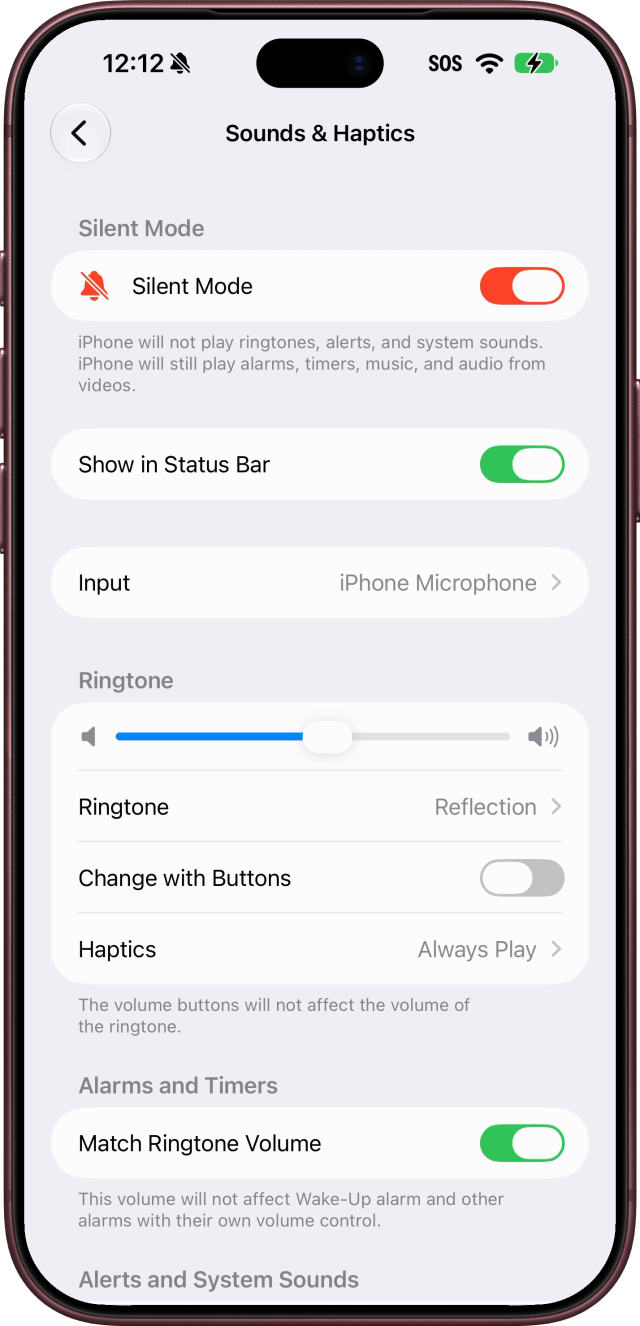
What Still Plays in Silent Mode
As the setting itself puts it, "iPhone will not play ringtones, alerts, and system sounds. iPhone will still play alarms, timers, music, and audio from videos."
To choose whether your iPhone vibrates in Silent Mode, tap Haptics in Sounds & Haptics and choose Always Play, Play in Silent Mode, Don't Play in Silent Mode or Never Play.
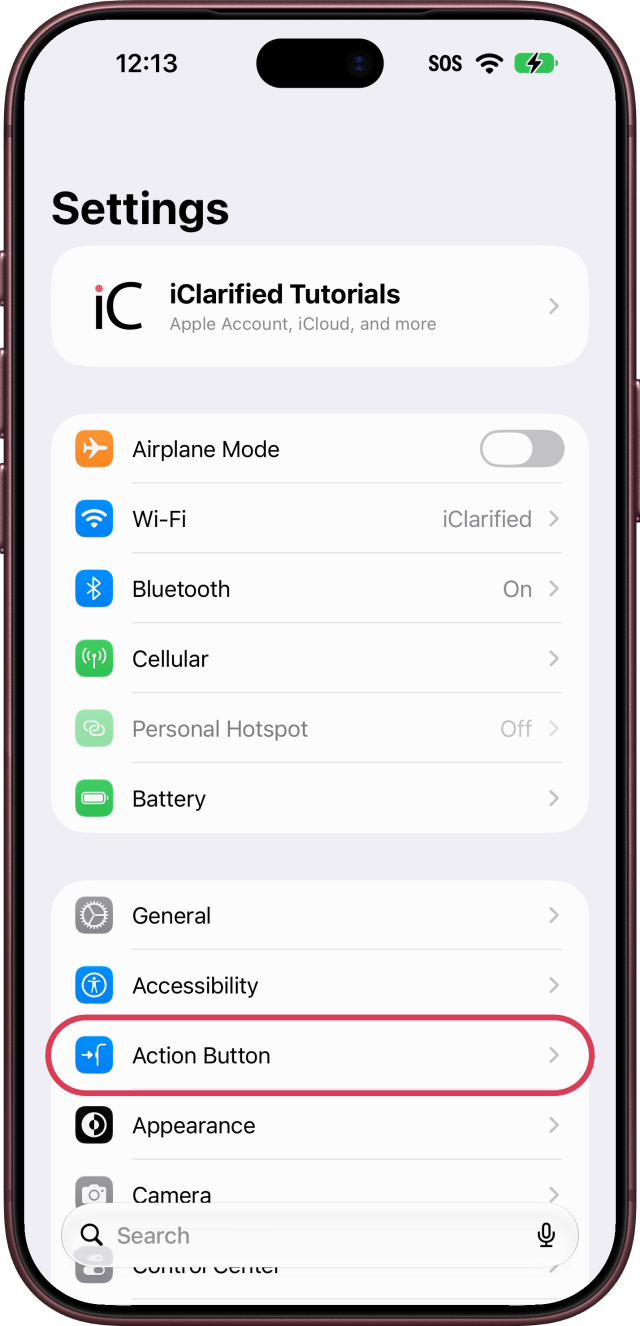
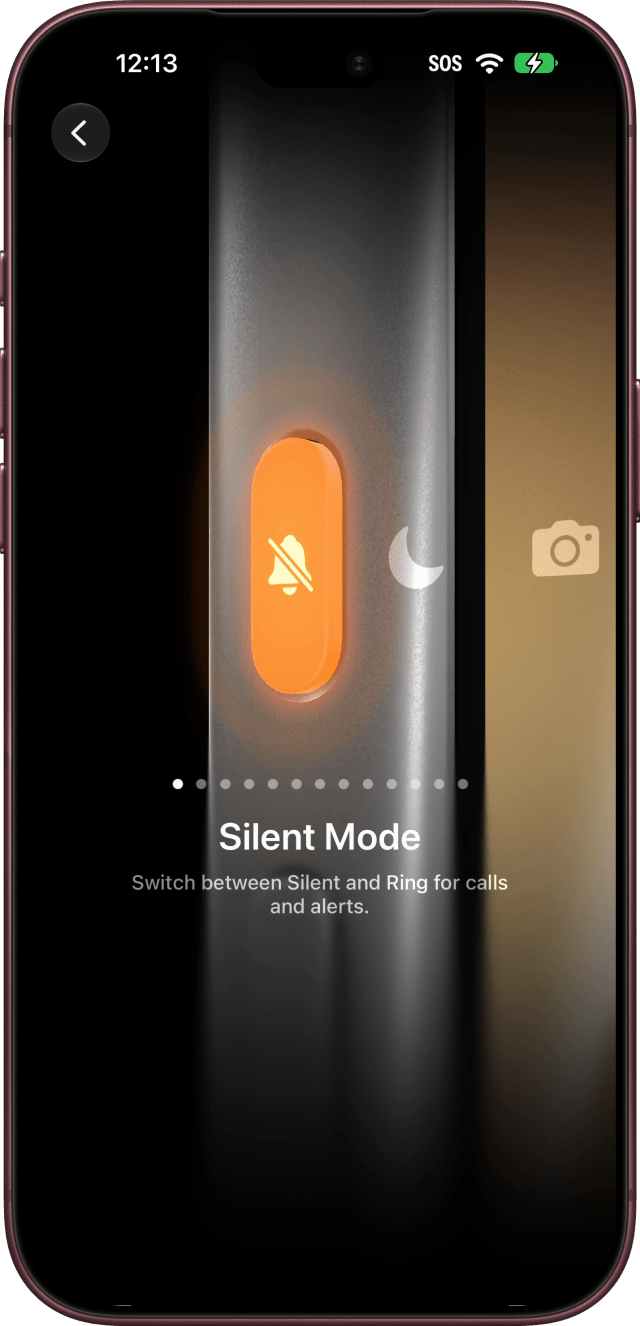
If the Action Button Does Something Else
Silent Mode is the Action button's default, but it can be set to do something else. To set it back, open Settings, tap Action Button, and swipe until you see Silent Mode.

![Apple-LG Home Accessories Could Offer Dynamic Island Proximity Controls [Leak]](/images/news/102711/102711/102711-160.jpg "Apple-LG Home Accessories Could Offer Dynamic Island Proximity Controls [Leak]")


![How To Force Restart iPhone [Video]](/images/tutorials/95012/95012/95012-160.jpg "How To Force Restart iPhone [Video]")
![How To Turn Off iPhone [Video]](/images/tutorials/94999/94999/94999-160.jpg "How To Turn Off iPhone [Video]")
![How To Back Up Your iPhone to an External Drive on Mac [Video]](/images/tutorials/72786/72786/72786-160.jpg "How To Back Up Your iPhone to an External Drive on Mac [Video]")





![Mac mini Drops to $779.99 for Prime Big Deal Days [Deal]](/images/news/102624/102624/102624-160.jpg "Mac mini Drops to $779.99 for Prime Big Deal Days [Deal]")