

You can have applications, documents, or server connections open automatically when you log in to your computer. To do this follow these steps:
Step One
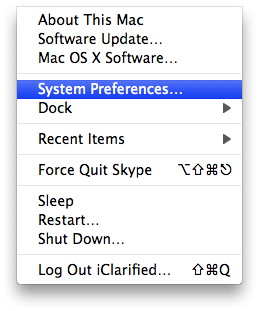
Select System Preferences... from the Apple menu at the top left hand corner of the screen.
Step Two
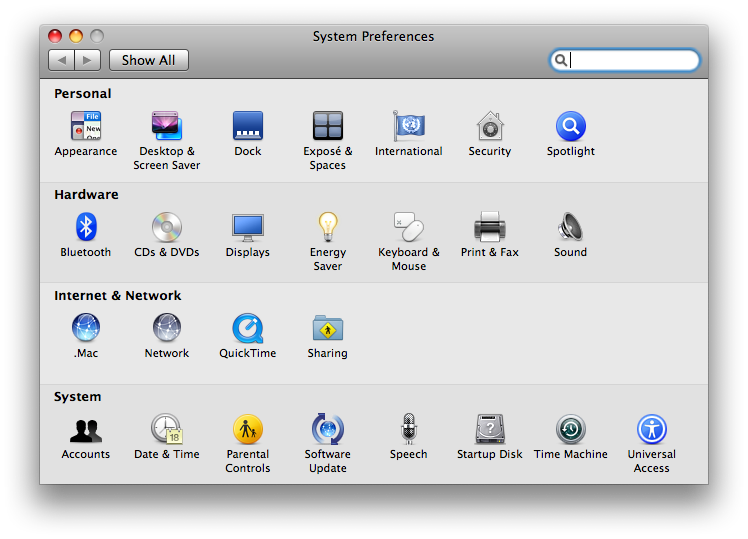
Click the Accounts icon from the System Preferences window.

Step Three
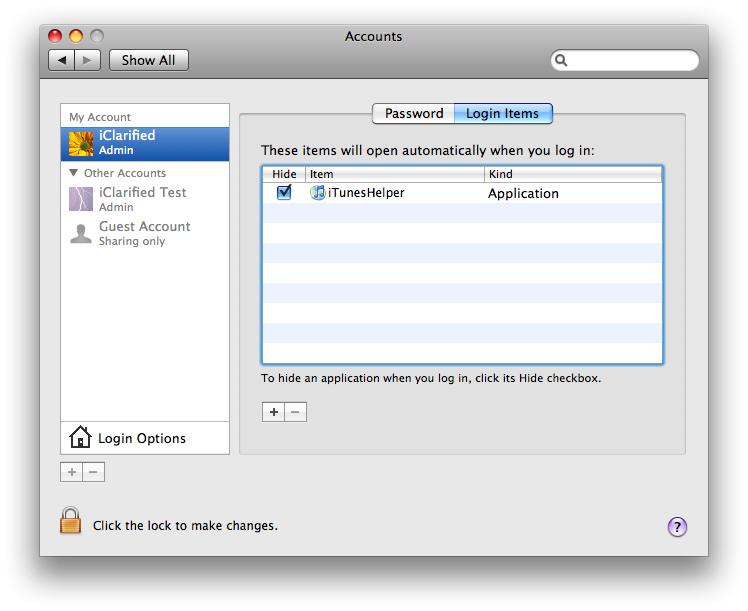
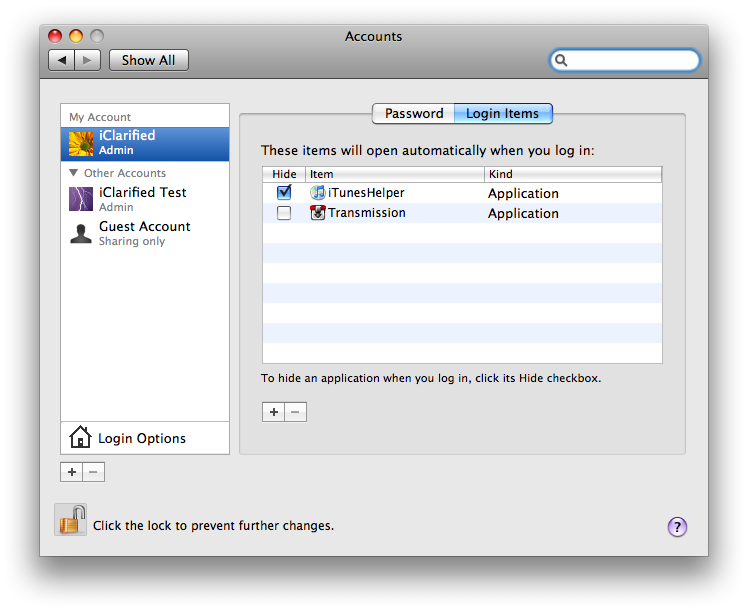
Click to select the Login Items tab.
Step Four
Click the lock at the bottom left hand corner of the window.

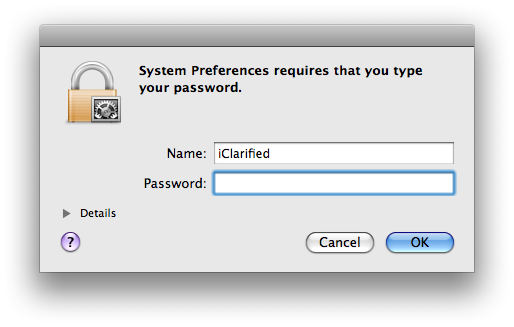
A popup will appear asking for an administrative login. Enter your username and password and click ok.
Notice the lock is now unlocked!

Step Five
Click the + button to add a new login item.

Step Six
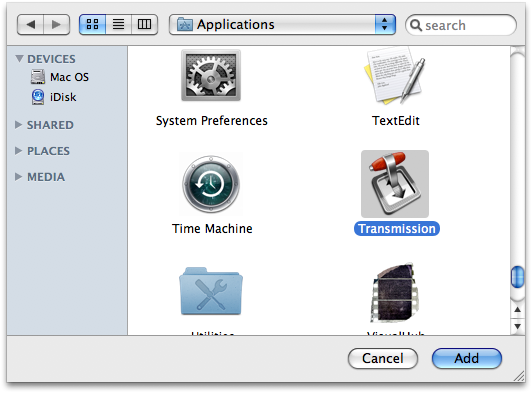
A window will popup asking you to select the item to add. Select an item then click the Add button.
Step Seven
To hide an application when you log in, click its Hide checkbox.

Step Eight
Press Command+q on the keyboard to close System Preferences.
Step One
Select System Preferences... from the Apple menu at the top left hand corner of the screen.
Step Two
Click the Accounts icon from the System Preferences window.
Step Three
Click to select the Login Items tab.
Step Four
Click the lock at the bottom left hand corner of the window.
A popup will appear asking for an administrative login. Enter your username and password and click ok.
Notice the lock is now unlocked!
Step Five
Click the + button to add a new login item.
Step Six
A window will popup asking you to select the item to add. Select an item then click the Add button.
Step Seven
To hide an application when you log in, click its Hide checkbox.
Step Eight
Press Command+q on the keyboard to close System Preferences.



![Beats 360 Headphones Debut With Swappable Cushions, IPX4 Rating for $349.99 [Video]](/images/news/102342/102342/102342-160.jpg "Beats 360 Headphones Debut With Swappable Cushions, IPX4 Rating for $349.99 [Video]")










![Apple Studio Display XDR Hits All-Time Low of $2,969.99 ($329 Off) [Deal]](/images/news/101976/101976/101976-160.jpg "Apple Studio Display XDR Hits All-Time Low of $2,969.99 ($329 Off) [Deal]")
