

These are instructions on how to install OpenSSH on your iPhone using Cydia Installer.
To follow these instructions you must have already jailbroken your iPhone. You can do this using one of the tutorials found here.
Step One
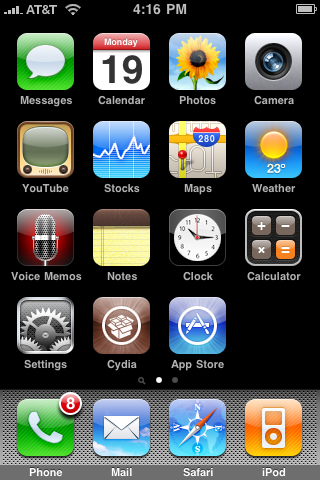
Press to launch Cydia from your Springboard.
Step Two
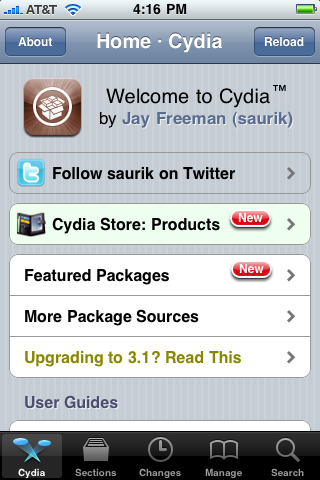
Press to select the Sections tab at the bottom of the screen.
Step Three
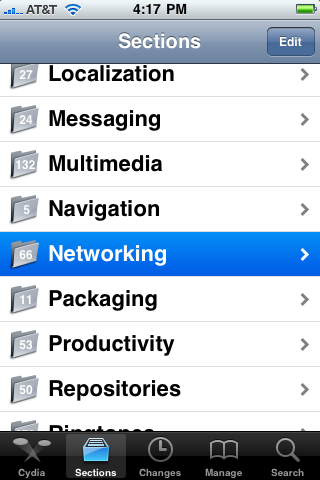
Press to select Networking from the list of Sections.
Step Four
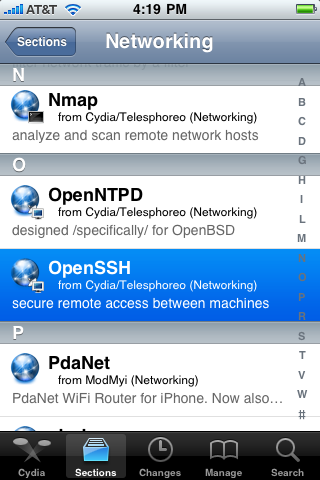
Press to select OpenSSH from the list of Packages.
Step Five
Press the Install button at the top right of the screen.
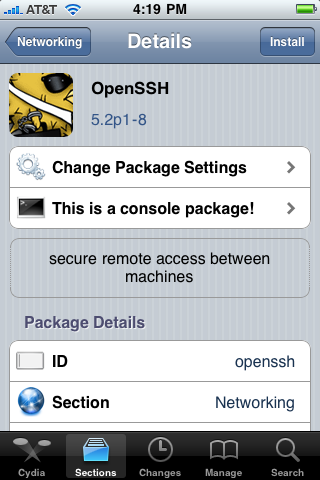
Step Six
Press the Confirm button at the top right of the screen.
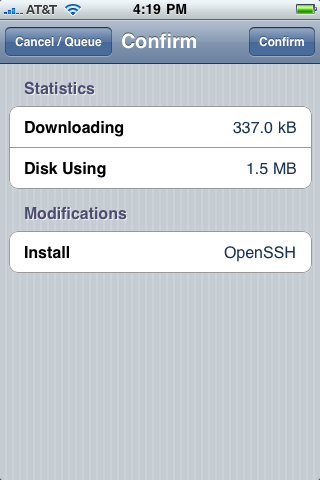
Step Seven
Once OpenSSH has installed successfully click the large Return to Cydia button.
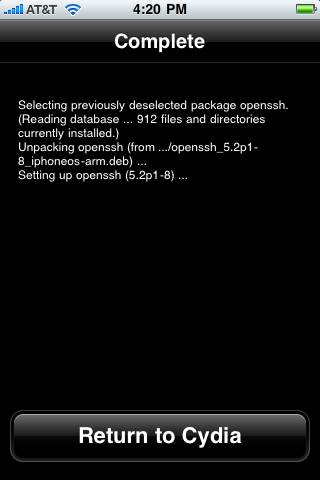
You may now use ssh to access your iPhone filesystem with the username: root and the password: alpine.
To follow these instructions you must have already jailbroken your iPhone. You can do this using one of the tutorials found here.
Step One
Press to launch Cydia from your Springboard.
Step Two
Press to select the Sections tab at the bottom of the screen.
Step Three
Press to select Networking from the list of Sections.
Step Four
Press to select OpenSSH from the list of Packages.
Step Five
Press the Install button at the top right of the screen.
Step Six
Press the Confirm button at the top right of the screen.
Step Seven
Once OpenSSH has installed successfully click the large Return to Cydia button.
You may now use ssh to access your iPhone filesystem with the username: root and the password: alpine.




![Apple Targets October 13 for Smart Home Hub, New HomePod mini and Apple TV [Gurman]](/images/news/102501/102501/102501-160.jpg "Apple Targets October 13 for Smart Home Hub, New HomePod mini and Apple TV [Gurman]")


![How To Find Your iPhone IMEI Number [Video]](/images/tutorials/83557/83557/83557-160.jpg "How To Find Your iPhone IMEI Number [Video]")



![16-Inch M5 Max MacBook Pro Drops $900 to New Low of $3,499 [Deal]](/images/news/102438/102438/102438-160.jpg "16-Inch M5 Max MacBook Pro Drops $900 to New Low of $3,499 [Deal]")
![Magic Keyboard for iPad Air Drops to $200 on Amazon [Deal]](/images/news/102402/102402/102402-160.jpg "Magic Keyboard for iPad Air Drops to $200 on Amazon [Deal]")
![13-Inch M5 MacBook Air With 1TB Drops to $1,449 on Amazon [Deal]](/images/news/102345/102345/102345-160.jpg "13-Inch M5 MacBook Air With 1TB Drops to $1,449 on Amazon [Deal]")

